
What Is Dynamic Routing: Network & AI Essentials
You ship an AI feature on Friday. It works. Users love it. Then one provider slows down, another changes pricing, and a newer model turns out to be the better choice for half your workload. If your app is hardcoded to one model, one region, or one provider, every change becomes a code change.
That's the reason developers keep asking what is dynamic routing. It isn't just a networking term from router manuals. It's a design pattern for systems that need to keep working when conditions change.
The old version of routing was simple. Pick a path once and hope reality stays still. Modern systems don't get that luxury. Networks change. Service instances fail. AI providers behave differently by task, latency, and cost. Product teams need software that can adapt without a scramble every time the ground moves.
Table of Contents
- Your App Is More Brittle Than You Think
- Dynamic vs Static Routing The Core Idea
- How Dynamic Routing Shapes Modern Software
- The New Frontier Dynamic AI Model Routing
- Common Patterns for Intelligent Routing
- Production Pitfalls and Best Practices
- Conclusion From Packets to Prompts
Your App Is More Brittle Than You Think
A lot of apps start with one hardcoded dependency because that's the fastest way to ship. You plug in an API key, pick one model, write a prompt, and wire the response into your product. For a while, that feels clean.
Then reality shows up.
Your support bot starts timing out because the chosen model is under load. Your content workflow gets expensive because the same high-end model is handling both trivial rewrites and difficult reasoning tasks. A customer asks where their data is processed, and now your single-provider setup isn't just inconvenient. It's a product constraint.
What looks like an AI problem is often a routing problem. The request needs a path. Your system needs logic for choosing the best destination under current conditions, not last month's assumptions.
Hardcoding a provider is like hardcoding a road trip around one bridge. The day that bridge closes, your whole plan fails.
Network engineers learned this lesson early. Static choices are manageable when the environment is tiny and stable. Once systems become distributed, changing, and business-critical, fixed paths turn into operational debt.
The same pattern shows up everywhere product teams work:
- AI features: One prompt and one model might be fine for a prototype, but production traffic exposes different needs across chat, extraction, classification, and generation.
- API integrations: A payment, search, or email provider can degrade without fully going down. Your app still works, but users feel the slowdown.
- Multi-region products: A request from one geography may need a different path for latency, compliance, or reliability reasons.
That's why dynamic routing matters to developers who may never touch a physical router. It gives your software a way to respond to change automatically instead of waiting for a redeploy.
Dynamic vs Static Routing The Core Idea
The easiest way to understand what dynamic routing is is to compare it with static routing.
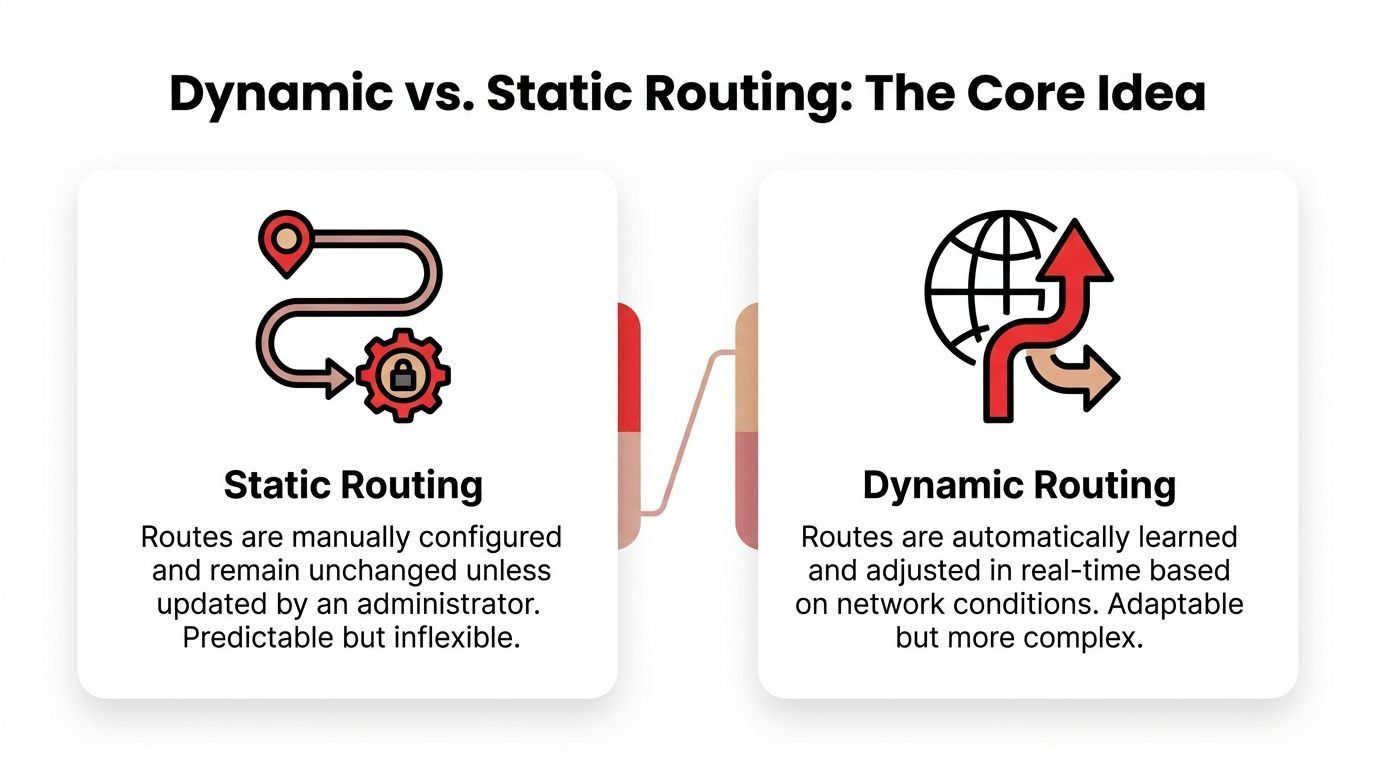
Static routing is like driving with printed directions. You decide the path ahead of time. If traffic builds up, a road closes, or a better route appears, the paper doesn't care. You keep following stale instructions until a human updates them.
Dynamic routing is like GPS. The system keeps checking current conditions, compares options, and recalculates when something changes.
Static means fixed
In a network, static routing means an administrator manually defines where traffic should go. That can work well in a very small setup where paths rarely change.
Static routes are attractive because they're simple to reason about:
- You choose the path directly: Nothing changes unless someone edits the configuration.
- Behavior is predictable: Good for simple edge cases or tiny environments.
- Operational burden grows fast: Every network change creates more manual work and more chances for mistakes.
That last point is where teams usually get confused. Static routing isn't bad. It's just brittle at scale.
Dynamic means the system can recalculate
With dynamic routing, routers exchange information about the network and compute the best available path automatically. Protocols such as OSPF, IS-IS, or EIGRP do this by sharing topology and metric information, then updating routing tables as conditions change. In large ISP backbones, OSPF typically converges within 1 to 2 seconds after a link failure, according to ScienceDirect's overview of dynamic routing.
That sentence carries most of the idea:
- Routers share information.
- They evaluate possible paths using metrics.
- They update automatically when something breaks or improves.
Practical rule: If a human has to log in and edit the path every time conditions change, you don't have dynamic routing.
A router doesn't just ask, “Is there a path?” It asks, “Which path is best right now based on the metric I care about?” In networking, that metric might be administrative cost or path quality. The important part for developers is the pattern, not the protocol trivia.
The three ideas to remember
Here's a compact way to keep it straight:
The terms can sound more intimidating than they are. A routing table is just a map of where requests should go. A metric is just the score used to compare options. Convergence is just the period where the system updates itself after change and settles on a new best path.
Once you see it that way, routing stops being a networking niche and starts looking like a general software pattern.
How Dynamic Routing Shapes Modern Software
Most developers already rely on routing patterns every day. They just don't label them that way.
The internet itself had to adopt dynamic routing to grow. BGP, standardized in 1994, became the mechanism for routing between independent networks, and by 2023 the global BGP routing table exceeded 1 million prefixes, which shows how essential dynamic routing became for connecting the internet at global scale, as summarized in Wikipedia's dynamic routing overview.
You don't need to run BGP to benefit from the same design idea.
You already use this pattern in web apps
If you've built with Next.js, Nuxt, or a similar framework, dynamic routes probably feel normal. A path like /users/[id] or /products/[slug] doesn't require a separate hardcoded page for every record. The app matches a pattern, loads the right data, and resolves the request at runtime.
That isn't network routing, but the principle is familiar:
- The destination isn't fully fixed upfront
- The system uses available context
- A decision happens when the request arrives
For product teams, this is the useful bridge. Routing is broader than packets moving between routers. It's any logic that sends a request to the right destination based on current information.
Microservices use routing as an operational tool
Microservices make the pattern even more obvious. A service mesh or API gateway can route requests to healthy instances, steer traffic away from degraded ones, or split traffic between versions during a rollout.
That means routing becomes part of application behavior, not just infrastructure plumbing.
Consider a checkout service with multiple running instances:
- One instance becomes unhealthy.
- The gateway stops sending requests there.
- Users keep checking out without noticing a server issue.
That's dynamic routing in spirit. The system adapts to change while the product stays available.
Good routing logic turns failures into internal events instead of customer-visible incidents.
This is also where developers sometimes blur routing and load balancing. They overlap, but they're not identical. Load balancing spreads traffic across available options. Routing decides where traffic should go based on rules, metrics, or context. Sometimes a router load-balances. Sometimes it chooses one specialized destination for a specific request type.
Once you frame routing this way, AI systems stop looking like a brand-new category. They're another environment where requests need smart path selection.
The New Frontier Dynamic AI Model Routing
When your product sends a prompt to an AI model, it's making a routing decision whether you admit it or not. You are choosing a destination for work.
A hardcoded AI integration hides that choice inside application code. It says, in effect, “all requests of this type go here.” That's fine for a demo. It's fragile in production because AI workloads are not uniform.
A profanity classifier, a long-form writing assistant, a support chatbot, and a document extraction tool don't all want the same model behavior. They don't care about the same tradeoffs either.
Your AI request is a routing decision
In AI systems, the old routing metrics change. Instead of only thinking about hops or bandwidth, teams need to think about tokens, latency, provider pricing, and sovereignty rules as the new routing costs, as described in Catchpoint's discussion of dynamic routing protocols.
That one idea reveals the whole topic for product-minded developers.
A model router might choose differently because:
- The task is simple: A cheaper model is good enough for classification or formatting.
- The task is high stakes: A stronger model is worth using for complex reasoning or polished copy.
- The interaction is live: A faster model matters more than top-end quality in a real-time chat flow.
- The user is in a regulated environment: Data handling rules can restrict which providers or regions are acceptable.
This is why “best model” is usually the wrong question. The practical question is “best model for this request under these constraints.”
What a model router actually evaluates
Teams often need a concrete decision shape, so here's a simple one:
This is the same core logic that network routing uses. Evaluate paths. Compare metrics. Pick the most suitable route for current conditions.
What changes is the meaning of the metric.
A simple mental model for fallback chains
Suppose your app handles support conversations. You might route requests like this:
- Start with a fast model for regular chat.
- If the request is long or complex, move to a stronger reasoning model.
- If the primary provider is unavailable, fall back to a second provider.
- If cost controls are tight, route low-value tasks to a cheaper option.
That's dynamic model routing. Not magical. Just explicit policy.
The value is bigger than reliability. Routing also protects product velocity. When routing rules live outside scattered application code, teams can change behavior without a frantic refactor every time a provider shifts.
Here's a short walkthrough that shows the operational mindset in action:
The strongest AI products don't depend on one model being perfect. They depend on the system making better choices per request.
Network thinking proves useful for AI builders. A prompt is the payload. A model is the destination. Routing policy is the decision engine that keeps quality, speed, reliability, and spend in balance.
Common Patterns for Intelligent Routing
Once you accept that model choice is a routing problem, a few reusable patterns show up quickly. These aren't networking-only ideas. They're practical ways to make AI products safer and easier to evolve.
Fallback routing
Fallbacks are often the first pattern implemented. If the preferred model fails, times out, or returns something unusable, the request moves to another option.
A simple example is customer support chat. Your app tries Provider A first because it's fast for short responses. If that path fails, it retries with Provider B. If the task requires a strict JSON output and the first result is malformed, it sends the request to a model with stronger structured-output behavior.
Use fallback routing when availability matters more than purity. Users usually care that the feature works. They don't care which provider handled the rescue.
Canary releases
A canary release sends a small slice of production traffic to a new model or prompt configuration before broader rollout. The point isn't theory. It's containment.
You might introduce a new summarization model for a small set of users or one internal workspace first. If output quality drops, you've learned something without exposing the full product to the change.
Good canaries answer questions such as:
- Does the new route preserve quality: Are users getting responses that match product expectations?
- Does it change latency noticeably: Is the experience still smooth enough for the use case?
- Does it behave consistently: Are edge cases getting worse even if median behavior looks fine?
A B testing and feature flag routing
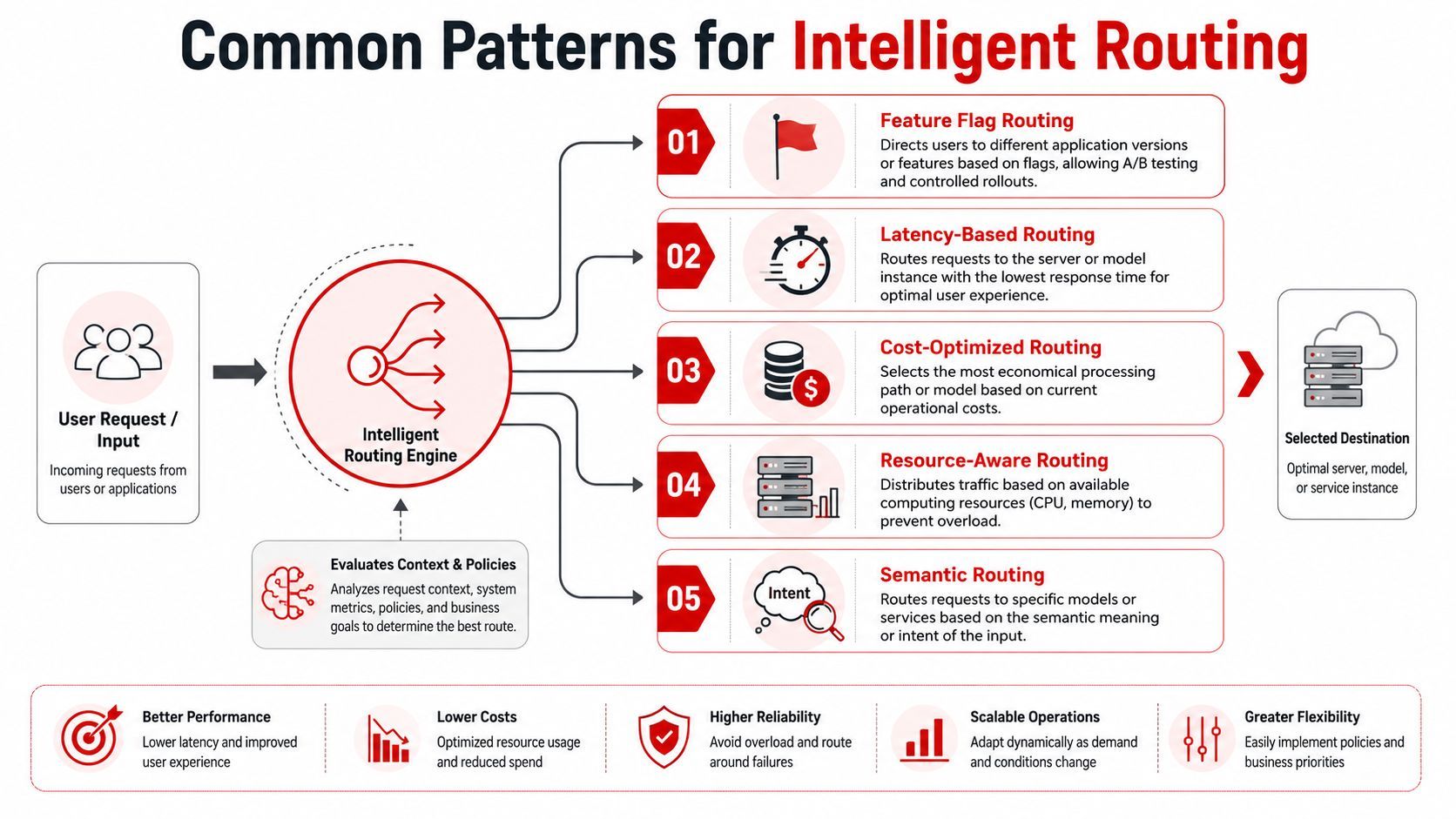
A/B testing compares alternatives deliberately. Feature flag routing gives you the switchboard to control who sees which path.
In AI products, this can mean comparing:
- One prompt version against another
- One provider against another
- A cheap model for simple requests versus a premium model for all requests
The product lesson is important. Don't ask abstractly whether a model is better. Ask whether it improves your actual task for your actual users.
Design check: Route experiments by user segment or feature flag, not by random code edits spread across services.
Load balancing and policy routing
Load balancing spreads requests across multiple healthy destinations. Policy routing adds rules about why a particular request should go one way instead of another.
Here are common policy examples:
- Latency-based routing: Send the request to the fastest acceptable region or model.
- Cost-aware routing: Use a less expensive path for bulk background jobs.
- Semantic routing: Send coding questions to one model family and creative writing to another.
- Resource-aware routing: Avoid overloaded infrastructure or provider paths.
A healthy production setup often combines these patterns. A request may first follow a semantic rule, then a latency rule, then a fallback policy if the first destination isn't healthy. That sounds complex, but it's manageable when the rules are explicit and observable.
Production Pitfalls and Best Practices
Dynamic routing solves real problems, but it also creates new ones. Teams often add flexibility faster than they add control.
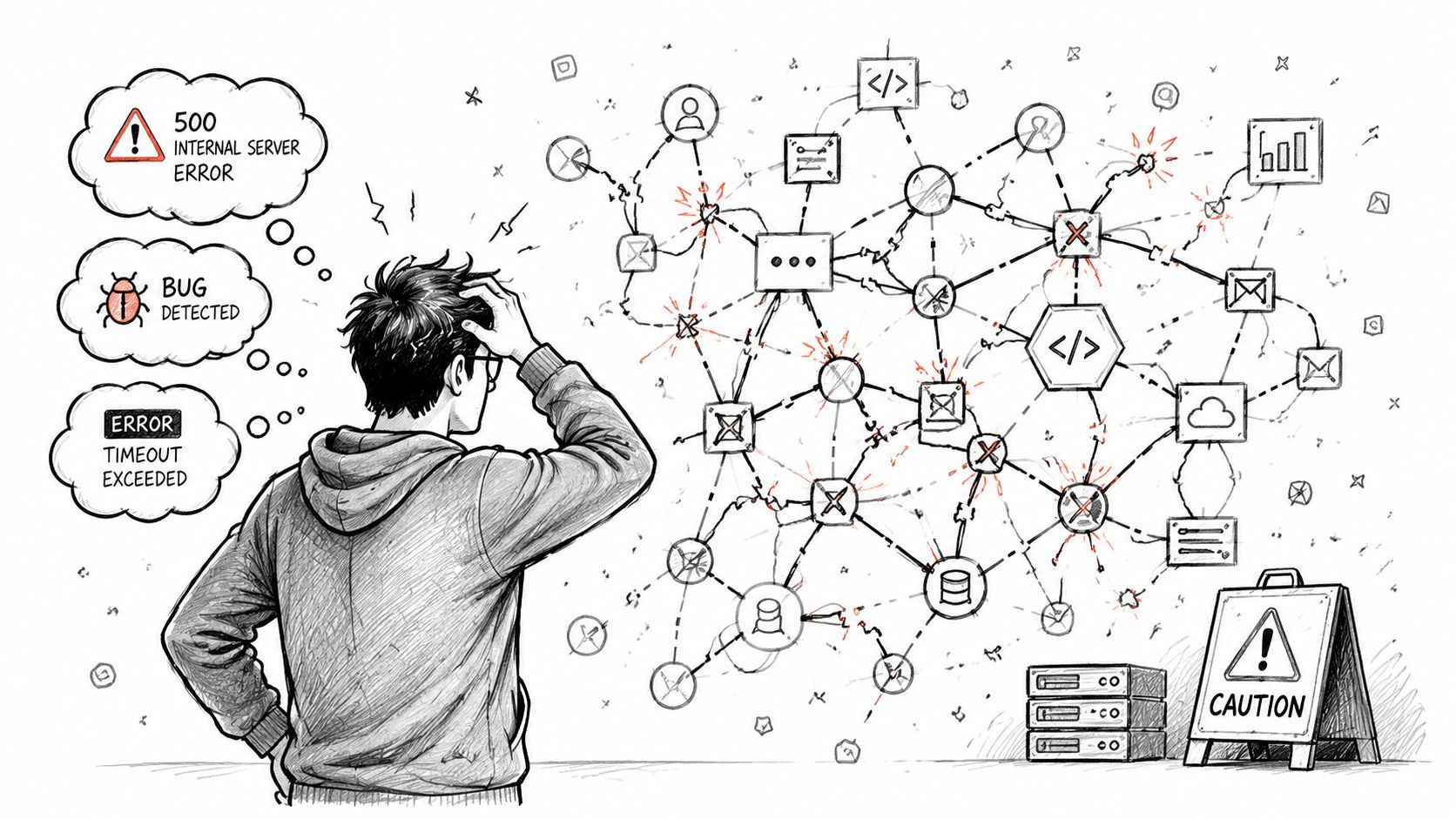
The upside is well established in larger networks. Independent analyses indicate that dynamic routing can reduce path-configuration errors by 30 to 50 percent and cut recovery from topology changes from minutes to tens of seconds in medium to large environments, which is one reason it became the professional baseline beyond a few subnets, according to MIT Cyber IR's explanation of dynamic and static routing.
That doesn't mean every routing setup is healthy by default.
Where teams get burned
One common problem is unstable decision logic. In networking, people talk about route flapping. In software or AI systems, the same behavior shows up when requests bounce between providers too aggressively because thresholds are poorly chosen.
Another problem is hidden policy sprawl. One routing rule lives in an API gateway, another inside backend code, another inside a worker, and a fourth inside prompt middleware. Nobody can explain the full decision path anymore.
Then there's cost drift. A routing rule that looks reasonable in development can become expensive when production traffic hits mixed workloads.
Watch for these warning signs:
- Inconsistent decisions: Similar requests take different paths for reasons no one can explain.
- Poor debuggability: You can't tell which model was selected, why, and what happened next.
- Silent policy conflicts: One rule optimizes latency while another implicitly overrides it for cost.
- Fallback storms: A degraded primary path causes retries and cascades into secondary provider load.
What good production routing looks like
Production-grade routing needs observability, not just logic. For every request, teams should be able to inspect the chosen path, the reason for that decision, the response quality, and the operational outcome.
A practical checklist helps:
- Log every routing decision: Capture selected provider or model, policy reason, latency, and request outcome.
- Separate policy from app code: Keep routing rules centralized so product and engineering can reason about them together.
- Define guardrails: Set limits for cost-sensitive flows, premium paths, and retries.
- Review fallback behavior regularly: A fallback you added months ago may now be the path taking most traffic.
- Test degraded conditions: Don't only validate the ideal path. Validate what happens under partial failure.
The best routing setup isn't the cleverest one. It's the one your team can explain at 2 a.m. during an incident.
If you remember only one production lesson, make it this: flexibility without visibility turns into guesswork fast.
Conclusion From Packets to Prompts
Dynamic routing started as a way to move network traffic through changing environments without relying on humans to rewrite paths by hand. That idea still matters. It just shows up now in places many developers care about more directly, such as web platforms, service architectures, and AI products.
That's the practical answer to what is dynamic routing. It's automated path selection based on current conditions and explicit metrics. In networks, the destination is another hop. In AI products, the destination might be a model, provider, region, or fallback chain.
The core lesson stays the same. Static choices are fine when the system is tiny and stable. Production software usually isn't. As soon as reliability, latency, cost control, or compliance matter, hardcoded paths become a bottleneck.
For AI teams, this matters even more because model behavior is not one-dimensional. You're balancing quality, speed, spend, and operational resilience at the same time. The product that wins usually isn't the one attached to a single model. It's the one that routes each request more intelligently.
Packets, API calls, and prompts all follow the same architectural truth. When conditions change, smart systems recalculate.
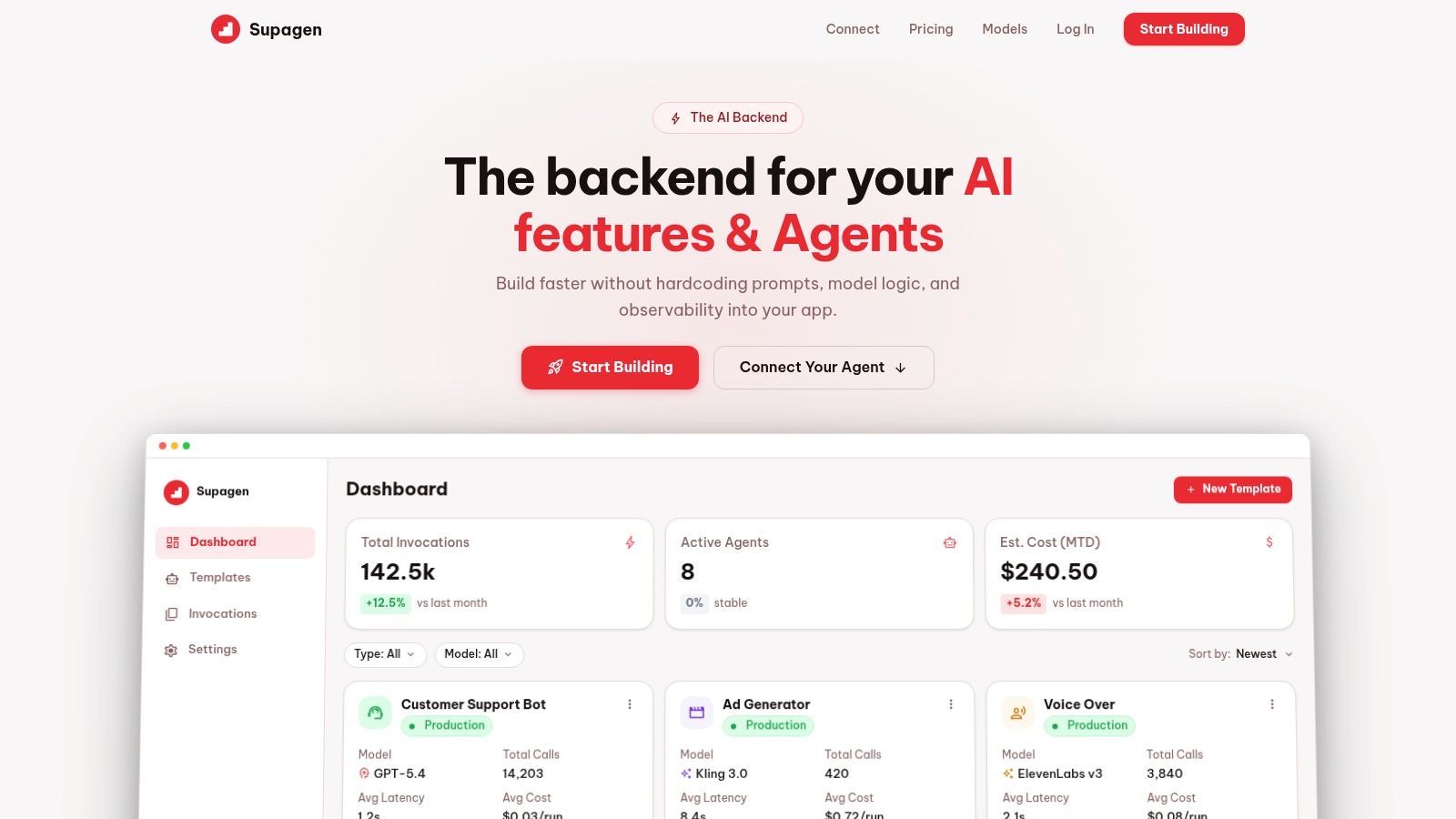
If you're building AI features and don't want model routing, prompt management, fallbacks, and observability scattered across your app, Supagen gives you a unified backend to manage those decisions in one place so your team can ship faster and change behavior without painful redeploys.