
What Is a Custom Agent? a Practical Explainer for 2026
A custom agent is built through a four-phase process: Discovery and Scoping, Model and Architecture Selection, Tool Integration, and Prompt Engineering and Memory Setup. In practice, it's an AI assistant purpose-built for a specific business workflow, using internal data and approved tools to take actions inside your environment instead of only chatting about them.
You've probably run into the gap already. A chatbot can answer policy questions, summarize docs, or draft a reply. Then someone asks it to check a live order status, update a CRM record, review a pull request against internal standards, or pull context from the systems your team uses. That's where the demo magic usually stops.
This is why the question what is a custom agent matters more than it did a year ago. Many organizations don't need another generic text box. They need something that can operate inside real workflows without breaking rules, leaking context, or creating more cleanup work for humans.
A custom agent is an AI assistant purpose-built for a specific business workflow, using tools and internal data to take actions, which distinguishes it from a generic, conversational chatbot. The difference sounds small until you try to run one in production. Then you realize the actual work isn't just getting the model to say the right thing. It's making the system behave reliably, with the right permissions, escalation paths, observability, and controls.
Table of Contents
- Introduction Beyond the Chatbot Hype
- The Anatomy of a Custom Agent
- Custom Agents vs Plain LLMs and Pre-built Agents
- Real-World Use Cases and Examples
- Building Your First Custom Agent A Phased Approach
- The Production Challenge Operationalizing Your Agent
- Conclusion From Prototype to Production with a Unified Backend
Introduction Beyond the Chatbot Hype
A team asks for an AI assistant. What they usually need is a worker with a narrow job, permission to touch real systems, and clear rules for when to stop and ask a human.
That distinction matters as soon as the request leaves Q and A. A support manager wants refund status from the live billing system. A recruiter wants interview times checked against an actual calendar. An engineer wants repeat bug reports turned into issues with the right tags and links. A chatbot can answer in fluent language about those tasks. A custom agent is designed to carry them out, or to decline safely when the request falls outside its scope.
The practical difference is operational, not cosmetic. A custom agent is built around a defined workflow, connected to approved tools and data, constrained by permissions, and evaluated against the job it is supposed to perform. The standard is not "did it sound smart?" The standard is "did it do the right thing, in the right system, under the right policy?"
Practical rule: If the task requires access to internal state, decisions under business rules, or actions in another system, you are no longer dealing with a basic chatbot.
That is also where a lot of early projects stall. A prototype looks convincing in a demo because the hard parts are still hidden. Production work raises different questions. Who approves sensitive actions? What context is stored, and for how long? How do you test tool use before it reaches customers or internal systems? What happens when the model is uncertain, the API is down, or the request lands in a gray area?
Useful custom agents are defined as much by their limits as by their capabilities. They need escalation paths, audit trails, retry logic, and fallback behavior. They need owners.
Building one is rarely blocked by model access. Keeping one reliable over weeks and months is the harder problem. That lifecycle, from scoped prototype to monitored system inside a real workflow, is what separates an interesting AI feature from software a team can trust.
The Anatomy of a Custom Agent
A specialist with a brain rules tools and memory
The easiest way to understand a custom agent is to think of a specialist employee. Not a general intern. A trained operator with a defined role, access badge, runbook, and a set of systems they're allowed to use.
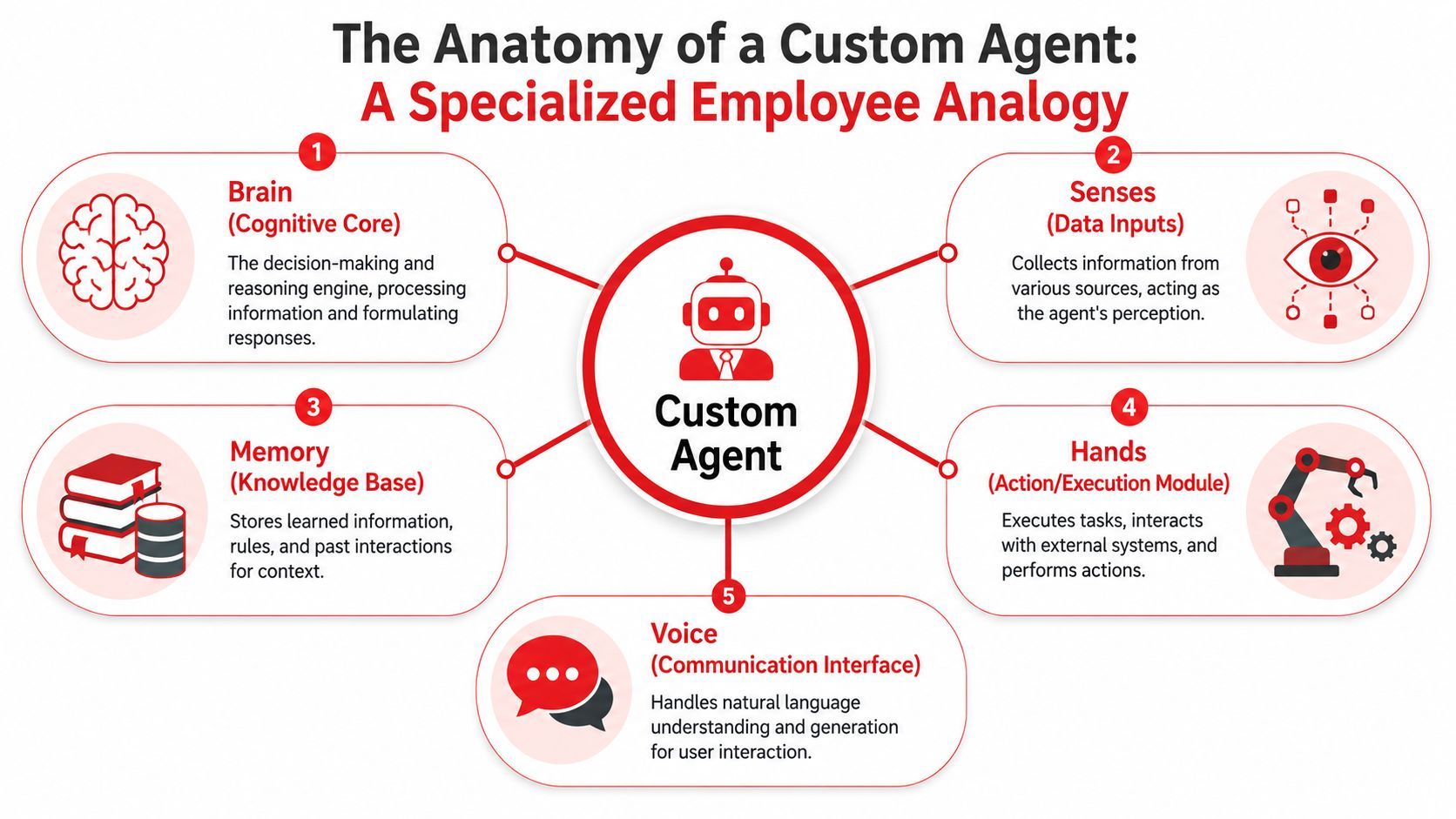
That specialist usually has five practical parts:
- Brain: The language model does the reasoning, ranking, summarizing, and decision support.
- Rules: The system prompt and instructions define the job, tone, boundaries, and escalation behavior.
- Hands: Tools let the agent query APIs, read databases, create tickets, send messages, or update records.
- Memory: Stored context helps the agent reuse relevant history or preferences instead of starting from zero each time.
- Voice: The interface turns internal reasoning and actions into something a user can interact with naturally.
If one of those parts is missing, the system gets weaker fast. A model without tools can talk but not act. Tools without good instructions create unpredictable behavior. Memory without boundaries becomes clutter. A nice UI over all of that still won't save a bad architecture.
Why configuration matters
One of the most useful ideas in agent design is treating the agent as a repeatable configuration, not a one-off prompt hidden in application code. Microsoft's Visual Studio Code documentation describes a custom agent as a specialized configuration of an LLM-powered assistant defined by a set of instructions, tools, and behavioral parameters encoded in a Markdown file with YAML frontmatter, and it notes that this structure acts as a behavioral contract when the agent is assigned work in the VS Code custom agents documentation.
That “behavioral contract” framing matters because production systems need consistency. If your security review agent can unexpectedly gain new tools, lose its guardrails, or change its review criteria every time someone edits a string in a codebase, you don't have an agent. You have drift.
A solid custom agent definition usually answers questions like these:
- What job does it own: Review code, triage tickets, draft outreach, track compliance.
- What systems can it touch: GitHub, Jira, Intercom, HubSpot, internal docs, a data warehouse.
- What should it never do: Approve payments, delete records, access restricted datasets, message customers directly without review.
- When must it escalate: Missing context, conflicting data, sensitive requests, high-impact actions.
Good agents aren't “smart” because the prompt is long. They're useful because the boundaries are clear.
That's also why teams should stop thinking of agents as magical wrappers around a model. They're engineered systems with roles, dependencies, permissions, and failure modes. The LLM is only one component.
Custom Agents vs Plain LLMs and Pre-built Agents
The capability gap
A plain LLM API is raw capability. You send text in, you get text out. That's great for classification, drafting, extraction, or simple assistants. But the moment the task needs internal context, tool use, or workflow-specific rules, a plain API starts to feel thin.
Pre-built agents sit in the middle. They can be useful for fast experiments because a lot of scaffolding is already there. You may get memory, a browser tool, code execution, or a nice interface without much setup. The trade-off is fit. Their assumptions won't always match your environment, your approval logic, or your security boundaries.
A custom agent takes more work because it's designed for the task. That's also its advantage. The system can be shaped around your tools, your internal language, and your operational rules instead of asking the business to adapt to the agent.
Most teams don't need the most autonomous agent. They need the most dependable one for a narrow job.
Agent Type Comparison
The mistake is treating these as competitors in every scenario. They solve different problems. A plain LLM API is often enough for isolated text tasks. A pre-built agent can be fine for exploration. A custom agent earns its keep when the work is specific, repeatable, and connected to systems your team already depends on.
Real-World Use Cases and Examples
The easiest way to judge whether you need a custom agent is to ask a blunt question: does the system need to do work across tools, or just generate text?
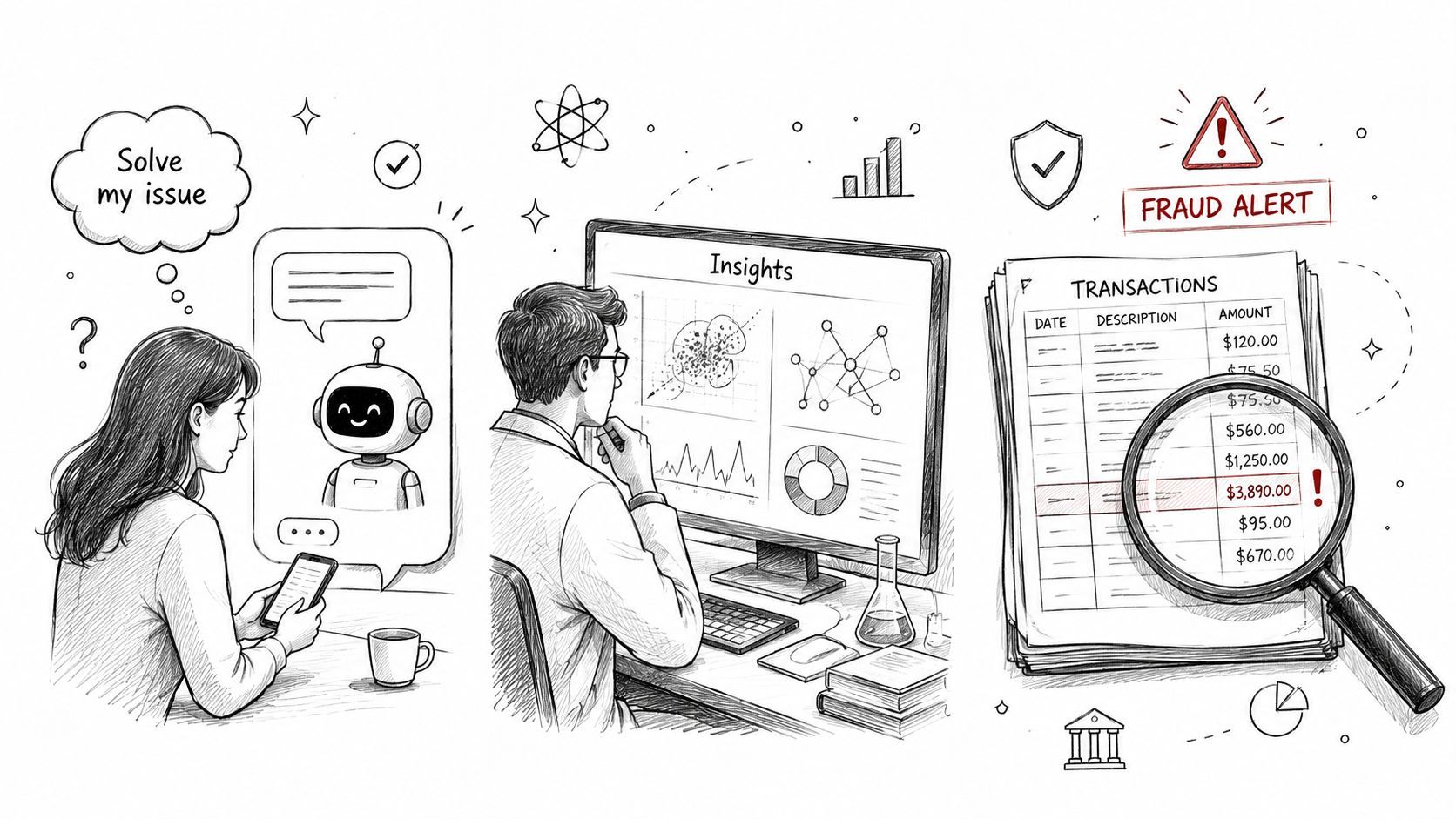
If the answer is “do work,” the design gets concrete quickly. Here are three examples that show where custom agents become practical.
A code review agent for engineering teams
An engineering team might build a code review agent connected to GitHub. Its job isn't to replace human review. Its job is to catch predictable issues early and enforce internal standards consistently.
That agent could:
- Read pull requests: It inspects diffs, commit context, and linked issues.
- Apply internal rules: It checks naming conventions, security patterns, test expectations, and repository-specific guidance.
- Comment or escalate: It leaves structured feedback for straightforward issues and flags risky cases for human review.
A custom agent beats a generic coding assistant. The useful part isn't that it knows how to review code in general. The useful part is that it knows how your team reviews code.
A feedback triage agent for product teams
Product teams often drown in support tickets, interview notes, app-store comments, and sales call summaries. A feedback triage agent can sit between systems like Intercom and Jira and turn that stream into usable signal.
A practical version would classify incoming feedback, detect recurring themes, attach the right product area, and create or update Jira issues when the pattern is clear enough. It might also link similar reports together so the PM doesn't have to hunt across tools manually.
The hard part isn't sentiment analysis. The hard part is matching product language to internal taxonomy. “Login issue,” “session expired,” and “kicked out of app” might all map to one ownership bucket on your team. That's why internal examples and real tool integration matter.
Here's a short demonstration that helps show how agent workflows move beyond basic chat interfaces:
A sales prospecting agent for founders
Founders and lean GTM teams often want help with repetitive prospect research. A sales prospecting agent can gather company context from approved sources, summarize likely fit, and draft outreach that matches the founder's positioning.
Useful guardrails matter here. You don't want an agent inventing customer pain points, overstating product claims, or sending messages without review. In a healthy setup, the agent prepares research and drafts. A person approves the final step.
Three patterns show up across all these examples:
- The job is narrow: “Review PRs against internal standards” is good. “Help engineering” is too vague.
- The agent has specific tools: GitHub, Jira, Intercom, a CRM, internal docs.
- The workflow includes handoff points: The agent handles repeatable work and kicks exceptions to a person.
That's the practical shape of a custom agent. Not an all-knowing system. A scoped operator with enough context and permissions to reduce friction in one part of the business.
Building Your First Custom Agent A Phased Approach
Start with a narrow job
Teams often start too wide. They say they want an “operations agent” or a “support agent” when what they need is something like “answer repeated billing questions using internal docs and escalate account-specific requests.”
A more disciplined path follows the four-phase process described by Intellectyx in its overview of how custom AI agents work: Discovery and Scoping, Model and Architecture Selection, Tool Integration, and Prompt Engineering and Memory Setup.
Discovery and Scoping is where the project either becomes manageable or stays fuzzy. Define one workflow. List the inputs, decisions, outputs, and failure cases. Decide what success looks like in operational terms, not in abstract AI terms.
A good scoping prompt for the team is simple: what repeated task creates friction, follows a recognizable pattern, and already has a human fallback?
Operational advice: Start where the workflow is repetitive and the stakes are moderate. That gives you enough signal to improve the agent without putting critical actions at risk.
Connect the model to the world carefully
Model and Architecture Selection comes next. Teams choose the model and decide whether the agent should rely on retrieval over internal content, more specialized training, or a lighter prompt-based approach.
You don't need the most advanced setup first. You need the setup that matches the task. If the job depends on fresh internal knowledge, retrieval often matters more than trying to overfit behavior in prompts. If the task is mostly deterministic and tool-driven, architecture around tool use may matter more than model sophistication.
Tool Integration is where the project becomes real. This is also where rough prototypes tend to break.
A workable tool layer should define:
- Which systems the agent can access: CRM, ticketing, source control, docs, calendar, internal database.
- Which actions are allowed: Read-only access, draft creation, updates with approval, automatic writes in low-risk cases.
- How errors are handled: Retries, partial failures, missing fields, expired auth, conflicting data.
- Who gets the edge cases: A named human team, queue, or reviewer.
A lot of bad agent behavior is really bad tool design. If the API contract is messy or the permissions are too broad, the model gets blamed for problems created by the surrounding system.
Treat prompts and memory as system design
Prompt Engineering and Memory Setup sounds softer than it is. In production, prompt design is policy design. You're specifying role, boundaries, output shape, decision criteria, and escalation rules.
Memory also needs restraint. Teams often add memory because it sounds useful, then discover the agent is carrying stale assumptions from previous interactions. Store only what improves future decisions. User preferences can help. Random conversational residue usually doesn't.
If you're building a first custom agent, keep the initial version boring on purpose:
- Choose one workflow with a clear endpoint
- Use the fewest tools needed
- Prefer read access before write access
- Define escalation before autonomy
- Test with messy real examples, not curated demos
That approach feels less exciting than “build an autonomous business copilot,” but it's the one that tends to survive contact with actual users.
The Production Challenge Operationalizing Your Agent
Why prototypes break in production
A prototype agent usually fails for ordinary reasons, not dramatic ones. The prompt changes and nobody knows which version caused the behavior shift. One model provider has a bad day and the workflow stalls. A tool call fails halfway through and the user gets a confident answer with no action behind it.
That's the fundamental gap between a cool demo and a production system. The model may be good enough already. The operational layer usually isn't.
Custom agents also create a debugging problem. When a normal app misbehaves, engineers inspect logs, traces, and service boundaries. When an agent misbehaves, the failure may come from prompt wording, missing retrieval context, tool schema mismatch, model routing, or a hidden permission issue. Without good observability, teams end up guessing.
What teams usually underestimate
The hardest part of agent operations isn't writing code. It's keeping behavior understandable as the system evolves.
Common pain points show up fast:
- Prompt sprawl: Prompts get copied into handlers, edge functions, cron jobs, and feature flags. Nobody knows which one is live.
- Provider lock-in by accident: The app is wired tightly to one model API, so changing models or adding fallbacks becomes a refactor.
- Weak observability: Teams can't inspect per-call inputs, outputs, latency, tool usage, or failure sequences cleanly.
- Cost blind spots: Usage grows, but spend is hard to attribute by feature, user, or workflow.
- No approval architecture: High-impact actions rely on brittle “be careful” prompt language instead of real controls.
Production agents need versioning, routing, logs, and policy controls as much as they need model quality.
There's also a reliability issue that often gets ignored in early builds. A custom agent isn't one decision. It's a chain of decisions across context loading, model calls, tool invocation, state handling, and user-facing output. A single weak link creates a bad experience, even if every other step works.
That's why many teams eventually realize they're not just building an agent. They're building an agent backend. Prompt management, model configuration, auditability, and runtime visibility become product requirements, not nice-to-haves.
Conclusion From Prototype to Production with a Unified Backend
A team launches a custom agent after a strong prototype. In staging, it answers well, calls the right tools, and looks ready for users. Two weeks later, nobody is fully sure which prompt version is live, why latency spikes on one workflow, or which model change caused a drop in output quality. That is the point where a prototype turns into an operations problem.
The practical definition of what is a custom agent stays simple. It is a purpose-built system for a defined business function, connected to the right tools, grounded in the right internal knowledge, and limited by clear permissions. As noted earlier, that specificity is what makes custom agents useful. They can handle work that generic chat interfaces and fixed automations usually cannot, but only if the surrounding system is built to keep them reliable.
The defining line between a demo and a production agent is operational control.
Teams do not fail because the first version is impossible to build. They fail because the second, fifth, and tenth version become harder to reason about. Prompts change. Models change. Tool contracts drift. Costs rise unevenly across workflows. Compliance and approval requirements show up after the agent already has users. At that stage, the agent is no longer a single feature. It is part of your application backend, and it needs the same discipline as any other production system.
That changes how you evaluate architecture. The target is dependable execution inside a scoped workflow, with clear boundaries, logs, approvals, and fallback behavior when the agent reaches a limit. More autonomy is not automatically better. In many cases, the better system is the one that does less, but does it predictably and leaves an audit trail.
If you're building agents or AI features and don't want prompt management, model routing, observability, and cost tracking scattered across your app, Supagen gives you a unified backend to handle that production layer cleanly. It fits teams that want to ship faster, iterate safely, and keep their agent stack auditable as it grows.