
Fix Too Many Requests (429) Errors: AI & LLM API Guide

You're watching an LLM feature work perfectly in staging, then production traffic hits, retries pile up, and the logs fill with 429 Too Many Requests. The app isn't broken in the usual sense. The backend is telling you to slow down, and if your client keeps hammering the same endpoint, the problem gets worse instead of better.
That's the part many teams miss. A 429 isn't just a temporary annoyance, it's a signal that your request pattern, retry policy, or quota design needs attention. In AI backends, that signal often shows up exactly when the product starts to feel successful, which makes it painful and easy to misdiagnose.
Table of Contents
- Understanding the Too Many Requests Error
- Common Causes Across LLM Providers
- Diagnosing 429 Errors
- Immediate Mitigation Techniques
- Setting Up Observability and Alerting
- Designing Routing Fallbacks and Quotas
- Conclusion and Next Steps
Understanding the Too Many Requests Error
A 429 usually shows up at the worst possible moment, right when the assistant is getting usage, the queue is backing up, and the customer-facing flow starts feeling sluggish. The server is not failing randomly. It's enforcing a ceiling.
HTTP 429 Too Many Requests is a standardized client-error response defined by the IETF as meaning the user has sent too many requests in a given amount of time, and the server may return a Retry-After header to tell the client when to try again as defined in the HTTP 429 overview. That makes 429 a formal rate-limiting response, not a generic outage.
What the response is really telling you
The key detail is that 429 is actionable. If the backend includes Retry-After, the client has guidance. If the backend also exposes rate-limit headers, the client can slow down before the next failure rather than learning the hard way.
Practical rule: treat 429 as feedback from the platform, not as a cue to fire the same request again immediately.
That matters in LLM-driven systems because the request pattern is often bursty. A chat completion, an embedding job, a reranker, and a tool call can all hit the same provider under the same API key, and the result is often a rate-limit response that looks like a transient blip but behaves like a design problem.
The rest of this guide focuses on two things at once. First, how to stop the bleeding fast when a 429 starts showing up. Second, how to design the backend so the same traffic pattern doesn't keep breaking production.
Common Causes Across LLM Providers
Different providers enforce limits in different places, but your application sees the same failure pattern. Requests work for a while, then start hitting a ceiling. In production, that ceiling can come from a single endpoint, a concurrency cap, or traffic you did not realize was active.
Hidden traffic is a common culprit
Microsoft says 429 Too Many Requests is not always caused by a user sending too many requests. Background processes, browser extensions, large cookie headers, and third-party apps can also generate excessive calls Microsoft Answers guidance. That applies to AI systems too, because the visible user action is often only part of the load.
The same pattern shows up repeatedly in production. A status job or health check may keep calling an endpoint long after the user has moved on. Oversized cookies add header bloat, which can make tight limits harder to stay under. Observability tools, browser add-ons, and synthetic checks can become silent traffic sources. Some routes also carry stricter controls than others, especially login-like or form-like endpoints, as described in common 429 guidance as described in common 429 guidance.
Why “just retry” often fails
Immediate retries feel harmless, but they usually make the problem worse. Provider guidance recommends exponential backoff because retrying right away can increase load and trigger repeated 429 responses Postman's guidance. In practice, a client can turn a temporary limit into a self-inflicted traffic storm.
LLM backends need route-level thinking. A high-volume embeddings job, a chat surface, and a login endpoint should not share the same retry policy. If one broad policy covers everything, it usually optimizes for the wrong traffic, and the same hot path keeps tripping the limit.
Diagnosing 429 Errors
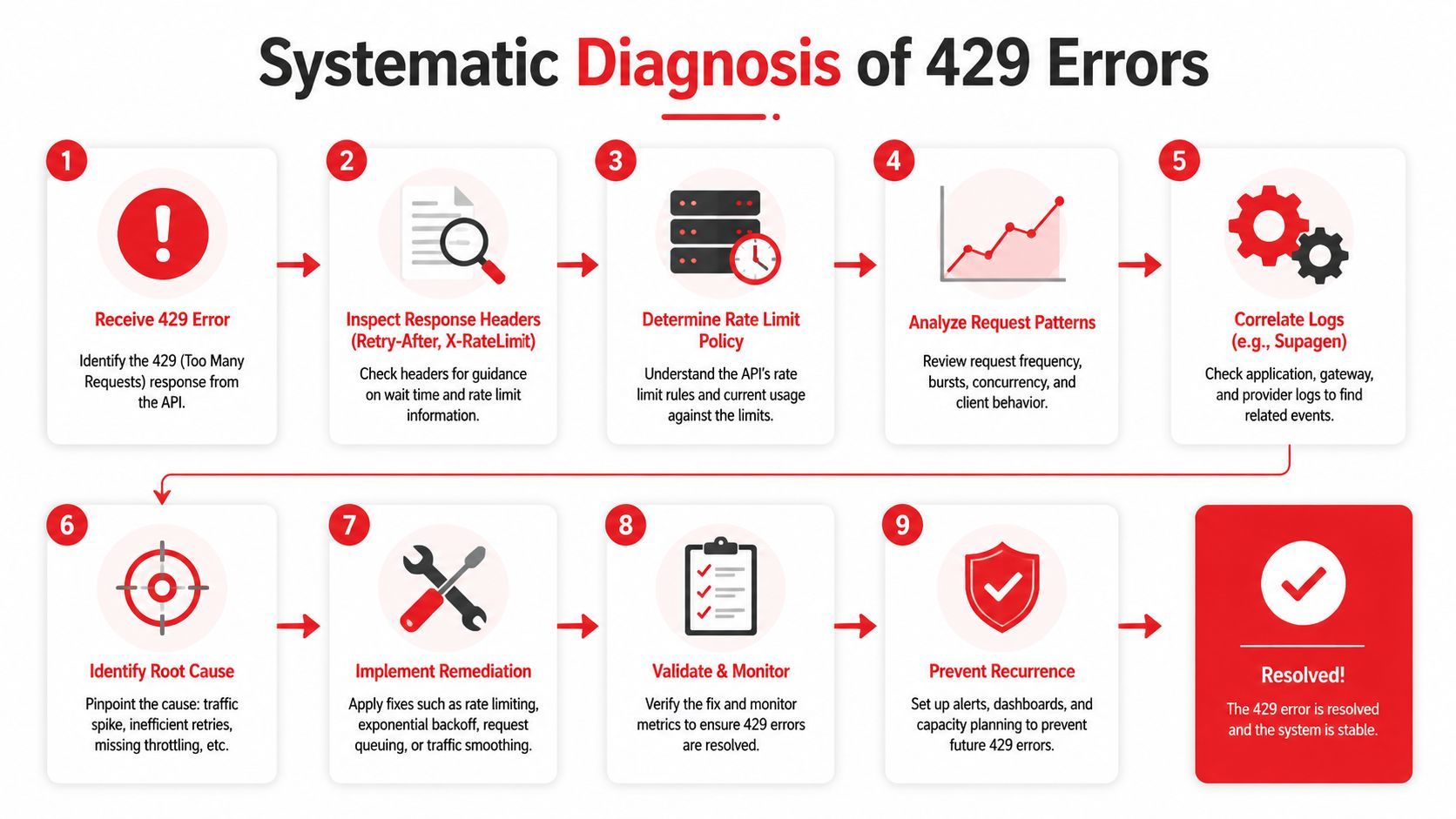
When a 429 starts appearing, stop guessing and inspect the full request path. Check the response, trace where the call began, and separate real user demand from accidental load. The goal is to determine whether one hot path, a background process, or broad application traffic is pushing the limit.
Start with the headers
The first thing to inspect is the response headers. Look for Retry-After and any X-RateLimit-* fields, then compare them with the client behavior. If the provider sends a reset hint, the client should follow it instead of guessing at the timing.
Log the status code, request path, model or provider name, and response headers together. Once those values sit in the same trace, the failure is much easier to reason about. That log bundle also helps when the same request pattern behaves differently across environments or tenants.
Correlate requests with real traffic sources
A 429 response by itself does not show where the load came from. Use timestamps, request IDs, and route names to map the error back to the actual call pattern. That matters for AI features because a single user action can fan out into several backend calls, and the limit may be hit somewhere in that chain rather than at the surface request.
Field insight: if the same user action triggers several provider calls, the rate limit problem may live in orchestration, not in the model endpoint itself.
A practical diagnostic loop looks like this:
- Inspect the status and headers from the failed request.
- Check your logs for the same timestamp and route.
- Separate user-driven traffic from background jobs.
- Look for repeated calls from polling or retries.
- Trace client-side loops in serverless functions or workers.
- Verify whether the endpoint has its own tighter limit.
The discipline matters. If you do not trace the source, you can end up applying a global throttle to traffic that did not need it, and that can hurt healthy requests as much as the noisy ones.
Immediate Mitigation Techniques
The first move after a 429 is stability. Cut repeated failures fast, but do it in a way that does not create a second problem in another part of the system. The best short-term fixes lower pressure on the provider while keeping the work that still matters.
Back off instead of hammering
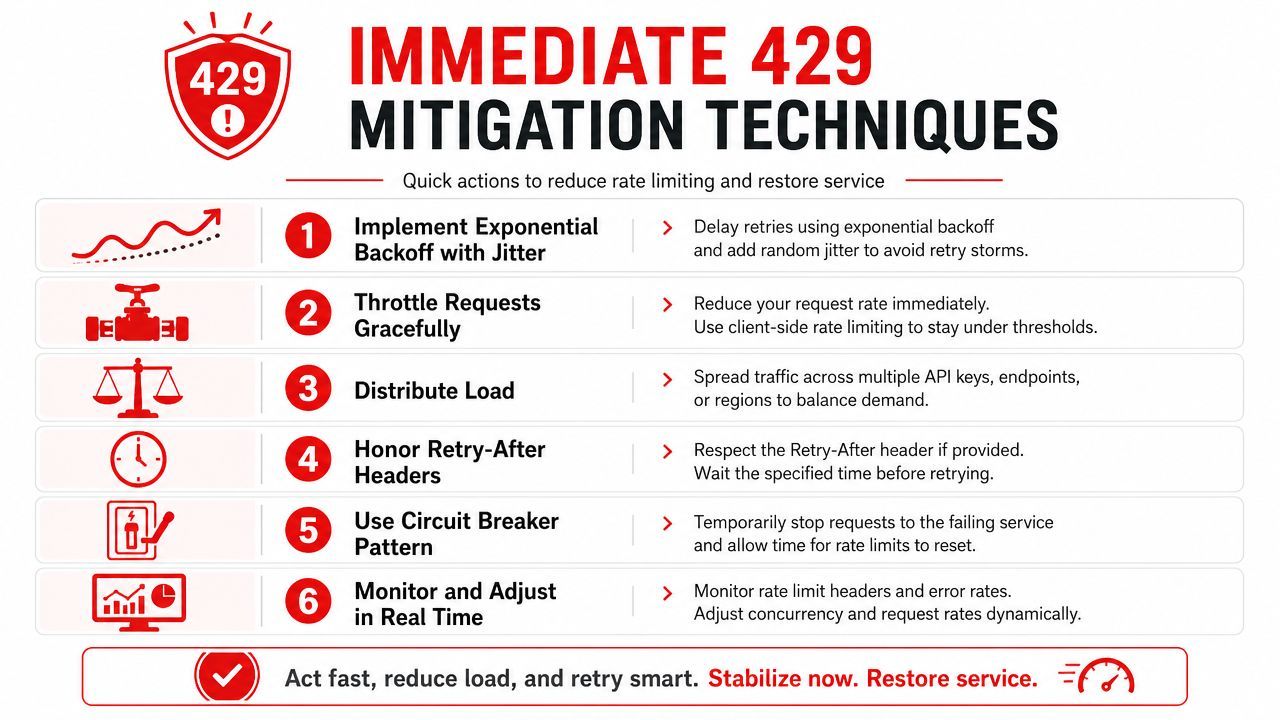
Use exponential backoff with random delay, not immediate retries. Synchronized retries create a thundering herd, especially when many workers fail at the same time. Randomization keeps clients from waking up in lockstep and pushing the same limit again at once.
A practical pattern is:
- honor Retry-After when it's present,
- fall back to exponential backoff when it isn't,
- add jitter so retries don't land together,
- stop after a sensible retry budget.
In Python, that usually means building the wait logic around the response headers instead of hardcoding a single sleep value. Hardcoded waits are brittle because they ignore the provider's actual window and can turn a short throttle into a longer outage.
Reduce calls before they happen
The cheapest 429 is the one you never send. If two prompts are identical, cache the answer. If several small requests can be combined into one batch, batch them. If a job keeps fetching the same static context, move that data out of the hot path.
That matches practical rate-limit handling advice. Inspect the response headers, stay under the documented ceiling, and cache redundant calls so they do not hit the limit again. For AI systems, that often means caching prompt templates, reference data, or deterministic retrieval results. It also means treating repeated tool calls as a design smell, not just a transient error.
Queue work when bursts are expected
If your app has predictable spikes, a queue is better than a retry storm. Queueing turns a burst into a controlled stream, which is especially useful for background generation jobs or bulk enrichment pipelines. It also gives you a clean place to apply backpressure before the provider does it for you.
Don't let retries do the job of queueing. Retries recover from occasional failure, queueing protects the service from sustained pressure.
The trade-off is latency. Users may wait longer, but the system stays up. In production AI backends, that usually beats collapsing the whole request path under load. It also makes later quota work easier, because the same queue can feed routing, prioritization, and per-tenant limits instead of forcing every call through the same narrow pipe.
Setting Up Observability and Alerting
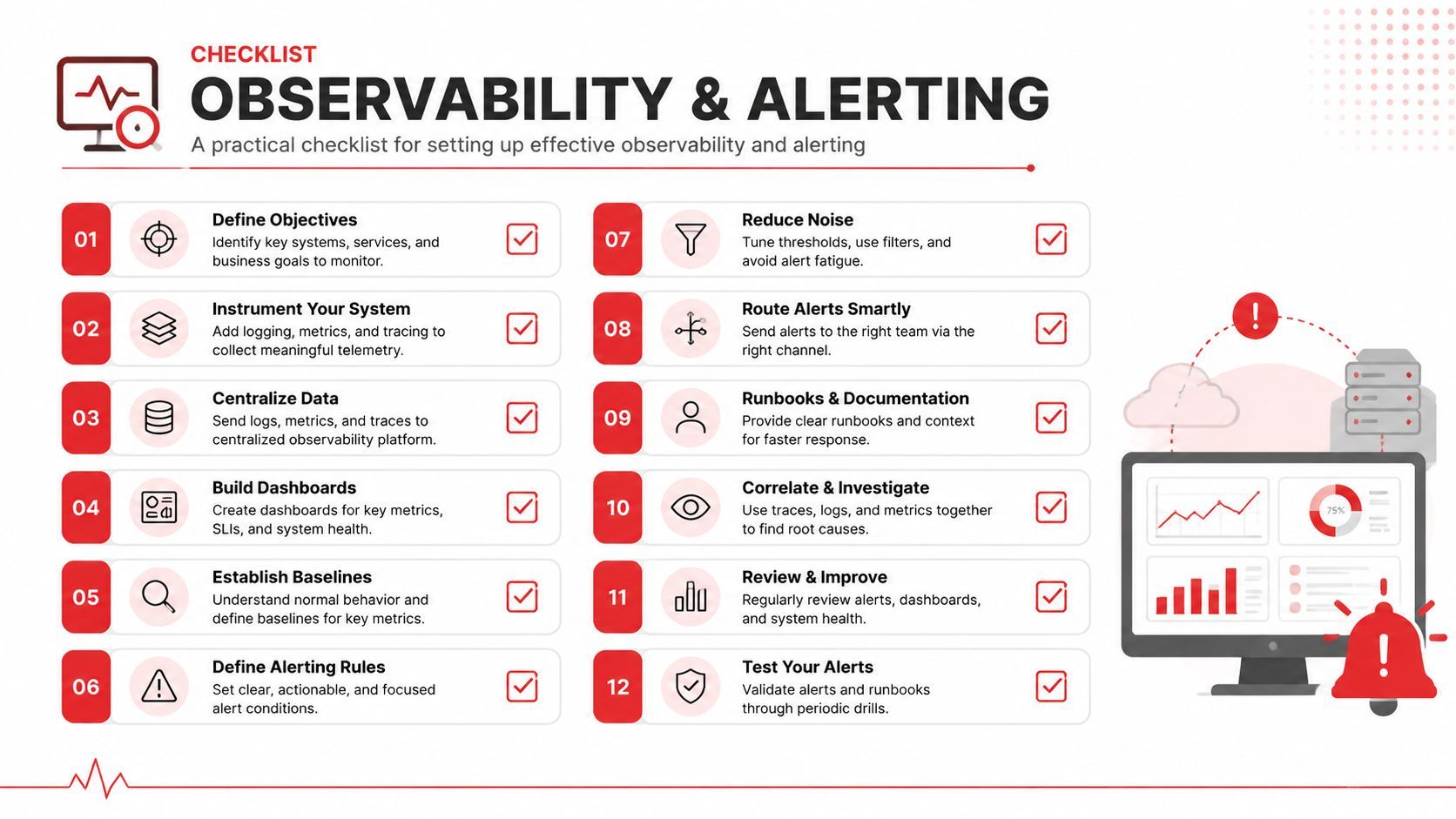
You cannot manage rate limits well if you only find out after users start complaining. The metrics that matter are the ones that show pressure building before the provider begins rejecting traffic. Track 429s as part of normal service health, not as isolated error noise.
Measure the right signals
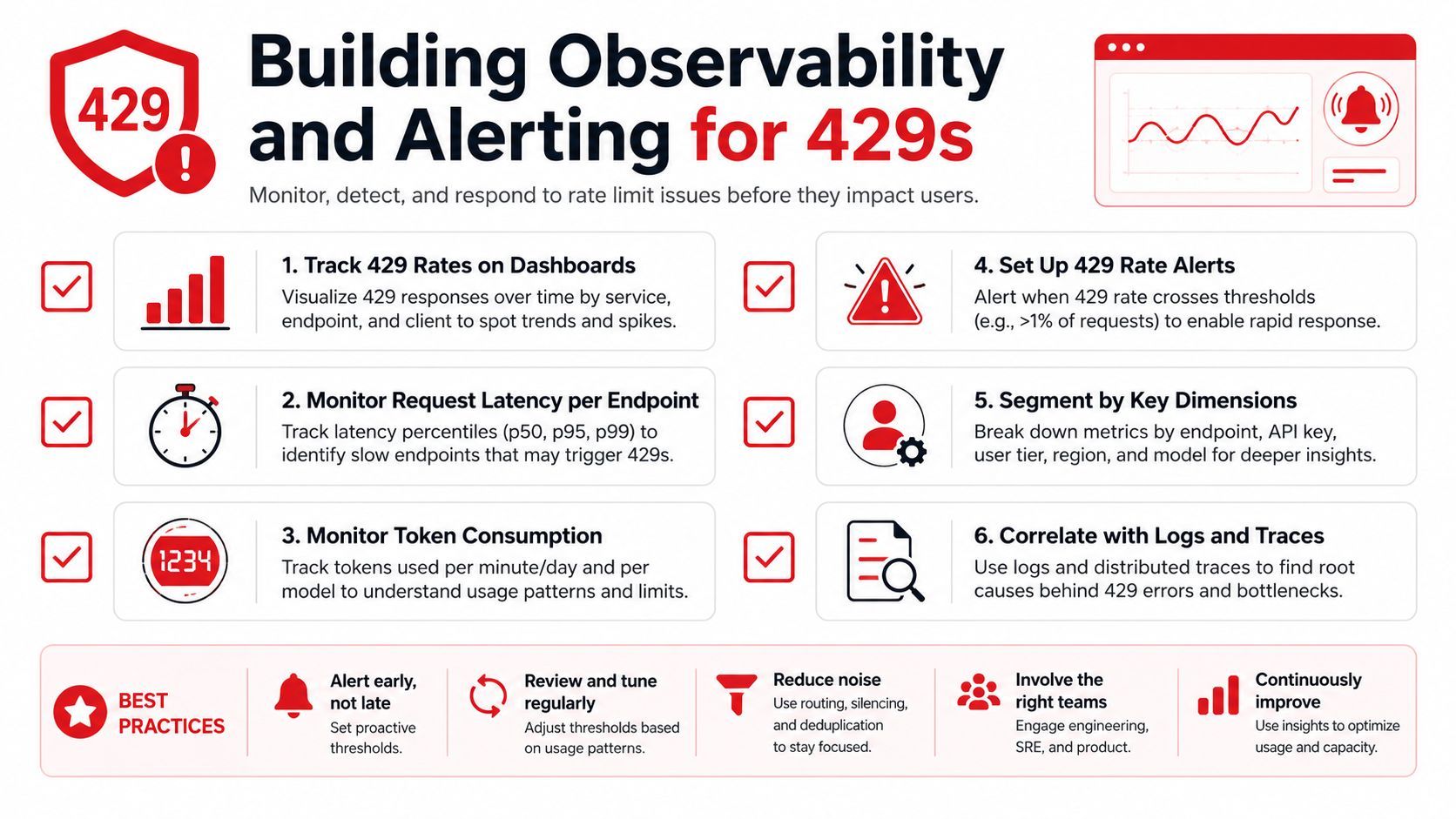
Start with 429 rate, request latency, and token consumption per endpoint. For login or form-style paths, watch lockout behavior as well, because providers often apply tighter limits there. Those signals are related, but they do not fail in the same way, and they should not share the same alert threshold.
Good dashboards answer a small set of questions quickly:
- Which endpoint is throttling?
- Is the pressure coming from one tenant, one model, or one worker pool?
- Did latency rise before the 429s started?
- Are retries increasing faster than successful calls?
Alert on pattern, not just failure
An alert that fires only after a large number of 429s is already late. A better setup watches for sustained growth in retry count, queue depth, and request latency. That gives you room to slow traffic or switch paths before users feel the outage.
For AI systems, segmentation matters a lot. Split metrics by endpoint, model version, or user segment so you can tell whether one route is overloaded or the whole integration is under strain. A flat 429 count panel is too blunt to guide incident response.
The best observability setups also make retriable and non-retriable failures look different. If your dashboard treats them the same, operators end up fixing the wrong problem.
Designing Routing Fallbacks and Quotas
A production AI backend needs a plan for when the primary provider is throttling but the product still has to work. That usually means routing, fallback logic, and quota design, not just client retries. The cleanest systems treat 429 as a capacity signal and move traffic deliberately.
Spread load before it becomes an outage
Azure's guidance says that when many clusters use virtual machine scale sets, splitting clusters across subscriptions or regions can reduce 429 failures, and it frames 429 as an architectural scaling issue rather than only a transient client error Azure troubleshooting guidance. That same idea applies to LLM backends. If all your traffic depends on one quota bucket, the system is fragile by design.
A practical routing policy usually has three layers:
- Primary route: send normal traffic to the preferred provider.
- Fallback route: move overflow or degraded traffic to a secondary provider.
- Recovery rule: shift traffic back only after the primary clears.
Keep quotas explicit
Quota design works best when it's visible to the team. If engineers can't see the limit, they'll keep adding traffic to the same path until it breaks. A clear per-provider budget makes trade-offs explicit and helps product teams decide what should degrade first.
For AI features, that might mean routing low-priority summarization jobs away from the main chat path, or sending cached responses when the live model is under pressure. The point isn't to hide limits. It's to make sure the product degrades in a controlled way.
Good fallback design doesn't eliminate 429s. It stops them from taking the whole experience down.
Conclusion and Next Steps
The practical response to too many requests is a mix of short-term control and long-term design. Start by honoring Retry-After, adding jittered backoff, and cutting duplicate calls. Then make the limits visible in dashboards, separate noisy routes from healthy ones, and decide where traffic should go when a provider throttles you.
The teams that do well with LLM APIs usually stop treating 429 as a bug to suppress. They treat it as a signal to shape demand, queue work, and route intelligently. That shift keeps the product usable when traffic spikes and prevents the same issue from returning every week.
If you're building or operating an AI backend, use Supagen to centralize prompt routing, observability, and fallback control so you can handle 429s with less guesswork and fewer redeploys.