
System Out of Memory: Developer Troubleshooting

The alert usually lands at the worst possible time. A deploy finished hours ago, traffic looks normal, and then one pod starts restarting. A minute later the rest follow. Logs end with some variation of system out of memory, dashboards turn jagged, and the first instinct is to bump memory limits or reboot the node.
That instinct is understandable, but it's also how teams lose the evidence they need most.
A system out of memory event is not one bug. It's a symptom. Sometimes the process really did consume all available RAM. Sometimes the kernel killed it after swap churn made the machine unusable. Sometimes the app had plenty of free memory on paper, but couldn't get a large enough contiguous block because address space or heap layout was fragmented. The failure text looks similar. The fix is not.
The useful way to treat OOM is as an incident with a repeatable investigation path. Collect evidence before restart. Separate machine pressure from process pressure. Identify whether growth is real, leaked, cached, fragmented, or just badly sized. Then decide whether you need a tactical mitigation or a code and architecture change.
Table of Contents
- That "System Out of Memory" Feeling
- First Response Triage and Evidence Collection
- Diagnosing the Root Cause Finding the Memory Hog
- Short-Term Fixes to Stop the Bleeding
- Implementing Long-Term Architectural Cures
- Proactive Monitoring to Prevent Future Crashes
That "System Out of Memory" Feeling
The ugliest memory incidents don't start with a clean exception. They start with a messy chain reaction. Response times climb, garbage collection gets noisy, the node starts paging, probes fail, autoscaling makes things worse, and then the kernel or runtime makes a hard decision for you.
That's why I don't treat system out of memory as a single class of outage. I treat it like smoke in a server room. You know something's wrong, but you still need to find the source. Rebooting first is like opening the windows and declaring the fire solved.
There's also a useful perspective shift here. The human brain memory analogy estimates 2.5 petabytes of memory capacity for the human brain, which is why modern software still looks fragile by comparison when a single service can exhaust memory under load. It's a reminder that memory pressure is a design problem as much as a capacity problem.
Most OOM incidents look urgent. Only some of them are fixed by more memory.
In practice, the same symptom shows up across very different stacks. A JVM service keeps promoting temporary objects until old gen fills up. A Python worker accumulates references in a global cache no one intended to be permanent. A Node process buffers payloads faster than downstream systems can drain them. A container gets killed because the pod limit is lower than what the app assumes it can use. An ML inference service spikes on a particular request shape and never comes back to baseline.
The teams that get good at this stop asking “How much RAM do we add?” and start asking “What kind of memory failure is this?”
First Response Triage and Evidence Collection
The pager goes off at 2:13 a.m. A service is restarting every few minutes, latency is climbing, and someone suggests a quick reboot to stabilize things. Hold that restart long enough to capture evidence. A short pause here often saves hours of guesswork later.
The first job is to answer three questions: who killed the process, what limit was hit, and what the machine looked like right before failure. That framing works whether the workload is a JVM API, a Node worker, a Python batch job, a .NET service, a Kubernetes pod, or an ML inference container.
Start at the lowest layer you control. On Linux, check dmesg, journalctl, cgroup events, and container runtime logs to confirm whether the kernel OOM killer stepped in. In Kubernetes, pull kubectl describe pod, previous container logs, restart counts, and node conditions before log rotation or rescheduling hides the trail. On Windows, capture Event Viewer entries, process memory counters, and any crash dumps the runtime already wrote.
Then freeze the operational picture around the incident. Save the memory graph, swap activity, restart timeline, request rate, and any deploy or config change near the failure window. If you run mixed stacks, a unified workflow becomes especially valuable. The same timeline can show a pod limit breach, a JVM heap plateau, a Python worker that never returns memory, or a GPU-backed ML process that spikes on a specific request shape.
I keep the checklist simple:
- Kernel and OS evidence:
dmesg, system journal entries, paging or swap warnings, cgroup enforcement messages, host memory pressure signals - Process and runtime evidence: application logs, fatal exceptions, stack traces, GC logs, heap or crash dumps, exit codes
- Container and scheduler context: memory requests and limits, pod events, restart count, eviction messages, job allocation details
- Host state: free memory, swap usage, page scan activity, load, and whether the node degraded before the process died
- Workload context: request type, payload size, batch size, model variant, import/export job, or any unusual traffic pattern near the crash
Practical rule: if you cannot explain who terminated the process and which limit was crossed, keep collecting evidence.
Common out-of-memory messages
What you're trying to distinguish
The first split is simple. Decide whether you are dealing with host-level memory exhaustion or a process-level failure inside a machine that still has headroom.
Host-wide exhaustion usually leaves a broad mess behind. Swap churn rises, page reclaim gets aggressive, I/O slows down, nearby processes suffer, and then something gets killed. Process-level failures look different. The node may appear healthy while one runtime hits a heap ceiling, a container limit, allocator fragmentation, or an address-space constraint.
That distinction matters because the fixes are different. Adding RAM can help a busy shared host or an under-sized batch allocation. It does nothing for a Java service pinned by -Xmx, a Node process buffering unbounded payloads, a Python service retaining references in a global cache, or a container with a memory limit lower than the application assumes.
Shared compute adds one more trap. A scheduled job can fail because the requested memory does not match the workload. Check the scheduler request, pod limit, or task definition before blaming the code. I have seen teams spend a day hunting a leak that turned out to be a job spec copied from a smaller dataset.
Good triage is not glamorous. It is disciplined evidence collection across layers, and it works across stacks. Preserve the scene first. Root cause analysis gets much faster when the facts survive the first five minutes.
Diagnosing the Root Cause Finding the Memory Hog
Incidents stop feeling random once you map memory growth to a pattern. The same framework works whether the failing workload is a JVM service, a Node API, a Python data job, a containerized worker, or an ML inference process. Different tools, same job. Find what grows, what keeps it alive, and what boundary fails first.
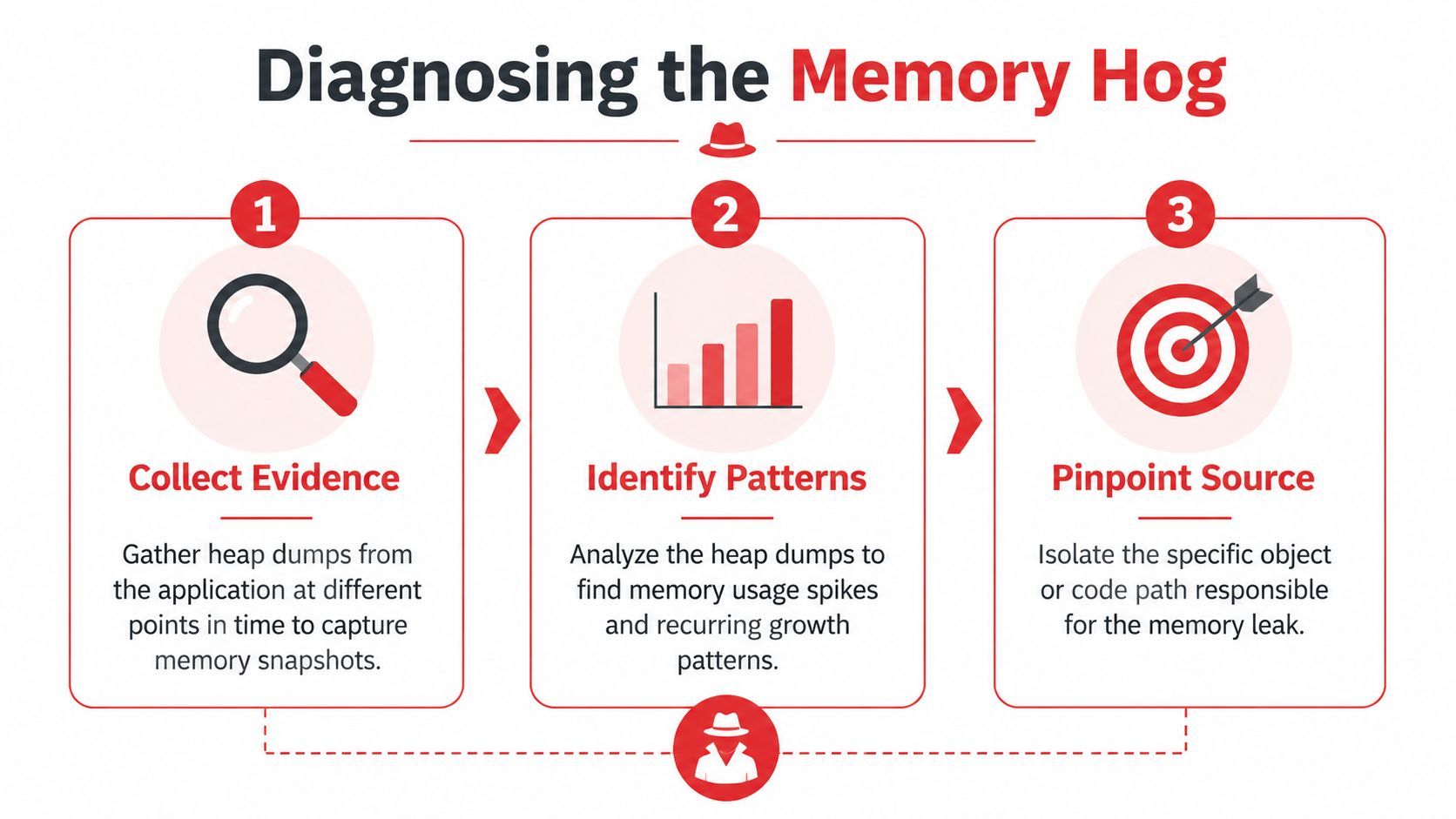
Start with the shape of growth
Before opening a profiler, look at the curve.
I sort memory failures into four common shapes:
- Monotonic growth
Memory rises and does not return to a stable baseline. This usually points to retained references, unbounded caches, request state held too long, or resources that never get released. - Sawtooth with a rising floor
Garbage collection runs, usage drops, then the low-water mark creeps upward over time. That often means objects are surviving collections and getting promoted, or "temporary" data is sticking around across requests or jobs. - Sudden spikes
One request, batch, or model invocation creates a large short-lived allocation. Common examples are oversized JSON bodies, image processing buffers, dataframe materialization, archive extraction, or aggregating full model responses in memory. - Flat RAM but crashing anyway I look at fragmentation, virtual address space limits, native allocations, allocator behavior, or container limits that are lower than the process expects in these cases.
Teams lose time when they skip this step and jump straight into code review. The growth shape narrows the search faster than reading random call sites.
Tools that earn their keep
The exact tooling changes by stack, but the questions stay the same. Which object class or allocation site is growing? Is growth on the managed heap, in native memory, or both? Is the process failing because it used too much memory, or because it could not get memory in the form it needed?
For JVM services, get a heap dump as close to failure as you can without making the incident worse. Then inspect dominator trees, retained size, duplicate strings, large collections, and old-generation survivors in Eclipse MAT or your profiler of choice. In practice, many Java incidents are not one dramatic leak. They are a mix of high allocation churn, oversized temporary objects, and a cache that was never given a hard bound.
For Node.js, compare heap snapshots across equivalent traffic windows. If arrays, Buffer instances, or object graphs keep growing between similar periods, follow the retention path. The usual offenders are in-memory queues, per-request logging payloads, response aggregation, and maps keyed by tenant or user with no eviction policy. I have seen "temporary" debug payload capture add hundreds of megabytes in a busy API because nobody removed it after an incident.
For Python, start with tracemalloc for Python-level allocation growth. Then check resident memory at the process level. That second step matters a lot in services that use NumPy, pandas, PyTorch, tokenizers, or other native extensions. A Python heap can look stable while native buffers, tensor pools, or C-extension allocations keep climbing.
For containers, trust cgroup-aware metrics over host totals. Look at pod or container working set, RSS, restart history, and OOM kill events. Host dashboards often mislead people here. The node can have free memory while one container is pinned against its limit and getting killed on schedule.
For ML workloads, inspect batch size, sequence length, model parallelism, and prefetch behavior before assuming a classic leak. Many training and inference failures come from allocation spikes caused by a new input shape or a larger model artifact, not from memory that is permanently retained.
Across stacks, the anti-patterns repeat:
- Unbounded caches. Fine in dev, dangerous in production when key cardinality tracks users, prompts, files, or tenants.
- Buffered fan-out. Reading a full upstream payload into memory before writing it downstream.
- Batch size drift. A job written for small inputs gets fed multimodal data, bulk exports, or longer context windows.
- Resource leaks. File handles, sockets, clients, watchers, and goroutines or threads that outlive the work they were meant to serve.
- Retry amplification. Failed work remains resident while retries pile more work on top.
If you cannot name the object type, allocation site, or request pattern driving growth, you have not finished diagnosis.
The fragmentation trap
Some out-of-memory failures are about layout, not volume.
This shows up often in .NET and Windows-heavy environments. Microsoft documents a common case where OutOfMemoryException occurs because virtual address space is fragmented, especially in 32-bit processes, even when the machine still has physical RAM available. Large object allocations fail because the runtime cannot find a contiguous block. Tools like WinDbg and commands such as !eeheap -gc make that visible.
That is why "the server still has free memory" is a weak conclusion. Free memory somewhere in the system is not the same as usable memory for the allocation the process is trying to make.
The same pattern appears in newer stacks too. Large tensor allocations, model buffers, memory-mapped files, and native libraries can fail on contiguous allocation requirements long before a dashboard shows obvious host exhaustion. This is one reason unified troubleshooting matters. The labels change by platform, but the failure mode is the same. The process cannot get the memory shape it needs, at the time it needs it.
The goal at this stage is specific evidence. Name the growing object, the code path retaining it, or the allocation pattern that breaks the runtime. Once you can do that, the fix stops being guesswork.
Short-Term Fixes to Stop the Bleeding
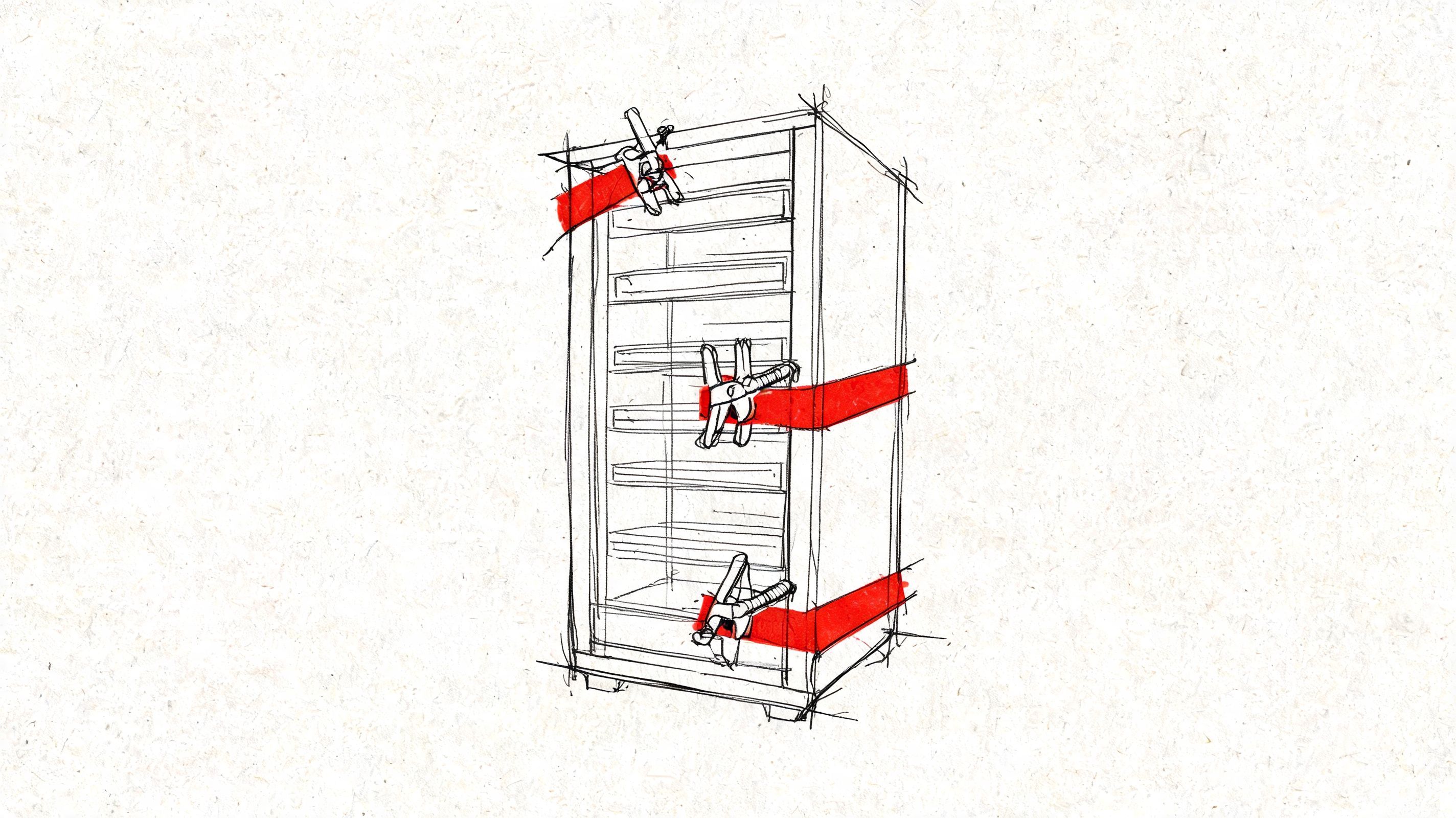
At 2 a.m., nobody cares whether the fix is elegant. They care whether the service stays up long enough to stop the paging storm, protect data, and give the team room to work.
Short-term memory mitigation has one job: reduce failure pressure without destroying the evidence you need for the underlying fix. That applies whether the incident is a JVM heap blowout, a Node process pinned by large JSON payloads, a Python worker retaining data frames, a container hitting its cgroup limit, or an ML job trying to allocate one more tensor than the host can satisfy. Different stacks expose different knobs. The operating rule is the same. Stabilize first, then leave a clear trail that this was containment, not cure.
When a tactical increase is the right move
Sometimes the fastest correct action is to raise the memory ceiling. A pod limit may be too low for a legitimate peak. A JVM heap may be undersized for startup behavior. A batch job may request less memory than the workload shape requires.
That is a sizing problem, not a leak.
I will increase memory when the evidence points to under-provisioning rather than uncontrolled growth. Examples are straightforward: the process reaches a stable plateau after warm-up, the resident set tracks batch size predictably, or the job succeeds consistently with a modest increase and no continued upward drift. In those cases, forcing the workload into an unrealistically small envelope just creates repeat incidents.
The catch is cost and false confidence. Extra headroom can keep production alive, but it can also hide a slow leak, delay a proper fix, and increase the blast radius when traffic rises again.
Mitigations that buy time without erasing the problem
Use short-term fixes that are explicit, reversible, and easy to audit.
- Raise limits with a reason: Increase the container memory limit, heap size, or scheduler request only when metrics or dumps support it. Write down the old value, the new value, and the observed effect.
- Cut concurrency first: Reduce worker processes, thread pools, queue consumers, request fan-out, or batch width. This is often the cleanest way to lower peak allocation across JVM, Node, Python, and containerized services.
- Turn off the memory-heavy path: Disable exports, large uploads, image transforms, expensive aggregations, model inference, or high-cardinality queries if one feature is driving the incident.
- Restart on purpose: If the process leaks slowly, rolling restarts can preserve availability for a while. Set a clear expiry on that workaround so it does not become normal operation.
- Reject bad workload shapes: Enforce payload caps, split oversized jobs, lower per-request limits, or push work to a queue so the app stops trying to hold everything in memory at once.
- Move work off the hot path: For example, generating PDFs inline during API requests often looks harmless until several large documents hit at once. Queue it, rate-limit it, or serve a degraded response.
A few stack-specific examples matter here. In Kubernetes, raising a pod limit without checking node pressure can move the failure from one pod to the whole node. In the JVM, increasing -Xmx too far can make GC pauses worse even if OOMs stop. In Node.js, raising the old space limit may help, but if request bodies are buffered carelessly, memory use will keep climbing. In Python, adding workers can reduce latency and still make RSS explode because each worker carries its own copy of loaded state. In ML workloads, reducing batch size is often the safest first move because it cuts peak allocation immediately.
Bad temporary fixes share one pattern. They restore service while making the incident harder to understand.
Create the follow-up ticket before the incident ends. Attach the graphs, heap data, pod events, batch sizes, and config changes while they are still fresh. A larger heap or container limit can stop tonight's crash. It cannot explain why the process needed it.
Implementing Long-Term Architectural Cures
The lasting fix starts after the incident review, when the graphs, heap snapshots, pod events, and allocator traces all point to the same pattern. At that point, memory stops being a mystery and becomes a design problem you can remove.
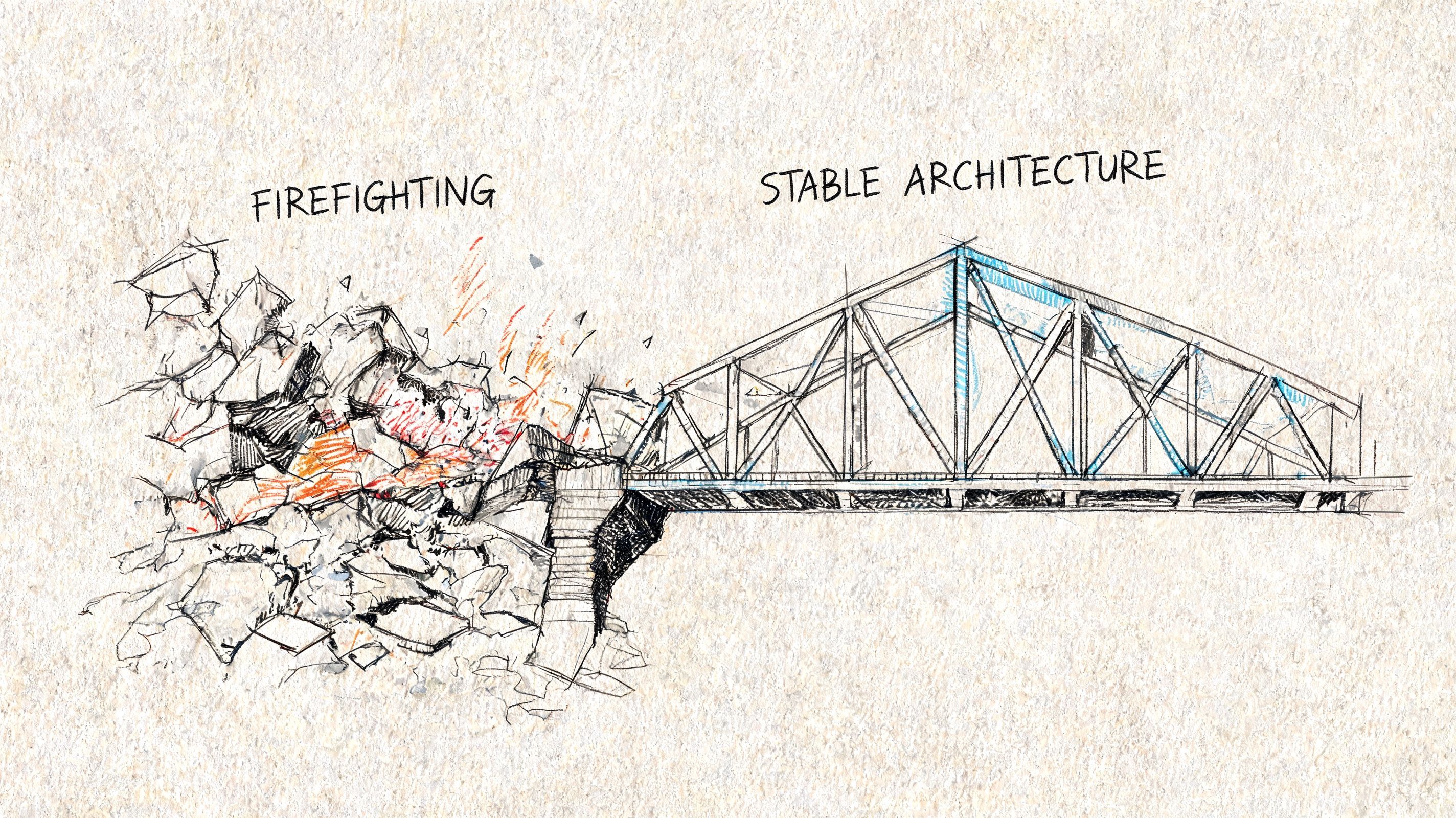
Fix the retention path, not just the symptom
Real leaks are often boring. A static map grows without a cap. A subscriber never unsubscribes. A request object gets cached by accident. A worker recreates clients or file watchers on every job and leaves the old ones around.
The repair is usually boring too, which is good news.
- Close resources deterministically: Use
finally, context managers,using, and framework lifecycle hooks so files, sockets, streams, and native handles do not outlive the work that needed them. - Put hard bounds on caches: Every cache needs a maximum size, an eviction policy, and ownership. If nobody can answer who reviews its hit rate and growth, it will eventually become a leak with a nicer name.
- Reuse expensive objects carefully: Connection pools and shared clients help. Pools for mutable objects with hidden state often create harder bugs than the allocations they were meant to save.
- Stream large inputs and outputs: Buffering whole request bodies, export files, or model responses is one of the fastest ways to turn normal traffic into memory pressure.
- Cut allocation churn: Some failures are not leaks. They come from constant short-lived allocation that drives garbage collection, fragments memory, or bloats RSS in long-lived workers.
One rule holds across JVM services, Node and Python apps, containers, and ML systems. If user input can control size, count, width, or fan-out, put an explicit bound on it in code and in configuration.
Design for bounded memory
Teams get into trouble when they treat memory safety as a coding guideline instead of a property of the system. The better approach is to make the safe path the default path.
That means chunked work, real backpressure, bounded queues, and isolation between normal requests and expensive jobs. If an upstream service can produce work faster than the downstream path can drain it, the queue will become heap growth sooner or later. I have seen the same failure pattern in a Java consumer group, a Node API doing image transforms, a Python Celery fleet, and an inference service batching requests too aggressively. Different stacks. Same architecture bug.
A few patterns hold up well across environments:
The trade-offs are real. Smaller chunks can increase I/O overhead. Strict queue limits can reject work during peaks. Worker isolation raises coordination cost. Those are acceptable costs because they fail in predictable ways. Unbounded memory does not.
Architect for workloads that will exceed RAM
Some systems are built around datasets or payloads that do not fit comfortably in memory. Trying to hold everything in RAM usually works in test, then fails under production data shape.
The long-term answer is out-of-core design. Read in partitions. Aggregate in stages. Spill intermediate state on purpose. Keep hot indexes and metadata in memory, and leave cold payloads on disk or object storage. Use tools that were built for external sorting, partitioned joins, columnar scans, or batched tensor execution instead of forcing a web process to do all of it inline.
That advice applies well beyond one platform. In the JVM, it can mean replacing giant in-memory collections with streaming parsers and bounded batch processors. In Node.js, it often means piping uploads and transformations instead of concatenating buffers. In Python, it can mean generator-based pipelines, memory-mapped files, or pushing heavy transforms into a data engine designed for larger-than-memory workloads. In containerized systems, it can mean splitting one broad service into separate workers with distinct memory budgets and failure domains. In ML services, it often means limiting sequence length, batch width, image resolution, and concurrent model executions so one request cannot consume the whole host.
The cleanest cure is often architectural restraint. Do less per process. Keep object lifetimes short. Make queue depth, batch size, cache growth, and payload size explicit design decisions instead of accidental defaults.
Proactive Monitoring to Prevent Future Crashes
The ugly version of this incident happens at 2 a.m. Memory looks fine on the dashboard until it suddenly does not. A pod gets OOMKilled, a JVM starts thrashing in GC, a Node worker stalls under one oversized payload, or a Python batch job slowly swells until the kernel steps in. By the time a simple "memory above 90%" alert fires, the useful evidence is already gone.
Good monitoring catches the shape of failure earlier. Across JVM services, Node and Python apps, containers, and ML workloads, the pattern is the same. Watch memory behavior over time, under a known workload, and in relation to what the process is doing.
Monitor slopes, recovery, and context
Static usage graphs are a weak signal. The better signal is whether memory returns to a healthy baseline after work completes.
For managed runtimes, track heap usage after garbage collection and compare it to request volume, job throughput, or queue depth. If post-GC memory keeps climbing while traffic stays flat, something is holding references longer than intended. In the JVM that often points to cache growth, listener leaks, or oversized old-generation retention. In Node.js and Python, it often shows up as workers that never settle back near their startup footprint after large requests or background jobs.
Container metrics need the same treatment. Watch working set growth, restart reasons, cgroup pressure, swap activity, and how close the process runs to its memory limit during normal peaks. An OOMKilled container is useful evidence, but only if you also know whether memory rose gradually, spiked on a specific request shape, or never recovered after a deploy.
Traditional RAM graphs also miss an entire class of failures. Some crashes come from fragmentation, native allocations, mmap behavior, or address space pressure rather than a clean march to full physical RAM. As noted earlier, AI and ML systems hit this more often because tensor libraries, model weights, and batch allocation patterns can fail even when the host still appears to have memory available. If monitoring only asks how much RAM is used, it misses the process-level story.
Useful alerts are predictive:
- Sustained upward post-GC baseline for a steady workload
- Repeated container restarts with OOM kill reason
- Swap activity before CPU or traffic increases
- Memory spikes tied to one route, queue consumer, model, or job type
- Long-lived workers that drift upward across hours instead of resetting
Treat memory regression like a release blocker
Teams that ship across multiple stacks need one policy here. Memory regressions belong in the same category as latency regressions and failed tests.
Run load tests with production-sized payloads, not toy requests. Keep at least one ugly case in the suite: the giant export, the 200 MB upload, the fan-out job, the long prompt, the large image batch. Capture memory during CI or pre-production checks for the services that have caused incidents before. If a release changes the slope of memory growth or raises the steady-state baseline, stop the rollout and explain it before it reaches production.
I have seen more outages caused by "it only grows a little per request" than by dramatic one-shot failures. Slow leaks survive canary testing. They pass health checks. Then they take down long-lived workers six hours later.
The lasting fix is to turn incident history into guardrails. Put limits on cache size and object lifetime. Cap batch width, payload size, export size, and concurrency. Add dashboards that separate heap, RSS, native memory, GPU memory, and container pressure so the on-call engineer is not guessing which layer failed. Unified monitoring matters most in mixed environments, because the symptom looks similar across JVM, Node, Python, containers, and ML services while the mechanism underneath is often different.
If you're building AI features and want one place to track prompts, model routing, logs, latency, I/O, and cost without hardcoding that logic into every service, Supagen gives teams a practical production layer for shipping and debugging AI backends faster.
Composed with Outrank tool