
Streaming Real Time Data: A Guide for AI App Builders
Your team ships an AI feature, wires it to an LLM, and gets a decent demo. Then real users show up. A customer changes a support ticket, the agent still answers with stale context. A user clicks through three products, but recommendations lag behind. An ops alert fires, but the model reasons over yesterday's data snapshot.
That's usually the point where teams realize the model isn't the whole system. The hard part is getting fresh context into the app fast enough that the output still matches reality. If your AI product only sees data on a schedule, it behaves like a smart system with slow reflexes.
Streaming real time data fixes that gap. It gives your app a way to observe what's happening, update state continuously, and react while the moment still matters.
Table of Contents
- Why Your Next AI App Needs a Nervous System
- Understanding the Shift from Batch to Stream
- Core Architectures and Key Platforms
- Real-Time Protocols and Processing Patterns
- Integrating Streaming Data into AI Apps and Agents
- Surviving Production The Realities of Streaming Ops
- Start Streaming and Stop Redeploying
Why Your Next AI App Needs a Nervous System
A batch-updated AI app often looks fine in staging. The problems show up in production, where users expect the model to react to behavior, not just summarize old records. If a sales assistant only learns about inventory changes later, or a support copilot misses the latest ticket update, the user doesn't care that the model was technically correct for an older snapshot.
That's why I think of streaming as the application's nervous system. The model is the reasoning layer. Streaming is what lets the product sense the world continuously.
In practical terms, streaming real time data means your app can ingest events from clickstreams, emails, point-of-sale systems, geo-location feeds, and operational systems as they happen, then feed those events into recommendation logic, fraud checks, personalization, and live customer views. Confluent describes this as the business value of processing “data in motion,” and reports that 76% of organizations achieve 2x to 5x returns on investment from their streaming initiatives in its 2023 Data Streaming Report.
That number matters because streaming is often framed as architecture hygiene. It isn't. It changes what the product can do.
The difference users actually feel
A user never says, “I wish this company had event-driven infrastructure.” They say:
- “Why is this answer outdated?” The model saw old context.
- “Why did it recommend that?” The recommendation engine missed recent behavior.
- “Why didn't it react?” The system observed the event too late.
Practical rule: If your AI feature depends on rapidly changing context, freshness is part of the feature, not a backend detail.
The strongest AI products don't just generate text well. They react well. They notice the latest purchase, the newest document edit, the most recent webhook, the current status of a workflow. That responsiveness is what makes an assistant feel useful instead of theatrical.
For teams building their first AI-powered feature, this is the shift that matters most. Stop treating the model as an isolated API call. Start designing the app as a live system that listens, updates, and acts.
Understanding the Shift from Batch to Stream
Batch processing and streaming both move data, but they produce very different products.
Batch is like getting one large bundle of mail at the close of the day. You can still learn something from it, but every decision is delayed by the delivery schedule. Streaming is closer to a live phone call. Information arrives continuously, and you can respond while the conversation is still happening.
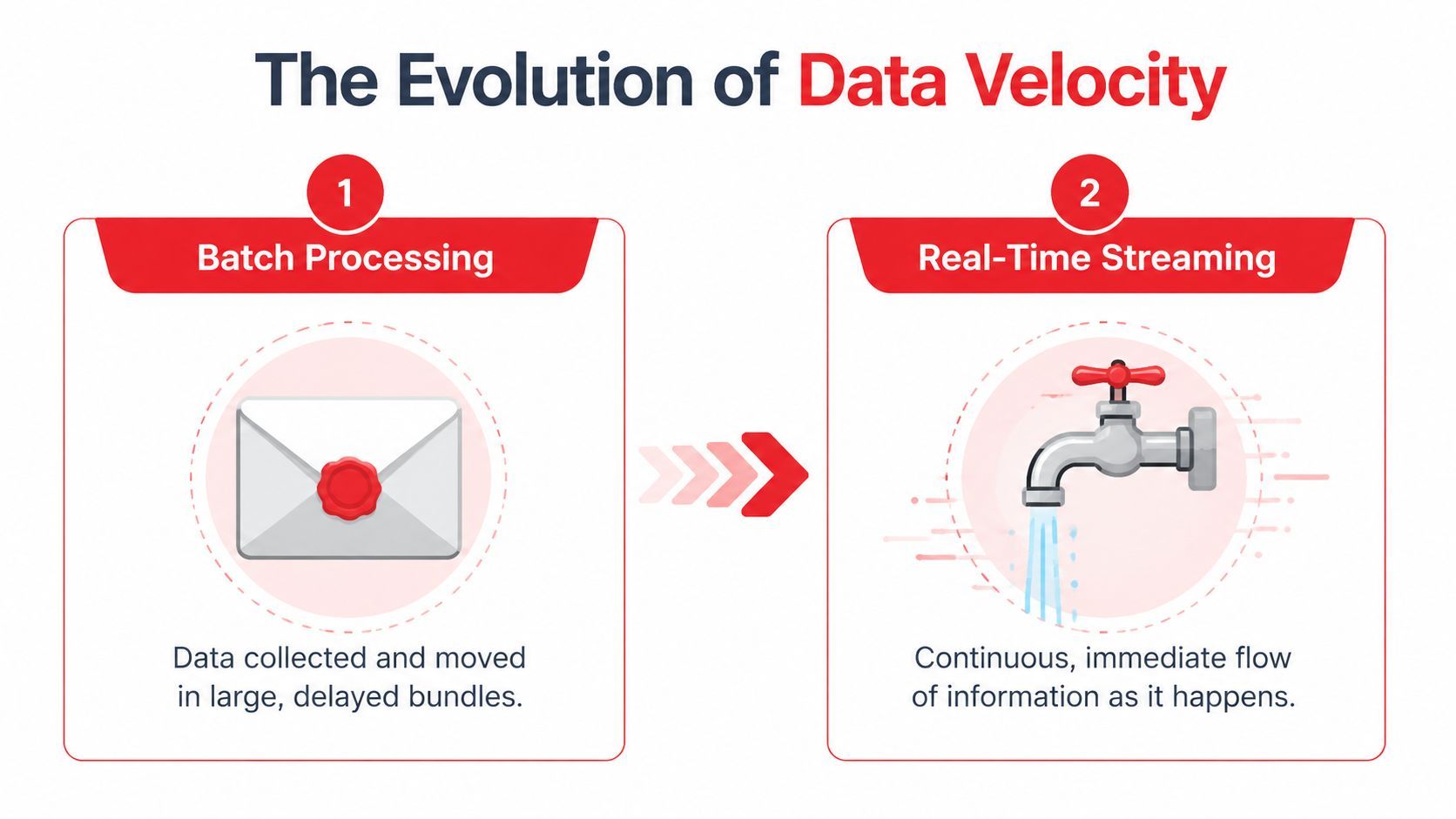
Batch is a report stream is a reaction loop
Batch systems are good at heavyweight jobs that don't need immediate action. Nightly analytics jobs, periodic reporting, and historical reconciliation still belong there. Teams get into trouble when they assume streaming is just “batch, but more often.”
It isn't. Streaming changes the unit of work from a file or table load to an event. Something happened. A user submitted a prompt. A payment was attempted. A document changed. A sensor emitted a reading. A provider returned an error. Once you think in events, your system stops waiting for a bundle and starts reacting to signals.
That shift happened because older approaches couldn't keep up with systems that needed immediate awareness. As CelerData's overview of real-time data streaming notes, LinkedIn developed Apache Kafka in 2011 to handle massive real-time event data. That work became one of the clearest turning points in the move away from purely batch-oriented data handling.
What counts as an event
For AI teams, event streams usually come from ordinary product behavior, not exotic infrastructure. Common examples include:
- User interaction events: prompt submitted, tool clicked, file uploaded, conversation abandoned
- Application events: model response received, fallback triggered, validation failed, timeout hit
- Business system events: order updated, refund issued, ticket assigned, subscription changed
- Content events: record inserted, document edited, embedding refreshed, knowledge source removed
A useful way to judge whether something belongs in a stream is simple. Ask whether another part of the system would benefit from reacting to it immediately. If yes, it's probably an event worth publishing.
Streaming isn't “faster ETL.” It's a different contract between producers and consumers. Producers announce facts. Consumers react when those facts appear.
This is why streaming real time data matters so much for AI applications. You're not just optimizing throughput. You're building a system that can notice change while the change is still relevant.
Core Architectures and Key Platforms
When teams first approach streaming, they often focus on tools before patterns. That usually leads to premature platform debates. Start with the architecture first. The platform choice gets easier after that.
Two patterns show up again and again in production systems: publish/subscribe and event sourcing. They solve different problems, and many systems use both.
Pub sub for decoupled systems
In publish/subscribe, producers emit events to a topic or stream. Consumers subscribe and process them independently. The producer doesn't need to know who is listening.
That matters for AI systems because one event often has multiple downstream uses. A single “prompt_completed” event might feed analytics, billing, safety review, user activity dashboards, and an evaluation pipeline. If you wire those consumers directly to the app, every new requirement increases coupling. Pub/sub keeps that from turning into a knot.
Pub/sub works well when you want:
- Loose coupling: product teams can add new consumers without changing producers
- Fan-out: one event can trigger search updates, notifications, and monitoring in parallel
- Operational isolation: a slow downstream consumer won't force a rewrite of the producer contract
Event sourcing for replay and auditability
Event sourcing stores state changes as a sequence of events instead of only keeping the latest state. Rather than saving “current conversation state,” you save that a conversation started, a tool was called, a human corrected the answer, and the session ended. You can rebuild state by replaying the stream.
This pattern is powerful for AI systems because replay matters. Teams revise prompts, routing logic, guardrails, and enrichment steps constantly. If you've stored the event history cleanly, you can reprocess it with new logic. If you only stored the final state, you've lost the path that produced it.
Keep event sourcing for domains where history itself is valuable. Don't force it into every CRUD workflow.
The trade-off is complexity. Event-sourced systems are harder to reason about if your team is still uncomfortable with eventual consistency, idempotency, or replay semantics. For many products, pub/sub is the better place to start.
Choosing Kafka Pulsar or Kinesis
The big platform decision usually comes down to operational control versus managed simplicity.
Kafka remains the default mental model for many teams because so much of the streaming ecosystem grew around it. Pulsar can be attractive if you want multi-tenant designs and different storage characteristics. Kinesis is often the most pragmatic choice for teams that already live inside AWS and want to move quickly without running brokers.
What doesn't work is picking a platform because someone said it was “more scalable” in the abstract. For a first AI feature, the better question is narrower: where do your events come from, who needs them, and how much infrastructure does your team want to own?
Real-Time Protocols and Processing Patterns
The architecture explains where events live. Protocols and processing patterns decide how those events move and how they become useful.
Client-facing delivery and backend stream processing are different layers. Teams often blur them together. That creates confusion fast, especially when someone says “we need streaming” and half the room means WebSockets while the other half means Kafka.
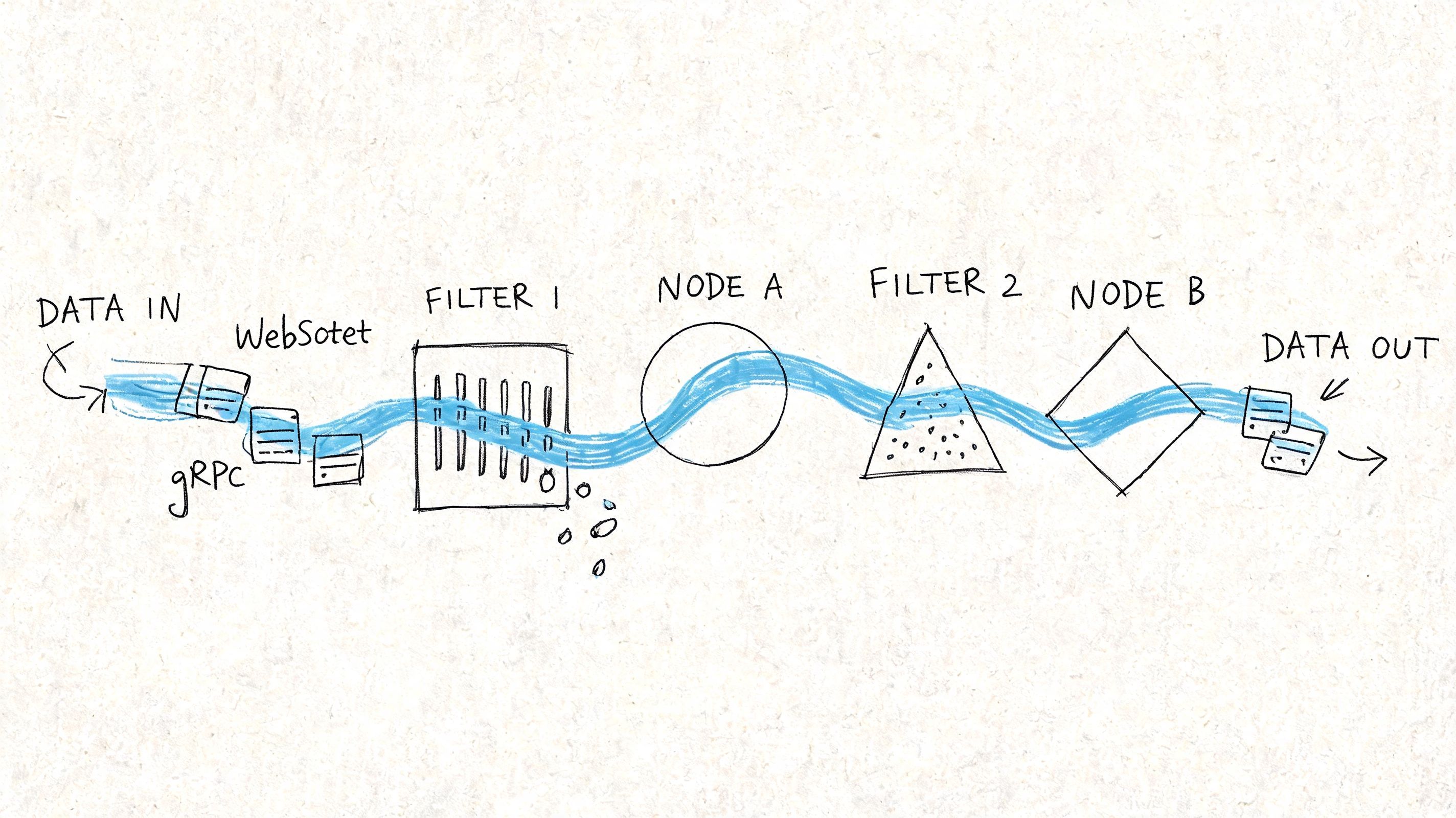
How data moves to users and services
For the edge of the application, three protocols show up often.
- WebSockets work well for persistent, two-way communication. Use them when the client also needs to send live signals back, such as collaborative interfaces, agent dashboards, or multi-user control panels.
- Server-Sent Events (SSE) are simpler when the server mainly pushes updates to the browser. They're a natural fit for token streaming from LLM responses, job progress updates, or live notification feeds.
- gRPC streaming fits service-to-service communication where you care about typed contracts, efficient transport, and predictable internal APIs.
There isn't one winner. WebSockets give flexibility, but they add connection management overhead. SSE is lighter for one-way server updates, but it won't replace a bidirectional channel. gRPC is excellent inside the backend, but it usually isn't your browser transport.
A practical pattern for AI apps is to combine them. Use a durable event platform in the backend, process state there, and expose only the live subset the client needs through SSE or WebSockets.
How stream processors turn events into decisions
Raw events aren't useful for long. The value comes from processing.
That processing usually depends on two ideas: stateful computation and windowing. Stateful computation means the processor remembers something from prior events. Windowing means it groups events over a time boundary or logical boundary, such as recent activity for a user session.
Examples that matter for AI products:
- Rate anomaly detection: track bursts in provider errors or unusual token consumption over a recent interval
- Session awareness: count tool invocations within the current agent session before deciding whether to escalate
- Live personalization: combine recent clicks with existing profile data to adjust what the model sees right now
Hazelcast notes that real-time streaming architectures can achieve microsecond to millisecond latencies through in-memory computing, while handling tens to hundreds of thousands of messages per second on commodity hardware. The practical takeaway isn't that every app needs extreme speed. It's that low latency usually comes from keeping hot data in memory and avoiding unnecessary disk-heavy hops in the decision path.
If a decision must happen while a user is still waiting, don't build a path that writes to storage three times before anything reacts.
What doesn't work is shipping every event to a database first, then polling that database from your application to simulate real time. That pattern adds lag, extra load, and operational confusion. A stream processor should compute the state you care about, then publish a cleaner event or materialized view for the application to consume.
Integrating Streaming Data into AI Apps and Agents
At this stage, streaming stops being infrastructure theory and starts changing product behavior.
Most AI features fail in ordinary ways. The retrieval layer is stale. The agent doesn't notice a webhook until the next sync. The product can stream tokens to the UI, but the backend still reasons over old context. Streaming real time data helps when the problem isn't model intelligence but context freshness.
Three AI use cases where streaming changes the product
The first high-value use case is live personalization. If a user browses products, changes intent, or interacts with a feature in a new pattern, the model context should adapt within the same session. That might mean revising recommendations, changing the system prompt path, or selecting different examples and tools.
The second is continuously updated RAG. Many teams index documents on a schedule, then wonder why the assistant cites outdated policy or old product specs. A better model is event-driven ingestion. When a document changes, the system emits an event, reprocesses the relevant chunk set, refreshes the serving layer, and makes the updated context available without waiting for the next batch cycle.
The third is agent backends reacting to external systems. Agents rarely live in isolation. They depend on tool responses, payment events, CRM changes, support system updates, and human approvals. A useful agent runtime needs a way to subscribe to those signals and update workflow state immediately.
- Prompt routing: choose a different provider or model path based on live latency, failure, or content signals
- Knowledge freshness: update retrieval context when docs, tickets, or records change
- Workflow coordination: trigger follow-up actions when tools or external APIs emit completion events
The best agent isn't the one with the longest prompt. It's the one connected to the latest state.
A short demo helps make this concrete:
What an agent backend actually needs
For agent systems, the stream usually carries more than business events. It also carries telemetry. Latency spikes, token usage, fallback triggers, malformed tool outputs, and provider failures all belong in the event flow. That telemetry lets the system react while requests are still in flight, not after someone opens a dashboard later.
A practical backend loop looks like this:
- Capture events from the app and tools. Prompt submitted, document updated, webhook received, inference completed.
- Enrich them with context. Attach user state, workflow status, recent actions, or cached reference data.
- Compute decisions in motion. Route, retry, escalate, refresh retrieval, or notify a human.
- Serve the updated state. Push the result to the UI, the agent runtime, or another service.
What usually fails is over-centralization. Teams try to make the model call every API directly, or they wire the frontend to too many live systems. It's cleaner to keep the streaming backbone in the backend and expose only the decision-ready views that the app or agent needs.
Surviving Production The Realities of Streaming Ops
A streaming demo can look polished long before the operating model is ready. Production is where all the hidden work shows up. Streams don't pause while you debug. Consumers drift. Schemas evolve. One noisy upstream producer can flood a path you forgot to rate-limit.
That's why the primary challenge isn't getting events to move. It's running a system that keeps moving when parts of it fail.
Reliability starts with failure assumptions
If an AI app depends on a stream for state updates, you need to assume brokers, consumers, providers, and processors will all fail at inconvenient times. The question isn't whether failure happens. It's whether the system recovers cleanly.
IBM's overview of real-time data streaming fault tolerance highlights the core mechanisms: replication and checkpointing. Kafka replicates partitions across brokers for more than 99.99% uptime, while systems like Flink use state backends to recover from failures in seconds without data loss or duplication.
That matters because duplicate or missing events corrupt AI systems in subtle ways. A duplicated “refund_issued” event can trigger the wrong downstream action. A missed “knowledge_base_updated” event can leave retrieval stale even when the indexing job technically succeeded.
A few habits matter more than is generally understood:
- Design idempotent consumers: processing the same event twice shouldn't create a second side effect
- Use dead-letter paths: malformed events need somewhere safe to land without blocking the pipeline
- Version schemas deliberately: event contracts change, and silent drift is expensive to debug
Observability security and cost are product features
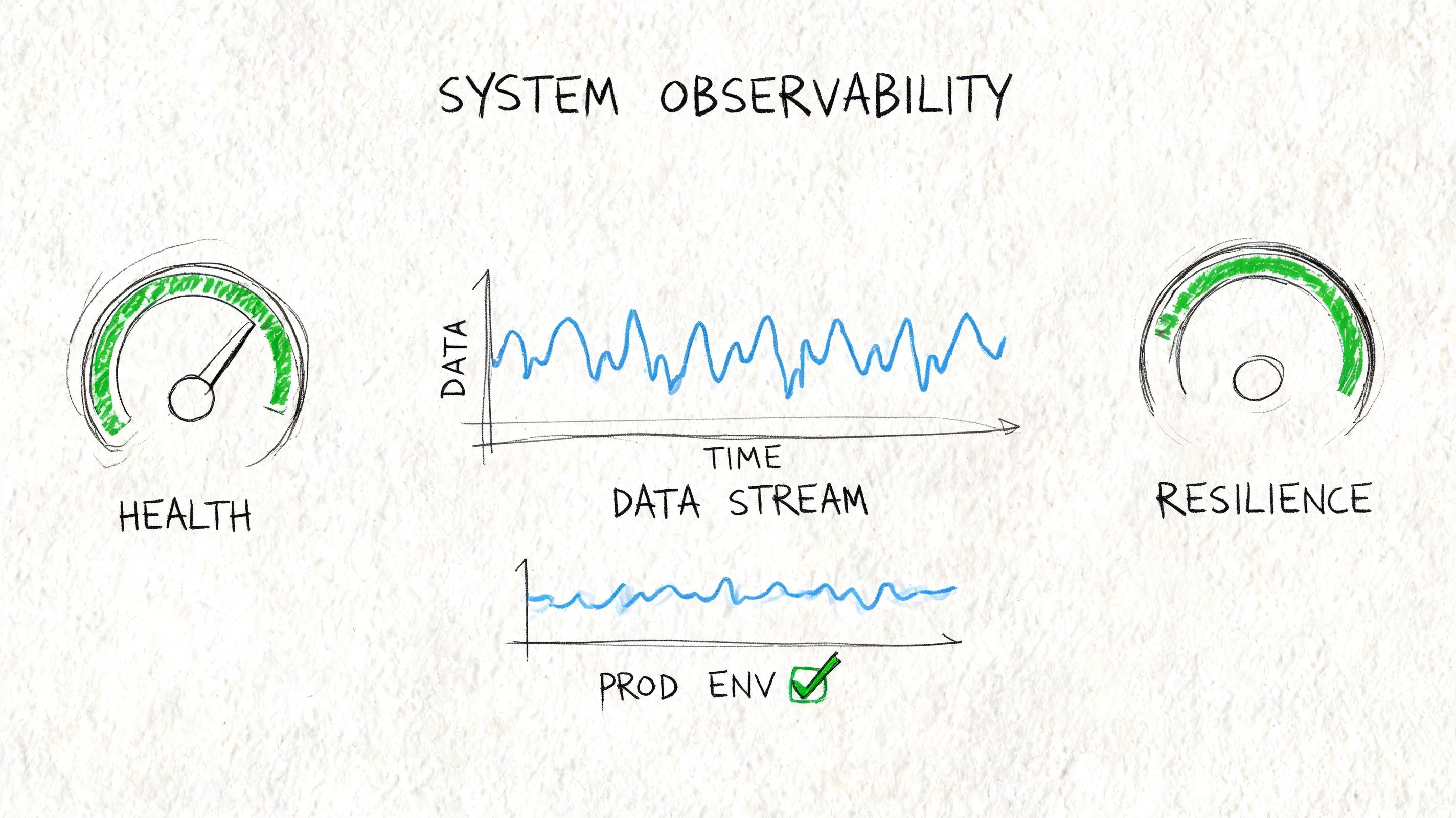
Observability for streaming needs more than logs. You want to see lag, retries, replay activity, processing errors, and end-to-end traces that connect a user action to downstream stream events and final UI output.
Security is also trickier than teams expect. Every event can carry sensitive context. If you publish too much, downstream consumers inherit access they shouldn't have. Good event design minimizes payloads, scopes consumers tightly, and treats internal topics as production interfaces, not casual debug channels.
Cost usually becomes painful later than latency, but it hits hard. Streaming encourages teams to keep everything. They shouldn't. Retain what you need for replay, audit, and product value. Drop noisy low-value events early. Aggregate when raw detail no longer matters.
A stream is not a landfill. If every possible event gets retained forever, your infrastructure bill will teach restraint for you.
The production teams that do this well keep their streams boring. Clear schemas, predictable retention, replay plans, useful metrics, controlled fan-out. That discipline matters more than clever architecture diagrams.
Start Streaming and Stop Redeploying
If you're building AI features today, streaming isn't a niche concern for data engineers. It's how your product stays aware of what just changed. That awareness is what makes assistants feel current, agents feel responsive, and AI workflows feel dependable instead of fragile.
The shift is simple to describe and harder to implement well. Move from scheduled snapshots to event-driven context. Treat user actions, system changes, and tool outputs as a live signal. Process them close to when they happen. Expose the results to the app in a form it can use immediately.
You don't need to rebuild your whole stack at once. Start where freshness changes product quality the most. That might be document updates for RAG, live telemetry for model routing, or webhook-driven state changes for an agent backend. A narrow stream with a clear consumer beats a grand platform plan that never ships.
The teams that benefit most from streaming real time data aren't the ones chasing infrastructure prestige. They're the ones tired of hardcoding logic, waiting on batch refreshes, and redeploying applications just to change how the system reacts.
If you want the benefits of real-time AI backends without turning your team into streaming infrastructure specialists, Supagen is worth a look. It gives teams a unified production layer for prompts, model routing, fallbacks, observability, and cost tracking, so you can ship responsive AI features and agents faster and make changes from a dashboard instead of baking every decision into application code.
Produced via Outrank