
Speech to Text Models: A 2026 Guide for Product Teams
Your team is probably in one of two situations right now. You either need a fast way to turn voice into text for a feature that already has product pressure behind it, or you've already tried one provider and discovered that benchmark screenshots don't tell you what happens on messy real audio.
That's where most speech to text projects get stuck. One model looks best on accuracy, another promises lower latency, and a third seems cheap until you realize you also need streaming, diarization, punctuation, retries, and monitoring. The hard part isn't picking a winner from a leaderboard. The hard part is building something that still works when users upload bad phone audio, switch speakers mid-sentence, or expect captions to appear live.
Table of Contents
- Choosing Your First Speech to Text Model
- Understanding Core Speech to Text Architectures
- Key Metrics and Critical Performance Tradeoffs
- The 2026 Speech to Text Model Landscape
- Production Deployment and Integration Patterns
- Advanced Strategies for Peak Performance
- An Actionable Decision Framework for Your Product
Choosing Your First Speech to Text Model
A common first request sounds simple: “Let users leave voice notes,” or “Transcribe support calls.” Then the team opens a few provider docs and suddenly the decision turns into a pile of competing claims about WER, streaming support, multilingual coverage, and pricing models that don't map cleanly to the product.
The mistake is treating speech to text models like a one-time library choice. They're infrastructure. The model you choose affects UX, support burden, cost controls, and how much cleanup your downstream systems need to do.
A practical first pass starts with the job, not the benchmark:
- Voice notes in a consumer app: prioritize reliable batch transcription, punctuation, and low integration friction.
- Live captions or voice agents: prioritize streaming latency and partial transcript stability.
- Support or sales calls: prioritize diarization, timestamp quality, and resilience to compression artifacts.
- Compliance-sensitive workflows: prioritize consistency, auditability, and whether your quality bar is realistic for the audio you collect.
Practical rule: If users are waiting on text to appear, latency is part of accuracy. A transcript that arrives too late is still a product failure.
Many practitioners don't need the single “best” model. They need a sensible default, a fallback, and enough observability to know when the default is failing. That's a different mindset from reading leaderboard tables.
The right starting question is: what kind of audio will hit production on day one? Clean uploads from a studio mic behave very differently from support calls, mobile voice notes, and video meetings. If you don't anchor on your real input, you'll optimize for a benchmark and ship a bad experience.
Understanding Core Speech to Text Architectures
The architecture under the hood tells you a lot about how a model will behave before you ever run an eval. You don't need to become a speech researcher, but you do need a mental model for the big families.
CTC for speed and simple alignment
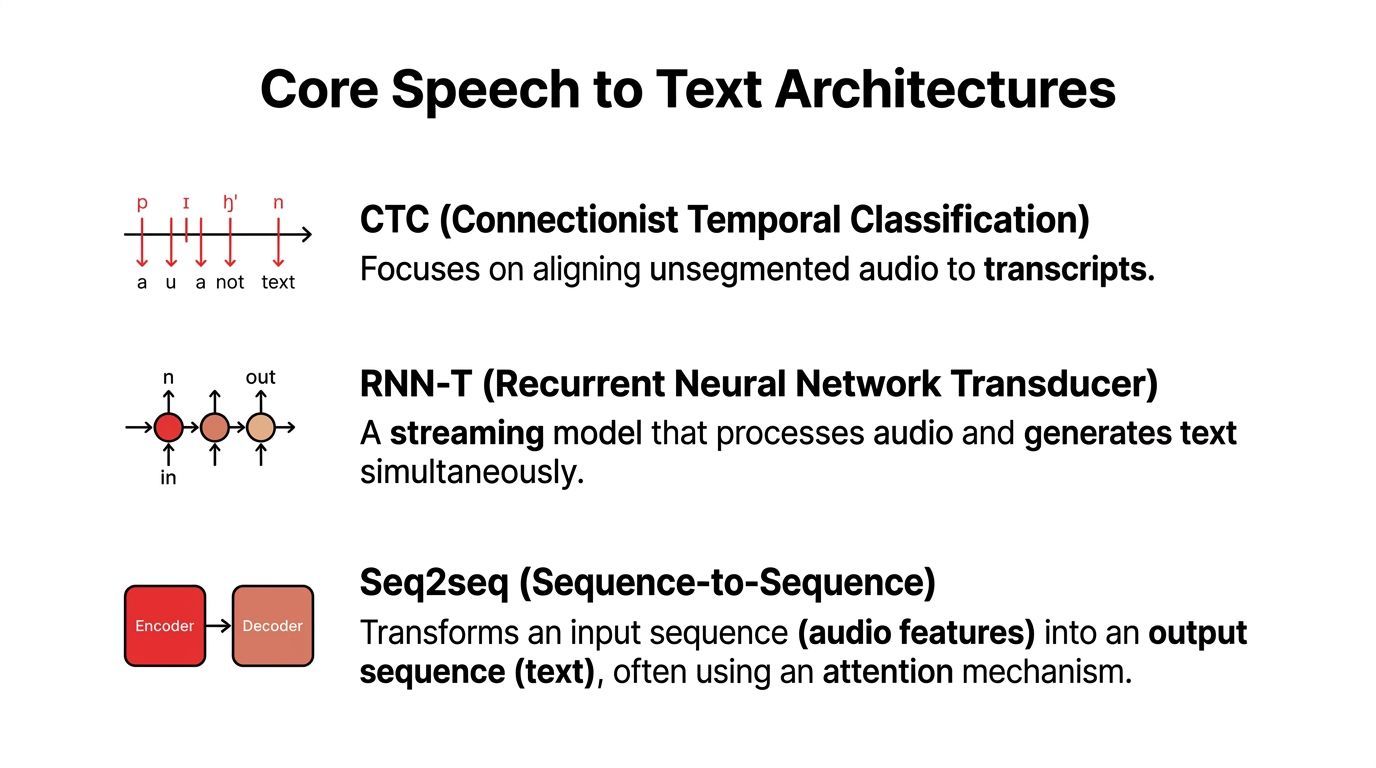
Connectionist Temporal Classification, usually shortened to CTC, is the fast stenographer of speech systems. It tries to align chunks of audio with output tokens without requiring the model to decide every word in the full context of the sentence.
That makes CTC-style systems attractive when throughput matters. They can be simpler to reason about and often work well in pipelines where you want efficient decoding. The tradeoff is context. If the transcript depends on broad sentence meaning, a pure alignment-first approach can feel less graceful than more context-aware architectures.
CTC is often a good mental fit for:
- High-throughput transcription jobs
- Scenarios where partial alignment matters
- Systems where simpler decoding paths are a plus
RNN-T for live transcription
RNN-T, or Recurrent Neural Network Transducer, is built for streaming. Think of it as a transcriber that listens and writes at the same time, instead of waiting for the full utterance to finish.
That property matters in products where users are speaking into a microphone and expect immediate text or an agent response. RNN-T systems are designed around incremental output, which is why they show up so often in real-time stacks.
They usually make more sense when you need:
- Low perceived latency
- Stable partial hypotheses
- Continuous audio handling without full-file delays
This is also why architecture claims should never be separated from use case. A model that looks excellent in offline evaluation can be a poor fit for voice agents if it wasn't designed to handle streaming gracefully.
In live systems, users notice transcript flicker, delayed punctuation, and unstable word revisions long before they care about leaderboard ranking.
Seq2seq for context-heavy jobs
Sequence-to-sequence, often written seq2seq, behaves more like an editor than a stenographer. It encodes the audio, then decodes text while considering broader context. That's helpful when disambiguation matters, especially in longer-form or more complex utterances.
This architecture family often shines when the model needs to weigh surrounding words heavily. It can be strong for batch jobs, multilingual handling, and situations where the full utterance gives clues that local phoneme alignment alone would miss.
A useful shorthand is:
Architectures don't determine everything, but they explain a lot. If a vendor says their model is excellent for real-time agents, ask whether the architecture supports that claim. If a model wins on clean offline tests, ask how it behaves when it can't wait for the whole sentence.
Key Metrics and Critical Performance Tradeoffs
A team ships live captions for customer support calls. The demo sounds great in a quiet room. The first production week is where the actual evaluation starts: Bluetooth headsets, phone compression, two people talking over each other, and agents who need text on screen fast enough to act on it.
Why WER is necessary and insufficient
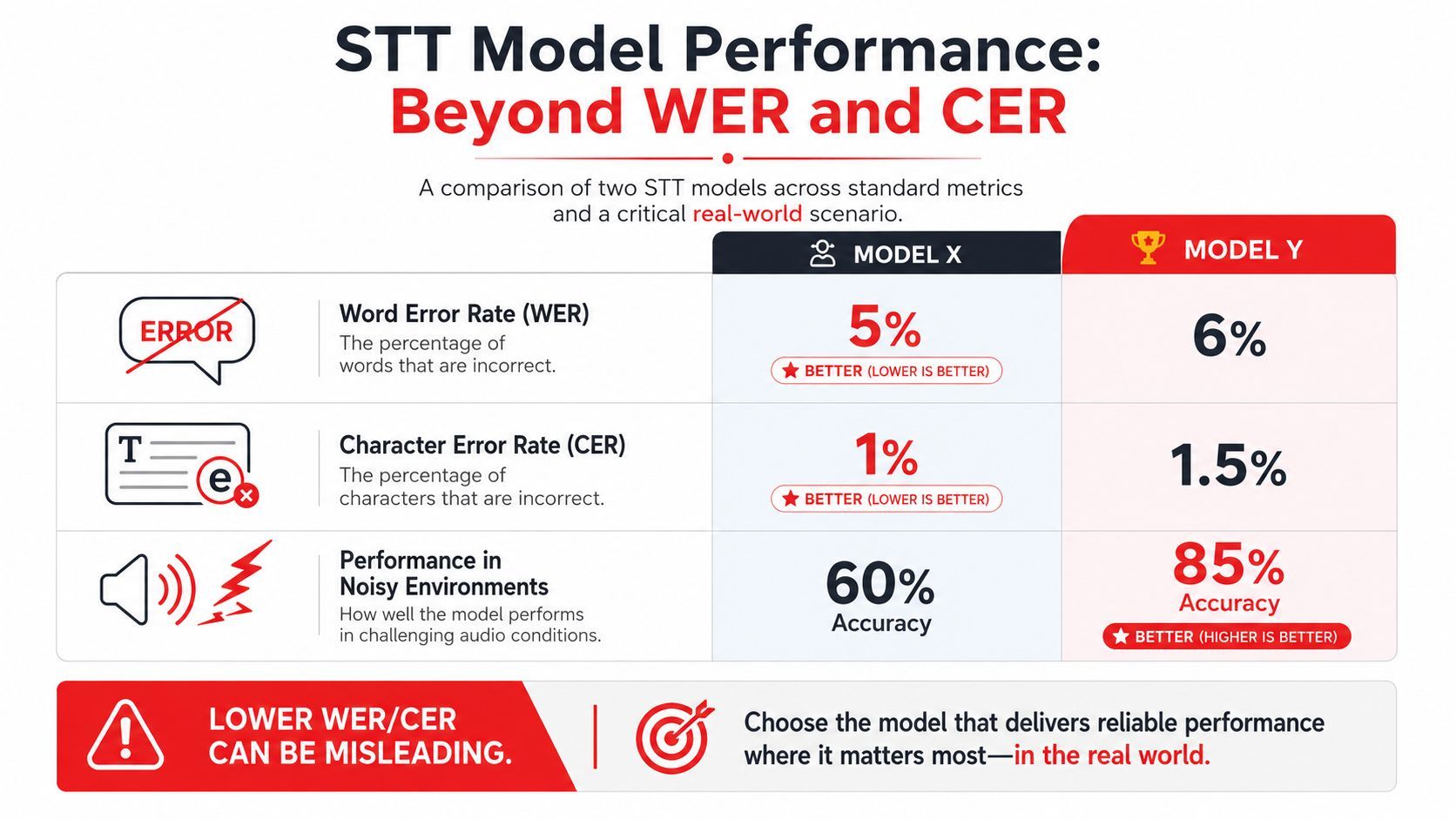
Word Error Rate (WER) is still the starting point. It gives teams a common way to compare models, and every vendor reports it for a reason. Character Error Rate (CER) adds another useful lens when a single digit, name, or product code matters more than general readability.
WER is also easy to misuse.
A model that looks strong on clean benchmark audio can break down once you feed it narrowband phone audio, compressed conferencing streams, background noise, or accented speakers. Researchers at NVIDIA, in a technical overview of ASR accuracy measurement explain why WER is useful but incomplete. It treats all word mistakes the same, even though production systems do not. Missing “not” in a medical note is very different from dropping a filler word in a meeting transcript.
That gap shows up in product decisions every day. If the transcript drives search, summaries, or rough note taking, a modest error rate may be acceptable. If the output triggers an action, fills a CRM field, or supports a regulated workflow, the same error profile can be expensive.
The practical question is not whether a model posts a low WER. The question is whether its errors are acceptable for your audio, your users, and your failure budget.
The production tradeoff triangle
Production speech systems usually balance three variables:
- Accuracy: transcript quality, entity recognition, formatting correctness, and how well the model holds up on your real audio
- Latency: time to first token, update cadence during streaming, and time to final transcript
- Cost: provider pricing, GPU or CPU spend, retries, and the engineering work needed to run or switch models
Improving one often pushes on the other two. Larger models tend to recover more context, but they cost more to run and often respond more slowly. Aggressive streaming settings can cut perceived latency, but they can also increase transcript flicker or force more word revisions before finalization.
Those trade-offs matter more than leaderboard spacing. Two models can land close on WER and still create very different product outcomes. One may be stable enough for subtitles. Another may revise partial text so often that users stop trusting the UI. A third may transcribe accurately but return punctuation and number formatting that breaks downstream automation.
This is why I prefer evaluating speech systems as a routing problem, not a single-model contest. A unified backend such as Supagen lets teams send real-time traffic to a fast streaming model, route long recordings to a higher-accuracy batch model, and compare outputs without rewriting application logic for each provider. That matters over the full lifecycle. Initial launch, model swaps, A/B tests, fallback handling, and cost controls are all easier when the API surface stays consistent.
What to measure beyond transcript quality
A production eval should include metrics both engineering and product teams can act on:
One more filter belongs in every evaluation: operational fit. Can the model stream and batch through the same integration? Can you log hypotheses for debugging? Can you replay audio through another provider when quality drops? Can you cap cost by routing low-value traffic to a cheaper model?
Benchmark accuracy helps shortlist candidates. Production metrics decide what survives.
The 2026 Speech to Text Model Landscape
A product team ships voice notes with one hosted API, then traffic grows. Support asks for better diarization, legal asks where audio is stored, finance asks why transcription cost doubled, and engineering wants a fallback when the provider has a bad week. Model choice stops being a benchmark exercise at that point. It becomes a systems decision.
Cloud APIs and managed speed
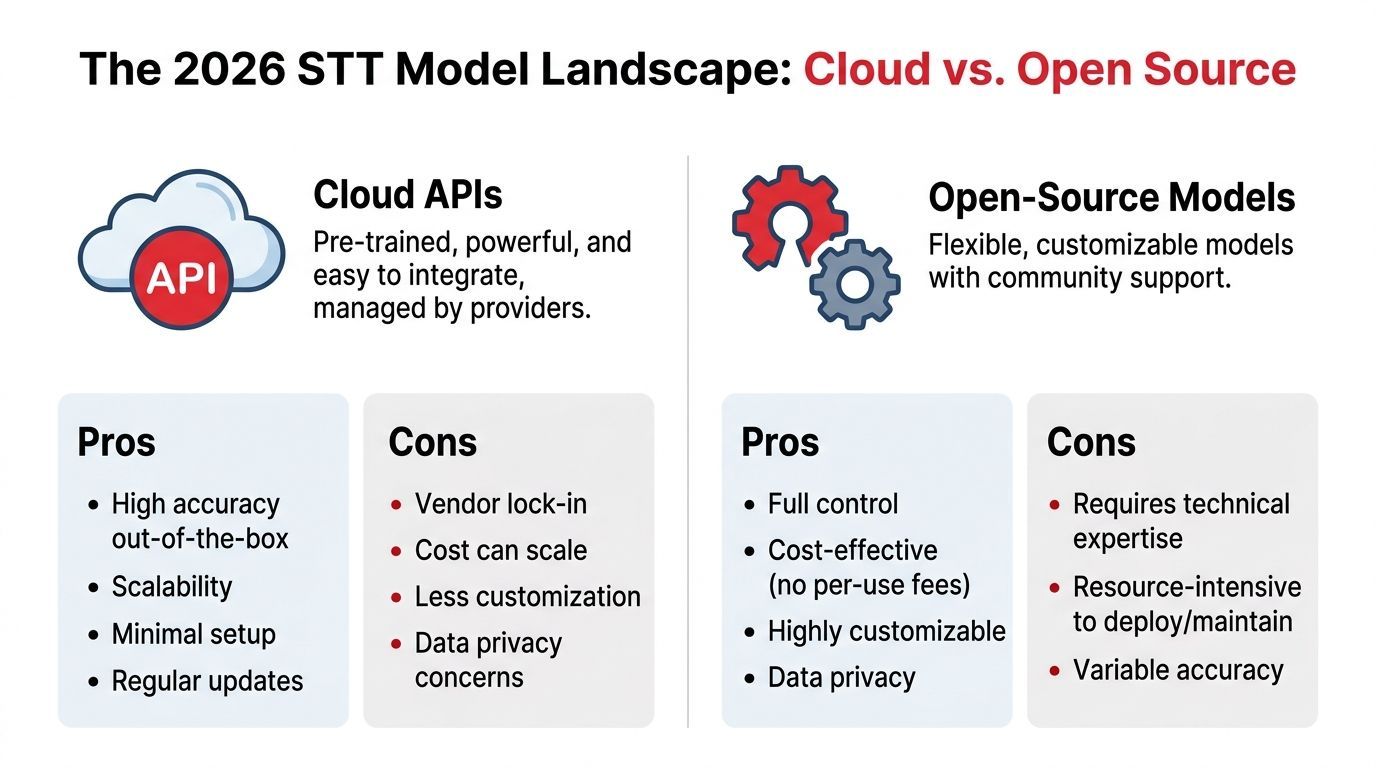
Managed APIs are still the fastest way to get a speech feature into production. Hosted inference, SDKs, scaling, and built-in features such as timestamps or speaker labels cut weeks of platform work. That matters if the team needs to validate demand before investing in custom infrastructure.
The trade-off is dependency. You inherit the provider's release cadence, pricing model, and request format. If the application is tightly coupled to one vendor, even a basic A/B test can turn into an integration project.
Current vendor rankings also show why a single "best model" answer does not hold up in practice. Artificial Analysis compares models across accuracy, speed, cost, language coverage, and streaming support, and the leaders differ depending on which constraint matters most. That is the right way to read these tables. A model that wins on word error rate can still be the wrong production choice if it misses your latency target or makes unit economics fail at scale.
Open-source models and control
Open-weight models are now a serious option for production teams, especially where data handling, customization, or infrastructure control matters. The quality gap has narrowed enough that self-hosting is no longer automatically a downgrade.
The bill arrives elsewhere. Teams running open models own deployment, autoscaling, GPU utilization, upgrades, observability, and incident response. They also own the hard edges, including model warm-up time, queue spikes, and the operational cost of keeping multiple variants online for different workloads.
That extra control can be worth it. It is often the right call for regulated workloads, on-prem requirements, or products with enough volume that hosted per-minute pricing becomes expensive. It is a poor fit for teams that still need to prove the feature, or teams without the capacity to run inference infrastructure well.
A practical way to compare options
Use three filters first.
Product fit. Does the model support the languages, domains, and interaction style your users need?
Operational fit. Can your team deploy it, monitor it, and recover from failures without building a side platform?
Economic fit. Do the latency and cost curves still work when usage grows, not just during a pilot?
This is also where a unified backend helps. With a routing layer such as Supagen, teams can start with a managed model for launch speed, send premium or low-quality audio to a more accurate option, and keep a cheaper fallback for less sensitive traffic. That setup makes the full lifecycle easier to manage. Launch, experimentation, provider swaps, outage handling, and cost controls all improve when the application talks to one stable interface instead of several vendor-specific APIs.
A ranking table can help build a shortlist. It cannot tell you how painful a provider swap will be six months later, how much engineering time a self-hosted stack will consume, or whether your margins survive success. Those are the decisions that shape the product.
Production Deployment and Integration Patterns
Choosing a model is the easy part. Production behavior is where speech systems either become a reliable product surface or an endless stream of exceptions.
Streaming versus batch
The first architectural split is streaming versus batch. They sound like implementation details, but they shape the user experience from the start.
Streaming is for live captions, voice assistants, and real-time agents. Users expect words to appear as they talk. The model has to operate with partial information, and your UI has to tolerate interim transcript revisions.
Batch is for uploaded files, call recordings, and voice notes. The system can wait for the full audio, which usually gives the model more room to use context and clean up formatting.
A production example makes the tradeoff concrete. According to Next Level AI's benchmark summary, Deepgram Nova-3 achieved a median WER of 6.84% on streaming audio and 5.26% on batch audio across 2,703 production files, showing that the same general task changes meaningfully when the system has to transcribe in real time.
Features that make transcripts usable
Raw words are only the beginning. Most products need a layer of transcript intelligence on top.
Three add-ons usually matter early:
- Speaker diarization
Meetings, interviews, support calls, and sales recordings become much more useful when the transcript shows who said what. Diarization errors can make summaries and action items unreliable even when the words themselves are mostly correct. - Punctuation and capitalization
Users judge transcript quality visually. A flat stream of lowercase text feels broken, even when the lexical content is mostly right. - Number and entity formatting
Dates, amounts, addresses, order IDs, medication names, and account references often matter more than ordinary words. If these are unstable, downstream automations fail.
A transcript feature often succeeds or fails on these edges, not on raw word recognition alone.
A support transcript that swaps speakers or mangles ticket numbers creates more cleanup work than no transcript at all.
Operational patterns that prevent pain later
A few engineering habits pay off quickly:
- Normalize input early: resample, standardize channels, and reject obviously bad uploads before they hit expensive inference paths.
- Separate partial and final transcripts: streaming UIs need different handling for interim text than for committed text.
- Store structured metadata: timestamps, speaker labels, language, and confidence-adjacent signals are often more useful later than the plain text alone.
- Log transcript diffs across model changes: model upgrades can inadvertently break downstream prompts, search indexing, or analytics.
Teams also underestimate retry behavior. Audio jobs are larger and slower than text completions, so provider retries, webhook timing, and asynchronous state handling need more care. A model decision becomes an integration decision very quickly.
Advanced Strategies for Peak Performance
Off-the-shelf models get you far. They don't solve every edge case. When transcript quality starts failing on a specific domain, language, or modality, the next move usually isn't “train a custom model from scratch.”
When rescoring beats retraining
For low-resource languages, one of the most practical advanced techniques is rescoring. Instead of replacing the base recognizer, you let another model re-evaluate candidate transcripts with more context.
Amazon researchers report that multi-modal Speech-Text LLM rescoring can deliver up to 20% relative improvement over Whisper Large and 15% over text-only LLMs, and that splicing long- and short-term complementary features in low-resource tasks can reduce WER by 30%.
That matters because low-resource language problems often aren't solved by brute-force model swapping. They're solved by adding a smarter second pass that knows more about context than the first-pass decoder did.
Domain adaptation without a full rebuild
Fine-tuning can work, but it's expensive in time, data preparation, and maintenance. Many product teams benefit more from lighter adaptation methods:
- Prompting or context injection: useful when the provider supports contextual biasing or domain hints.
- Custom vocab and phrase lists: helpful for proper nouns, jargon, and recurring product terms.
- Post-processing passes: especially useful for formatting rules, names, or structured tokens.
- Rescoring layers: better than retraining when your main weakness is ranking plausible transcript alternatives.
The practical question is whether your errors are acoustic or linguistic. If the model can hear the sounds but picks the wrong domain term, contextual adaptation helps. If the audio itself is degraded, you may need a stronger base model or better input handling.
Where silent speech fits
There's also a niche that deserves more attention: silent speech recognition. It's not a replacement for standard ASR, but it opens important accessibility and privacy use cases.
Stanford's MONA silent speech work reportedly pushed non-invasive open-vocabulary silent speech recognition past the 15% WER threshold, which makes it a viable path for specific products where speaking aloud isn't possible or desirable.
That's relevant for accessibility engineering, assistive communication, and private interfaces. It won't replace normal speech pipelines soon, but it changes what “speech to text” can mean in product planning.
An Actionable Decision Framework for Your Product
A good speech stack isn't a single model choice. It's a routing strategy, an eval loop, and a way to change decisions without redeploying your whole product.
Start with the workflow not the model
Define the product workflow first:
Then define your failure conditions. For some teams, a small wording miss is acceptable. For others, a wrong number or speaker label breaks the feature. That distinction determines whether you optimize for broad WER or for narrower transcript fidelity around critical entities.
The case for hybrid design gets stronger as soon as you look at real-world behavior. Gladia's review of open-source ASR models notes that NVIDIA Canary-Qwen 2.5B holds the top spot on the Hugging Face Open ASR Leaderboard with 5.63% average WER, but that noisy conversational audio can push performance to ~7.5% WER. Even top models still need help in messy production conditions.
Use routing instead of betting on one provider
That leads to the most practical recommendation in this whole guide: don't hardcode one model and hope it covers every audio condition.
Use a layered routing approach instead:
- Default path: a balanced model for normal traffic
- Fast path: a lower-latency model for live interactions
- Fallback path: a more capable model for noisy, accented, or multi-speaker audio
- Review path: manual or assisted review for high-risk transcripts
This structure lets you control cost and UX together. Clean voice notes don't need the same treatment as compressed support calls. Multilingual uploads may need a different model than English-only real-time interactions. If you keep the routing logic outside your app code, you can evolve it as your traffic changes.
STT Model Decision Matrix
A unified backend matters here because model management is now an operational concern, not just an API call. If you can change prompts, routing rules, fallbacks, and observability settings without editing application code, your team can iterate on transcript quality much faster and with less risk.
The teams that do this well treat speech as a managed system. They compare providers, but they also watch latency, fallback rate, formatting failures, and downstream breakage. That's what turns speech to text models from a demo feature into durable product infrastructure.
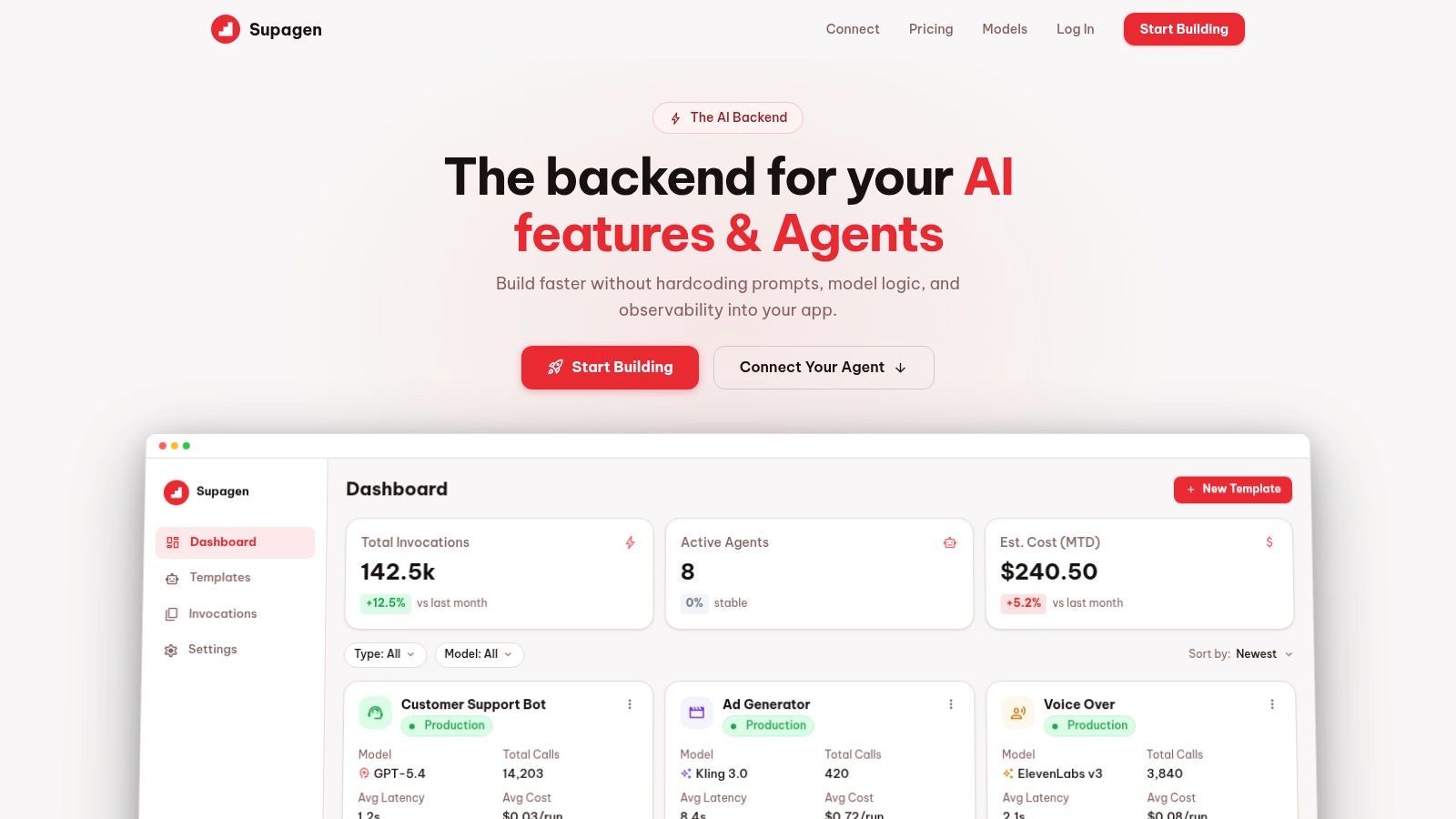
If you want that production layer without hardcoding model logic into your app, Supagen is a practical way to manage it. You can route across providers, version prompts and model settings, add fallbacks, and inspect per-call latency, inputs, outputs, and costs from one dashboard, which makes speech features much easier to ship and much easier to maintain.