
Parse Error on Input: A Practical Debugging Guide
You're probably staring at code that looks fine, or close enough to fine, and the parser just threw parse error on input back in your face. No stack trace that helps. No friendly hint. Just a complaint that feels one layer too early to be useful.
That error shows up everywhere. In source code, in JSON payloads, in config files, in spreadsheet formulas, in templates, and in command-line snippets copied from docs. Different runtimes phrase it differently, but the meaning is almost always the same: the parser hit something that doesn't fit the grammar it expected.
The annoying part is that the actual bug often isn't where your eyes go first. The visible failure might be on one token, while the actual cause sits a few characters earlier, or on the previous line, or in an editor that unintentionally changed quotes, indentation, or encoding. The good news is that the debugging skill is transferable. Once you know how to treat parse errors as grammar problems instead of mystery problems, you start fixing them fast across languages and tools.
Table of Contents
- That Frustrating Moment We All Know
- Common Causes of Parse Errors
- A Universal Strategy for Diagnosis
- Parse Errors in Practice with Code Examples
- Let Your Tools Find the Errors
- Building Habits to Prevent Parse Errors
That Frustrating Moment We All Know
You make a small edit. Maybe you add one argument to a function, paste in a JSON example from a ticket, or move a line during a refactor. You run the code again and get a parse error on input that sounds like the machine stopped understanding your language entirely.
That feeling is familiar because parse errors attack confidence. The logic may be correct. The architecture may be fine. You might even know the domain cold. None of that matters if the parser can't turn the text into a valid structure.
I've seen this pattern in shipping code and in throwaway scripts. A backend change breaks because of a stray brace in JavaScript. A Haskell file fails because one declaration drifted onto the wrong line. A spreadsheet formula works for one teammate and throws an error for another because their locale expects a different separator. Same frustration, different surface area.
Practical rule: A parse error usually means “the grammar is broken,” not “your idea is wrong.”
That distinction matters. When developers stay in “logic debugging” mode, they waste time checking values, branches, and APIs. Parse errors almost never care about runtime intent. They care about structure. Quotes must close. Delimiters must balance. Tokens must appear where the grammar allows them. Context matters more than cleverness.
The useful shift is this: stop asking “Why is the program wrong?” and ask “What text made the parser lose the shape of the input?” Once you do that, the error message becomes less of an insult and more of a breadcrumb.
Common Causes of Parse Errors
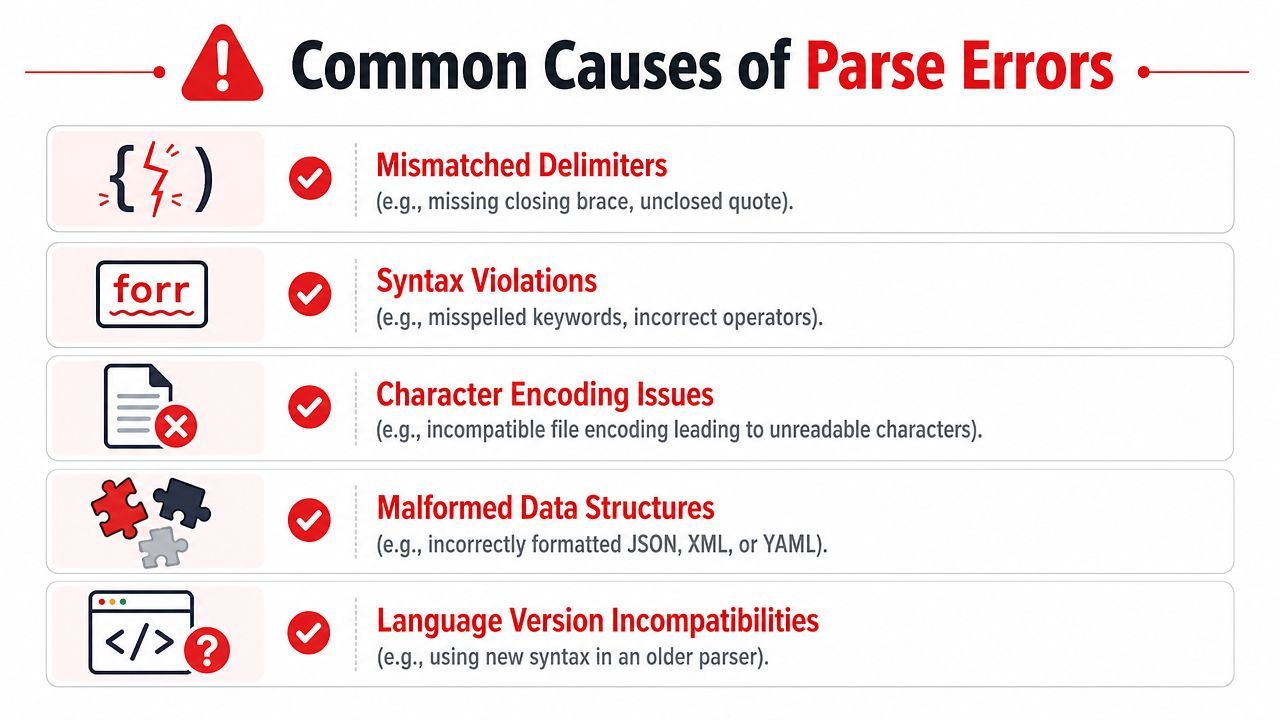
Most parse errors come from a small set of categories. The hard part is that they don't always look like those categories when they first appear.
The parser usually fails near the damage, not at it
The classic culprit is a mismatched delimiter. One missing ) or } can make a parser blame a later token that would have been valid if the earlier structure had closed properly. Unclosed strings do the same thing. The line with the error often isn't the line that caused it.
Then there are syntax violations that look innocent. A missing comma in JSON. A trailing comma where a specific parser doesn't allow one. A misplaced operator. A keyword in the wrong position. A top-level statement pasted into a context where only declarations are valid.
A less obvious category is context-dependent syntax. The same text can parse in one place and fail in another. Interactive shells, template engines, config formats, and language modes often apply slightly different grammar rules. That's why code that works in a file can fail in a REPL, or vice versa.
Another frequent source is invisible text problems. Smart quotes copied from a document, non-breaking spaces from a website, tabs in indentation-sensitive languages, or file encoding issues can all produce parser failures that look absurd until you inspect the raw characters.
One of the most practical examples comes from spreadsheets. Ben Collins notes that a major cause of formula parse errors is locale-dependent syntax. Some regions use semicolons instead of commas as function separators, and using the wrong one can trigger a formula parse error. He also notes that bracket problems, stray spaces, and type mismatches can be involved, and recommends removing outer functions step by step to isolate the issue in his Google Sheets formula parse error guide.
A quick symptom map
A checklist beats guesswork here:
- Check your last edit first. The newest change is the highest-probability culprit.
- Look one token left. The parser may be complaining where it noticed the issue, not where you introduced it.
- Treat copied text as hostile. Paste from docs, chats, and ticket systems often brings formatting junk with it.
- Respect local conventions. Spreadsheet formulas and data formats can differ by region and tooling.
If the parser says a token is wrong, inspect the structure around it before you blame the token itself.
A Universal Strategy for Diagnosis
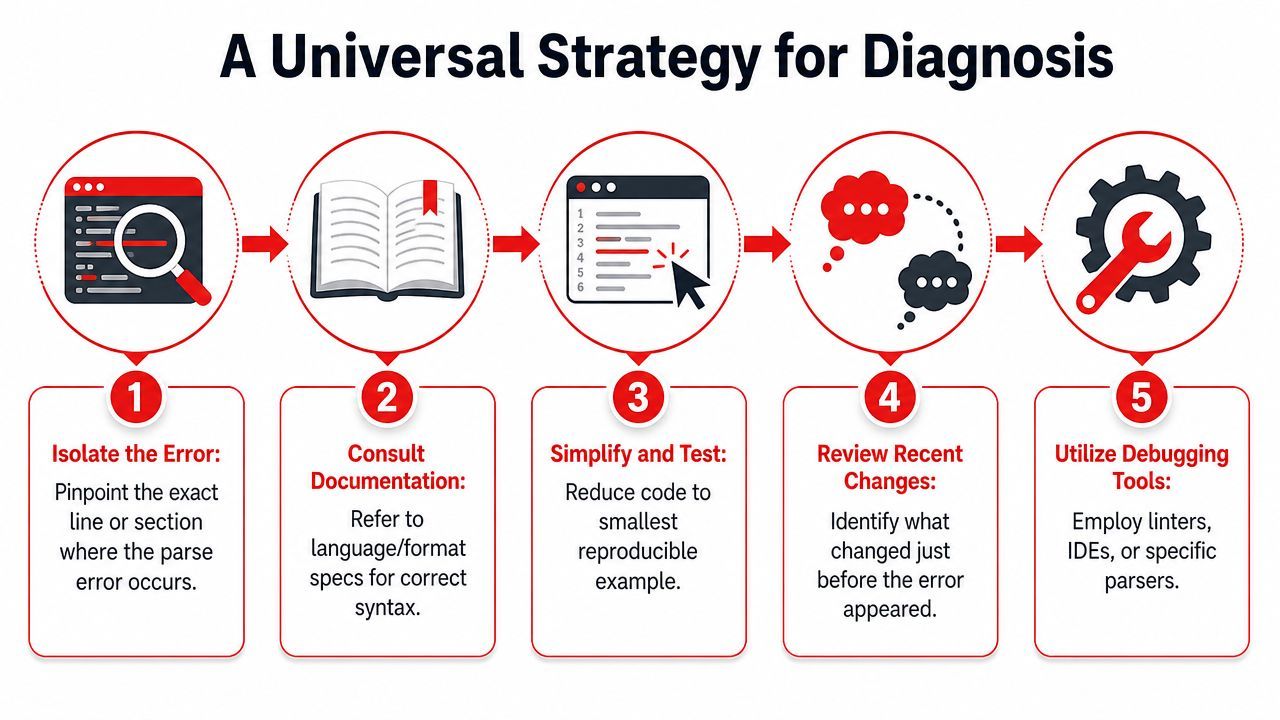
When parse errors feel random, a fixed process helps more than language knowledge. The same workflow works for source code, JSON, YAML, formulas, and templating syntax.
Start with the exact token and its neighbors
First, trust the location only partially. The line and column are useful, but they're not a verdict. Read the token the parser points to, then inspect what came immediately before it. Opening delimiters, separators, indentation, and quotes matter more than the blamed symbol.
Next, ask what grammar the parser expected at that point. Should it have seen a comma, a newline, a closing bracket, a declaration, or a value? That question narrows the search faster than reading the whole file.
A simple pattern works well:
- Read the error precisely as stated. Note the line, column, and offending token.
- Look backward before forward. The bug often sits just before the highlighted location.
- Compare against a known-good shape. Find a nearby working example in the same language or file format.
- Check nesting levels. Count braces, parentheses, and indentation.
Reduce until the error becomes obvious
If the message is vague, shrink the input. Comment out half the block. Delete outer wrappers. Paste the suspect snippet into a smaller test file. Keep reducing until the parser either accepts it or fails in a much smaller example.
This is the fastest way to separate parser problems from application problems. A lot of developers resist reduction because it feels like extra work. It isn't. It's the shortest path to a minimal failing case.
Aha moment: The bug becomes obvious when the parser has fewer places to hide it.
For data formats, validate the payload outside the app. If a JSON snippet fails in a validator, you know the issue is syntax. If it passes there but fails in your app, the problem is likely context, encoding, or how the string gets constructed before parsing.
Check the environment, not just the text
Some parse errors survive line-by-line review because the text isn't the whole story. Environment matters.
Look at these factors:
- Editor behavior. Auto-formatting, smart quotes, tab conversion, and line-ending changes can alter parseable text.
- Execution context. REPLs, shells, templates, and config loaders often use different rules than source files.
- Language mode or version. A parser may reject syntax your brain considers normal because a project is pinned to an older mode.
- File encoding. If punctuation or whitespace was copied from elsewhere, retyping it can fix what visual inspection misses.
When nothing makes sense, create a fresh file and retype the suspect lines manually. Not copy-paste. Type them. That sounds primitive, but it regularly exposes invisible character issues and formatting contamination.
Parse Errors in Practice with Code Examples
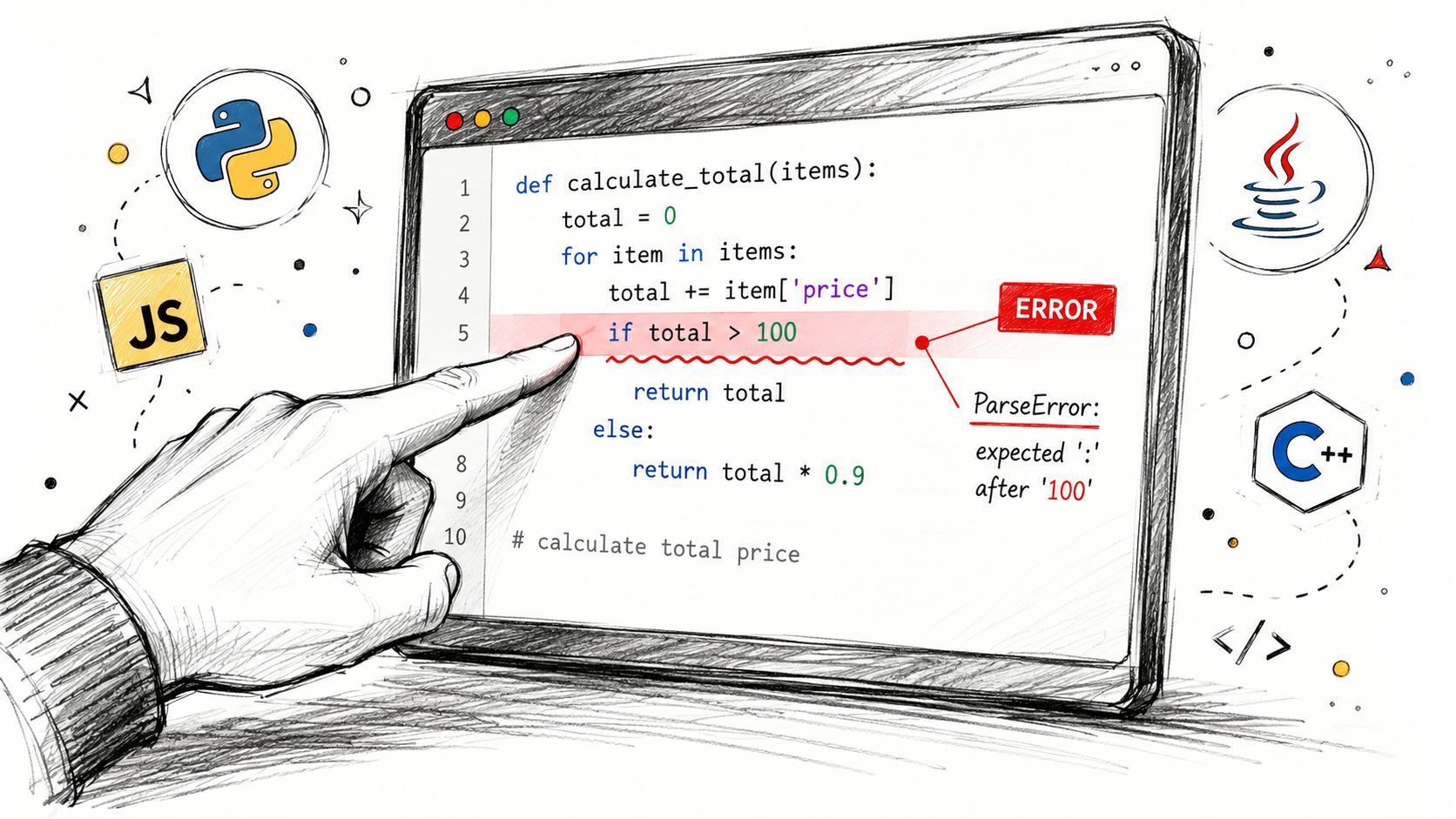
The fastest way to internalize this is to watch the same debugging logic play out across different stacks.
Python and JSON example
A common Python failure isn't Python syntax itself. It's trying to parse invalid JSON.
import json

payload = "{'name': 'Ada', 'active': true}"
data = json.loads(payload)
This fails because JSON requires double quotes for strings and property names. Also, JSON booleans are lowercase, but the quote issue is usually the first visible problem people hit.
A valid version looks like this:
import json

payload = '{"name": "Ada", "active": true}'
data = json.loads(payload)
The transferable lesson is simple: don't debug this as “Python is mad at my data model.” Debug it as “the JSON grammar is invalid.”
Haskell example
Haskell is where parse error on input becomes famous because the message is broad. The official Haskell error index explains that this compiler message means GHC could not parse the code, and that the same code can come from many different causes, including syntax that needs an extra language extension or an expression placed on the wrong line. It identifies this generic parsing failure as GHC-58481 in the official GHC error entry.
That breadth is why Haskell parse debugging is about surrounding structure, not just the reported token.
add x y = x + y
double z = z * 2
  result = add 1 2
That last line may trigger a parse failure because the declaration layout is broken. The parser isn't just reading tokens. It's reading structure through layout.
A corrected version might be:
add x y = x + y
double z = z * 2
result = add 1 2
Or, if you intended result to be local, it needs the right enclosing form and indentation.
Jan Stolarek's guide gives a high-signal debugging move here: compare the reported token with the grammar that was expected around it. He shows that parse error on input '->' often comes from malformed function or type syntax, and also notes a classic GHCI trap. Top-level definitions in GHCI need let, so code that parses in a source file can fail in the interactive prompt if you forget that distinction.
Here's the GHCI-shaped mistake:
square x = x * xIn GHCI, the parser may reject that as entered. The fix is:
let square x = x * xThat's a perfect example of context changing the grammar.
A useful walkthrough is below if you want a visual explanation before going back to the code:
JavaScript example
JavaScript object literals and arrays create a lot of parser noise from small punctuation mistakes.
const user = {
  name: "Ada"
  active: true
};
The parser often points at active, but the actual issue is the missing comma after "Ada".
const user = {
  name: "Ada",
  active: true
};
The mistake is tiny. The recovery pattern is the same as everywhere else: inspect the token before the highlighted line, then verify the expected separator pattern.
PHP example
PHP parse failures often boil down to a missing semicolon, bracket, or quote.
<?php
$name = "Ada"
echo $name;
That missing semicolon after the assignment is enough to stop parsing.
<?php
$name = "Ada";
echo $name;
PHP is a good reminder that parse errors aren't always “complex language” problems. Sometimes the parser is enforcing punctuation that your eyes skipped over because the code looked visually complete.
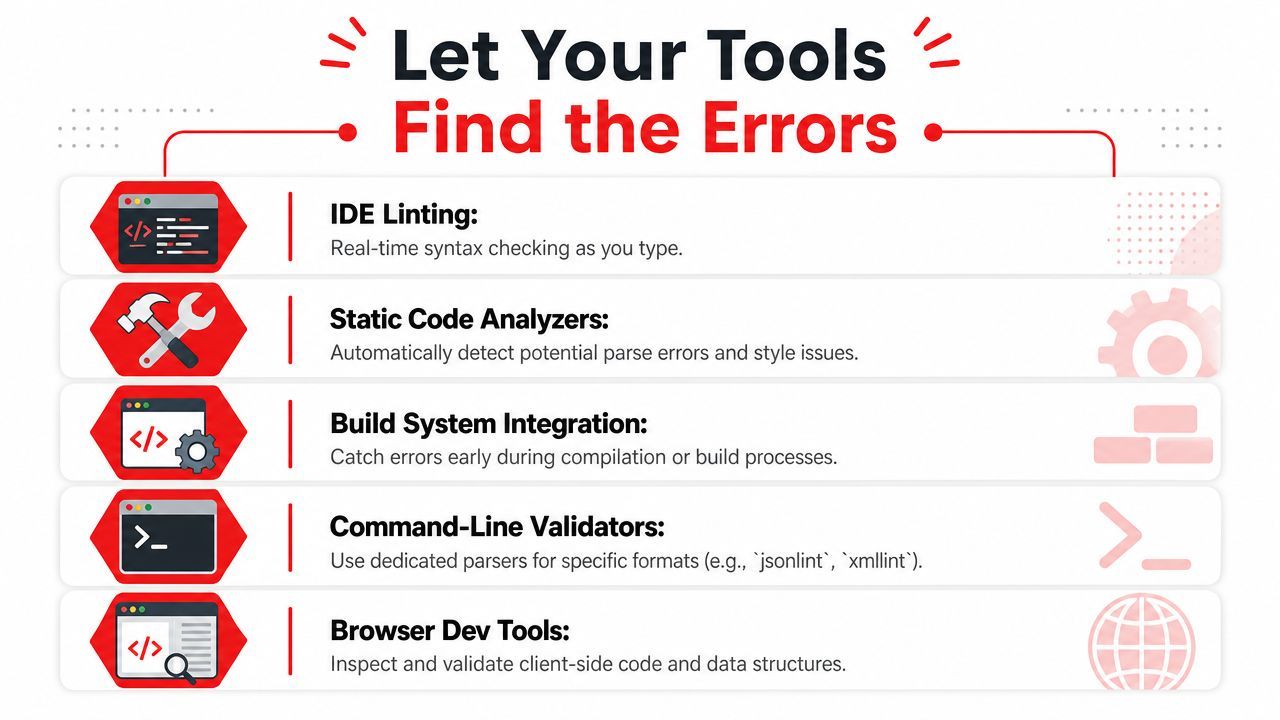
Let Your Tools Find the Errors
Manual debugging matters, but you shouldn't rely on it for every typo and delimiter problem. A decent toolchain catches a lot of parse errors before you ever run the code.
Use the editor as a first line of defense
Good editors and IDEs expose structure while you type. VS Code, JetBrains IDEs, and language servers can highlight unmatched brackets, suspicious indentation, malformed literals, and syntax that doesn't fit the current mode. That immediate feedback changes the game because you catch grammar problems at the moment you introduce them.
A practical setup includes:
- Real-time linting. ESLint for JavaScript and TypeScript, built-in diagnostics for many languages, and syntax-aware extensions reduce bad edits.
- Auto-format on save. Prettier, Black, and language-specific formatters won't fix every parse issue, but they often make the broken spot stand out immediately.
- Build or test hooks. Run syntax checks as part of your normal save, test, or commit flow so broken text doesn't travel far.
Don't treat linting as style-only. Good linting shortens the distance between typo and discovery.
Validate data formats outside the app
For JSON, YAML, XML, templates, and formula-like text, external validators are worth the extra step. They strip away application context and answer one narrow question: is this text syntactically valid for that format?
That matters because parse errors in apps often mix concerns. Was the payload malformed? Did your code escape it incorrectly? Did a template insert a dangling comma? A standalone validator helps separate those cases.
A few habits work well here:
- Paste the smallest failing snippet. Large payloads hide punctuation mistakes.
- Validate after generation. If your app constructs JSON or config text dynamically, inspect the final rendered output, not the code that produced it.
- Use parser-specific tools when possible. A generic text editor can't validate every grammar, but dedicated validators usually can.
The point isn't to outsource debugging. It's to let tools eliminate the obvious failures quickly so your brain can focus on the interesting ones.
Building Habits to Prevent Parse Errors
The best parse error is the one that never makes it into a run, a build, or a deploy. Prevention isn't glamorous, but it saves more time than any heroic debugging session.
Small habits beat heroic debugging
Start with short feedback loops. Save often. Run syntax-aware checks early. Keep edits small enough that when something breaks, you know roughly which change did it.
Formatting on save is another high-value habit. Consistent indentation, spacing, and line breaks make structural mistakes easier to spot. In languages where layout matters, that's not cosmetic. It's part of correctness.
A few habits pay off across stacks:
- Make small commits. Narrow diffs make parser regressions easier to locate.
- Use examples as templates. When writing JSON, YAML, Haskell declarations, or spreadsheet formulas, start from a known-valid shape.
- Retype suspicious pasted text. Especially when it came from docs, chat apps, or rich text editors.
- Respect context changes. REPL, source file, template, shell, and spreadsheet cells may all parse differently.
Stolarek's Haskell debugging guidance is useful beyond Haskell itself. Compare the reported token against the grammar you intended, then fix the surrounding declaration form. His examples show how parse error on input '->' often points to malformed function or type syntax, and how GHCI can reject top-level definitions unless you prefix them with let in the interactive prompt. That's a clean reminder that syntax errors are often really context errors wearing syntax clothes.
The deeper professional habit is this: don't read parse errors as vague failures. Read them as structural clues. Once you build that reflex, the message stops feeling cryptic and starts feeling mechanical.
If you're building AI features and want fewer brittle integrations around prompts, models, outputs, and debugging, Supagen is worth a look. It gives teams one backend layer for prompt management, model routing, observability, and production debugging so you can iterate on AI behavior without hardcoding every change into your app.