
Multi Agent Workflows: Scaling & Production Challenges
Your first agent probably impressed everyone in the demo. It answered support questions, summarized documents, maybe even called a tool or two. Then the production workflow showed up. A customer issue needed triage, policy lookup, account context, and a safe next action. The agent lost track of state, called the wrong tool, or produced something that looked plausible but couldn't survive production.
That's the point where multi agent workflows typically enter the conversation.
Used well, they solve a real scaling problem. A single generalist agent works for bounded tasks. A coordinated set of specialized agents works better when the task has distinct stages, parallel subtasks, or competing constraints. This isn't a niche pattern anymore. By 2027, the global enterprise AI agent market is projected to reach $1.4 trillion in spend, with a 33-fold increase in agentic AI applications expected by 2028. Critically, 22% of production deployments now coordinate three or more agents, a share expected to grow to 45–50% by 2027 according to the verified market summary based on Gartner and IDC projections.
The problem is that teams often treat multi agent workflows like a prompting trick. In production, they behave more like distributed systems. State drifts. One bad intermediate output poisons three downstream steps. Costs rise insidiously. Debugging turns into archaeology because nobody can reconstruct what happened across agents.
Table of Contents
- Beyond the Single Agent Bottleneck
- When to Deploy a Multi Agent System
- Common Architectures and Collaboration Patterns
- Multi Agent Workflows in the Wild
- Production Design and Implementation Challenges
- Managing the Hidden Costs of Complexity
- The Fast Path to Production with a Unified Backend
Beyond the Single Agent Bottleneck
A single agent usually fails in predictable ways. It receives too much context, mixes planning with execution, and tries to reason, retrieve, verify, and format in one pass. That works until the task stops being linear.
A common example is customer operations. One request arrives with billing history, product usage, prior tickets, and a policy edge case. The generalist agent has to decide what matters, fetch missing details, interpret internal rules, and produce an action that won't create a second problem. It can do each step in isolation. It often struggles when all of them are packed into one prompt loop.
Multi agent workflows split that burden. One agent classifies intent. Another gathers account or document context. A policy agent checks constraints. A final agent assembles the response or proposes the next action. The value isn't mystical autonomy. It's separation of concerns.
What changes when you add agents
The best mental model is a small software team, not a swarm. You don't hire three engineers because more people always solve the problem. You add specialists when the work naturally separates and handoffs can be made explicit.
That shift brings two immediate benefits:
- Narrower prompts: each agent carries less context and a clearer goal
- Clearer validation points: each handoff can be checked before the next step runs
- Safer tooling: not every agent needs permission to take irreversible actions
- Better recovery: you can retry or escalate one failed step without replaying the whole task
Practical rule: Add agents only when you can name each role, define each input, and explain what a failed handoff should do.
The hype around agentic systems makes it easy to miss the core lesson. Multi agent workflows aren't a replacement for engineering discipline. They increase the need for it.
When to Deploy a Multi Agent System
Deploying a multi agent system introduces a trade-off fast. For simple work, coordination overhead slows everything down. For the right class of problems, that overhead buys control, parallelism, and cleaner failure handling.
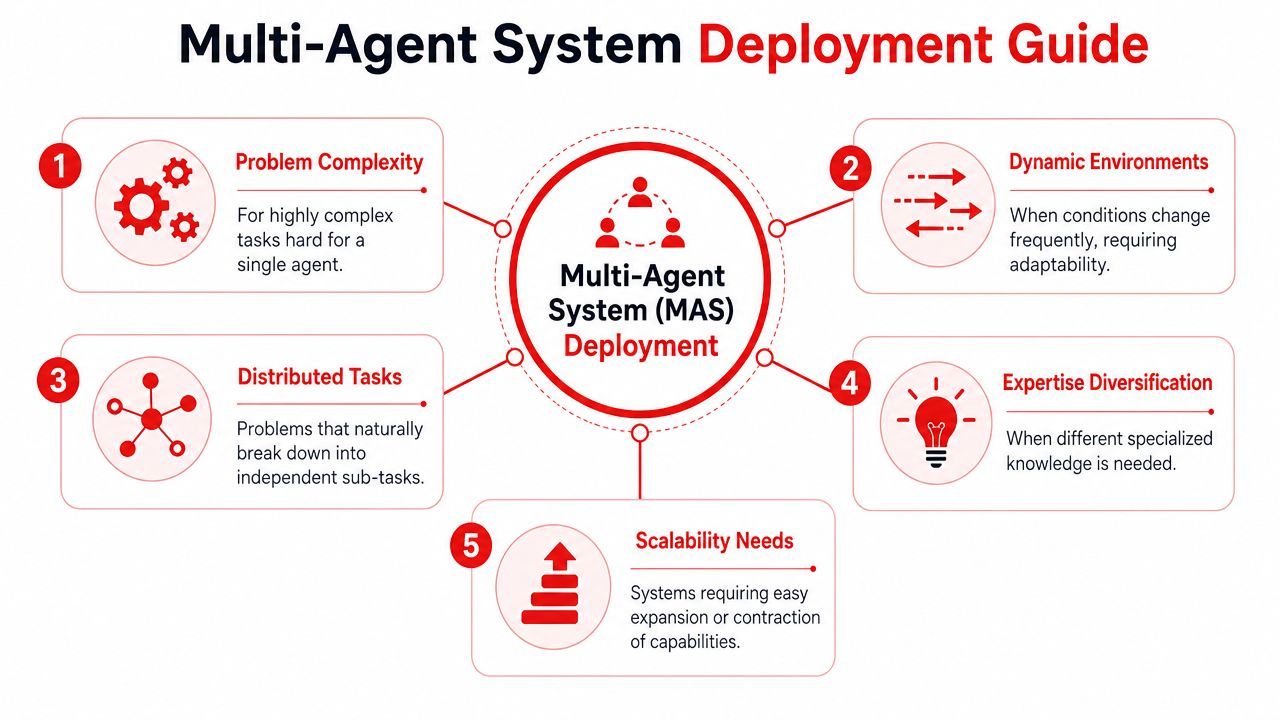
The deployment question is not "can multiple agents do this?" It is "will specialization pay for the extra state, tracing, retries, and tokens?" That is the production threshold. A multi-agent design only makes sense when the task is complex enough that explicit coordination improves reliability more than it increases operational burden.
The task shapes that benefit
Multi-agent workflows tend to earn their keep when the work naturally separates into parts with clear inputs and outputs. The common patterns are easy to recognize in real systems:
These are good candidates because the handoffs can be defined. One agent produces a ranked list. Another validates it. A third decides whether confidence is high enough to continue. That structure gives teams concrete places to log state, inspect failures, and cap spend before a bad run fans out across the system.
The infrastructure angle matters here. If the workflow needs shared memory, partial retries, or branch-level cost tracking, a single-agent loop usually turns into a debugging mess. Splitting the work can improve quality, but only if each step writes state in a form the rest of the system can trust.
The warning signs that say no
A lot of teams reach for multiple agents when the core problem is poor inputs or weak tool design. That usually ends in higher latency, higher cost, and more confusing failures.
Skip a multi-agent design when these conditions are true:
- The workflow is mostly linear: one prompt plus one or two deterministic tool calls is easier to run through a single controller.
- The bottleneck is missing context: more agents do not fix weak retrieval, outdated documents, or unclear business rules.
- The handoffs are hard to specify: if the output contract between agents is vague, errors spread quickly and are hard to trace back.
- The action surface is high risk: if every step can write to external systems, coordination adds more places to misfire.
- You cannot observe each step: if you do not have per-agent logs, state snapshots, and cost attribution, production incidents become guesswork.
I usually treat observability as the gate. If a team cannot answer which agent used which context, called which tool, consumed how many tokens, and wrote what state, they are not ready for a multi-agent deployment. They are still in prototype mode.
More agents increase the number of places where weak context, unclear state, or missing safeguards can break the run.
A practical test helps. If the current agent fails because too many responsibilities are packed into one loop, decomposition can help. If it fails because the knowledge base is bad, the tool outputs are inconsistent, or nobody can inspect what happened after the fact, adding agents will make the same problem harder to diagnose.
The best first production use cases are narrow but messy. They have enough complexity to justify specialization, but not so much autonomy that one bad handoff can create a customer-facing incident or an uncontrolled bill.
Common Architectures and Collaboration Patterns
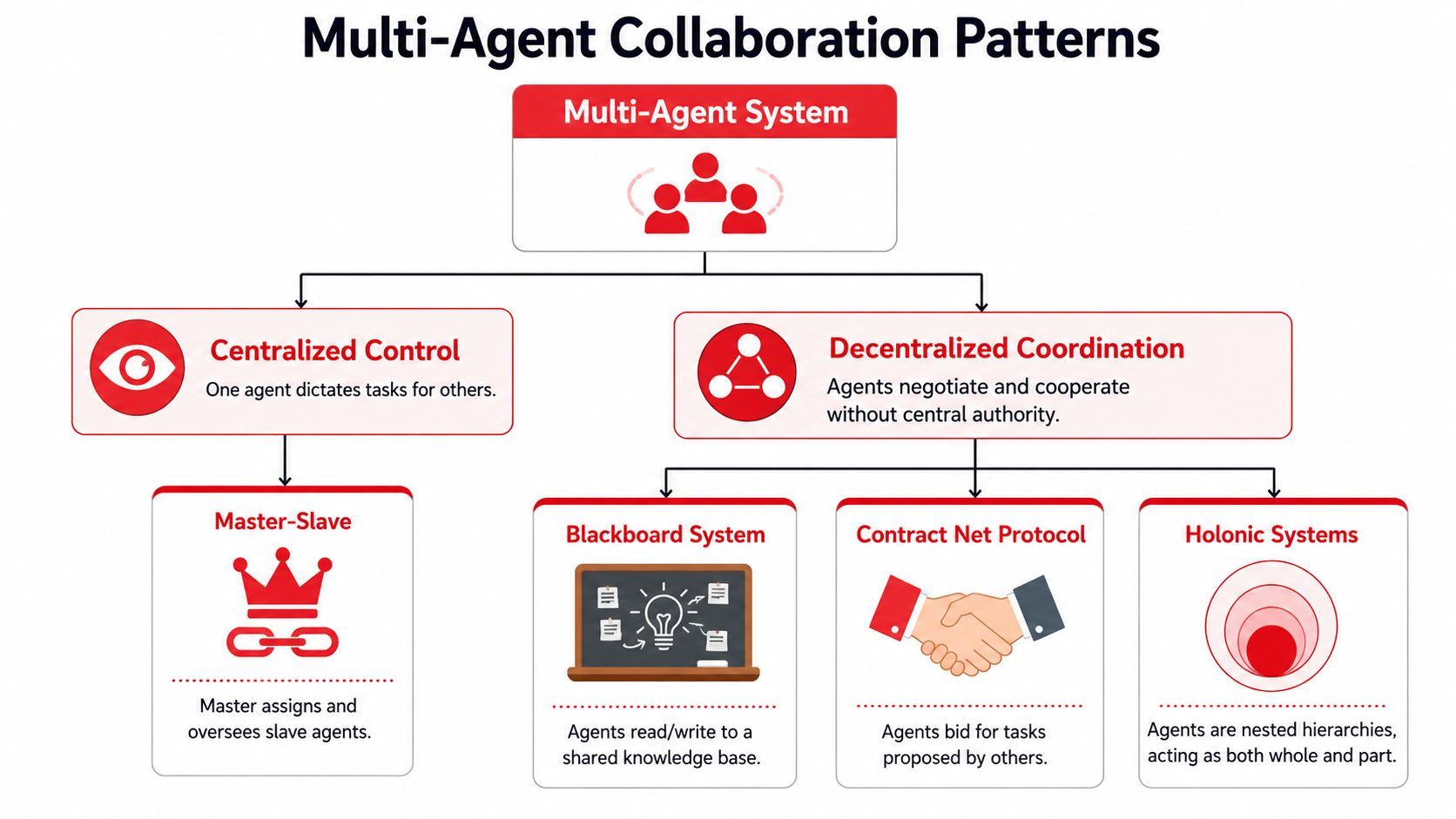
Once you've decided the task deserves multiple agents, structure matters more than model choice. The architecture defines who can decide, who can act, and how information moves. Most production systems fall into one of three patterns, even when the implementation details vary.
A useful reference for the broader design space is this visual map of collaboration models.
Hierarchical patterns
A hierarchical workflow has a manager agent at the top. It receives the goal, delegates work to specialist agents, then combines or approves results. Think project manager and specialists.
Use it when the task needs top-down control, clear escalation, or strict permissions. A manager can decide that one worker only retrieves facts, another drafts a response, and a third verifies policy compliance before anything is sent.
Pros
- Strong control over sequencing and permissions
- Easier to audit decision paths
- Natural place for approvals and fallbacks
Cons
- The manager can become a bottleneck
- Bad delegation logic affects the whole system
- Retries often route back through the top
Sequential patterns
A sequential workflow looks like an assembly line. Agent A produces a structured output, Agent B transforms it, Agent C validates or enriches it, and Agent D publishes or stores it.
This is often the safest starting point for first production systems because every handoff can be typed, validated, and logged. If you already think in pipelines, this pattern feels familiar.
A simple example:
- Intake agent extracts user intent and required fields
- Retrieval agent fetches supporting documents or records
- Decision agent proposes an action
- Guardrail agent validates policy and formatting
This pattern works well for document operations, lead qualification, moderation pipelines, and report generation.
A walkthrough helps make the control flow tangible.
Collaborative patterns
Collaborative workflows are looser. Multiple agents contribute perspectives against a shared state, often iterating before a final answer is chosen. Think roundtable, not chain.
They fit exploratory work such as research synthesis, debate-style analysis, or planning where trade-offs need to be surfaced rather than hidden. The downside is coordination complexity. You need explicit stopping conditions, conflict resolution, and a final arbiter. Without those, the system burns latency and tokens while agents repeat the same uncertainty back to each other.
If you can't explain who owns the final decision, you don't have a collaboration pattern. You have a loop.
When developing their first serious workflow, sequential first, hierarchical second, collaborative last is a good operating rule. It keeps the system understandable long enough to learn where the actual bottlenecks are.
Multi Agent Workflows in the Wild
Production use cases are less glamorous than most demos. That's a good sign. The best multi agent workflows tend to sit inside repetitive, high-friction business processes where structure matters more than novelty.
Research and synthesis pipelines
A market research workflow often maps cleanly to multiple agents. One agent searches and gathers candidate material from approved sources. A second agent extracts the relevant facts and normalizes them into a common schema. A third agent writes a summary for a human reviewer or downstream system.
The gain comes from separation. The retrieval step focuses on coverage. The extraction step focuses on structure. The writing step focuses on readability and format. When teams try to collapse all three into one agent, they usually get muddled citations, weak summaries, or incomplete coverage.
Planning systems with moving constraints
Travel planning is a classic example because it exposes why planning and execution shouldn't live in one prompt. A flight agent looks at route options. A lodging agent checks location and availability. An activity agent fits timing and preference constraints. A coordinator merges the results into one itinerary and resolves conflicts.
The same pattern applies outside travel. Field service scheduling, installation planning, and interview coordination all have moving pieces with shared constraints. A single agent can propose a plan. A multi-agent system can evaluate several parts of the plan in parallel and then reconcile them.
Support and operations routing
Customer support is one of the most practical environments for multi agent workflows because the work already contains roles. A triage agent classifies the issue and decides what information is missing. A billing or technical agent handles domain-specific reasoning. A final response agent packages the answer in the right tone and format. Human review can sit at the last step for sensitive categories.
What matters in production isn't that agents sound intelligent. It's that each one has a narrow responsibility and a safe boundary.
A healthy workflow usually has these properties:
- A routing role: someone or something decides where the issue goes
- A specialist role: only the agent with the right context handles the hard part
- A validation role: another step checks policy, formatting, or risk before completion
- A human gate: difficult or high-impact cases stop for review instead of guessing
These systems earn their keep when they reduce operational drag without hiding uncertainty. If the workflow can't surface ambiguity, it shouldn't be trusted with the final action.
Production Design and Implementation Challenges
The first production incident usually looks mundane. A triage agent tags a billing issue as technical. The specialist agent pulls the wrong policy. The response agent writes a clean answer with the wrong conclusion. By the time support notices, the trace is incomplete, the state has drifted, and nobody can say which step failed.
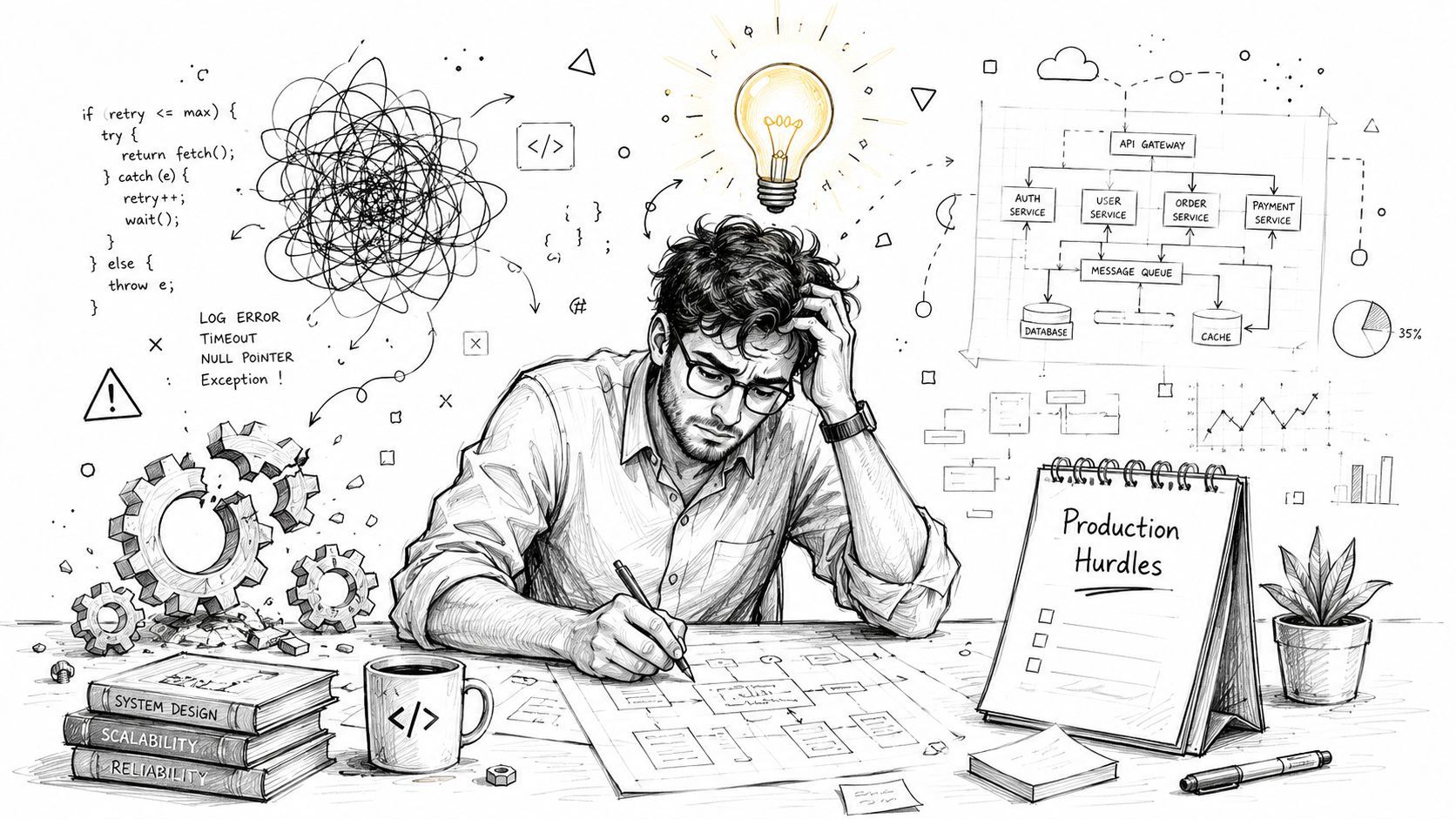
That pattern matters more than any demo. Multi-agent systems break at the boundaries between agents, tools, and shared state. The hard part is not getting several agents to talk. The hard part is keeping the workflow inspectable, recoverable, and affordable when one step returns bad output.
State is the first thing that breaks
In early builds, teams often treat agent memory as if it were application state. That works for a demo and fails under concurrency, retries, and human intervention.
One agent marks a ticket enriched. Another still sees missing fields. A third reads stale tool output and proceeds anyway. Prompt tuning does not fix that. A state model does.
Treat workflow state like any other production system:
- Use explicit schemas: every agent reads and writes named fields with defined types
- Separate scratchpad from durable state: provisional notes should not carry the same weight as validated facts
- Version important objects: downstream steps need to know which plan, summary, or retrieval result they are acting on
- Assign field ownership: if several agents can edit the same field, conflicts are guaranteed
- Store transition reasons: the next operator should be able to see why a route, retry, or escalation happened
In multi-agent workflows, many first deployments get burned. Agents can sound coherent while operating on different versions of reality.
Containing failure propagation
Multi-agent workflows usually fail upstream. The visible error shows up later.
A weak classification sends the case to the wrong branch. A retrieval step misses one policy clause. The final agent turns both mistakes into a polished answer, which makes the failure harder to catch. In production, a confident bad answer is worse than an explicit abstention.
The design goal is containment. Each handoff needs a gate that checks whether the output is complete enough, trustworthy enough, and cheap enough to continue.
A practical control set looks like this:
- Validate every handoff before the next agent runs
- Retry only the failed node when the failure is local
- Mark uncertain outputs explicitly instead of converting them into facts
- Escalate ambiguous or high-impact cases to a human queue
- Set loop limits and timeout budgets so agents cannot spin indefinitely
Design note: Intermediate failures should stop the workflow, trigger a safe fallback, or route for review. They should never disappear inside a final answer.
Observability has to exist before launch
Teams often add tracing after the first incident. That is late.
A single-agent app can survive with logs and a request ID. A multi-agent system needs execution traces tied to state changes, tool calls, prompt versions, and token spend. Without that, debugging becomes guesswork, and guesswork is expensive when retries and branch logic are involved.
A useful trace lets the team answer a small set of operational questions fast. Which agent ran. Which prompt and model version it used. Which tools it called. Which state snapshot it read. How long it took. What it cost. Why the next step accepted, rejected, or retried the result.
I would not ship a multi-agent workflow without those answers available in one place. If the system cannot explain its own execution path, it is not ready for production.
Managing the Hidden Costs of Complexity
The most common objection to multi agent workflows is usually correct at first glance. More agents mean more calls. More calls mean more latency and more chances to spend money badly.
The important detail is where the cost shows up.
Verified enterprise data says multi-agent workflows are found to increase cost per process due to multiple API calls. Yet, by breaking work into specialized agents, each uses fewer tokens, reducing cost per successful outcome through fewer failures and reworks. Also, 63% of enterprises now measure cost-per-task as a primary metric in the verified market summary provided for this article.
Why more calls can still be cheaper
A single large prompt often carries too much baggage. It includes instructions for classification, retrieval, reasoning, formatting, and edge-case handling even when only one of those steps is difficult. That inflates context and makes failure modes harder to isolate.
A well-designed multi-agent workflow can reduce waste in three ways:
- Shorter context windows per step: each agent sees only the data it needs
- Cheaper retries: if one step fails, you rerun that step rather than replay the whole pipeline
- Lower rework: specialized agents make fewer category errors, formatting mistakes, or tool misuse events
This is why raw API spend per workflow run is the wrong headline metric. What matters is the cost to achieve a correct, usable result.
What to measure instead of raw API spend
Teams that manage these systems well don't stop at token totals. They track a small operational scorecard tied to outcomes.
A practical scorecard includes:
- Cost per successful task: not just cost per invocation
- Latency by node: where the workflow spends time
- Retry rate: which agents are unstable or underspecified
- Escalation rate: how often the system needs a human
- Drop-off points: where workflows abort or dead-end
Billing model matters too. If you're paying primarily per token, specialized agents can be attractive because they shrink context and reduce waste. If you're paying in a way that heavily penalizes each call, the calculus changes. The right architecture depends on your provider economics and your failure rate, not on ideology.
The teams that stay in control usually set budgets and alerts at the workflow level. They don't just ask what one model call costs. They ask what one successful customer resolution, one approved report, or one completed plan costs end to end.
The Fast Path to Production with a Unified Backend
The infrastructure burden is what stops many teams from shipping. Not the prompts. Not even the orchestration logic. It's all the production plumbing around them.
Founders consistently point to traceability, observability, and governance as missing pieces in agent systems. Verified data for this article states that 68% of engineering teams report no shared trace ID across agents, while visual workflow editors with per-call logs are now standard in 72% of production AI stacks in Q1 2026 to address that gap, as summarized from the discussion linked in this production agent systems talk.
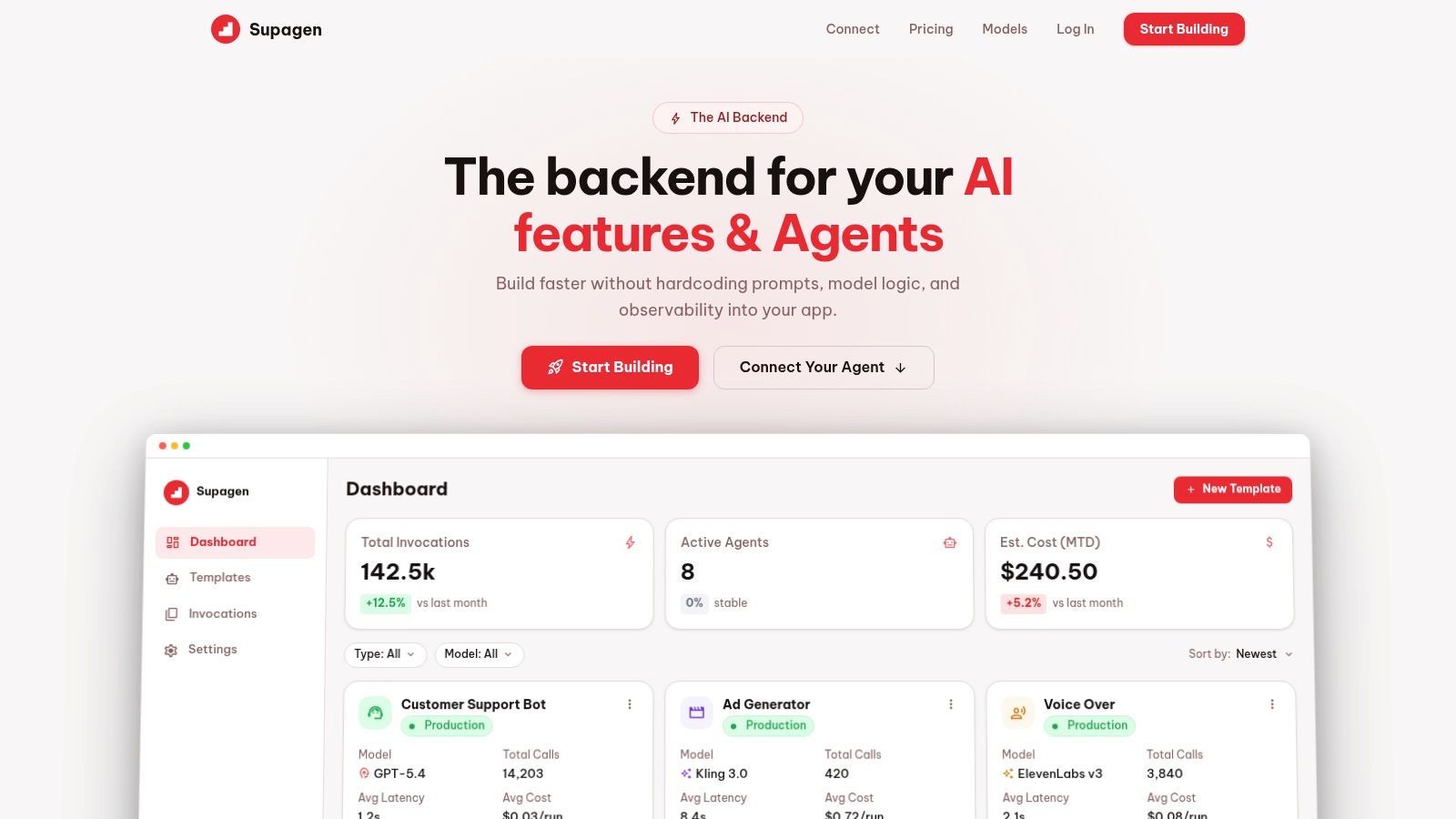
What the control plane needs to cover
A unified backend earns its place when it removes custom glue code that your team would otherwise have to maintain forever. For multi agent workflows, that usually means one place to handle the operational layer.
The checklist is straightforward:
- Prompt versioning: change prompts safely without digging through app code
- Model routing: assign different models or providers to different agent roles
- Per-call observability: inspect tokens, latency, inputs, outputs, and failures
- Workflow editing: update logic without hardcoded branches scattered through the app
- Fallback controls: define what happens when a provider, tool, or step fails
- Auditable history: preserve enough trace data to explain what happened later
Why dashboard level iteration matters
Many teams don't need more agent abstractions. They need fewer redeploys.
When prompts, model parameters, and fallback rules are embedded deep in application code, every operational tweak becomes a release event. That's painful in a single-agent system and much worse in multi agent workflows, where a small change to one node can have downstream effects you need to inspect immediately.
A unified backend shortens that loop. You can see which step failed, compare prompt versions, inspect tool outputs, and tune the workflow from one control plane instead of hopping between code, provider dashboards, and ad hoc logs. That matters most for small teams, indie builders, and product squads that want production discipline without building an internal platform first.
The core idea is simple. If agents behave like distributed software, the backend should give you the same level of control you'd expect from production software infrastructure.
If you're building multi agent workflows and don't want to hardcode prompts, model routing, observability, and cost tracking into your app, Supagen gives you a unified backend to manage them from one place. You can version prompts, inspect per-call logs, route across providers, connect MCP-compatible agents, and make auditable workflow changes without painful redeploys.