
LLM System Prompt: A Guide to Production-Ready AI
Your chatbot looked solid in testing. It answered in the right tone, returned clean JSON, stayed inside the product scope, and politely declined risky requests.
Then production happened.
Real users asked messy questions. Support pasted long transcripts. Someone tried to jailbreak the assistant. Another user got a response in the wrong format, which broke your UI. A teammate edited the prompt in code, and nobody could explain why behavior changed two days later. That's usually the moment teams realize the LLM system prompt isn't just setup text. It's part of the product surface.
Most tutorials stop at prompt writing. Production work starts where that advice ends. You need a system prompt that's clear, testable, versioned, observable, and treated as an operational asset. If you don't, every model upgrade, every new feature, and every edge case turns into prompt archaeology.
Table of Contents
- Your AI Is Misbehaving and the System Prompt Is Why
- What an LLM System Prompt Really Does
- Crafting High-Quality System Prompts
- Moving from Text Files to a Prompt Management Workflow
- Evaluating and Debugging System Prompt Performance
- Securing System Prompts in a Production Environment
- Conclusion Your Prompt Is Your Product
Your AI Is Misbehaving and the System Prompt Is Why
A common failure pattern looks like this. The assistant works in staging because the inputs are polite, short, and close to the examples you used while building. In production, users ask compound questions, paste irrelevant context, and try to force the model into jobs it was never supposed to do.
The result isn't random. The model is following the strongest signals it sees in context, and your system prompt often isn't strong, clean, or structured enough to keep behavior stable under pressure.
The prototype worked because the environment was too clean
In a prototype, one vague instruction can seem good enough:
- Be helpful: Sounds fine until the assistant starts answering questions outside scope.
- Be concise: Sounds fine until it omits fields your frontend requires.
- Only answer about our product: Sounds fine until a user asks indirectly and the model drifts anyway.
That's why teams get surprised. They think they have a model problem when they have a control-layer problem.
Practical rule: If the assistant changes personality, format, or boundaries between similar requests, inspect the system prompt before you blame the model.
The system prompt acts like your application's constitution
In modern chat-based systems, the system prompt became a distinct control layer with the rise of products like ChatGPT. OpenAI's mainstream rollout on 30 November 2022 accelerated prompt-based control, and by 2024 OpenAI reported 200 million weekly active users, which shows how operationally important this layer became at scale according to Tetrate's explanation of system prompts vs user prompts.
That matters because the system prompt isn't just an instruction blob at the top of a request. It defines stable rules, output expectations, task boundaries, and product behavior that need to persist across turns.
When teams treat it like a throwaway string, they get throwaway reliability. When they treat it like infrastructure, they can debug failures, compare versions, and tighten behavior without guessing.
What an LLM System Prompt Really Does
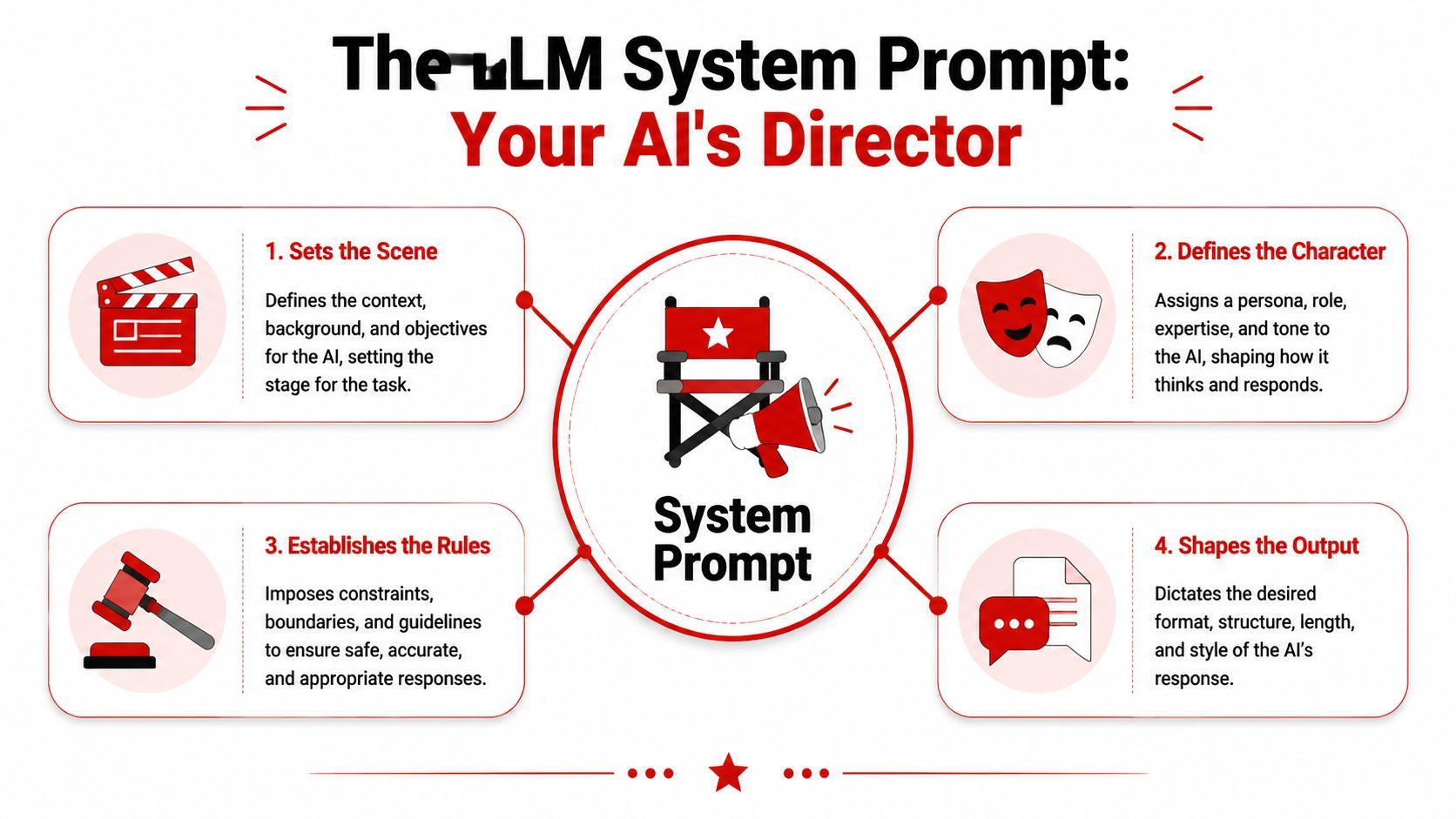
A system prompt sets the model's operating conditions before the first user message arrives. In production, that means more than tone or personality. It controls how the assistant interprets requests, what it is allowed to do, what shape the output should take, and how reliably that behavior holds up across thousands of calls.
The system prompt sets the operating frame
Teams often treat the system prompt like setup text. It is closer to a control surface.
A good LLM system prompt gives the model a stable frame that persists across user turns. That frame is what makes the assistant behave like part of your product instead of a different chatbot on every request. It also gives engineering, QA, and security teams something concrete to inspect when behavior drifts.
In practice, the system prompt usually handles four jobs at once:
- Defines role and tone. Support assistant, analyst, tutor, extractor, reviewer.
- Sets boundaries. What the model should answer, refuse, or route elsewhere.
- Specifies structure. JSON schema, bullet format, markdown sections, field order.
- Adds guardrails. Safety behavior, scope control, and escalation rules.
Those jobs sound simple until they collide. A prompt that asks for friendly answers can conflict with a strict schema. A prompt that asks for thoroughness can increase token cost and latency. A prompt that tries to block every bad outcome often becomes so long that the model follows it less consistently. This is why prompt design turns into prompt operations once the feature reaches production.
Four jobs a production prompt must do
The first job is identity. If you don't tell the model what role it plays, it falls back to generic assistant behavior. That fallback is usually acceptable in a demo and expensive in a product, because generic behavior leads to broader answers, weaker refusals, and more variation across similar inputs.
The second job is operational control. The prompt should state the rules your application depends on: which data sources count, which tasks are in scope, what to do with missing information, when to ask a follow-up question, and when to decline or escalate. At this stage, prompt text starts acting like policy, not copywriting.
Here's a short explainer before going deeper:
The third job is formatting. In production, formatting errors break systems. If your app expects valid JSON and the model adds a friendly preamble, your parser fails. If your frontend expects fixed fields and the model omits one, the bug shows up as a product issue, not a model issue.
The fourth job is context discipline. A review of prompt engineering and statistical reasoning found that prompt quality affects model performance, and that structured prompting helps on harder reasoning tasks. The same paper notes that irrelevant context can reduce output quality. That matches what teams see in practice. Long prompts filled with reminders, duplicated instructions, and leftover notes cost more, make failures harder to debug, and give the model more chances to latch onto the wrong detail.
The best system prompts make the model easier to operate, test, version, and secure.
This is the key shift. A system prompt is not just text that improves answers. It is a versioned instruction layer that shapes behavior, affects cost, creates security exposure, and determines how observable the system is when something goes wrong.
Crafting High-Quality System Prompts
A prompt usually breaks long before the model does.
I see the same failure pattern in early-stage teams shipping their first LLM features. The system prompt grows by accumulation. Someone adds a safety rule, someone pastes in a few examples, someone leaves temporary notes in place, and six weeks later the model is following a messy stack of instructions with no clear priority. Output quality drops, token cost climbs, and nobody can explain which line changed behavior.
High-quality system prompts are built for operation, not just first-pass output. They give the model a clear instruction hierarchy, make reviews faster, and reduce the chance that a small edit creates a production bug.
Write instructions in layers
A prompt that holds up in production usually follows a fixed order:
- Role first: State what the assistant is and what job it performs.
- Scope second: Define what it can and cannot help with.
- Behavior rules next: Explain how to handle ambiguity, missing data, low confidence, and refusals.
- Output contract last: Specify exact structure, fields, and formatting requirements.
That order helps for two reasons. The model gets the framing early. The humans maintaining the prompt can scan it quickly during incidents, reviews, and rollbacks.
Labels also matter more than many teams expect. Separate instructions from examples. Separate examples from implementation notes. Mark dynamic values clearly so engineers know which parts are versioned prompt policy and which parts are request-time context. That separation is what keeps prompt editing from turning into configuration drift.
System Prompt Best Practices vs. Anti-Patterns
A drafting pattern that holds up in production
A practical prompt skeleton might look like this in plain language:
- Identity: You are a support triage assistant for a SaaS product.
- Mission: Classify issue type, summarize the request, and return structured fields.
- Constraints: Don't invent account details. Don't answer billing disputes. Escalate when confidence is low.
- Input handling: Use only conversation text and provided account metadata.
- Output format: Return valid JSON with named keys only.
- Fallback rule: If required information is missing, set the status accordingly and explain what's missing in one field.
This structure works because each line has a single job. It also makes prompt reviews easier. If the assistant starts answering billing questions, the team knows to inspect constraints. If JSON breaks, the problem is probably in the output contract, not buried in a long paragraph above it.
As noted earlier, simpler tasks often work with lean instructions, while harder tasks benefit from more explicit structure. The takeaway is to match prompt structure to task complexity, instead of indiscriminately adding more text.
If a task is simple, keep the prompt lean. If the task is demanding, add structure and checks.
One rule saves a lot of rework. Keep your policy prompt and your task prompt separate in your head, even if they live in one system message. Policy defines stable behavior across requests. Task instructions define what the model should do for this request. Mixing them makes version control harder, increases regression risk, and turns small wording changes into expensive debugging sessions.
Moving from Text Files to a Prompt Management Workflow
Teams usually start with a string in code, then a constants file, then a folder full of prompts named final, final_v2, and final_v2_real. That setup works until more than one person touches the system or you need to compare behavior across releases.
Hardcoded prompts are easy to ship and hard to operate.
Hardcoded prompts become technical debt fast
The problem isn't only deployment friction. It's loss of control.
When prompts are scattered across backend handlers, feature flags, and experiment branches, you run into the same operational failures over and over:
- Nobody knows the active version: A prompt changed, but the team can't tell which environment is using it.
- Rollback is painful: Reverting behavior means redeploying code, not just restoring a known-good prompt.
- Dynamic context gets messy: Product name, locale, user segment, or tool policy gets copy-pasted into multiple prompt files.
- Debugging gets political: One person blames the model, another blames retrieval, and nobody has a prompt history tied to outputs.
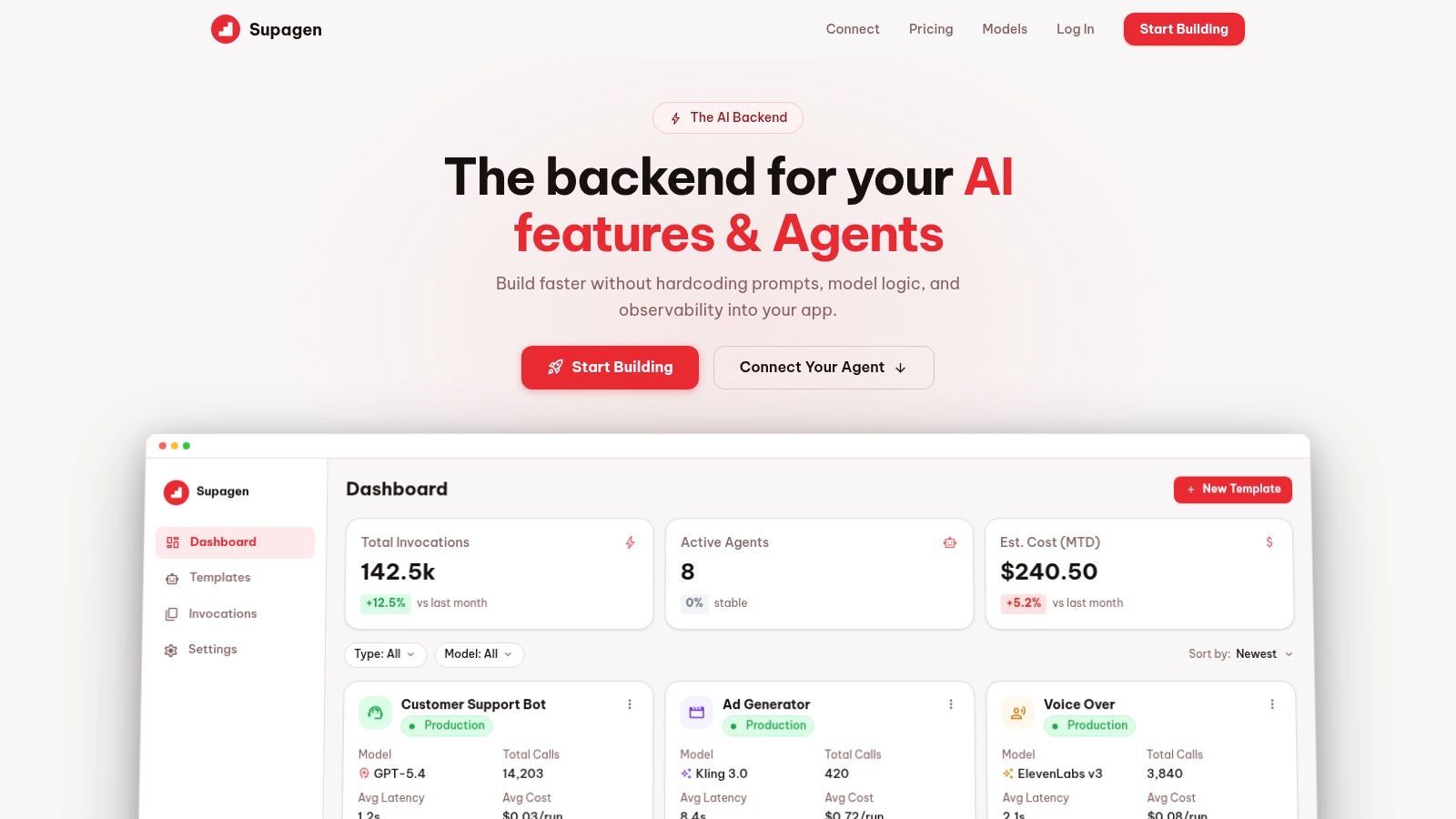
A prompt is configuration with behavior impact. Treating it like hidden application text guarantees maintenance pain later.
What a usable workflow looks like
A production workflow for prompts should include a few essential elements:
- Versioning: Every change needs an identifier and history.
- Variables: Stable template, dynamic inputs.
- Reviewability: Teammates should be able to inspect diffs in human language.
- Environment separation: Staging and production shouldn't drift accidentally.
- Prompt-to-output traceability: You should be able to tie a bad response back to the exact prompt version.
This is a major shift from prompt crafting to prompt operations. You stop asking, “What's the cleverest wording?” and start asking, “What changed, who changed it, which requests used it, and can we roll it back safely?”
The practical benefit is speed with less chaos. Product teams can iterate on behavior without threading prompt edits through full app releases, and engineers can compare prompt versions as controlled inputs instead of tribal knowledge.
A mature prompt workflow makes prompts boring in the best way. Changes become visible, reversible, and accountable.
Evaluating and Debugging System Prompt Performance
Prompt tuning breaks down when the only feedback is “this one feels better.” That can work for a solo demo. It doesn't work for a product with users, support tickets, and downstream systems that depend on structured outputs.
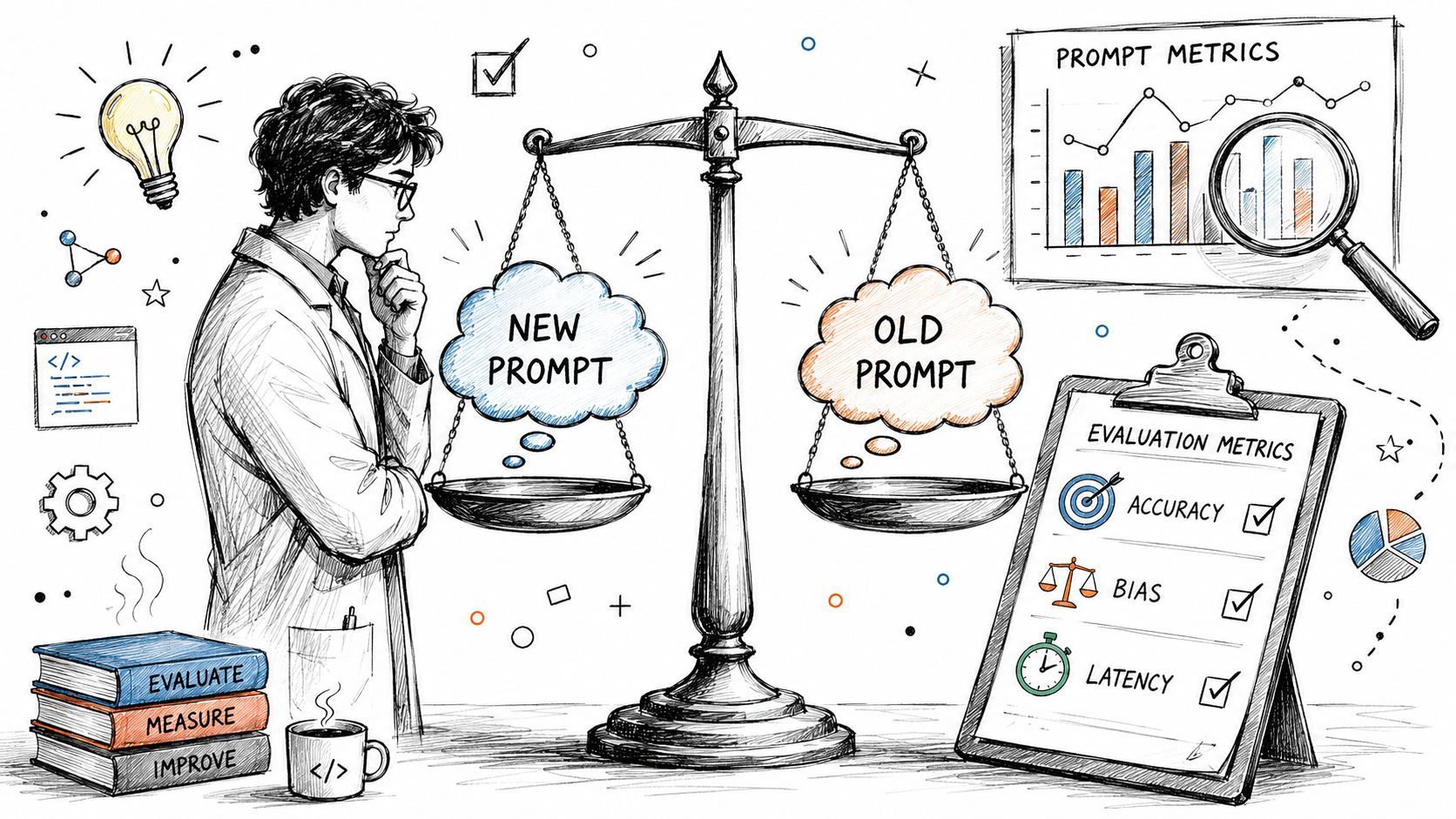
Evaluation starts by deciding what “better” means for the task you run.
Stop asking whether a prompt feels better
A prompt can sound better to a human reviewer and still be worse operationally. It might add unnecessary verbosity, increase tokens, reduce adherence to a strict format, or create a new failure mode on edge cases.
Useful evaluation criteria are usually task-specific:
- Format adherence: Did it return exactly what the app expects?
- Scope compliance: Did it answer only what it was supposed to answer?
- Consistency: Did similar inputs get similar outputs?
- Escalation behavior: Did it abstain when required information was missing?
- Operational cost: Did the extra instruction text produce enough value to justify the overhead?
These are the checks that matter when the prompt is part of an application, not a one-off chat.
What to log for every prompt version
You need observability at the request level. For each call, log the prompt version, the input, the output, and the operational metadata that tells you whether the system is healthy.
That usually means keeping track of:
- Prompt version and template variables
- Model and parameters
- Raw input and raw output
- Token usage, latency, and cost
- Parse success or failure
- Any downstream validation or business-rule failures
Without that data, debugging turns into replaying anecdotes. With it, you can ask much sharper questions. Did format failures begin after a prompt edit? Did latency rise because someone stuffed in examples? Did a model switch expose a weak instruction that the old model tolerated?
Know when prompt tuning has stopped paying off
There's a strong operational lesson from mature teams. Practitioners describe diminishing returns from endless system prompt tweaking, and the center of gravity has moved toward context engineering, evaluation frameworks, and measured changes rather than one-off prompt hacks.
That matches what shows up in real products. After a point, another prompt revision won't fix the deeper issue.
Sometimes the fix is:
- Better routing: Send the request to a different workflow or model.
- Tool use: Let the assistant call a structured tool instead of guessing.
- Retrieval cleanup: Improve the context you pass in.
- External validation: Reject malformed outputs before they hit the app.
- Guardrail logic: Enforce business rules outside the model.
When the same class of failure survives multiple prompt revisions, stop polishing the prompt and redesign the system around it.
Securing System Prompts in a Production Environment
A lot of teams still treat the system prompt as if it were a hidden policy engine. It isn't. It's a high-priority instruction layer, but it is still part of the model context, and hostile input can target it.
That distinction matters because security failures often start with overconfidence in prompt authority.
A system prompt is not a security boundary
OWASP's guidance is direct on this point. Organizations should avoid relying on system prompts for strict behavior control and should keep sensitive enforcement outside the model because prompt injection and related attacks can override or expose prompt instructions, as noted in OWASP's LLM risk guidance.
That warning changes how you should design an AI product.
Don't put secrets in prompts. Don't put permission logic in prompts. Don't assume “the model was told not to” is equivalent to enforcement. The same OWASP guidance warns against embedding secrets such as API keys, auth keys, database names, or permission structures directly in prompts. Separate security policy from model behavior.
Recent security research described in that guidance also reports a universal prompt bypass that can transfer across major LLMs and notes that minor modifications can be used to extract full system prompts. So the operational question isn't whether your prompt is worded cleverly enough. It's where the prompt stops and hard controls begin.
What belongs outside the prompt
The prompt is a soft steering layer. External systems provide hard control.
Keep these controls outside the model:
- Authentication and authorization: The model shouldn't decide who can access an action.
- Secrets management: Credentials, keys, and internal identifiers don't belong in prompt text.
- Business-rule enforcement: Refund limits, approval rules, and compliance checks need deterministic logic.
- Output validation: If a field must match a schema or allowed value set, validate it after generation.
- Tool permissioning: The model can request a tool action, but your application should approve or deny it.
A secure design assumes the model may be manipulated and may reveal more than you want. That assumption leads to better systems.
Treat every model output as untrusted until your application validates it.
You'll still use system prompts for role, behavior, and formatting. You just won't confuse them with a security perimeter.
Conclusion Your Prompt Is Your Product
A production LLM system prompt isn't just the first line in a request. It's part of the operating model for your feature. It shapes behavior, affects reliability, changes cost, and creates debugging work when nobody manages it properly.
The useful mindset shift is simple. Stop treating prompts like clever text and start treating them like infrastructure.
That means writing them with clear instruction hierarchy. Versioning them like configuration. Evaluating them with real request data. Observing their operational impact. And keeping security-critical controls outside the prompt, where they belong.
Teams that do this move faster because they stop guessing. They can compare prompt versions, roll back bad changes, trace failures to specific inputs, and decide when the right fix is a prompt edit versus a routing, retrieval, or validation change.
That's the difference between an AI demo and an AI product. One depends on a prompt that happened to work. The other depends on a prompt system that people can operate.
If you're tired of hardcoded prompts, fragile model wiring, and no visibility into what your AI stack is doing, Supagen gives you a production layer for versioned prompts, model routing, observability, and cost tracking so you can ship AI features faster without turning every prompt change into a redeploy.