
How to Use These Supagen Features for Production AI
You start with one API call and a lot of optimism. The feature works in a local demo. Users type a question, a model answers, and everyone in the room nods like the hard part is done.
Then the actual work starts.
The prompt lives inside application code, so every small wording tweak turns into a commit, review, deploy, and nervous check of production behavior. You add a second model provider because the first one gets slow or expensive for certain requests. Then a third, because a different task needs better JSON output or image support. Soon the app has multiple SDKs, too many secrets, branching logic nobody wants to touch, and a cost profile you only notice after the bill lands.
That's the stage where a lot of AI features stop feeling like product work and start feeling like infrastructure debt. Founders feel it as launch delays. Developers feel it as brittle code, mystery failures, and prompt changes that somehow require a release train. If you're trying to figure out how to use these tools in a way that survives production, the shift is simple in theory and hard in practice. Stop treating the model call as a helper function. Treat it like an operational system.
Table of Contents
- The AI Feature That Never Ships on Time
- Unify Your AI Stack with a Single Integration
- Master Prompts with the Visual Editor and Versioning
- Build Resilient AI with Smart Routing and Fallbacks
- Gain Total Visibility with Logs and Cost Tracking
- Connect AI Agents Instantly via URL
- Ship AI Features with Confidence Not Code
The AI Feature That Never Ships on Time
A familiar pattern shows up in almost every startup AI build.
The first version is fast because it cheats. One prompt is hardcoded. One provider is wired directly into the app. Nobody is thinking about fallback behavior, audit history, model swaps, or whether the support team will ever be able to answer, “What happened on this call?”
Then product asks for a small change. The assistant should sound less formal. The extractor should return stricter JSON. The support bot should use a cheaper model overnight. None of those are big requests, but in a hardcoded setup they all become engineering work.
What the hardcoded version looks like
The pre-production stack usually has a few recurring problems:
- Prompt logic is buried in code. Changing one sentence means touching the repo, rerunning tests, and redeploying.
- Provider logic spreads everywhere. OpenAI for chat, Anthropic for summaries, Google for another task. Each path has its own client setup and error handling.
- Costs are invisible until they're painful. Teams know usage is happening, but they can't easily trace which feature or prompt version is driving spend.
- Failures are hard to explain. When output quality drops, nobody knows whether the problem came from the prompt, provider, payload, or a route change.
Hardcoded AI feels fast for a week. After that, every improvement costs more than it should.
The worst part is that the feature can look “done” from the outside while the team avoids touching it. That's how shipping slips. Not because the model can't answer, but because the surrounding system is too fragile to evolve.
Why teams get stuck
There's also a business problem hiding inside the technical one. If your AI feature needs a redeploy for every iteration, the product team slows down, the founder loses confidence in experiments, and developers become the bottleneck for things that shouldn't require code.
That bottleneck is avoidable. The fix isn't another helper library. It's moving prompts, routing, fallbacks, and observability out of app code and into a layer designed for production operations.
Unify Your AI Stack with a Single Integration
The fastest improvement is reducing the number of moving parts your app owns directly.
If you're juggling separate SDKs for OpenAI, Anthropic, Google, or other providers, your app has become the orchestration layer by accident. That works right up until you need to switch providers, compare behavior, or apply the same logging and policy rules across everything.
What the hardcoded version looks like
A lot of apps start roughly like this:
import OpenAI from "openai";
import Anthropic from "@anthropic-ai/sdk";

const openai = new OpenAI({ apiKey: process.env.OPENAI_API_KEY });
const anthropic = new Anthropic({ apiKey: process.env.ANTHROPIC_API_KEY });

export async function generateReply(input, mode = "primary") {
  if (mode === "primary") {
    const res = await openai.chat.completions.create({
      model: "gpt-4o-mini",
      messages: [{ role: "user", content: input }]
    });
    return res.choices[0].message.content;
  }

  const res = await anthropic.messages.create({
    model: "claude-sonnet",
    max_tokens: 500,
    messages: [{ role: "user", content: input }]
  });

  return res.content[0].text;
}
Nothing is obviously wrong with this snippet. The problem is what happens next. Every new provider adds more branching. Every prompt variant multiplies the logic. Every retry policy gets duplicated.
What changes with one backend layer
The cleaner pattern is to keep your app focused on product inputs and outputs, then send requests through one integration point that handles prompt selection, routing, and observability outside the codebase.
const response = await fetch("https://api.your-ai-backend.example/v1/run", {
  method: "POST",
  headers: {
    "Content-Type": "application/json",
    "Authorization": `Bearer ${process.env.AI_BACKEND_KEY}`
  },
  body: JSON.stringify({
    prompt_id: "support-reply",
    input: {
      user_message: input,
      account_tier: "pro"
    }
  })
});

const data = await response.json();
return data.output;
That change sounds small. Operationally, it's huge.
A single integration means your app no longer cares whether the request ends up on OpenAI, Anthropic, Google, ElevenLabs, or fal.ai. It also means you don't have to rewrite the app when a route changes.
A strong backend layer also improves performance and cost controls when you stop hardcoding routing behavior. According to industry benchmarks on unified AI backends, teams that implement versioned prompt management with automated routing reduce latency by 35% and cut unused token spend by 42% compared to hardcoded approaches.
Practical rule: If changing providers requires editing application business logic, the integration boundary is in the wrong place.
For founders, the benefit is speed without lock-in. For developers, the benefit is a smaller surface area to maintain. Both matter because AI features rarely stay static once users touch them.
Master Prompts with the Visual Editor and Versioning
The prompt is usually where product quality lives, but hardcoded systems treat it like source code. That's backwards.
When prompts sit inside the repo, tiny behavior changes move at the speed of engineering process. You create a branch, open a pull request, wait for review, merge, deploy, test, then discover the wording still needs one more adjustment. That loop is tolerable once. It's exhausting when prompt work becomes daily work.
Why prompt changes don't belong in app releases
Teams already feel this friction. A 2025 MIT study and 2026 AI velocity report found that 89% of product teams in startups struggle with slow iteration cycles due to code-based prompt updates, and 71% of AI teams prefer no-code prompt iteration when available.
That lines up with what happens in practice. Prompt changes are rarely isolated. You're also adjusting output format, tightening instructions, adding examples, or softening language for a specific use case. If every change rides the full release pipeline, people stop iterating as often as they should.
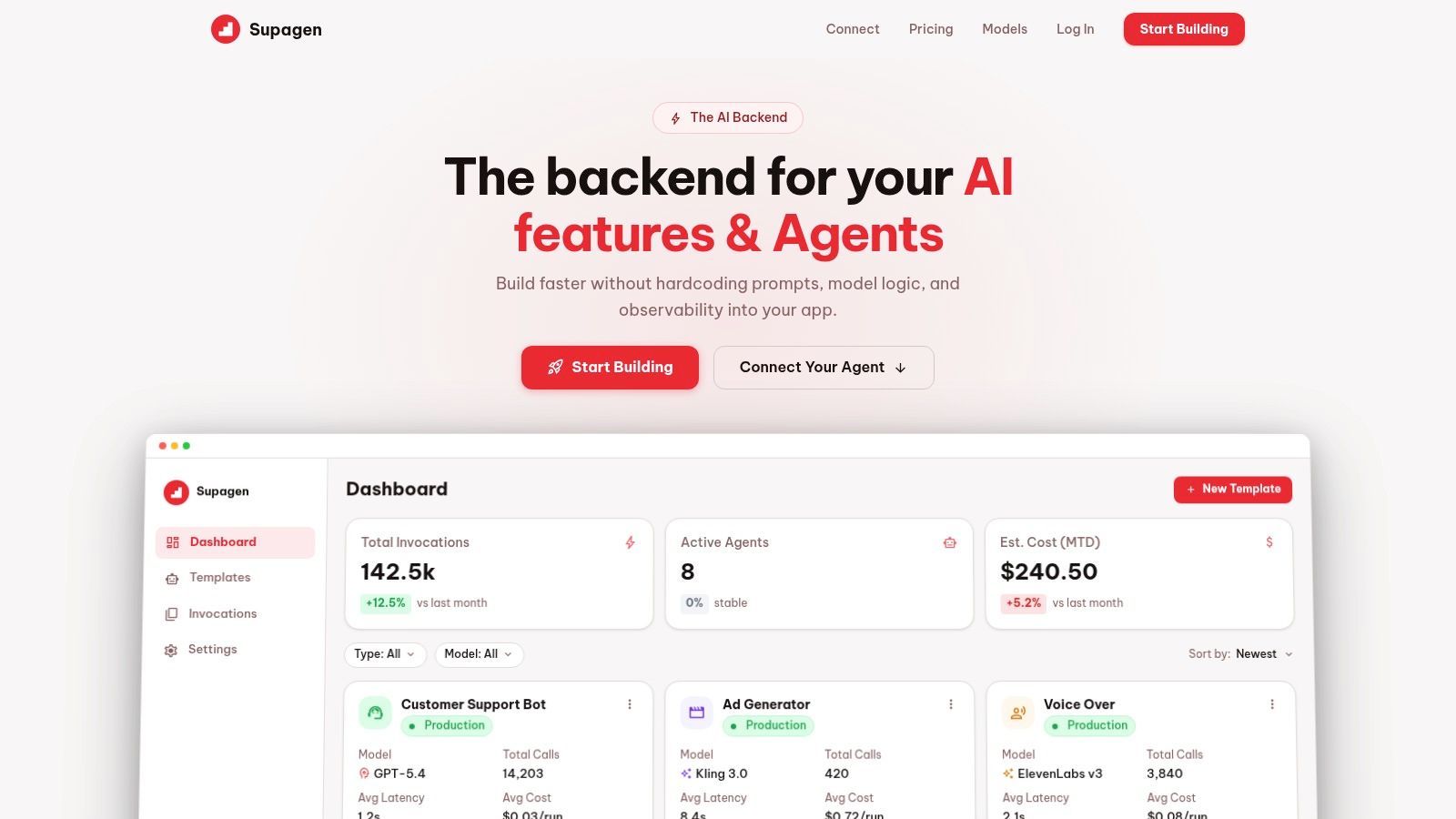
A visual editor changes who can contribute and how fast they can do it. Product can refine tone. Ops can review outputs. Developers stop spending time on wording changes that don't belong in application logic.
A safer iteration loop
The useful part isn't just the editor. It's versioning.
Without versioning, teams end up with “current prompt final v2 actual final.” With versioning, every change has a stable identifier, a history, and a rollback path. That matters for output quality, but it also matters for trust. When behavior changes in production, you need to know whether the cause was a prompt edit, a route change, or something else.
A good workflow looks like this:
- Create a prompt template for one task, such as support reply generation or structured extraction.
- Define variables clearly so the app only sends input data, not full instruction blocks.
- Test prompt revisions against realistic examples before promoting a new version.
- Publish a new version deliberately instead of editing live logic in place.
- Rollback quickly if the new version drifts.
Here's the shape of an app call when prompts are managed outside code:
payload = {
    "prompt_id": "lead-qualifier",
    "version": "v7",
    "input": {
        "company_name": "Northwind",
        "user_message": user_message,
        "crm_context": crm_context
    }
}
The application stays simple. The prompt system becomes the controlled surface.
One thing that works especially well is separating concerns cleanly:
- App code handles authentication, user state, UI, and input collection.
- Prompt management handles instruction design, examples, versions, and release history.
- Operations tooling handles routing, logs, and cost visibility.
That separation is what keeps AI features movable instead of brittle.
Here's a walkthrough worth watching if you want to see that dashboard-driven prompt workflow in action.
Treat prompts like product configuration with release discipline, not like random strings pasted into source files.
The hidden win is organizational. Once prompt iteration becomes safe and auditable, teams can improve behavior more often without dragging engineering into every micro-change.
Build Resilient AI with Smart Routing and Fallbacks
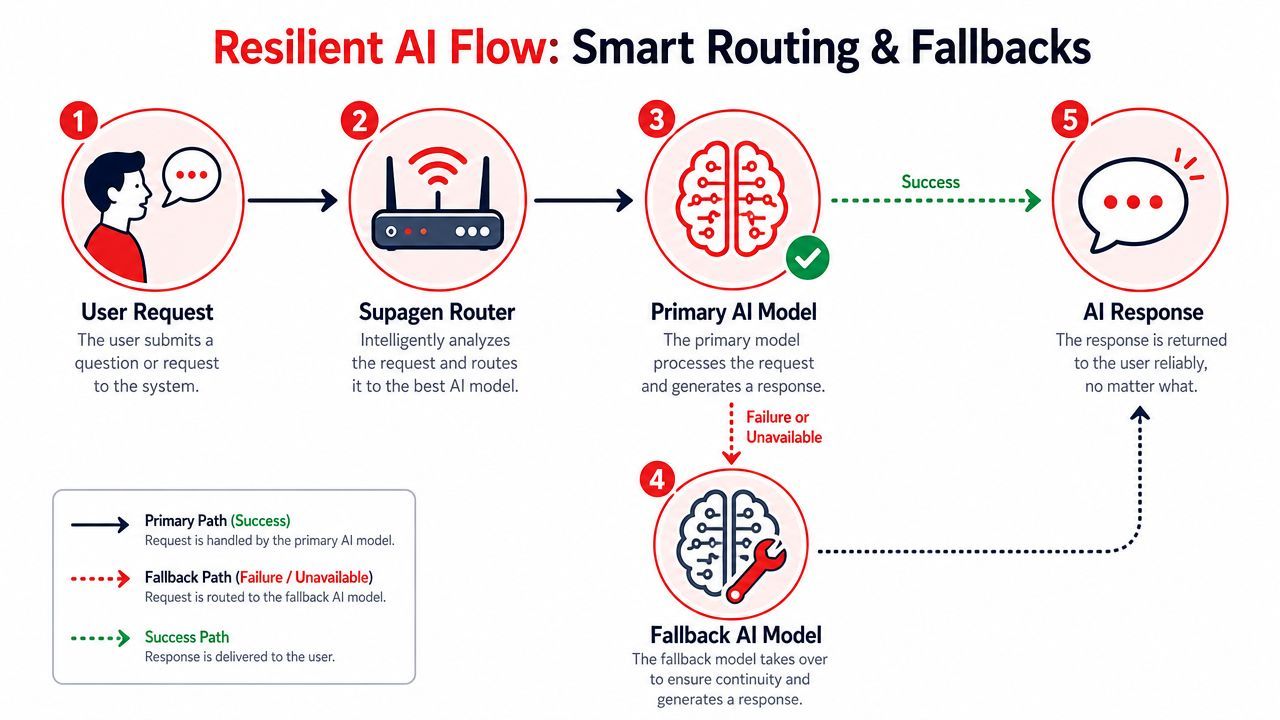
Provider instability shows up in production faster than anticipated. Sometimes it's a full outage. Sometimes it's just latency drift, malformed output, or a model that starts underperforming on one task.
Hardcoded integrations usually respond badly to this. The app either waits too long, throws an error, or retries the same failing path.
Routing should reflect the job
Different tasks need different models. A chatbot reply, a strict JSON extraction, an image generation request, and an audio workflow should not all follow the same path by default.
The routing layer should encode those differences as policy. For example:
- Use a faster model for low-risk conversational turns.
- Use a stricter model path for structured JSON output.
- Send expensive reasoning tasks only when the request needs that capability.
- Keep modality-specific routes separate so text traffic doesn't inherit image or audio assumptions.
Often, teams make a basic mistake. They look at two metrics moving together and assume one causes the other. If error rates rise during latency spikes, that doesn't automatically mean latency caused the failures. A provider issue, model-specific behavior, or payload change might be the actual driver. Causal discipline matters in routing decisions just as much as it does in analytics.
Fallbacks need rules not hope
Fallbacks are the part many tutorials skip, even though they matter the most once users are involved.
A practical fallback setup usually includes:
- Primary route tied to the preferred model for quality or cost.
- Failure conditions such as timeout, provider unavailability, or invalid structured output.
- Secondary route tuned for continuity, not necessarily identical behavior.
- Guardrails so the fallback doesn't return a format your app can't use, unnoticed.
Pseudo-configuration often looks like this:
{
  "route": "customer-support-reply",
  "primary": {
    "provider": "openai",
    "model": "gpt-4o-mini",
    "timeout_policy": "strict"
  },
  "fallback": {
    "provider": "anthropic",
    "model": "claude-sonnet",
    "trigger_on": ["timeout", "provider_error", "schema_validation_failed"]
  }
}
This isn't only about uptime. It's also about preserving UX. If one provider slows down, the user shouldn't become your monitoring system.
The need is well documented. A Google Cloud resilience report and Deloitte stability survey summarized here found that 64% of AI startups experienced service disruptions from unhandled provider failures, and 78% of AI product failures in early-stage companies stem from unmanaged provider instability.
A useful routing setup should let you tune behavior without shipping code again. That includes model selection, parameter changes, and fallback ordering. If changing a timeout or failover rule still requires an app deploy, the system is more rigid than it should be.
Reliability in AI systems comes from explicit fallback behavior, not from assuming the first provider will always cooperate.
Gain Total Visibility with Logs and Cost Tracking
Most AI debugging gets weird because the team lacks one basic thing. They can't see the full story of a single call.
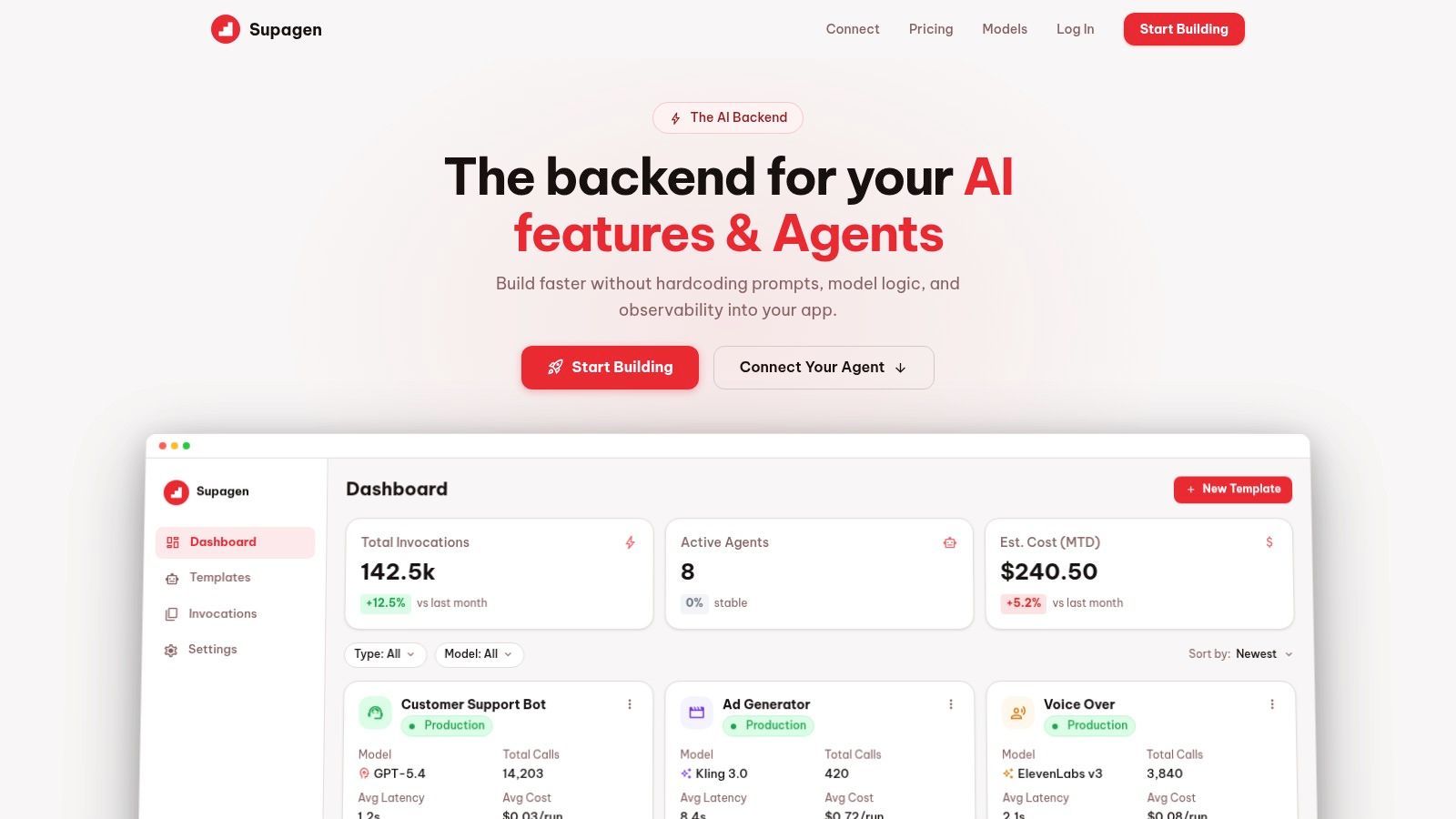
Application logs might show that a request started and ended. Provider dashboards might show some usage totals. Neither view tells you what prompt version ran, which route fired, how many tokens were used, how long the call took, what output came back, and what that exact request cost.
The log view that actually helps
Per-call logs are where production AI stops being a black box.
The useful fields tend to be:
- Prompt version so you know which instructions shaped the output.
- Provider and model so you can spot route-specific issues.
- Input and output payloads so debugging isn't guesswork.
- Token usage so long answers or bloated prompts are visible.
- Latency so you can separate slow UX from outright failures.
- Cost per call so expensive paths don't hide inside monthly aggregates.
That information changes debugging from “maybe the model was weird” into something concrete. If one request took too long, you can inspect whether the prompt became verbose, the route switched providers, or the payload included more context than intended. If a call cost too much, you can check whether the wrong model handled it or whether the output cap needs tightening.
How teams use these metrics to make decisions
Cost visibility matters more than many teams assume. According to a summary of the AWS AI Cost Report and HBR analysis on AI cost management, 76% of startups exceed their AI budget within three months due to a lack of granular cost visibility per call, and 63% of AI product failures stem from unmanaged costs.
Those numbers make sense because aggregate spend alone doesn't tell you what to fix. Teams need to see cost at the level of routes, prompt versions, and workload types.
A practical review loop looks like this:
- Pull the slowest calls from a recent time window.
- Compare their prompt versions and routes to normal calls.
- Inspect token-heavy requests for oversized context or loose output instructions.
- Trace expensive outliers back to a feature, customer flow, or model path.
- Adjust routing or prompt constraints and watch the next batch of logs.
Here's a simple way to consider it:
If you can't explain why one call was slow or expensive, you don't have production observability yet.
There's also a strategic benefit for founders. Once you can see spending and latency by feature, AI stops being a vague platform cost and starts becoming a set of choices. You can decide which experiences deserve premium models, which can run on cheaper ones, and where tighter prompt design saves money without hurting users.
Connect AI Agents Instantly via URL
There's a point where plain model calls stop being enough. You want retrieval, data analysis, image generation, workflow orchestration, or a specialized agent that already exists somewhere else.
The old path is heavy. New SDK, new auth flow, more library churn, more glue code.
Why URL based agents change the build process
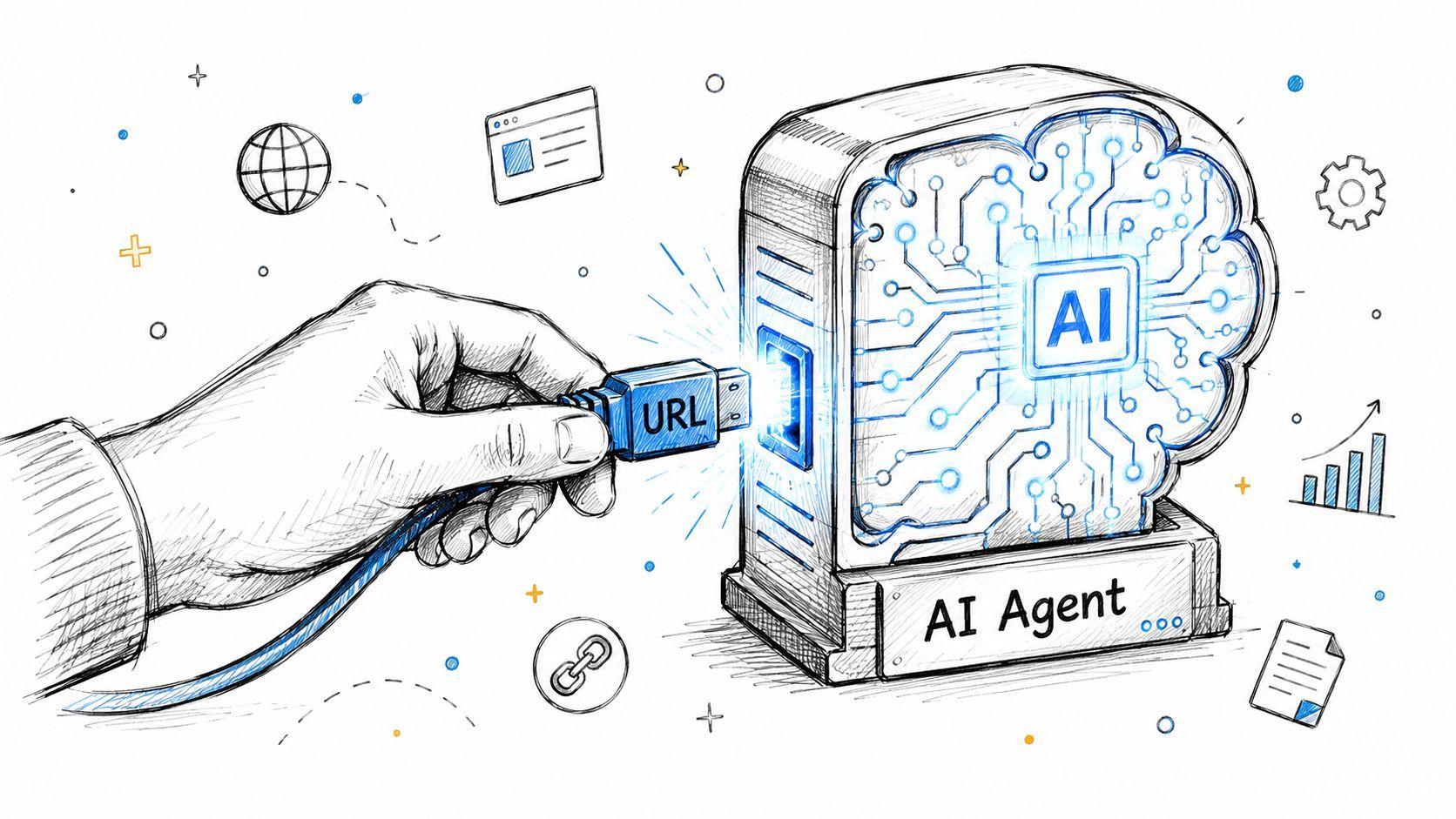
MCP-compatible, OAuth-enabled URL connections take a very different approach. Instead of embedding another opinionated SDK into your app, you connect to an agent capability through a URL and let the backend manage the access pattern.
That's not just cleaner. It matches how small teams build. They want to add capability fast without turning every experiment into a dependency migration project.
A survey on no-SDK AI integration trends reported that 73% of indie hackers prefer no-SDK solutions for rapid AI deployment, and a later report found that 65% of solopreneurs choose URL-based agent connections for speed.
Those preferences reflect the trade-off clearly:
A practical connection pattern
For a founder or product lead, the mental model is simple. A URL-connected agent is like plugging a new skill into your stack without rebuilding your app around it.
For a developer, the value is that the connection pattern stays thin. Your app can request a capability through one stable interface while the backend handles the agent handshake and permissions.
A lightweight call shape might look like this:
const res = await fetch("https://api.your-ai-backend.example/v1/agents/run", {
  method: "POST",
  headers: {
    "Content-Type": "application/json",
    "Authorization": `Bearer ${process.env.AI_BACKEND_KEY}`
  },
  body: JSON.stringify({
    agent_url: "https://agent.example.com/mcp",
    action: "analyze_document",
    input: {
      file_url,
      instructions: "Extract key obligations and return JSON"
    }
  })
});
This pattern works especially well when you need to combine multiple capabilities. Text, image, audio, JSON, and external tools can sit behind the same operational layer instead of scattering across custom service wrappers.
What doesn't work is trying to preserve the old architecture while adding agents on top. If every agent gets its own integration style, your stack becomes inconsistent fast. URL-first access solves that by keeping capability injection simple and repeatable.
Ship AI Features with Confidence Not Code
The biggest shift isn't technical. It's operational.
When prompts, routing, fallbacks, logs, and cost controls move out of hardcoded application paths, AI work starts moving at product speed again. Developers write less orchestration glue. Founders get faster iteration. Teams can trace failures, control spend, and improve behavior without treating every tweak like a release event.
That's how to use these systems well in production. Keep the app thin. Keep the AI layer observable. Make prompt and routing changes auditable. Build fallback behavior before you need it.
If your team is tired of shipping AI features the hard way, Supagen is worth a look. It gives you the production layer that teams often end up rebuilding badly themselves: unified model access, versioned prompts, routing, fallbacks, per-call logs, cost visibility, and URL-based agent connections, all without baking that complexity into your app.