
How Long Is Deployment: AI & App Timelines 2026
A typical software deployment for an app or AI feature can take anywhere from a few minutes to several weeks, while a U.S. military deployment averages between 6 and 12 months. This guide focuses on software deployment, breaking down the timelines and showing you how to accelerate them.
If you're asking because a founder just asked, “So how long will this take to ship?”, the frustrating answer is that the term deployment can mean different things. Some mean the instant code goes live. Others mean everything from merge to production verification. In military contexts, people may mean the time away, or the entire cycle around it.
That ambiguity is why bad estimates happen. Teams answer the wrong question, commit to the wrong date, and then discover that rollout, QA, approvals, monitoring, and AI prompt changes all count too. If you want a practical answer to how long is deployment, you need to define the kind of deployment first, then identify what stretches the timeline.
Table of Contents
- First What Kind of Deployment Are You Asking About
- The Four Stages of a Modern Software Deployment
- Key Factors That Determine Your Deployment Speed
- Realistic Deployment Timelines With Examples
- How to Accelerate Your AI Deployment Pipeline
- Beyond the Launch Verifying and Observing Your Deployment
First What Kind of Deployment Are You Asking About
A founder asks, "How long is deployment?" and the room can split in two before anyone gives an estimate. One person hears military service time. The engineering team hears software release time.
The phrase how long is deployment has two very different meanings.
In the military sense, research on U.S. deployments shows that time away varies by branch and mission, and the National Academies review of Iraq and Afghanistan deployment patterns is a useful reference point for that context. The distinction is important: many people searching this phrase are asking about service time away from home, not software shipping timelines.
For startup teams, deployment usually means software release. A more pertinent question is narrower and more useful. How long does it take to get a change from "someone built it" to "users can rely on it in production"?
That answer changes fast based on what you include in the word "deployment."
Practical rule: Define the finish line before you estimate. Does deployment mean code complete, merged, staged, live in production, or verified after release?
I have seen teams argue over a timeline when they were really arguing over the boundary. An engineer says "one day" because the code can be merged today. A founder hears "one day" and assumes customers will have it tomorrow. Both statements can be reasonable, and both can be wrong in the same meeting.
In software, deployment is usually a chain of work: merge, build, test, staging checks, release steps, and production verification. With AI features, the chain often gets longer. Teams may need prompt review, model configuration, fallback handling, output evaluation, logging, and basic guardrail checks before they should put traffic on it.
Those steps are not overhead. They are the deployment.
If you skip this definition step, every estimate that follows will sound precise and still miss the actual delivery date.
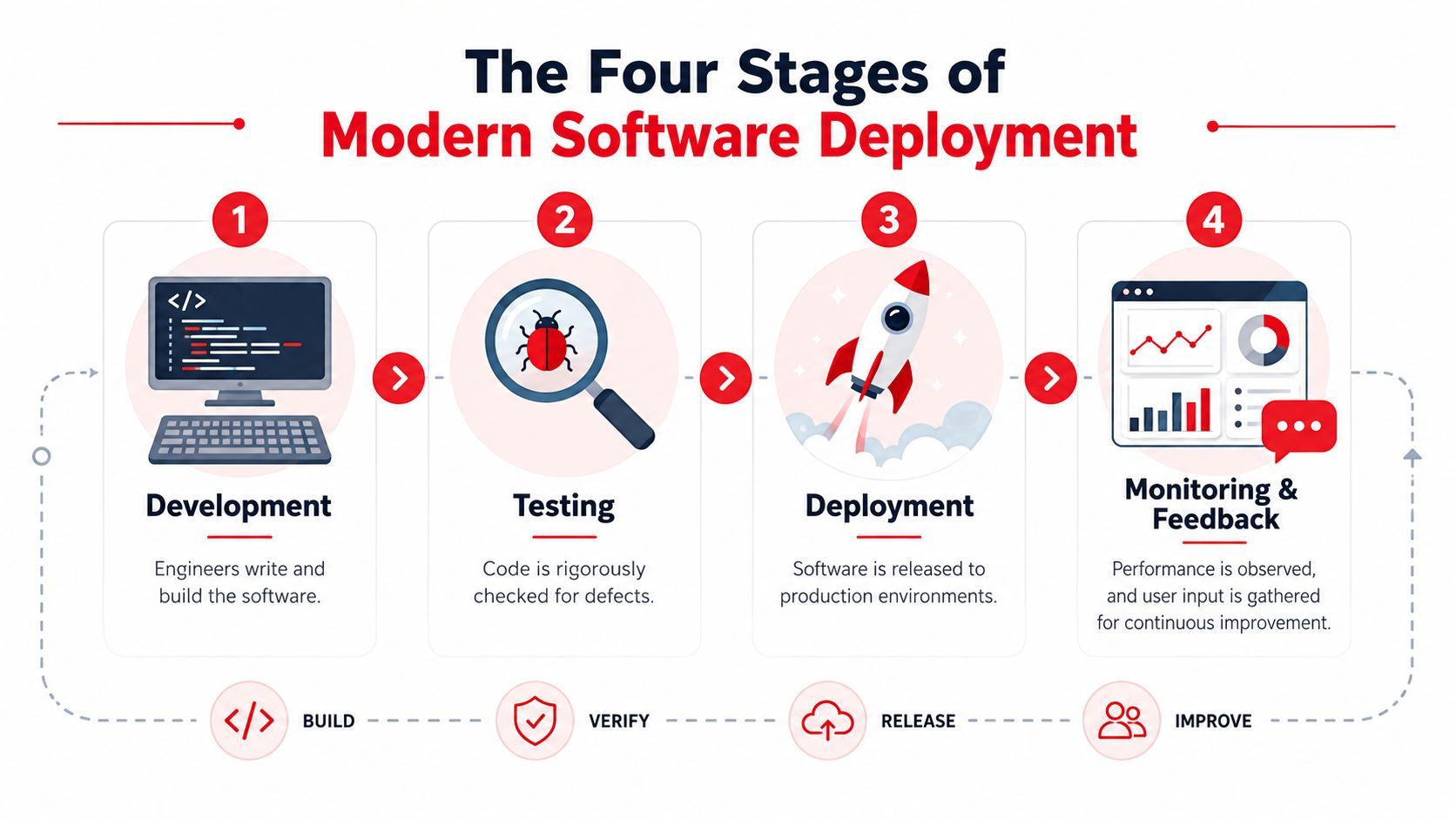
The Four Stages of a Modern Software Deployment
Software deployment works like shipping a product through a small factory. Someone builds it, someone checks that it fits with everything else, someone tests it in a safe environment, and only then does it go to customers.
Industry guidance treats deployment as the whole pipeline, not just the final push. It includes merging code, automated testing, builds, staging validation, and the production release, while deployment frequency is tracked separately from slower cadences like per week or month up to multiple times per day for high-performing teams, as described in LaunchDarkly's explanation of deployment frequency.
Development
At this stage, engineers write the change.
Sometimes that change is a copy update in a React component. Sometimes it's a new background job, a billing hook, or an AI endpoint that has to call OpenAI or Anthropic and return structured JSON. The development step can be short if the problem is isolated. It gets much slower when the team still has to discover what the system should do.
A founder often underestimates this stage because the visible output seems small. A “small” feature can still require refactoring, secrets handling, schema changes, and permission logic.
Integration
Integration starts when the code leaves one person's branch and has to survive contact with the rest of the system.
That means pull requests, code review, branch protection, CI runs, and any checks the team requires before merge. If your team has flaky tests or slow builds, then “deployment” starts feeling slow even though production hasn't entered the picture yet.
Common friction points here include:
- Long-running test suites: Every merge waits behind builds that nobody trusts.
- Review bottlenecks: One staff engineer becomes the gate for every release.
- Environment drift: Code passed locally but behaves differently in CI.
Testing and staging
Staging is where teams find the issues they swore were impossible.
A proper staging pass checks whether the feature behaves correctly with production-like config, real auth flows, third-party dependencies, and realistic user paths. For AI work, a staging pass typically reveals prompt regressions, poor tool-calling behavior, malformed outputs, or unexpected latency spikes.
If a team says deployment takes fifteen minutes, ask whether they mean “artifact shipped” or “stakeholders validated behavior in staging.”
Those are very different answers.
Production rollout
This is the visible launch, but it still has layers.
Some teams release everything instantly. Better teams often use feature flags, canary rollouts, or phased enablement so they can watch errors before exposing the change to everyone. If the release touches billing, auth, search relevance, or an AI assistant inside the core product, a careful rollout is usually faster in practice because it avoids painful reversals.
A practical founder metric is simple: track when work is ready for merge, when it is live, and when it is confirmed healthy. Those are three separate timestamps, and collapsing them into one hides where your speed problem is.
Key Factors That Determine Your Deployment Speed
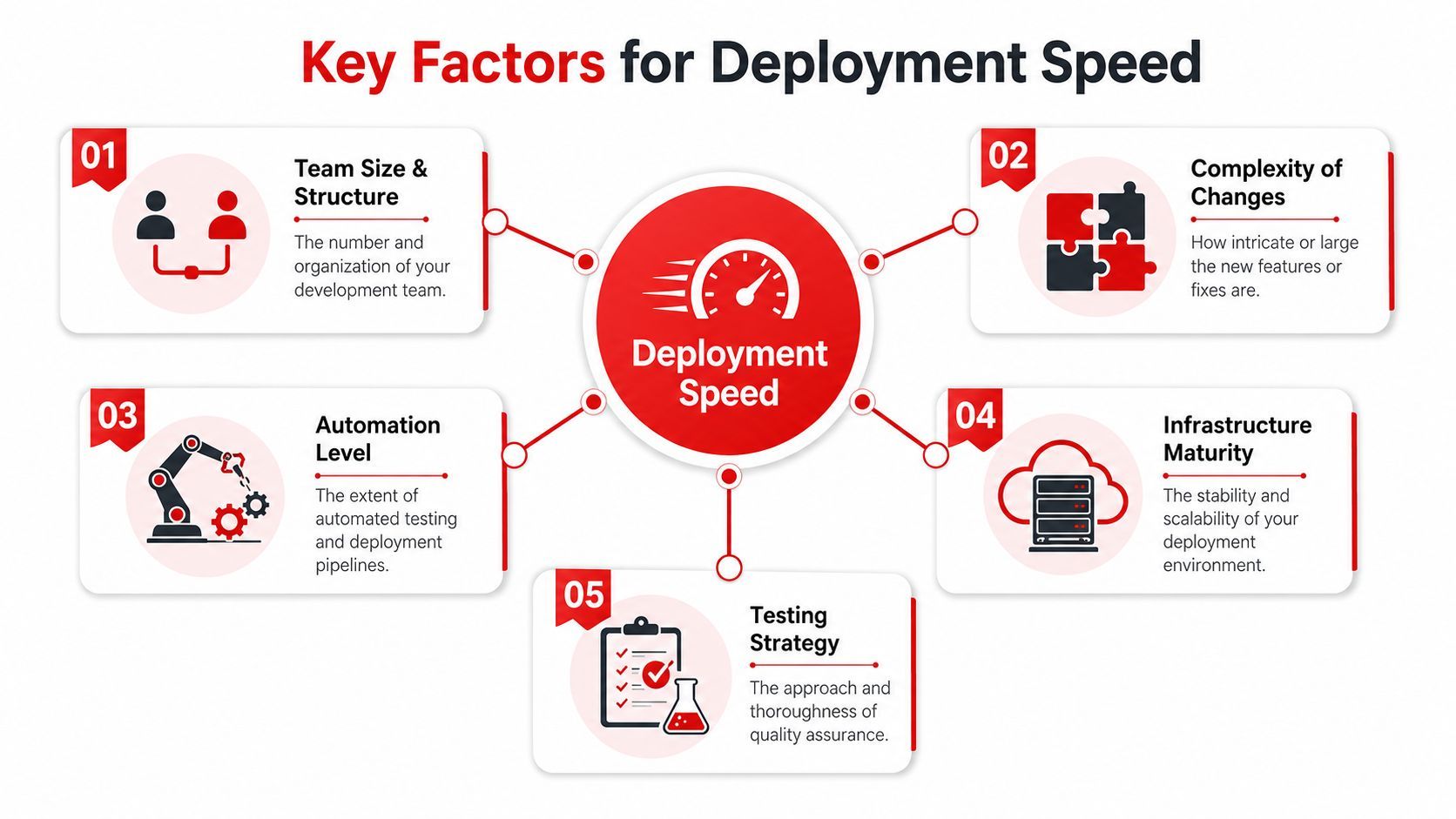
Two teams can ship the same user-facing feature on radically different timelines because they aren't solving the same release problem underneath. One has clean interfaces, reliable tests, and repeatable infrastructure. The other has tribal knowledge, manual QA, and a production process built on Slack messages.
Complexity changes the answer first
A text edit is not a new AI workflow.
The fastest deployments tend to be low-blast-radius changes. They don't alter schemas, don't require migrations, don't affect permissions, and don't depend on outside vendors. The slowest ones usually cross boundaries. Frontend, backend, data model, auth, observability, and legal or policy review all show up at once.
A useful way to think about complexity is by asking:
Process maturity is usually the hidden bottleneck
Founders often blame engineers for “slow deployment” when the issue is release design.
If every deploy requires a manual checklist, a handoff to one person with console access, and ad hoc QA, the team doesn't have a deployment problem. It has a process maturity problem. Teams move faster when they standardize release steps and reduce the number of decisions required during the release itself.
What usually works:
- Automated checks for repeatable failures: Run tests, builds, and linting before humans spend time reviewing.
- Small releases: Smaller changes are easier to reason about and safer to roll back.
- Feature flags: Decouple code release from feature exposure.
- Clear ownership: One engineer owns the release, but the process doesn't depend on one engineer's memory.
What usually doesn't work:
- Bundling many unrelated changes: One risky deploy becomes impossible to debug.
- Last-minute QA: Problems appear at the most expensive point in the process.
- Hardcoded AI behavior: Every prompt or model change becomes an application release.
Teams don't get fast by pushing harder on release day. They get fast by removing custom work from every release.
Infrastructure settings can slow a rollout even when code is ready
Infrastructure details matter more than most non-technical leaders realize.
In Kubernetes, .spec.progressDeadlineSeconds defaults to 600 seconds, which is the controller timeout for declaring a rollout stalled. .spec.minReadySeconds defaults to 0 seconds, which means a Pod can count as available as soon as it's ready unless you require a longer window, according to the Kubernetes Deployment controller documentation.
That sounds like an implementation detail, but it affects how the team experiences release speed. If readiness probes are strict, startup is slow, or pods churn during rollout, the deploy may look “stuck” even when the code itself is fine.
Other infrastructure slowdowns tend to come from:
- Cold-start-heavy services
- Weak environment parity between staging and production
- Secrets and config managed differently across environments
- Rollback paths that nobody has tested recently
The practical takeaway is that deployment speed is not just an engineering velocity issue. It is a systems issue. Architecture, CI, hosting, rollout strategy, and AI integration patterns all shape the answer.
Realistic Deployment Timelines With Examples
In the military world, deployment duration varies by branch, mission, and conditions. A broad guide from the USO says the average U.S. military deployment cycle is typically between six and 12 months, while noting that actual timelines can vary widely by assignment and service context in the USO overview of military deployment length.
Software works the same way in principle. There isn't one honest answer. There are categories.
Estimated Software Deployment Timelines
These are practical planning ranges, not guarantees. A “simple” release can still stall if the pipeline is unreliable. An “advanced AI” feature can move faster if the team already has clean infrastructure, evaluation habits, and a way to manage prompts and models outside the app code.
What these ranges usually mean in practice
The short end of the range usually means the team is changing something local and already has a release path they trust.
The long end appears when hidden work shows up. Legal review for generated output. Security review for file handling. Product review because AI answers vary more than expected. Retry and timeout logic because the model vendor behaves differently in production than in dev.
For founders, the best planning move is to ask for the estimate in this format:
- Build time: How long to implement the change?
- Pre-production time: How long to merge, test, and validate?
- Rollout time: How long to release safely?
- Stabilization time: How long until the team knows it's healthy?
That format gets you a usable answer to how long is deployment. It also stops teams from hiding uncertainty inside one vague deadline.
A launch date without a complexity category is mostly theater. A launch date with a category, rollout plan, and stabilization window is operationally useful.
How to Accelerate Your AI Deployment Pipeline
AI releases feel slower than standard app releases because the moving parts are less visible. The code may be done, but the actual behavior often lives in prompts, model settings, provider routing, fallback logic, and output validation. If those pieces are buried inside the application, every adjustment becomes a software release.
Stop tying every AI change to an app release
This is the biggest mistake I see in early AI products.
A team hardcodes prompts, model names, temperatures, and guardrails in the backend. The first version works well enough, then real users arrive and expose edge cases. Now every small improvement needs a code change, a pull request, a test pass, a staging cycle, and another rollout. That isn't just slow. It teaches the team to avoid iteration.
A better pattern is to separate application code from AI operating logic.
Keep your product code responsible for auth, business rules, and user flow. Move prompt versions, provider selection, fallback behavior, and experiment configuration into a layer the team can update without changing the app itself. When teams do that, deployments stop being the only mechanism for iteration.
The fastest AI team is usually not the one writing code fastest. It's the one that can change model behavior safely without reopening the whole release pipeline.
This matters even more if you're using multiple providers such as OpenAI, Anthropic, Google, ElevenLabs, or fal.ai. Different workloads need different models and failure handling. If you embed all of that logic directly in your app, every improvement carries full deployment cost.
The practical acceleration checklist
Use this checklist to shorten AI deployment timelines without pretending risk doesn't exist:
- Decouple prompt management: Treat prompts like versioned assets, not string literals hidden in source files.
- Separate model routing from app code: Teams should be able to change provider choice and fallback rules without a full product release.
- Add per-call observability: You need logs for inputs, outputs, latency, token usage, and errors if you want to debug production behavior quickly.
- Use feature flags for AI exposure: Release the infrastructure first, then turn on the feature for selected users or internal teams.
- Create staging scenarios with real edge cases: Generic happy-path tests miss most AI failures.
- Define rollback before launch: If the model output degrades, know whether you'll disable the feature, switch providers, or revert to a previous prompt version.
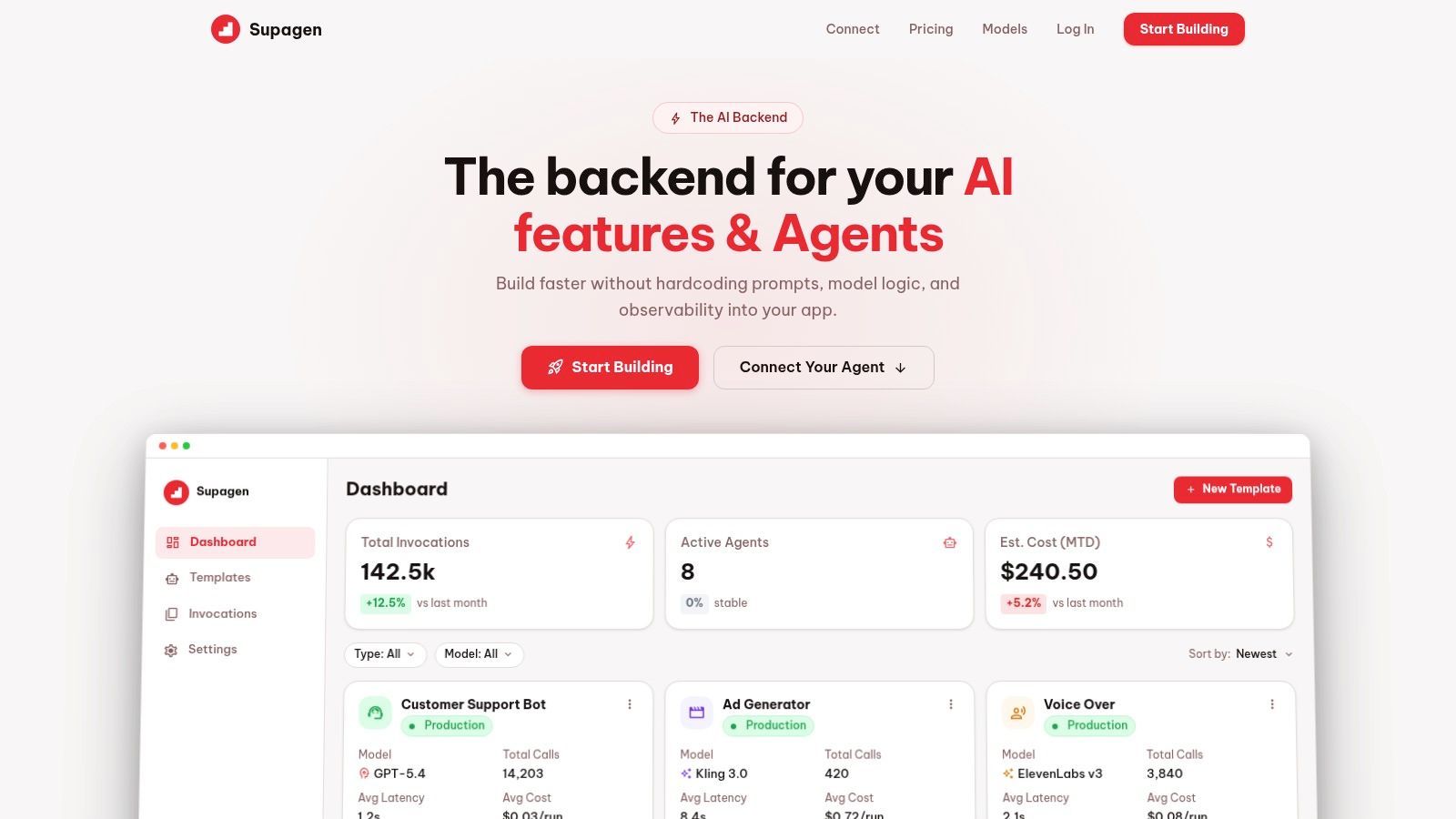
A dashboard-centered workflow helps here because it gives product and engineering a shared place to inspect behavior. It also reduces the number of releases that exist only to tweak prompts or model parameters.
A walkthrough like the one below is useful when you're designing that operating model for production AI.
The main idea is simple. If every AI iteration requires a redeploy, your deployment pipeline becomes your experimentation bottleneck. If your AI layer is configurable, observable, and versioned, the app deployment handles structural changes and the AI operating layer handles behavioral tuning.
That is how teams keep shipping without turning every prompt edit into a release meeting.
Beyond the Launch Verifying and Observing Your Deployment
A founder asks, "How long is deployment?" The honest answer is that production is not the finish line. It is the point where the real validation starts.
That matters even more in an article like this because "deployment" is overloaded. Earlier, we separated military deployment from software deployment so the timelines were not talking past each other. The same clarification matters here. In software, going live is only one stage. The release still has to prove it works under real user traffic, real data, and real failure conditions.

A release is not done when it is live
I treat deployment as incomplete until the team can answer three questions with evidence: Is it working, is it safe, and is it behaving as expected at the user level?
For a standard product feature, that usually means checking error rates, latency, conversion through the target flow, and whether rollback is still clean. For an AI feature, the bar is higher. You also need to inspect output quality, token spend, provider errors, timeout patterns, and how the feature behaves on messy prompts, weak inputs, and edge-case attachments.
A feature can be up and still be failing.
That is why the fastest teams do not stop at "the deploy succeeded." They define an observation window, assign an owner, and decide in advance what metrics trigger rollback, what issues can wait, and what needs an immediate fix. Startup teams that skip this step usually pay for it later in support load, surprise cloud costs, and emergency patches.
After release, the first job is verification under live conditions.
What to verify after launch
Post-launch verification should be short, explicit, and tied to risk. One person should own the checklist and the go or rollback call.
- Confirm core health first: Check application errors, infrastructure alerts, and the main user path right after rollout.
- Inspect the highest-cost failure path: Focus on auth, billing, checkout, generation, or any path that creates immediate user or revenue impact.
- Review AI behavior directly: Sample outputs, watch latency distributions, look for malformed responses, and check whether token usage matches expectations.
- Validate operational controls: Make sure feature flags, provider fallbacks, rate limits, and rollback steps still work in production.
- Record what happened: Note what you observed, what broke, what was noisy, and what the team should automate before the next release.
This step is where deployment time gets distorted. A simple code push may take minutes. Proving that the release is stable can take hours or days, especially for AI features where correctness is partly behavioral rather than purely technical. If a founder wants a real timeline, this is part of it.
If your team is shipping AI features and keeps redeploying code just to change prompts, routing, or observability settings, Supagen gives you a production layer for AI that helps teams move faster with less redeploy friction. You can manage versioned prompts, configure model providers and fallbacks, inspect per-call logs, and understand latency, tokens, I/O, and costs from one place so each release becomes easier to operate.