
High Throughput Meaning From AI to Networking

Your AI feature worked in staging. It handled clean prompts, small files, and a handful of users. Then the launch email went out, support tickets started coming in, and the same feature turned erratic. Responses slowed down. Retries piled up. Costs jumped. Some users got answers late, and others got errors.
That failure usually gets described as “performance problems,” which is too vague to be useful. The sharper diagnosis is often throughput. Your system couldn't complete enough useful work in the time window demand required.
For AI products, that makes throughput more than an infrastructure metric. It becomes a product KPI. If your app can't sustain prompt volume, model calls, logging, retrieval, media transfer, and post-processing under real usage, the feature is not production-ready, no matter how good the demo looked.
Table of Contents
- Why Your Great AI Feature Fails Under Pressure
- What High Throughput Actually Means
- How Throughput Changes Across Different Fields
- The Inescapable Tradeoff With Latency and Cost
- How to Measure Throughput for Your Product
- Practical Tactics to Increase AI Throughput
- Making Throughput Your Competitive Advantage
Why Your Great AI Feature Fails Under Pressure
The common pattern looks like this. A team ships an AI copilot, document analyzer, image workflow, or support assistant. Early tests feel great because usage is polite. A few people click around, the prompts are predictable, and every downstream dependency has room to breathe.
Then real traffic arrives, and the feature stops behaving like a single app. It behaves like a chain of systems competing for capacity. One request might hit an API gateway, a prompt formatter, a retrieval layer, a model endpoint, a moderation pass, a parser, a database write, an analytics pipeline, and a logging service. If any link in that chain falls behind, the whole feature feels broken.
That's why teams get confused. They look at one server dashboard and say, “CPU seems fine,” while users are still waiting.
High throughput problems rarely come from one slow box. They come from a system that can't move enough total work through all of its stages at launch conditions.
In AI products, this pain shows up in business terms before it shows up in engineering terms.
- Users abandon flows: A draft generator that stalls gets fewer completions.
- Support volume rises: People report “bad answers” when the actual issue is timeout, truncation, or fallback behavior.
- Costs become noisy: Retries, duplicate jobs, and oversized models consume budget without creating more user value.
- Launch confidence drops: Marketing can create demand faster than engineering can safely absorb it.
The practical high throughput meaning isn't “a fast backend.” It's the ability to keep shipping useful outcomes when success creates pressure. If your AI feature only works when traffic is gentle, it isn't scalable product infrastructure. It's a demo path.
What High Throughput Actually Means
High throughput means a system completes a large amount of work per unit of time. Historically, that's how the term has been used across computing and networking, where it's commonly measured in requests per second, transactions per second, or bits per second, as described in Aerospike's overview of high throughput in distributed systems.
Throughput is work over time
The cleanest way to think about throughput is:
Throughput = Work / Time
The word “work” changes by product.
In a chat app, work might be completed responses. In a transcription pipeline, it might be minutes of audio processed. In an image workflow, it might be jobs rendered. In a data product, it might be records ingested or reports generated. The formula stays the same even when the workload changes.
The highway analogy is still the best one. Latency is how long one car takes to get from point A to point B. Throughput is how many cars get through the highway in an hour. A sports car on a one-lane road may have low travel time when traffic is light, but it won't move a city's rush hour. A multi-lane highway can move far more vehicles even if any single car doesn't travel dramatically faster.
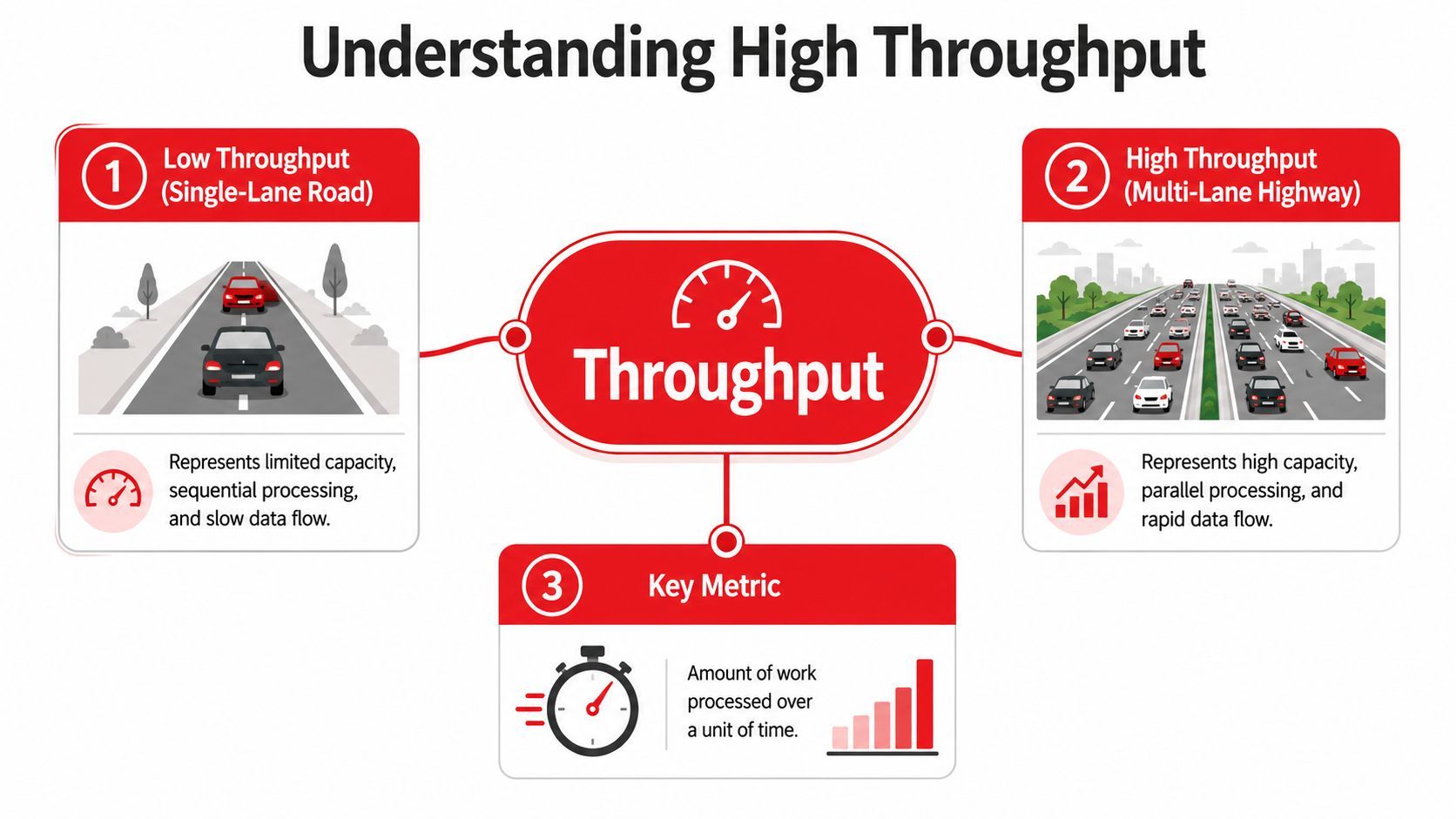
A lot of teams miss one important detail. Throughput is a system-level metric, not just a server metric. If your network link is saturated, throughput won't increase without more bandwidth, no matter how fast your servers are. That matters for globally distributed AI products because requests often depend on model APIs, media transfer, logging, and routing across services, not just compute on one machine.
Why this matters for AI products
For product teams, the high throughput meaning becomes more concrete when you ask one question: What unit of work creates user value?
If you define throughput only as incoming requests, you can fool yourself. A queue can accept a lot of jobs and still fail to complete them promptly. A chatbot can receive messages quickly while its answers lag behind. A workflow can ingest files all day and still bottleneck on parsing or summarization.
Practical rule: Measure throughput at the point where the user receives value, not just where the system accepts input.
That's why “fast” and “high-throughput” are not the same thing. A product can respond quickly to a single request and still collapse under concurrent demand. Another product can handle large aggregate volume but make each user wait longer. Throughput tells you about capacity and sustained output. Latency tells you about individual response time.
For AI features, both matter. But if your goal is surviving launch traffic, batch workloads, agent runs, large document backfills, or multi-step inference pipelines, throughput is the metric that exposes whether the product can handle success.
How Throughput Changes Across Different Fields
The term sounds universal, but its meaning changes with the kind of work being measured. That's where many explanations fall apart. They define throughput once, then act like the same benchmark applies everywhere.
It doesn't.
The unit of work changes first
In networking, throughput usually means data successfully moved across a link or service path. In computing systems, it often means operations or jobs completed over time. In lab automation, throughput can mean the number of samples screened quickly enough to support discovery work. In manufacturing, it might mean units completed per shift.
That's why “high” is relative. In satellite communications, high throughput satellites use multiple spot beams and can deliver roughly 2x to 100x+ the throughput of traditional fixed-satellite systems by concentrating capacity on targeted service areas, as explained in SatNow's summary of high throughput satellites and spot-beam capacity. In lab automation, “high-throughput screening” means autonomously evaluating large numbers of samples quickly for discovery work. Same phrase. Very different bottlenecks.
For AI teams, this is useful because it prevents a bad habit. Don't borrow someone else's metric without asking what their “work” is.
High throughput meaning by domain
A useful mental model is to ask three questions:
- What counts as finished work? A request accepted is not the same as a response delivered.
- Where is the bottleneck? Network, compute, storage, model rate limits, queue depth, and human review can all cap throughput.
- Compared to what baseline? “High” only makes sense relative to the prior system, the current bottleneck, or the market expectation.
This is also where high-throughput computing matters. In computing research, HTC refers to using many distributed resources over long periods to complete large numbers of loosely coupled tasks. That differs from HPC, which is built for tightly coupled jobs needing fast interconnects and short runtimes. For workloads like batch inference, large-scale processing, and agent backfills, aggregate completion rate matters more than single-job latency. That's the core distinction captured in Wikipedia's explanation of high-throughput computing versus high-performance computing.
If you're building AI products, that distinction is practical, not academic. A real-time voice agent and a nightly enrichment pipeline should not be architected around the same success metric.
The Inescapable Tradeoff With Latency and Cost
Teams usually want three things at once: low latency, high throughput, and low cost. You can improve all three to a point. You usually can't maximize all three at the same time.
That's not pessimism. It's system design.
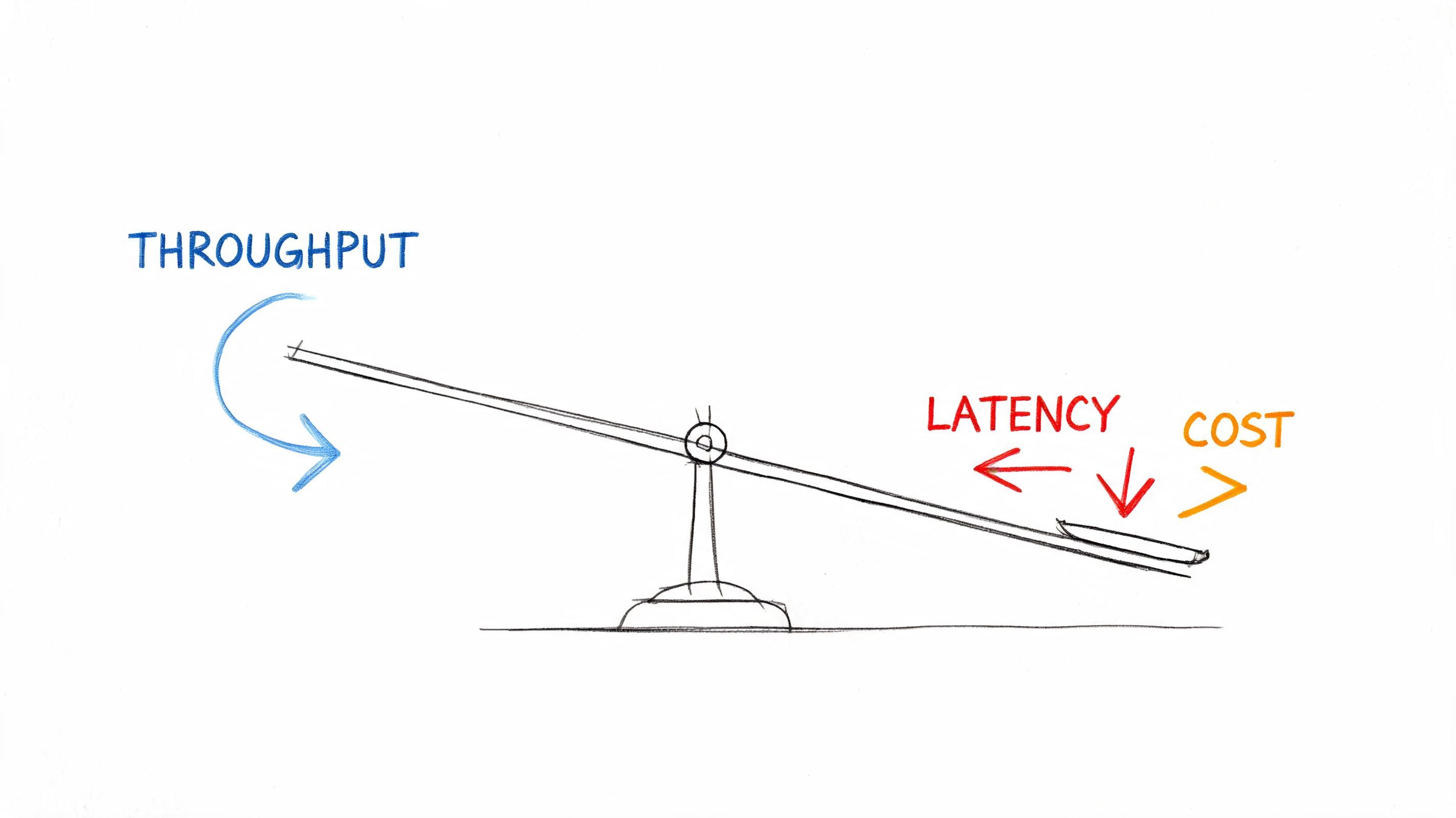
Why faster for one user can mean worse for everyone
Think about pizza. If one person walks in and wants a custom pie immediately, the kitchen can prioritize that order. If a thousand orders arrive, the kitchen gets better results by standardizing prep, batching similar work, and keeping every station occupied. Total output rises, but any one order might wait longer before entering the oven.
AI systems behave the same way.
If you process every request instantly with dedicated resources, you can reduce latency for that one user. But you may waste capacity between bursts, duplicate setup work, and hit provider or infrastructure limits earlier. If you batch or queue intelligently, you can increase total work completed per time window. The tradeoff is that some requests wait a little longer before execution.
The expensive path is trying to brute-force both. You can overprovision compute, buy more headroom, keep warm capacity idle, and route aggressively to preserve responsiveness under load. That can work. It also raises the cost floor of the product.
A system optimized for peak smoothness is often paying for unused capacity during normal demand.
What this means for product decisions
The right balance depends on the product promise.
- User-facing chat and co-pilots: Low latency matters because users feel every pause.
- Batch summarization and enrichment: Throughput usually matters more than per-item latency.
- Agentic workflows: The answer depends on the step. Tool calls may tolerate queues. Human-facing checkpoints usually can't.
- Media pipelines: Throughput often dominates because files are heavy, transfers are slow, and jobs are parallelizable.
A practical way to make decisions is to separate workloads into lanes.
Throughput is a product choice as much as an engineering one. If you don't decide where to spend latency budget and where to save compute, the system will make that decision for you at the worst moment, under load.
How to Measure Throughput for Your Product
A typical team starts measuring too low in the stack or too high above reality. They either stare at infrastructure counters that don't map to user value, or they pick a business number so broad it hides the actual bottleneck.
You need both. And you need one middle layer between them.
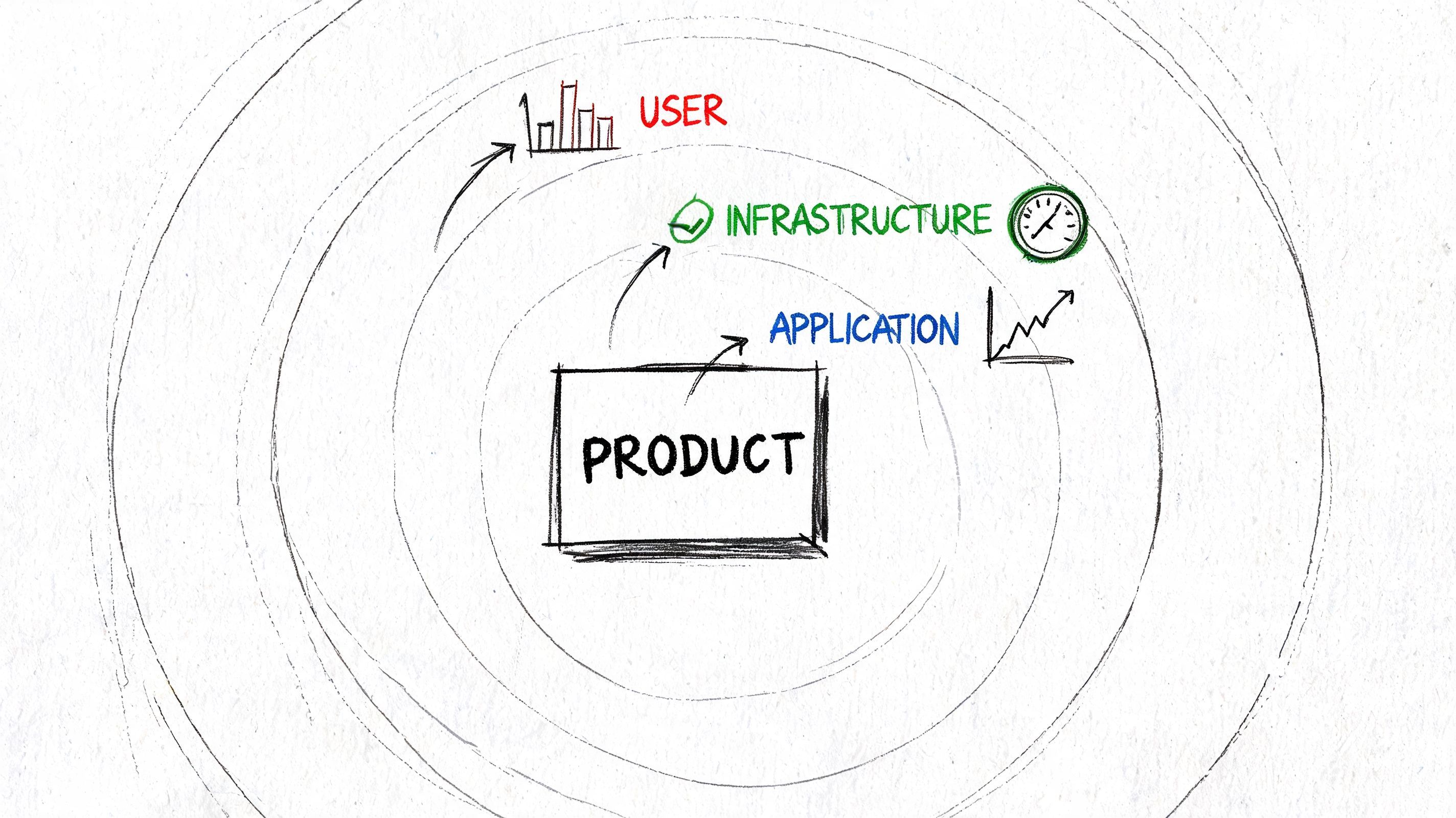
Measure at three layers
Start with infrastructure throughput. This includes network transfer, request volume, queue consumption, database writes, and model API completion rates. These metrics tell you where capacity is getting consumed.
Then measure application throughput. For an AI feature, that could be completed chats, processed files, generated images, finalized summaries, or successful tool executions per time window. This is usually where engineering can see which step is dragging the pipeline down.
Finally, define business throughput. That might be customer questions resolved, documents reviewed, reports delivered, or onboarding tasks completed. This is the number product and operations teams care about.
A simple checklist helps:
- Pick one user-value unit: Count completed outputs, not raw attempts.
- Track accepted versus completed work: Intake can stay healthy while completions stall.
- Measure by workflow stage: Retrieval, inference, validation, storage, and delivery should each have their own completion view.
- Watch failure-adjusted throughput: A flood of retries can fake activity while lowering actual output.
Avoid vanity throughput
A queue depth chart can look impressive while customers wait. A spike in requests can look like growth while error rates climb. Throughput only matters if the outputs are useful and trustworthy.
That lesson shows up outside software too. In high-throughput screening, statistical tools are essential for decision-making in assay development, campaign monitoring, and primary data analysis. A 2016 paper found that proper filtering could increase discovery probability by about 10-fold in one scenario and as much as 20-fold in another when ranking and redundancy conditions were favorable, according to the PubMed record discussing statistical control in high-throughput workflows. The point is broader than biotech. More volume does not automatically produce better decisions.
If your AI pipeline produces many outputs quickly but floods reviewers with weak, duplicated, or malformed results, you don't have useful throughput. You have expensive noise.
For AI products, the best scorecard usually combines:
- completion rate,
- useful output rate,
- time to completion,
- cost per completed unit.
That combination tells you whether the system is productive, not just busy.
Practical Tactics to Increase AI Throughput
Most AI throughput wins don't come from one heroic optimization. They come from matching the architecture to the workload, then removing friction from the hottest path.
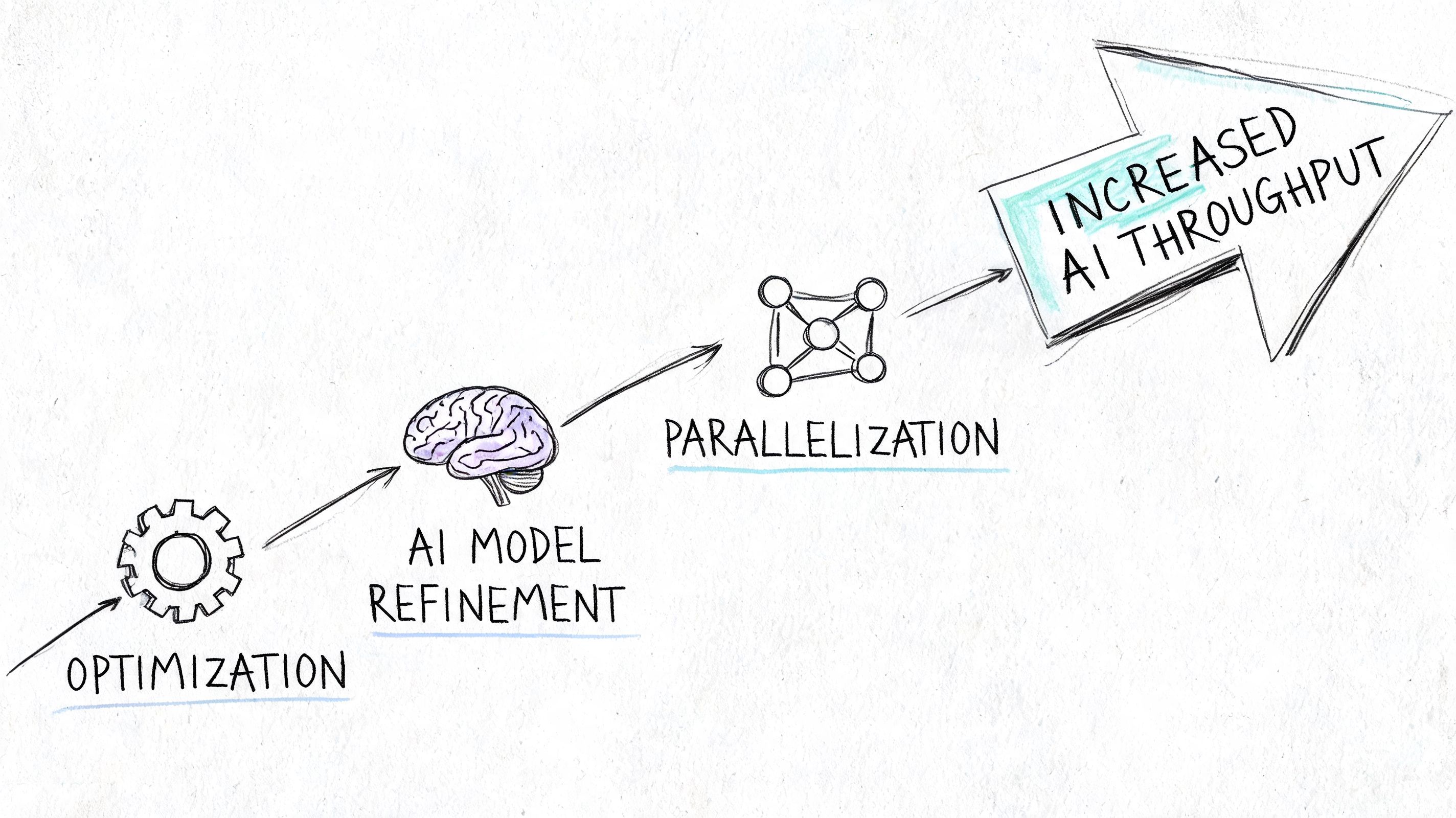
Use the right architecture for the workload
One of the biggest mistakes is forcing all AI work through a low-latency request-response pattern. That's fine for chat turns. It's wasteful for document backfills, bulk classification, long-running agent jobs, or large media queues.
High-throughput computing is a better model when the tasks are loosely coupled and can be distributed across resources over time. That's why HTC fits batch inference and large-scale processing better than HPC for many AI backends, as noted earlier in the linked computing reference.
If your jobs are independent, stop treating them like they need to finish in lockstep. Put them on a queue, fan them out, and optimize for aggregate completion.
The tactics that usually work
Some tactics are boring. Those are often the best ones.
- Batch where the user won't notice: Embedding generation, moderation passes, and offline scoring often benefit from grouping work. You reduce per-call overhead and keep workers occupied.
- Parallelize independent steps: If retrieval, metadata extraction, and asset preparation don't depend on one another, run them concurrently. Serial pipelines waste available capacity.
- Use smaller models for high-volume tasks: Reserve heavyweight models for the steps that require them. Classification, routing, formatting, and guard checks often don't need your most expensive model.
- Cache repeated work: Reused prompts, stable retrieval results, shared system instructions, and unchanged asset transforms shouldn't be recomputed every time.
- Reduce payload bloat: Large prompts, excessive context windows, and unnecessary attachments don't just cost more. They lower throughput by increasing transfer and processing time.
- Move slow work off the request path: Logging, analytics enrichment, secondary formatting, and optional evaluation can often run asynchronously.
A second class of wins comes from operational discipline.
This short walkthrough is worth watching because it reinforces the mindset behind these decisions:
The biggest throughput gains usually come from choosing what not to do synchronously.
Don't ask your highest-cost model to solve every problem in real time. Route simple work to simple paths, and save premium capacity for the moments users can actually feel.
A final practical point. Throughput tuning without observability usually backfires. Once you add batching, queues, fallbacks, parallel workers, and model tiering, the system gets faster in aggregate but harder to reason about locally. That means you need request tracing, per-step logs, cost visibility, and stage-by-stage timing. Otherwise you'll increase volume and lose the ability to explain behavior.
Making Throughput Your Competitive Advantage
The high throughput meaning isn't academic once you're shipping AI features. It answers a blunt question: Can your product keep delivering value when demand becomes real?
Teams that treat throughput as a core KPI build differently. They separate interactive flows from background work. They choose models based on task value, not hype. They instrument the full path from request intake to completed outcome. They make explicit tradeoffs between speed, volume, and cost instead of discovering those tradeoffs during an outage.
That discipline creates visible product advantages. Users get steadier performance during spikes. Operations stay predictable. Costs track value more closely. The team can launch campaigns, onboard customers, and expand workflows without crossing its fingers.
Throughput isn't just a backend metric. It's one of the clearest signals that an AI product is ready for production scale.
If you're building AI features and want tighter control over prompt versions, model routing, observability, and cost without hardcoding that logic into your app, Supagen gives you a practical production layer to ship faster and scale with more confidence.