
API Gateway Missing Authentication Token: Quick Fix
You're probably looking at {"message":"Missing Authentication Token"} right now and thinking one of two things.
Either your auth is broken, or AWS is being unhelpful again.
Usually, it's the second one.
This error frustrates people because the name points you toward credentials, headers, and tokens. In many real API Gateway failures, that's the wrong direction. The faster mental model is this: API Gateway often throws this error when it can't resolve your request to a deployed route and method. That means your path, verb, stage, deployment, or mapping is off before authentication even becomes the primary story.
That shift matters. If you treat every api gateway missing authentication token error like an auth incident, you can lose an hour checking JWTs, IAM policies, and authorizers when the actual problem is a GET request hitting a POST method, a stage that wasn't deployed, or a custom domain mapping that doesn't point where you think it does.
Table of Contents
- Why the Missing Authentication Token Error Is So Misleading
- The Five Common Causes You Must Check First
- A Systematic Verification and Debugging Checklist
- Implementing Fixes in the AWS Console and IaC
- Preventative Best Practices for Resilient APIs
- Summary From Confusion to Clarity
Why the Missing Authentication Token Error Is So Misleading
The worst part of this message isn't that it fails. It's that it misdirects.
A junior developer sees Missing Authentication Token and immediately checks bearer tokens, cookies, API keys, or IAM credentials. That's a rational reaction. The wording suggests identity failure. But in API Gateway, the request often never gets far enough for that to be the main issue.
The name sends you to the wrong layer
A better analogy is a misaddressed letter. If the address doesn't match a real recipient, the postal system can't deliver it. That doesn't mean the letter had bad contents. It means it never reached the right destination.
API Gateway behaves similarly. When the incoming request doesn't match a deployed resource or the expected HTTP method, the gateway can answer with Missing Authentication Token instead of something that reads like a clean “route not found.” AWS guidance discussed in this write-up on customizing the response to a 404 makes that point clearly. The response is often triggered by the request path or method not matching any deployed resource, including cases like using GET instead of POST, calling an undeployed stage, or hitting a custom domain with the wrong base-path mapping.
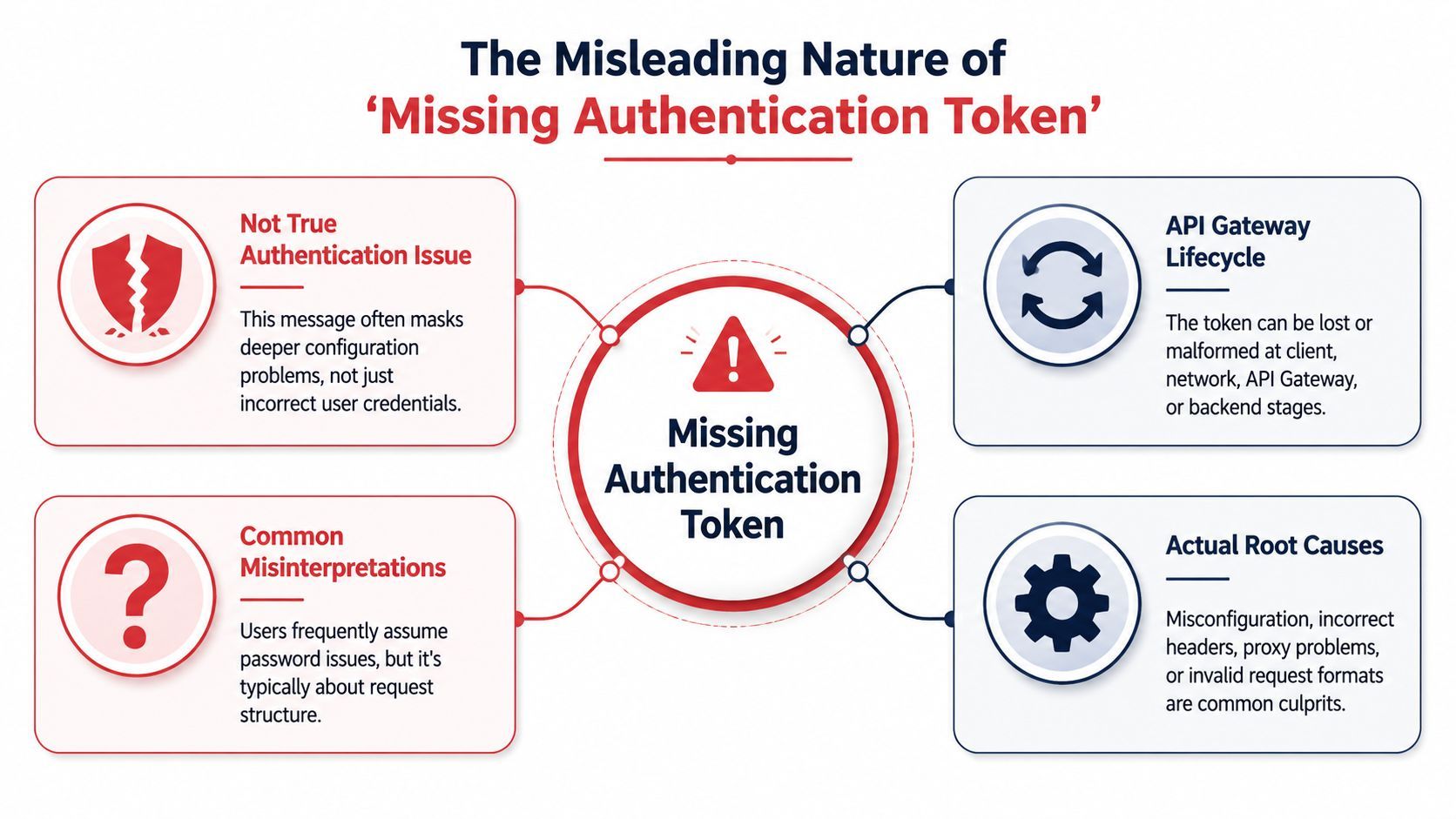
That's why this error feels so slippery. The response text sounds like authentication. The operational cause is often request resolution.
Practical rule: If API Gateway says “Missing Authentication Token,” check routing before credentials.
What API Gateway is really telling you
In day-to-day debugging, I separate this message from a true 401 Unauthorized mindset.
Use this quick contrast:
That doesn't mean auth is never involved. IAM-protected methods can still surface this message in some cases. But if you begin with auth every time, you're starting in the least efficient place.
The useful mental shift is simple:
- First ask whether API Gateway found the route
- Then ask whether the method matches
- Then ask whether the deployed stage is the one you changed
- Only after that, inspect auth details thoroughly
Most teams waste time on headers because the error message sounds authoritative. It isn't. It's often describing the wrong failure domain.
Once you internalize that, the api gateway missing authentication token problem stops feeling random. It becomes a solvable routing and configuration check.
The Five Common Causes You Must Check First
The fastest way to recover is to inspect the failure modes in the order they usually happen, not the order the error message suggests.
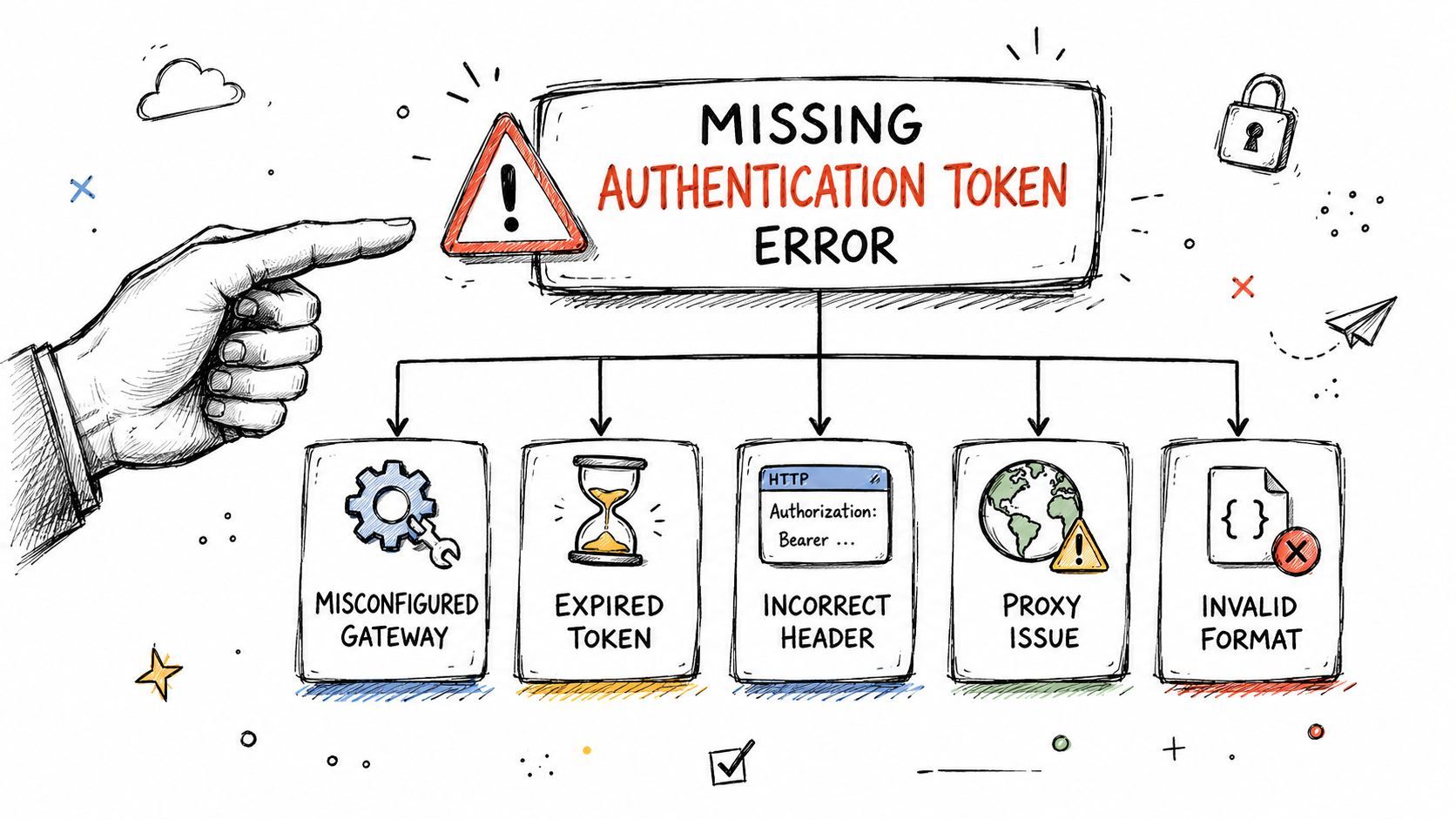
Path and method mismatches
This is the first thing I check because it's the most common and the cheapest to prove.
A troubleshooting guide focused on this exact issue says mismatched resources and methods are the “number one cause” and shows a real case where a POST-only endpoint returned the error until the caller changed curl's default GET to POST in that production troubleshooting walkthrough.
The practical pattern looks like this:
- Wrong verb: Your route exists, but only for
POST, and your client sendsGET. - Wrong path: The client hits
/users/while the deployed resource expects/users, or vice versa. - Wrong stage in the URL: The route exists in one deployed stage, but the request goes to another.
- Small typos: A missing path segment, pluralization mismatch, or copied URL from an old environment.
Symptom-wise, this tends to show up when the backend team says “the endpoint is there” and the caller says “I'm using the URL you gave me.” Both can be telling the truth if the method or stage differs.
Deployment and stage drift
API Gateway lets you change resources and methods without automatically making those changes live. That gap causes a lot of confusion.
You add a method in the console, test in your browser or Postman, and still get the same error. The route exists in configuration, but it doesn't exist in the stage serving traffic because you didn't redeploy after the change.
Check for these conditions:
- Resource exists only in the console state
- Stage points to an older deployment
- Your teammate updated
dev, but you're callingprod - A custom domain maps to a stage you didn't intend to use
If the route “exists” but the gateway still says missing authentication token, suspect deployment state before you rewrite auth code.
Custom domains authorizers and browser behavior
The remaining causes are more nuanced, and they often show up after teams move past the default execute-api URL.
Here's a practical breakdown:
- Custom domain base-path mappingYour API may work on the default execute-api endpoint and fail on the custom domain because the base path is wrong. API Gateway receives the request, but the mapping doesn't land on the expected API and stage.
- Authorizer or IAM expectationsSometimes the error name is closer to reality. If a method is protected by IAM or another authorizer, bad request signing or invalid auth setup can still be involved. The key is not to assume that first.
- Browser CORS preflightFrontend developers often test the “real” request and miss the fact that the browser sends
OPTIONSfirst. If theOPTIONSmethod isn't configured correctly, the preflight can fail before the request you care about is ever sent. - Unusual URL charactersA less-discussed edge case involves dynamic paths containing characters like a dot (
.). Independent troubleshooting content highlights that API Gateway can misinterpret those request shapes and surface a missing-authentication-token-style failure in this discussion of path parsing edge cases. This matters more now because browser clients, webhooks, and AI apps often generate file-like identifiers and dynamic paths.
A lot of generic guides stop after “check your URL.” That's necessary, but not sufficient in modern systems with custom domains, generated clients, and frontend preflights.
A Systematic Verification and Debugging Checklist
When a request fails, don't start changing random settings in the console. Prove each layer.
Start with the exact request leaving the client. Then inspect what API Gateway thinks it received. That order prevents thrash.

Start from the client and prove the request
Use curl or Postman before touching IAM policies or redeploying anything. You want a minimal, reproducible request.
My checklist is short:
- Print the exact URL
Don't trust copied snippets in chat or docs. Confirm path, stage, and trailing slash. - State the method explicitly
Don't rely on tool defaults.curldefaults toGET, and that alone can trigger the error on a POST-only route. - Include only required headers
Strip optional headers first. Add complexity back later. - Test the default execute-api endpoint and the custom domain separately
If one works and the other fails, your base-path mapping is the problem space.
A practical command pattern is to force the method you expect. An AWS troubleshooting walkthrough demonstrates exactly this failure mode: a GET request to a POST-only endpoint returned the error, and switching to -X POST fixed it in that API Gateway troubleshooting example.
Here's the mindset that saves time: if a one-line curl request fails, the issue isn't your frontend framework.
Move into API Gateway and CloudWatch
Once you've reproduced the problem with a controlled request, check the gateway side.
Look for evidence in this order:
- Resource and method existence
- Stage deployment state
- Custom domain mapping
- Execution logs in CloudWatch
If execution logging is enabled, you're looking for whether API Gateway matched the incoming request to a resource and method at all. That answer narrows the issue quickly. If there's no successful route resolution, you don't need to spend the next half hour on your Lambda code.
A video walkthrough helps if you want to compare your console flow against a live example:
Check the request as a contract. Method, path, stage, and headers all have to match the contract API Gateway was actually deployed with.
Use a signed request when IAM is in play
This is the branch where auth does matter.
If the method uses IAM authorization, test with a request signed by valid AWS credentials that have execute-api:Invoke permission. Don't assume that because you're logged into the AWS console, your raw HTTP request is also authenticated.
A compact verification table helps here:
That sequence works because it removes ambiguity one variable at a time.
Implementing Fixes in the AWS Console and IaC
Once you know the cause, the fix is usually simple. The harder part is making sure it stays fixed.
Console changes are fine for immediate recovery in a dev environment. For shared systems, repeat the same correction in Infrastructure as Code so the next deploy doesn't resurrect the problem.
Console fixes for immediate recovery
If the issue is a missing or mismatched method, the console is the fastest place to confirm it visually.
Use the console when you need to:
- Add the missing method to a resource
- Verify the deployed stage includes your latest change
- Inspect base-path mappings on a custom domain
- Enable or adjust an
OPTIONSmethod for browser clients - Customize the gateway response so callers see a clearer error
For live incidents, that visibility helps. You can trace the route tree, click the method, inspect auth requirements, and redeploy the stage in one pass.
The downside is drift. If you patch prod in the console and forget to update Terraform or CloudFormation, the fix becomes a ghost. It works today and disappears later.
IaC fixes for repeatability
IaC is slower in the moment and safer over time.
Use Terraform or CloudFormation when you need confidence that:
The trade-off is familiar. Console work is good for diagnosis and emergency repair. IaC is what prevents “works in dev, fails in prod” from becoming a team ritual.
A practical discipline helps here:
- Patch in the console only if service is impacted
- Record the exact change
- Apply the same change in IaC
- Redeploy and retest with a known-good request
The edge case most teams miss
Path design matters more than many teams expect.
Independent content has pointed out that unusual URL characters such as a dot (.) can be misinterpreted in API Gateway request parsing and surface as a missing-authentication-token-style failure. That's one reason dynamic webhook routes, browser-generated file identifiers, and AI app callback paths deserve extra caution.
If your route works for simple IDs and fails for file-like IDs or generated names, don't assume auth. Inspect the path shape itself.
Clean route design beats clever route design. If clients generate identifiers dynamically, validate and normalize the path format before the request ever reaches API Gateway.
The console won't save you from a bad path contract. IaC won't either. That fix starts in API design and client validation.
Preventative Best Practices for Resilient APIs
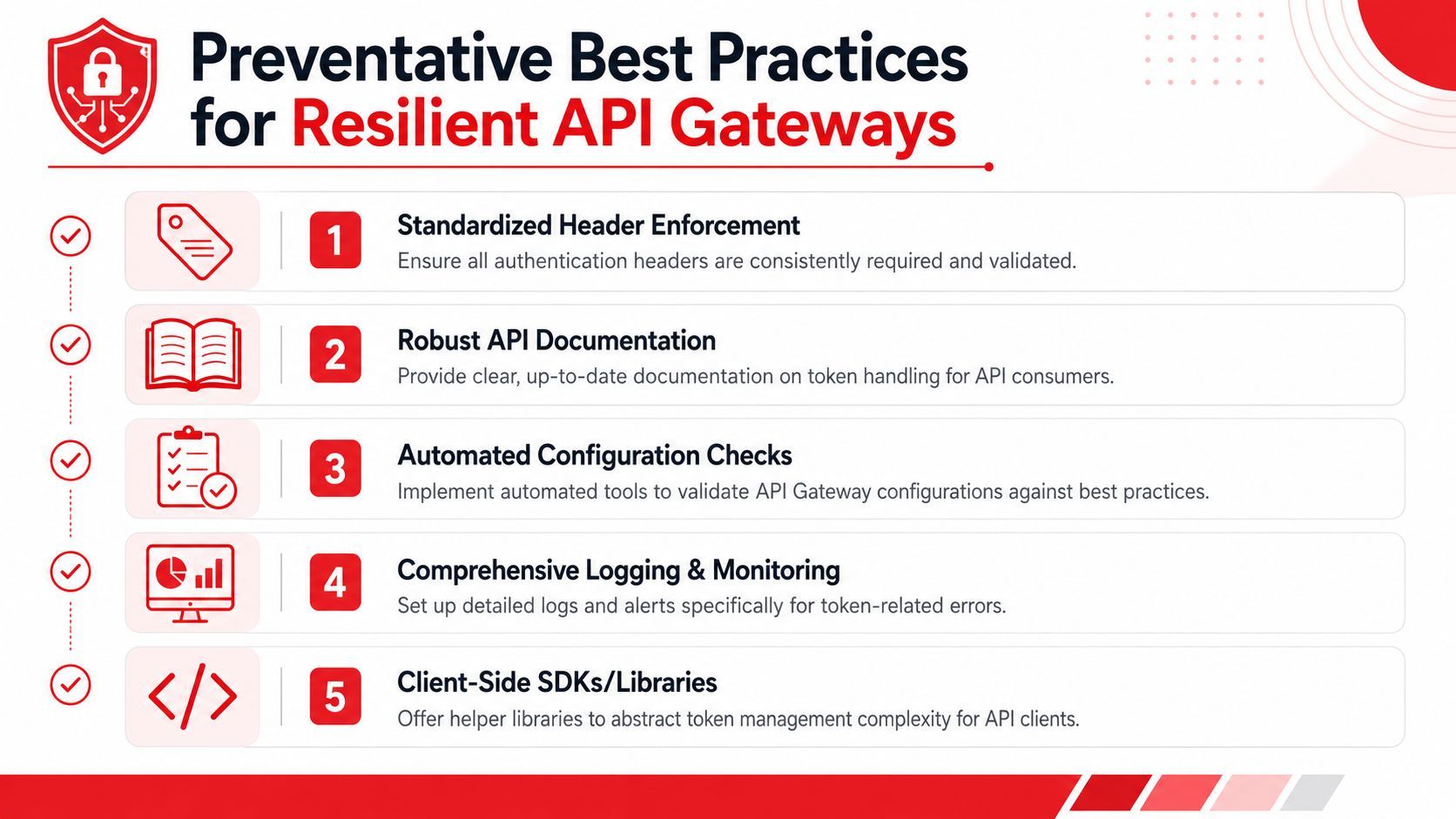
Many organizations don't need a better incident response for this error. They need fewer opportunities to trigger it.
That starts with treating API Gateway like a strict router with explicit contracts. If you design and operate it that way, the api gateway missing authentication token problem becomes rarer and much easier to decode.
Make the gateway tell the truth
The default message is opaque. You don't have to keep it.
AWS guidance discussed earlier shows this response can be customized so callers see something closer to a 404-style route problem instead of a misleading auth message. That's useful both for internal teams and for external API consumers. A clearer gateway response shortens debugging loops and reduces support noise.
Build these habits into your deployment flow:
- Verify after every deploy with one known-good request per critical route
- Test both execute-api and custom domain paths if you use both
- Add browser-aware checks for endpoints called from frontend apps
- Log enough at the gateway layer to distinguish route resolution problems from backend failures
Treat API key enforcement as configuration not assumption
API keys are another place where teams assume behavior that API Gateway doesn't enforce by default.
For API-key-protected methods, API Gateway requires the method-level API key required setting to be enabled. If that setting isn't on, an attached key is ignored. Header-based keys also need to be sent as X-API-Key, and the gateway must be configured with apiKeySource=HEADER, as explained in this API key guide for AWS Gateway.
That leads to a clean prevention checklist:
- Mark protected methods explicitly: Don't assume usage plans alone enforce access.
- Standardize the header: If your clients use header-based keys, require
X-API-Key. - Document the auth contract clearly: Client teams shouldn't have to reverse-engineer whether a route expects IAM, an authorizer, or an API key.
- Avoid ambiguous dynamic paths: Especially for browser clients, webhook consumers, and AI apps that generate route inputs.
Professional teams don't prevent every mistake. They prevent the confusing ones.
Summary From Confusion to Clarity
The core lesson is simple. Missing Authentication Token in API Gateway often isn't an authentication problem first. It's a routing and configuration problem first.
That's the mental reset that makes debugging faster.
When this error appears, start with the request contract. Check the exact path, method, stage, deployment state, and domain mapping. Reproduce the request with curl or Postman so you're not debugging framework behavior and API Gateway behavior at the same time. Then inspect the gateway side, especially logs and deployment state, to confirm whether the route matched at all.
The most common root causes are ordinary. A wrong HTTP verb. A route that exists locally in the console but wasn't redeployed. A custom domain mapping that points somewhere unexpected. A browser preflight that fails before your actual request. Sometimes auth really is involved, especially with IAM. It just shouldn't be your first assumption.
The long-term fix is operational discipline. Make route contracts explicit, deploy carefully, validate after release, customize misleading gateway responses, and configure API key enforcement deliberately instead of assuming it's active.
Once you approach this error like a senior operator instead of a confused caller, it stops being mysterious. It becomes another API mismatch to isolate and fix.
If you're building AI-powered products and want the same kind of clarity for prompts, model routing, logs, and production debugging, Supagen is worth a look. It gives teams a unified backend for shipping AI features without hardcoding prompt logic or observability into the app, which makes it much easier to trace failures, iterate safely, and keep production behavior understandable.