
Understanding API Call Meaning: Essential Guide 2026

You've probably seen the term API call in docs, dashboards, error messages, or pricing pages and thought, “I roughly know what that means, but not enough to debug it when something breaks.”
That's normal. The basic definition is simple. The practical reality isn't.
A lot of content about api call meaning stops at “one app talks to another app.” That's technically true, but it doesn't help much when your request returns an error, your AI feature feels slow, or your team starts asking what actually counts as a call. The useful understanding starts when you can read a request, predict what the server expects, and troubleshoot the moving parts without guessing.
Table of Contents
- What Is an API Call and Why It Matters Now
- How API Calls Work A Simple Analogy
- The Anatomy of an API Call
- API Calls in Action From Web to AI
- Common API Call Pitfalls to Avoid
- From Call to Production Managing Cost Latency and Logic
What Is an API Call and Why It Matters Now
An API call is the request and response unit that software systems use to talk to each other. One system sends a request to a specific endpoint, and another system returns data or performs an action.
That sounds small because it is small. It's the atomic unit. But small doesn't mean unimportant. Modern products are built out of these tiny exchanges. A web app asks for account data. A mobile app sends a login request. A payment flow submits a charge. An AI feature sends a prompt and waits for a response.
The common assumption is that api call meaning is a beginner topic. The overlooked part is that the hard part usually isn't the definition. It's the operational reality after the definition. Cloudflare's explanation of API calls points out that most explainers define the request and response, but don't answer the practical questions people have, like why a call fails, what a status code means, or how to debug the request body, headers, and endpoint together.
Practical rule: If you can read one API call clearly, you can understand a surprising amount of how a product works.
That matters more now because products rarely live in isolation. Even simple features often depend on outside services. For AI builders, the stakes are even higher. A single prompt submission might trigger a model call, logging, retries, usage tracking, and post-processing.
So when someone on your team asks, “What does one API call mean here?”, they usually aren't asking for a dictionary definition. They're asking what was sent, what came back, why it worked or failed, and what that means for reliability, user experience, and cost.
How API Calls Work A Simple Analogy
The restaurant analogy still works because it maps cleanly to how APIs behave.
You're a customer sitting at a table. You want food, but you don't walk into the kitchen and start cooking. You look at the menu, tell the waiter what you want, and the kitchen prepares it. The waiter brings the result back to you.
That's the core mental model.
- You are the client. Your app, browser, or script is asking for something.
- The menu is the API documentation. It tells you what you can request and how to request it.
- The waiter is the API layer. It accepts requests in a specific format and passes them along.
- The kitchen is the server. It does the work.
- The food arriving at your table is the response. That response often comes back in a structured format such as JSON, as explained in Contentful's API call guide.
A request is an order
Suppose you open a weather app and tap your city. Your app is basically saying, “Give me the weather for this location.” That's an order.
If you submit a sign-up form, your app is saying, “Create a new user with this name and email.” That's also an order, just a different kind.
If you send a prompt to an AI model, your app is saying, “Generate an answer based on this input.” Same pattern.
The API call is the act of placing that order in a format the server understands.
Why the analogy helps
Beginners often get confused about what the “API” is. They picture it as a database, a server, or a magic pipe. In practice, it's better to think of it as the contract and interface between systems.
At a restaurant, the waiter won't accept “something good, I guess” if the menu requires a specific item name. The kitchen also won't know what to do if your order is missing details. APIs behave the same way. If the request is malformed, incomplete, or unauthorized, the server won't produce the result you want.
A few concrete translations make the concept stick:
The phrase api call meaning becomes much less abstract once you see it this way. It's not just “systems communicating.” It's one specific request, sent according to rules, expecting one specific type of result back.
The Anatomy of an API Call
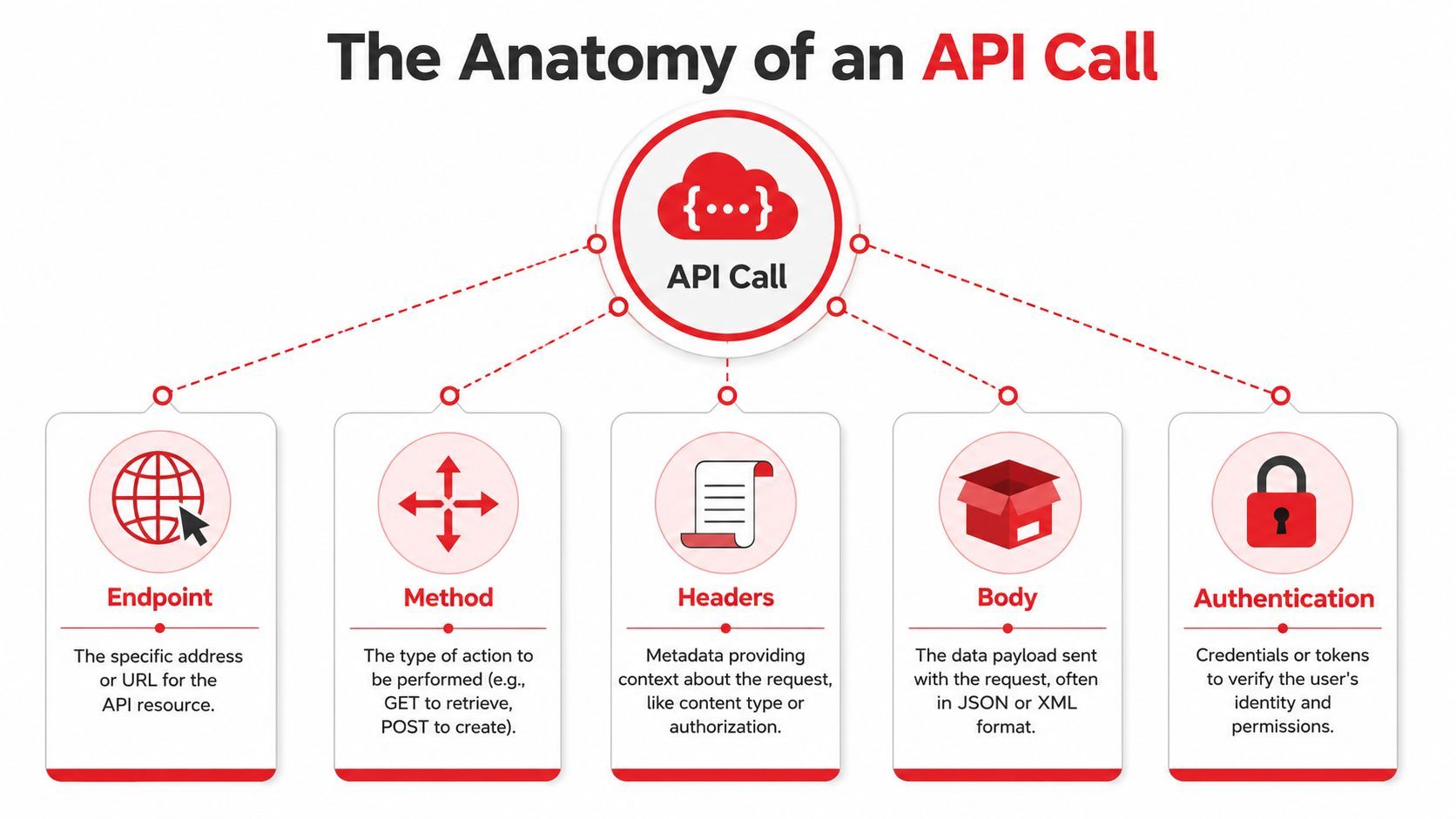
Think of it as a structured instruction
An API call isn't just a note that says “please do a thing.” It's a structured instruction with parts that have specific meanings. Postman's explanation of API calls makes an important point here: an API call is a protocol-bound operation defined by the API specification and HTTP contract, which is why the same endpoint can behave differently depending on method, headers, and payload.
That one idea clears up a lot of confusion.
If two requests go to the same URL but use different methods or different bodies, they may do completely different things. One might fetch data. Another might create data. A third might fail because the server expected authentication or a different content type.
The five parts most people need to inspect
When a call fails, these are the parts to check first.
Endpoint
The endpoint is the specific URL you're calling. Not the whole service in a vague sense. The exact path for the resource or action you want.
If you hit the wrong endpoint, the server may tell you the resource doesn't exist, or it may return something valid but not what you intended. This is one of the most common beginner mistakes.
Method
The method tells the server what kind of operation you want. Common ones include GET and POST.
A GET request usually asks for data. A POST request usually sends data to create or trigger something. If you use the wrong method, you can get an error even when the endpoint is correct.
Headers
Headers carry context. They often tell the server what format you're sending, what format you expect back, and whether you're authenticated.
Many “looks correct to me” bugs hide in situations like this. Your JSON body might be fine, but if your headers don't say it's JSON, the server might reject it or parse it incorrectly.
Debugging habit: When a request fails, inspect the endpoint, method, headers, body, and auth separately. Don't treat “the API call” as one blob.
Body
The body is the payload. It's the actual content you're sending, often in JSON.
A GET request often doesn't need a body. A POST request usually does. If required fields are missing, badly named, or nested incorrectly, the server can't process the request.
Authentication
Authentication answers a simple question. Are you allowed to make this call?
That usually means sending an API key, token, or other credential. Without it, a server may reject the request before it even looks at your payload.
API Calls in Action From Web to AI

Theory helps. Examples make it real.
The easiest way to understand api call meaning is to look at a few requests that do different jobs. The shape changes, but the core pattern stays the same.
Example one reading data with GET
A weather app often starts with a GET request because it wants to read existing data.
curl -X GET "https://api.example.com/weather?city=Boston" \
  -H "Accept: application/json"
What's happening here:
- Endpoint:
/weather - Method:
GET - Headers: says the client wants JSON back
- Body: none
- Goal: retrieve data, not create anything
This is the simplest style of API call. You ask for a resource, and the server responds with structured data.
Example two creating data with POST
Now switch to a sign-up flow where an app needs to create a new user record.
curl -X POST "https://api.example.com/users" \
  -H "Content-Type: application/json" \
  -d '{
    "name": "Ava",
    "email": "ava@example.com"
  }'
This call changes more than one piece:
- The method is now
POST - The body contains JSON data
- The headers matter because they tell the server how to parse the body
A common beginner error is to send the body correctly but forget the content type header, or to use field names that don't match what the API expects.
Example three calling an AI model
An AI API call often looks similar to a normal POST request, but the payload usually includes prompt content and model settings.
curl -X POST "https://api.example.com/ai/generate" \
  -H "Content-Type: application/json" \
  -H "Authorization: Bearer YOUR_TOKEN" \
  -d '{
    "model": "example-model",
    "input": "Summarize this customer feedback in plain language."
  }'
This example introduces a few extra realities:
- Authentication is usually mandatory
- The input can be large or variable
- The response may take longer than a basic data lookup
- Retries need care because they can repeat work
Here's a good visual walkthrough if you want to see the request-response pattern in a more hands-on format.
For AI work, an API call isn't just a transport detail. It often becomes part of product logic, cost control, and debugging.
That's why teams building AI features care so much about what counts as a single call, what gets retried, how long each request takes, and what the model received.
Common API Call Pitfalls to Avoid
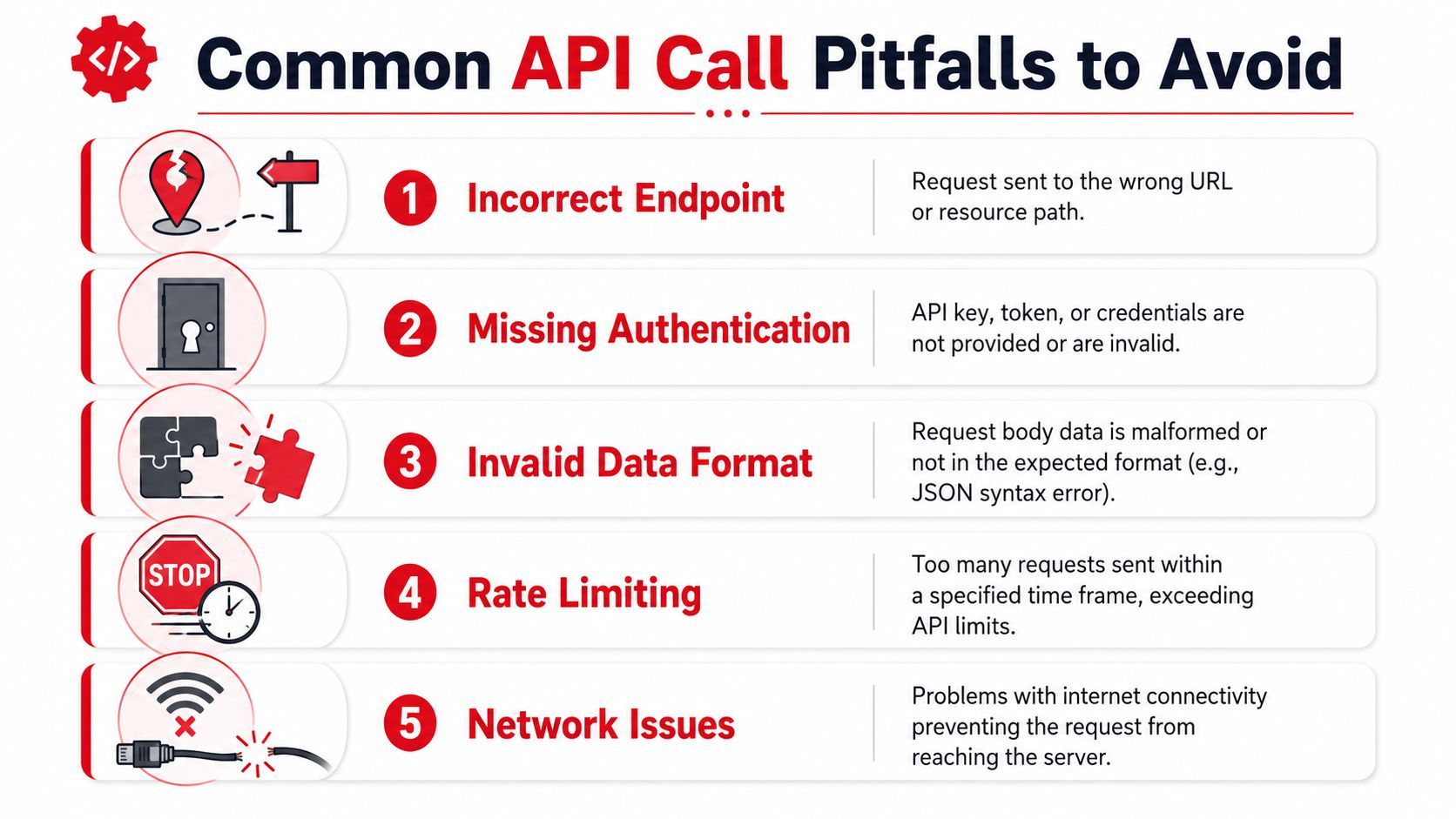
Most broken API calls fail for boring reasons. That's good news because boring problems are usually fixable once you know where to look.
From an operational and security perspective, API calls are control points. Akamai's glossary entry on API calls notes that APIs are commonly protected with API keys or tokens for caller identification, authorization, and usage monitoring, while gateways often centralize authentication, statistics, and rate management.
Authentication and access problems
If you see an unauthorized or forbidden response, start with credentials.
- Missing key or token. The request never proved who you are.
- Expired credential. You sent auth data, but it's no longer valid.
- Wrong permission scope. The credential works, but not for that resource or action.
The fix is usually straightforward. Check where the auth value belongs, confirm you're using the expected scheme, and verify the environment variable or secret you loaded is the right one for that API.
First question to ask: Did the server reject me before it even evaluated the payload?
Bad requests and wrong assumptions
Some failures come from requests that look fine to a human but violate the API contract.
A few examples show up constantly:
- Wrong endpoint: a typo in the path, wrong version, or missing segment.
- Wrong method: using GET when the API expects POST.
- Malformed JSON: broken syntax, trailing commas, bad nesting.
- Missing fields: required values were never sent.
- Incorrect headers: the body format and the header don't match.
A practical debugging loop helps:
- Compare the request to the API docs line by line.
- Print the exact outgoing body instead of assuming your app sent what you intended.
- Test the same request in Postman or cURL to isolate whether the issue is your code or the request design.
Rate limits network trouble and server errors
Not every failure means your request is wrong.
Some errors happen because you sent too many requests too quickly, the network path is unstable, or the server itself is having problems. Cloud systems also introduce failure modes like latency, load balancing, and connectivity issues, which is one reason debugging often needs more than just reading the docs.
A quick mental model helps:
Don't treat retries as harmless. If a request triggers creation or model execution, a retry may repeat the operation unless the API supports idempotent handling or your app guards against duplicates.
From Call to Production Managing Cost Latency and Logic
When you're learning, one API call feels like a single event. In production, it becomes a stream of events that shape user experience and engineering workload.
That's where teams usually discover that api call meaning includes much more than the request format. It includes latency, tracing, retries, failure handling, and spend.
One call is a feature. Many calls are a system
API-call usage is often tracked operationally, not just technically. EngageLab's API call statistics documentation describes API Call Count as the total number of times the API was called during a statistical period and tracks API QPS Peak as the highest number of calls per second, while Apigee's traffic reporting example aggregates usage with sum(message_count) over the exact time window 02/01/2018 00:00 to 02/28/2018 23:59. That tells you something important. The humble API call has become a reporting, planning, and governance unit.
For AI builders, this gets sharper. Traceable's discussion of API failure and AI call realities notes that model-backed calls can be slower and more expensive than conventional web API calls, which makes questions like what counts as one call, how retries affect spend, and how to trace per-call latency and usage much more important than the basic definition.
What good production handling looks like
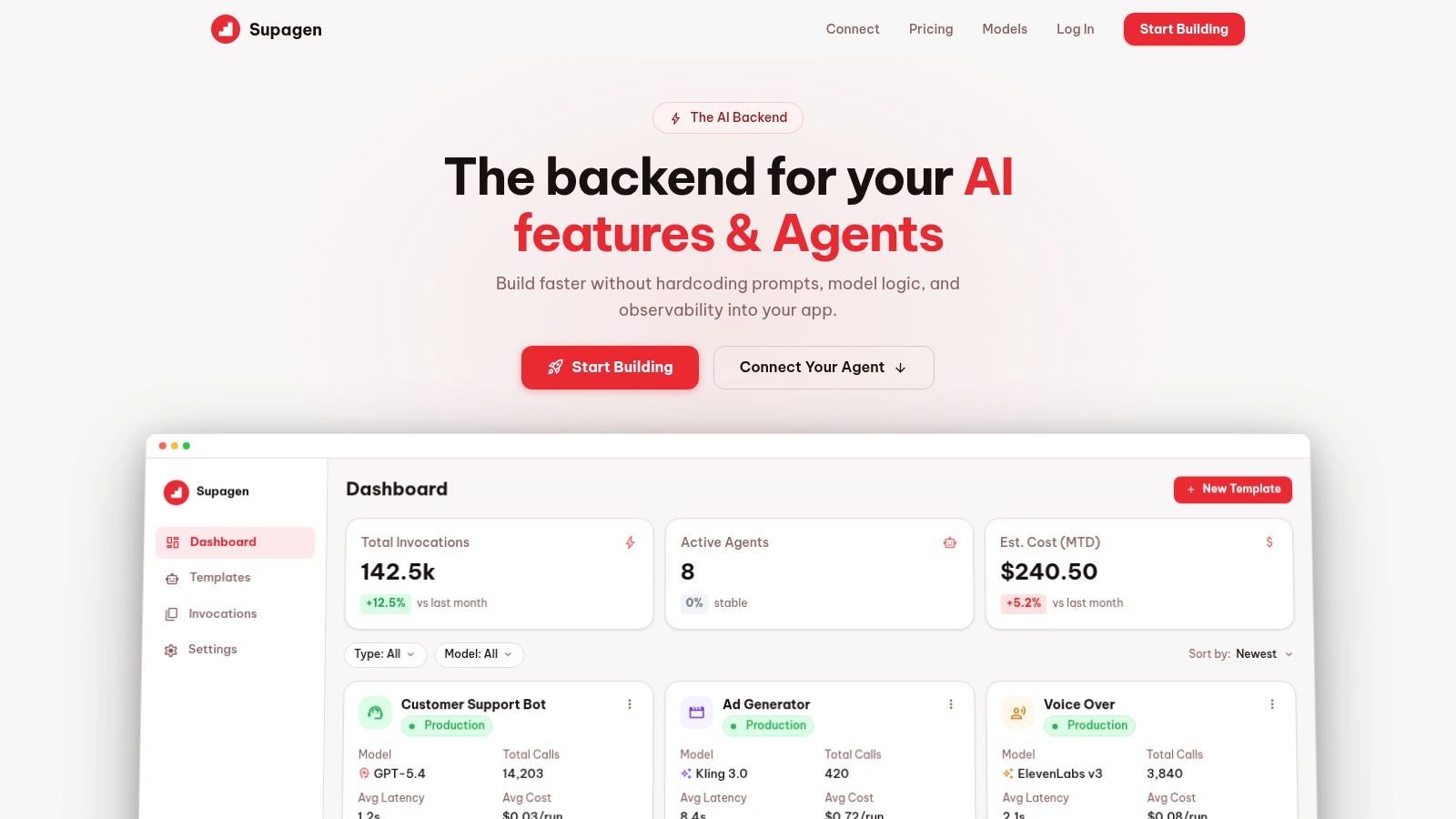
A production-ready team usually needs more than request code in an app file. It needs visibility.
That often means building or adopting systems that can do the following well:
- Log each request clearly. Teams need to see inputs, outputs, errors, and timing.
- Trace retries and fallbacks. A successful final response can hide several failed attempts underneath.
- Separate latency from logic bugs. Slow calls and bad responses are different problems.
- Track usage consistently. Product, engineering, and finance often need different views of the same call stream.
- Adjust behavior without risky redeploys. Prompt changes, model routing, and fallback logic often need fast iteration.
A clean demo can survive with a few direct API calls. A production product usually needs observability around every important one.
This matters most when your app depends on AI output in real time. If one model slows down, if a retry doubles work, or if a malformed payload fails undetected for a subset of users, you need to know quickly and act without digging through scattered logs.
If you're building AI features and don't want to hardcode prompts, model routing, and observability into your app, take a look at Supagen. It gives teams a unified AI backend for managing prompts, providers, per-call logs, latency, usage, and costs in one place, so you can ship faster and debug production issues without stitching everything together by hand.