
AI Quality Assurance: Robust Frameworks for 2026
You shipped the AI feature. Internal testing looked good. Early demos landed. Then support tickets started with vague complaints: “The answers feel worse,” “It missed obvious cases,” “Sometimes it's confident and wrong.”
That's the failure mode teams underestimate most. AI systems usually don't break like ordinary software. They degrade subtly. A prompt change shifts behavior. Upstream data changes shape. A retrieval index goes stale. The model still returns something, the endpoint still responds, and your dashboards stay green unless you built the right ones.
That's why AI quality assurance isn't a cleanup step before launch. It's the operating system for shipping AI features without burning user trust.
Table of Contents
- Why Your AI Feature Is Silently Failing
- Rethinking Quality for Artificial Intelligence
- An End-to-End AI QA Framework
- Practical Metrics and Checklists for Your Team
- Common AI Quality Assurance Pitfalls to Avoid
- How to Implement AI QA in Your Organization
Why Your AI Feature Is Silently Failing
The pattern is familiar. A team evaluates an AI feature in staging with a neat test set, a few handpicked prompts, and developers who already know what “good” looks like. The feature passes. Production traffic arrives. Real users ask messier questions, upload stranger files, and combine edge cases no one put in the test plan.
Nothing crashes. That's the problem.
A recommendation system starts drifting toward irrelevant results because the source catalog changed. A support copilot becomes less useful after policy documents are updated but retrieval ranking isn't. A text extraction model works on clean PDFs and struggles on scans from real customers. In each case, the software is technically “up,” but the product is failing.
Silent failures don't look like normal bugs
Traditional bugs are easier to detect. A button doesn't work. An API throws an error. A database migration fails. AI failures often look like acceptable outputs that are wrong for the business context.
Teams usually notice them through second-order signals:
- Support noise rises because users can't explain why the feature feels unreliable.
- Manual review creeps back in because operators stop trusting the output.
- Adoption stalls because users try the feature once and then route around it.
- Internal debate increases because engineering sees uptime while product sees disappointment.
Practical rule: If users can receive a plausible but bad answer, you need AI QA designed to detect degradation before customers report it.
There's also a resource reality teams miss early. Quality assurance can account for up to 75% of the work in AI projects, because the work doesn't stop at model training. It includes data verification, model validation, bias detection, and production monitoring across the full lifecycle.
Why production changes everything
AI quality is a moving target because the environment moves.
Inputs change. User behavior changes. Source systems change. Compliance expectations change. Even if the underlying model stays the same, your feature can still degrade because the conditions around it have shifted.
That's why what works in production is usually boring and disciplined:
- Version everything that affects behavior, including prompts, retrieval settings, and model choices.
- Log enough context to reproduce failures, not just request success or failure.
- Evaluate on live-like traffic patterns instead of polished examples.
- Review bad outputs regularly with product and domain owners, not just engineers.
What doesn't work is treating AI quality assurance like a release gate at the end of the sprint. By the time you “test” it once, most of the important quality risks are already baked into the data, workflow, and monitoring gaps.
Rethinking Quality for Artificial Intelligence
Software QA usually assumes a fixed specification. You define expected behavior, write tests against it, and check whether the system conforms. That still matters for the non-AI parts of your stack, but it's not enough for AI features.
AI systems behave more like living operational systems than static code paths. They depend on data quality, changing context, and judgments about usefulness that aren't fully captured by binary pass-fail assertions.
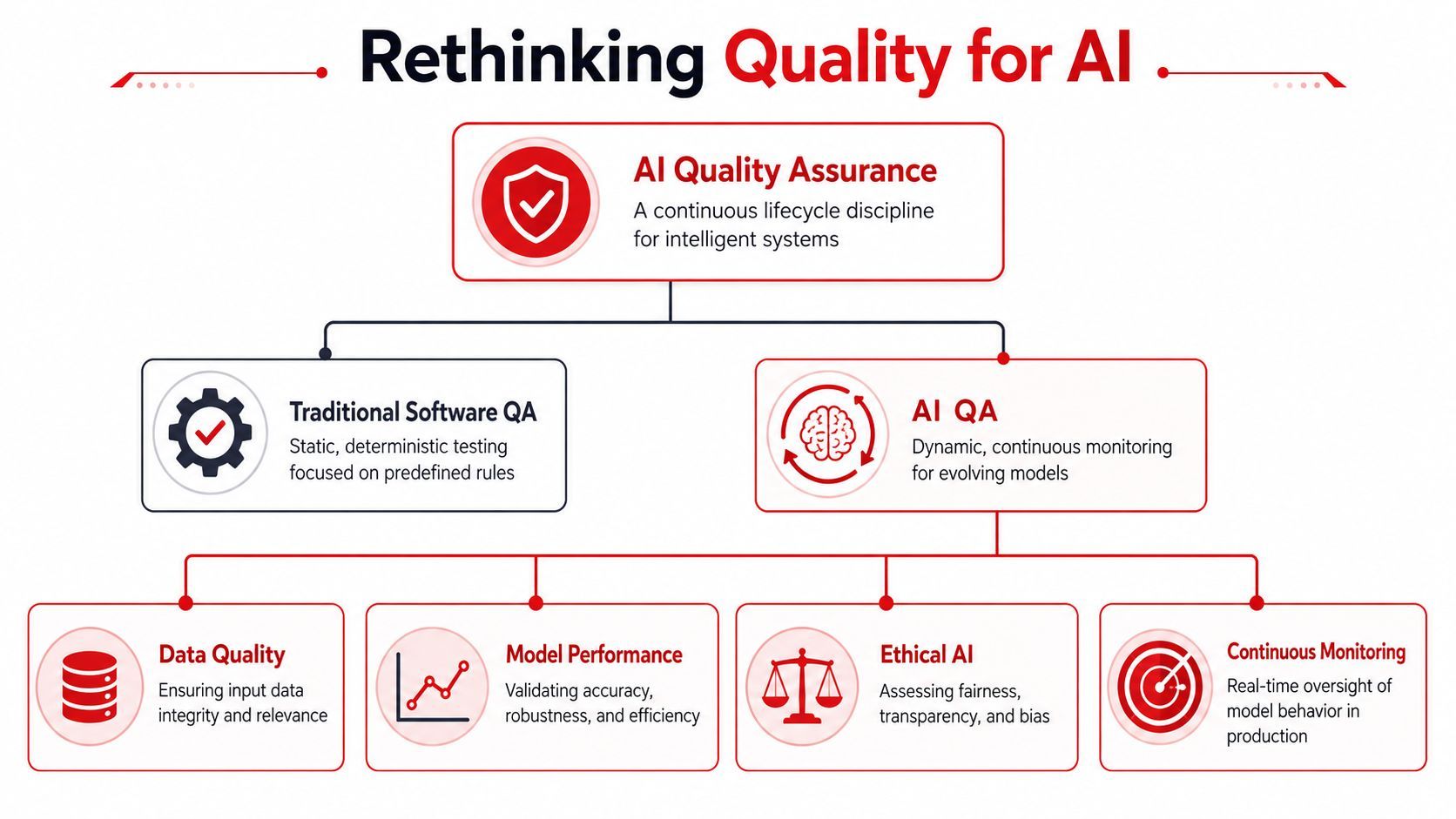
Traditional QA assumes fixed behavior
If traditional QA is like inspecting a bridge against a blueprint, AI QA is more like managing a transportation network in changing weather. The question isn't only “Did we build the thing correctly?” It's also “Is it still behaving safely and usefully under current conditions?”
That change affects how teams define quality. For AI products, quality has to include:
- Whether the data is fit for the task
- Whether the model performs acceptably on realistic inputs
- Whether the surrounding system preserves that performance in production
- Whether humans can detect and respond when behavior shifts
AI quality has three moving parts
The most practical mental model is to break AI quality assurance into three layers.
Data quality comes first. Clean data isn't enough. Label Studio notes that AI failures often come from “fit-to-purpose” issues, where data may be well-formed but still unusable because labels, provenance, or freshness drift away from the task. That's why lineage and validity checks matter as much as null checks or schema checks.
Model quality sits on top of that. This includes obvious concerns like accuracy and resilience, but also whether the model handles edge cases, abstains when needed, and behaves consistently enough for your workflow. A model that performs well on average can still be a bad product component if it fails on the cases users care about most.
System quality is where many teams get surprised. The model may be fine, but the feature still fails because retrieval is weak, prompts aren't versioned, fallbacks are inconsistent, latency is too high, or downstream actions execute on low-confidence outputs. Real reliability comes from the whole path, not just the model artifact.
AI quality assurance works best when it's treated as a lifecycle control. Not a one-time test pass.
A fourth concern also matters in practice: operational monitoring. Some teams treat it as part of system quality, others as its own discipline. Either way, production oversight belongs inside QA, not outside it. If you don't monitor output quality, input shifts, and changes in user behavior, you're not really doing AI QA. You're just hoping yesterday's assumptions still hold.
An End-to-End AI QA Framework
A production AI feature can pass offline evaluation on Friday and create support tickets on Monday. The usual cause is not one bad model decision. It is a broken chain: stale source data, weak retrieval, a prompt change that was never regression-tested, or a fallback path that started firing at a higher rate.
That is why AI QA has to cover the full delivery path and stay active after launch.
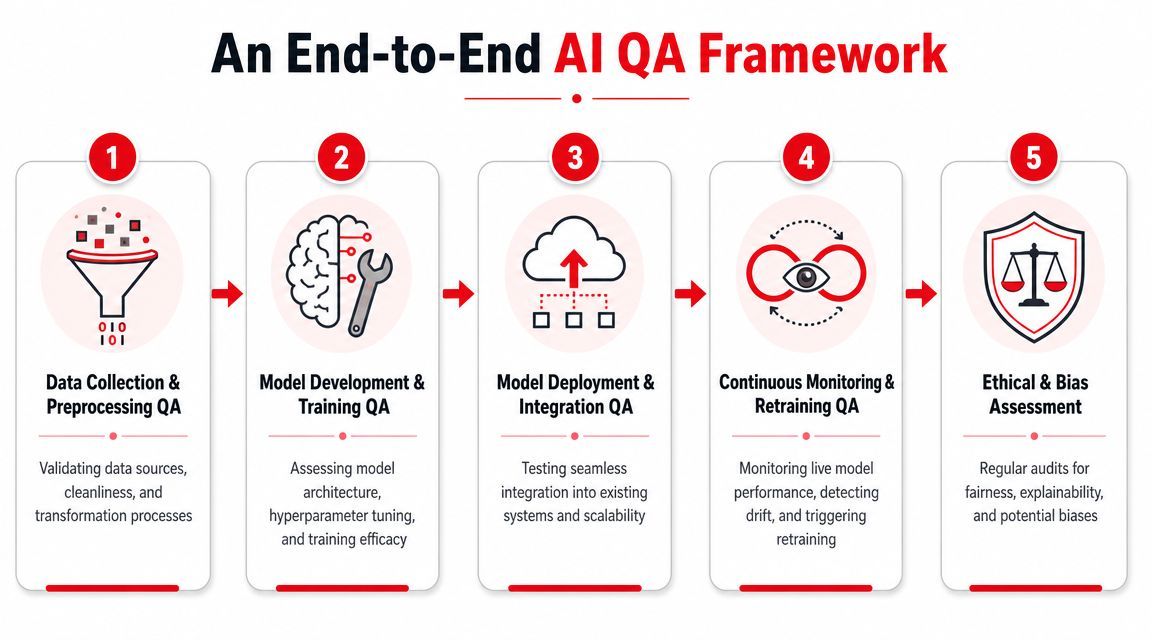
Data validation before training or prompting
Failures usually start upstream. Training sets, retrieval corpora, labels, and source documents drift away from the job the product is supposed to do.
Format checks are only the start. Teams also need to verify that the source is current, labels still reflect the actual business rule, duplicate records are not distorting the distribution, and high-risk segments are present in useful volume. For LLM products, apply the same discipline to knowledge bases and prompt inputs. If retrieval content is outdated or context assembly pulls in noise, the rest of the stack is already working from bad inputs.
Useful checks at this stage include:
- Schema and transformation checks to catch field, type, and parsing breaks early
- Lineage checks to show where examples came from and what changed
- Task-validity review by domain owners to confirm the data still matches the live use case
- Segment coverage review for important user types, file formats, languages, and workflows
Model evaluation against real acceptance criteria
A common mistake is to overfit to benchmark thinking. A strong benchmark result does not mean the feature will hold up in an actual workflow.
Build evaluation sets around the work your product needs to complete. Include routine cases, ugly edge cases, and ambiguous inputs that should trigger abstention, escalation, or a narrow fallback. Automated scoring is useful for coverage and speed, but teams still need review criteria that product, QA, and domain stakeholders can apply consistently.
A held-out test set matters here. Keep a portion of data untouched until final evaluation so the team can see how the system behaves on examples it has not been tuned against. The exact split varies by use case, but the discipline is the point.
Review standard: If the team cannot explain why an output is acceptable in business terms, the test case is incomplete.
For generative systems, a single score rarely captures what matters. Review output against categories such as factual grounding, policy compliance, refusal behavior, formatting correctness, and whether the response is usable in the product flow.
Integration testing across the full application path
Model QA alone is not enough. Users interact with a system, not a benchmark run.
Test the path they hit: request shaping, retrieval, prompt assembly, model invocation, parsing, guardrails, logging, persistence, and downstream actions. If the feature uses tools or agents, test those transitions directly. In production, boundary failures cause more damage than clean model misses because they create bad writes, invalid actions, and confusing user states.
This layer should answer questions like:
Use messy, realistic inputs. Low-quality scans, partial documents, ambiguous requests, and long conversation threads expose problems that polished test cases never will.
Production monitoring that catches drift early
Once the feature is live, QA becomes an operating discipline. Teams need visibility into whether the system is still behaving within the limits they agreed to before launch.
Monitor more than uptime and latency. Track output quality signals, shifts in input shape, retrieval quality, refusal patterns, parse failures, fallback rates, cost, and changes after prompt edits, model swaps, or source-data updates. Sample outputs regularly and review them with people who understand the workflow well enough to spot subtle degradation.
A practical production loop usually includes:
- Structured logging of inputs, outputs, metadata, and version identifiers
- Human review queues for risky, novel, or low-confidence cases
- Regression sets rerun after each meaningful change
- Feedback capture from users, operators, and support teams
- Rollback paths for prompts, models, retrieval settings, and routing rules
Teams that ship reliable AI treat observability as part of QA. They do not wait for incidents to tell them quality dropped.
Practical Metrics and Checklists for Your Team
A team ships an AI feature that looks good in evals, then support tickets show up anyway. The model answers correctly often enough, but response times spike during busy hours, structured output breaks downstream automation, and operators start ignoring suggestions because they no longer trust the edge cases. That is why AI QA needs a scorecard tied to the full product, not just the model.
Starting with model metrics is a common but incomplete approach. A feature can pass offline evaluation and still fail in production because the retrieval layer is stale, the parser is fragile, the cost profile is wrong, or the workflow impact is negative.
Measure more than model quality
Use three metric groups, and review them together.
Model performance metrics answer whether the system produces acceptable outputs for the task. Depending on the feature, that can include task accuracy, retrieval relevance, formatting compliance, hallucination rate against an internal rubric, and pass rates on a regression set built from real cases.
Operational health metrics answer whether the feature is stable enough to run at scale. Track latency, timeout rate, parse failures, fallback rate, and cost per request or per completed workflow. These metrics affect users directly, and they often reveal problems before a business KPI moves.
Business outcome metrics answer whether the feature is helping the product do its job. Measure task completion, escalation rate, adoption, operator acceptance versus override rate, or another workflow-specific outcome that reflects actual value.
One rule keeps teams honest. If a metric improves while users still report a worse experience, it is not enough on its own.
AI quality assurance checklist
As noted earlier, train, validation, and evaluation data need to stay separated so the team can test generalization on unseen cases instead of grading the model on material it has already absorbed. That belongs in the default checklist, alongside checks for integration behavior and production control.
Good checklists reduce argument by forcing the same decisions every release. They also make trade-offs visible. A team may accept a small latency increase for better answer quality, or a slightly lower automation rate for fewer unsafe outputs, but those choices should be explicit.
If you adopt one habit, make it this: every release gets a regression run and a defined production review window. In practice, that catches more failures than another generic quality meeting.
Common AI Quality Assurance Pitfalls to Avoid
The fastest way to weaken AI quality assurance is to copy your existing software QA process and rename it. Some parts will transfer. Many won't.
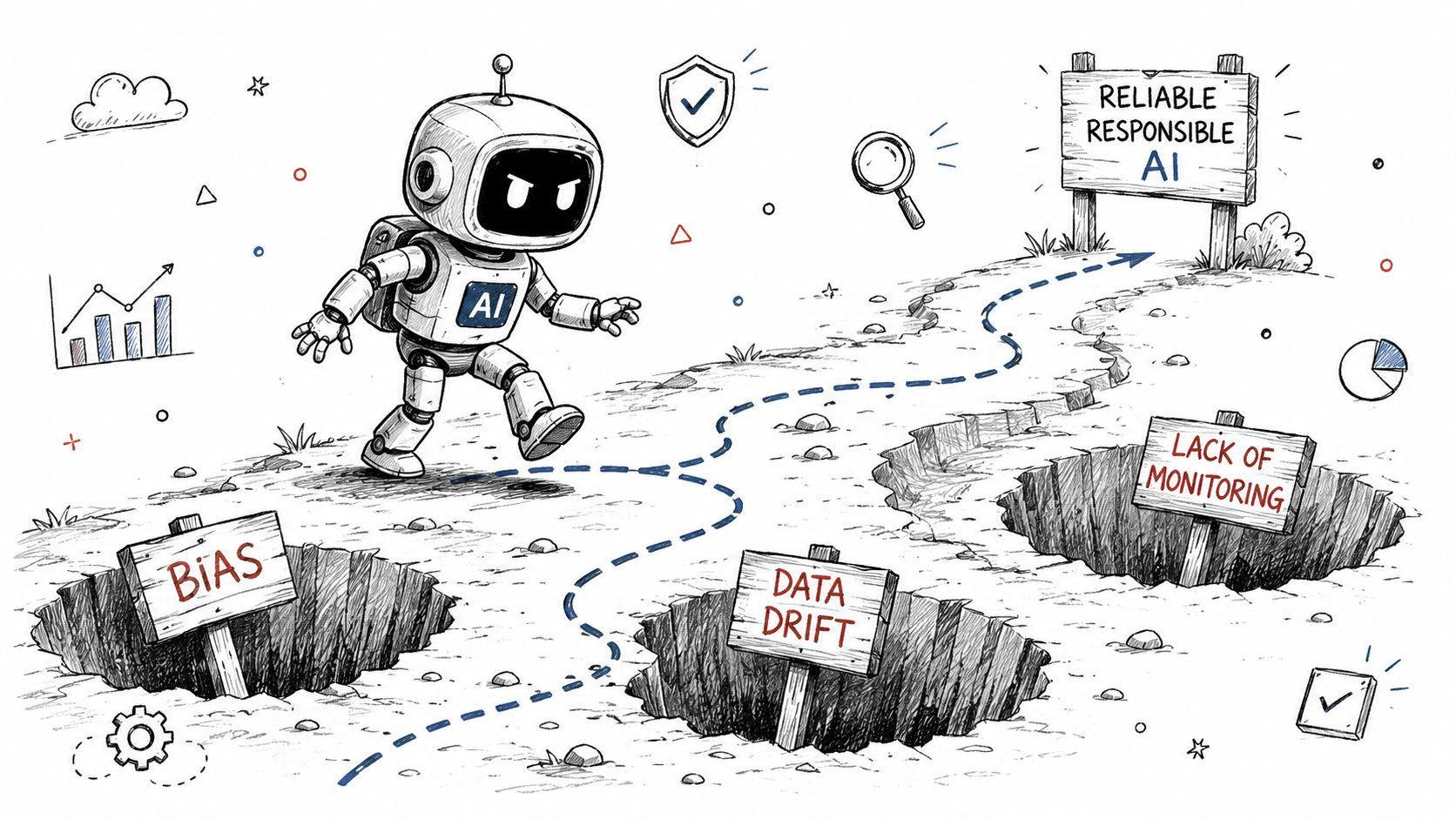
Treating AI like deterministic software
Symptom: the team writes fixed expected outputs for a handful of examples and assumes coverage is good.
Cure: test ranges of acceptable behavior, edge-case handling, and business-level correctness. AI systems often produce variable outputs that are still acceptable, or polished outputs that are wrong. Your QA process needs rubrics, not just exact string matching.
Another version of this mistake is thinking “the model is smart enough” replaces data discipline. It doesn't. Weak retrieval, stale documents, and bad labeling still break products.
Optimizing for launch day only
Symptom: lots of effort goes into pre-release evaluation, but little goes into monitoring after deployment.
Cure: build production visibility from the start. Log versions, inspect outputs, and compare behavior after every meaningful change. Most reliability problems show up only when real traffic arrives.
Common launch-only mistakes include:
- Ignoring drift because evaluation happened once and looked good
- Skipping version control for prompts and routing decisions
- Treating support tickets as QA telemetry instead of a lagging indicator
- Assuming uptime equals quality when the system can still produce bad outputs
Trusting automation without human review
Symptom: the team relies on AI-generated test cases and broad automation claims, then misses policy, compliance, or business-logic errors.
Cure: keep human judgment in the loop for acceptance criteria and output review. Qt's guidance on generative AI in QA notes that AI still requires significant human judgment because it can hallucinate plausible but incorrect test cases, miss compliance context, and misunderstand business logic.
That matters even more in workflows with approvals, regulated decisions, or customer-facing commitments.
Automation helps most when it scales review discipline. It hurts when teams use it to skip thinking.
The practical balance is straightforward. Let automation generate coverage, rerun regressions, and surface anomalies. Let humans define what “acceptable” means, especially where the output affects money, safety, compliance, or trust.
How to Implement AI QA in Your Organization
Organizations often don't need a giant AI governance program on day one. They need a working operating model that catches bad behavior early and makes quality visible across product, engineering, and QA.
Start small, but start in production.
Start with observability, not perfection
If you can't see inputs, outputs, versions, latency, and failures in one place, your QA process will turn into guesswork. Before expanding test suites, make sure the team can answer basic operational questions after any release: what changed, who is affected, and whether quality moved up or down.
A practical rollout sequence looks like this:
- Instrument the feature so every call carries version and context metadata.
- Create a small regression set based on real user tasks, not synthetic demos.
- Set review ownership for sampled production outputs.
- Gate changes to prompts, models, and retrieval settings through the same release process as code.
Make ownership cross-functional
AI QA breaks when it belongs to one team. Product defines usefulness. Engineers control the system path. QA specialists bring test discipline. Domain experts know the edge cases that matter.
The handoff model doesn't work well here. Shared review does.
A healthy setup usually assigns responsibilities like this:
- Product managers define task-level acceptance criteria and business risk.
- Engineers implement logging, versioning, rollback, and test automation.
- QA analysts build scenario coverage and regression discipline.
- Domain owners review edge cases and policy-sensitive outputs.
This walkthrough is a useful companion for teams building that operating rhythm:
Raise the bar in high-stakes workflows
The stricter your failure tolerance, the more domain-specific your QA has to become. In healthcare research on AI quality and validation, AI systems can show strong task performance, but the cost of failure remains high, which is why teams need validation processes that go beyond generic metrics and focus on critical edge cases.
That principle applies outside healthcare too. Financial workflows, compliance checks, customer support actions, and internal copilots that influence decisions all need specific review criteria. Generic “looks good” testing won't hold up.
The teams that ship reliable AI products don't wait for a perfect framework. They build a feedback loop, make behavior observable, and keep quality ownership close to the people shipping the product.
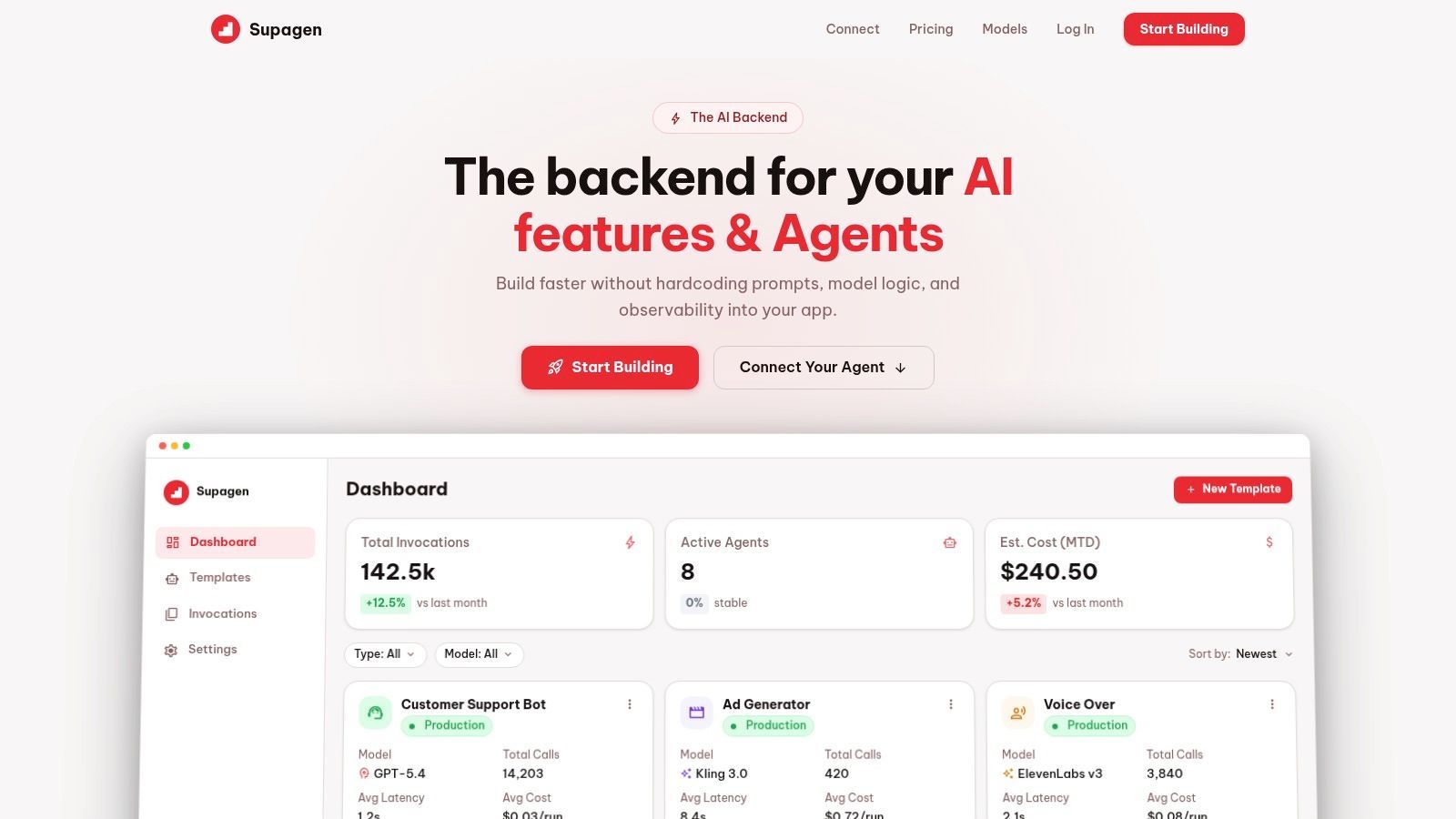
If you want a simpler way to operationalize AI quality assurance, Supagen gives teams a production layer for versioned prompts, model routing, observability, logs, and cost tracking so you can debug behavior, compare changes, and ship AI features with less guesswork.