
AI Prompt Optimization: A Production-Ready Guide
You already know the symptom. A prompt works in testing, then someone tweaks a sentence before launch, then support reports odd outputs, then another person patches it in code, and a week later nobody can explain which version is live or why costs jumped.
That cycle is where most AI features get fragile. The problem usually isn't prompt writing in isolation. It's prompt churn. Teams keep rewriting prompts as untracked strings instead of managing them like production assets. The result is unstable behavior, painful redeploys, vague quality debates, and no clean way to measure return on the work.
Good AI prompt optimization is bigger than better wording. It starts with repeatable design, moves through disciplined evaluation, and ends with versioning, observability, and controlled rollout. IBM now frames prompt optimization as an engineering practice built around benchmarking, evaluation, dataset testing, and reusable templates, while Statsig recommends tracking cost, latency, and quality with A/B tests and representative datasets, as summarized in IBM's overview of prompt optimization.
Table of Contents
- Designing Repeatable and Effective Prompts
- How to Test and Measure Prompt Performance
- Balancing Quality with Cost and Latency
- Managing Prompts as Production Assets
- Closing the Loop with Prompt Observability
- AI Prompt Optimization FAQ
Designing Repeatable and Effective Prompts
Why ad hoc prompts break in production
A prompt that works once isn't the same as a prompt you can trust. In chat interfaces, people get away with improvisation because the stakes are low and the operator is present. In production, the prompt has to survive messy inputs, model updates, edge cases, and teammates who weren't in the original debugging session.
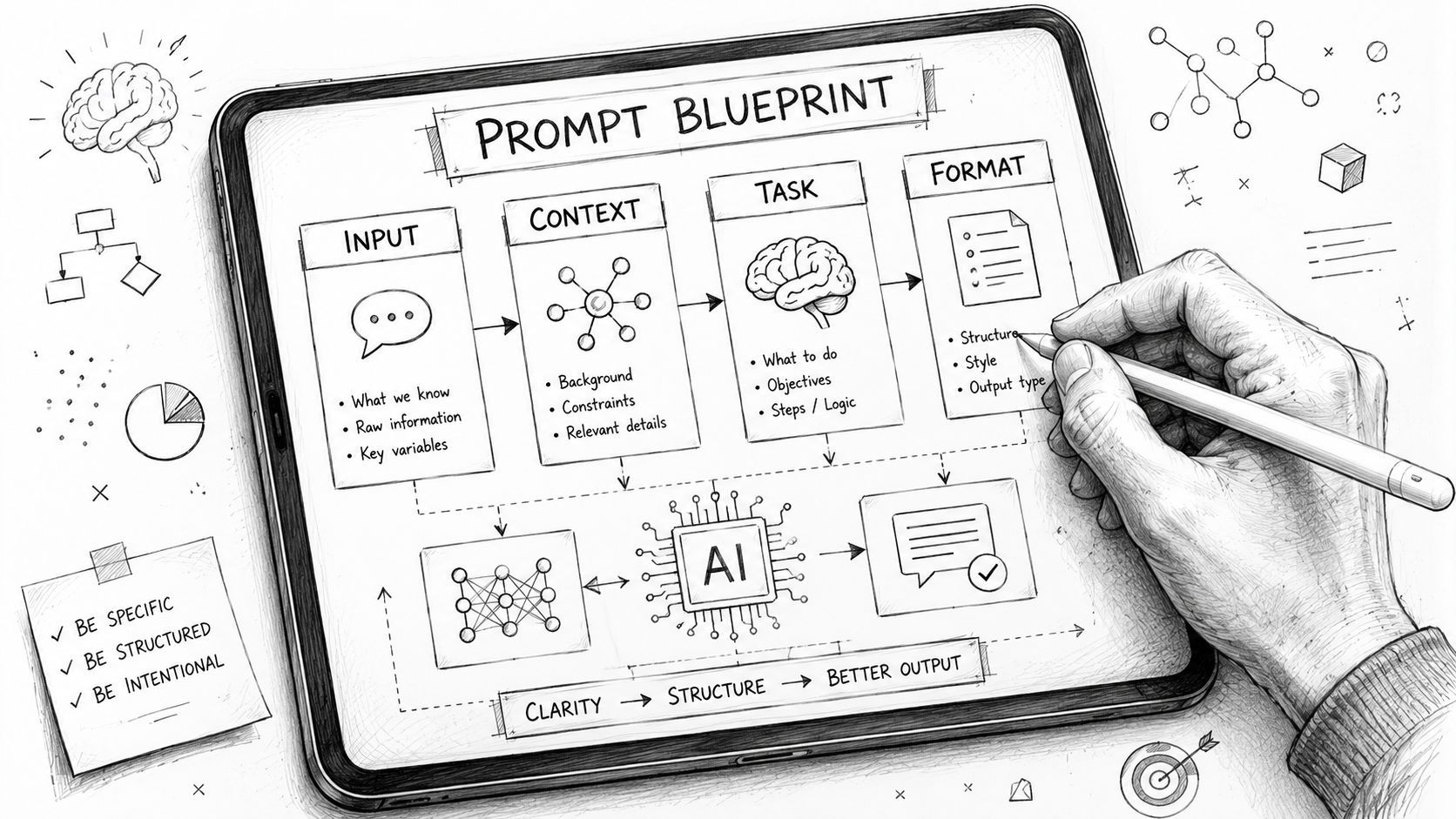
The fix is to treat prompts as structured instructions, not clever prose. Strong prompts define role, task boundaries, expected output shape, and failure behavior. They also leave enough room for reuse. If every new feature starts with a blank text box, your team is building operational debt from day one.
Practical rule: If a prompt can't be templatized, reviewed, and reused, it probably isn't designed well enough for production.
Three patterns that hold up
The first pattern is Role, Task, Format. It sounds basic because it is. That's why it works. A support summarizer, for example, might say the model is a support operations assistant, must extract issue type and urgency from a ticket, and must return strict JSON with named fields. That combination reduces ambiguity before you start tweaking anything more advanced.
The second pattern is few-shot prompting. Instead of telling the model what “good” means in abstract language, show it a small set of representative examples. This is especially useful when you're trying to match tone, classify messy business categories, or apply domain-specific formatting rules. The key is choosing examples that reflect real production variation, not just your cleanest internal samples.
The third pattern is Chain-of-Thought for tasks that need reasoning. For logical deduction or multi-step analysis, a prompt that asks the model to reason through constraints can improve reliability. It shouldn't be your default for everything. It often adds tokens and latency, so reserve it for cases where reasoning quality matters more than speed.
Here's a practical design checklist I use before a prompt ever reaches testing:
- Define the job clearly: Write what the model should do in one sentence that a teammate could review quickly.
- Specify output constraints: Name the output format, required fields, tone, and what the model should avoid.
- Handle missing information: Tell the model how to respond when context is incomplete instead of letting it guess.
- Separate variables from instructions: Keep task logic stable and inject user content as variables.
- Template the prompt early: If similar features will reuse the pattern, build it as a parameterized template now.
A reusable prompt library is more valuable than a pile of one-off wins. When teams standardize patterns for extraction, classification, summarization, and tool calling, maintenance gets easier. Reviews get faster too, because people can argue about task design instead of debating random wording changes.
How to Test and Measure Prompt Performance
Stop relying on vibe checks
Most prompt testing fails for a simple reason. A developer runs a few handpicked examples, likes the outputs, and ships. That method feels fast, but it doesn't tell you whether the prompt is reliable across real user inputs, or whether today's improvement broke yesterday's edge case.
A better approach starts with a golden dataset. Pick inputs that represent the work your system performs: common requests, ugly edge cases, ambiguous inputs, and the failure modes you've already seen. Then compare prompt versions against the same evaluation set so you're not changing both the prompt and the test at once.
Automated scoring helps, but it has limits. In systems like DSPy, prompts can score well on safety-oriented metrics while still misjudging suspicion for low-risk inputs because the metric lacks the human context to tell honest mistakes from malicious intent. That's the core failure mode of automated evaluation. It often measures what is easy to score, not what your product needs.
Prompt Evaluation Methods Compared
Build a balanced evaluation loop
A strong evaluation loop uses different methods for different failure classes. For a JSON extraction prompt, automated validation can catch malformed fields. For a customer-facing writing assistant, humans still need to judge usefulness, tone, and policy fit. For a search-answering flow, a live A/B test may be the only way to see whether users accept the answer.
That mix matters because quality is multi-dimensional. IBM's framing of prompt optimization as benchmarking plus dataset testing is useful, but the operational lesson is bigger than the process itself. You need a rubric that reflects your business. A legal summarizer and a creative writing assistant shouldn't optimize toward the same target.
Use a review framework like this:
- Automated checks first for format, basic relevance, and obvious regressions.
- Human review next on examples where nuance matters.
- A/B test in production when the prompt affects user behavior or downstream conversion.
- Freeze the evaluation set for comparison, then rotate in new examples separately so your benchmark stays meaningful.
A prompt with a better score can still be worse for the product if the score ignores the thing users care about.
I also recommend writing your human rubric in plain language, not vague labels. Instead of “good response,” use concrete questions: Did it follow policy? Did it answer directly? Did it preserve important facts? Did it overstate confidence? That keeps reviewers aligned and makes disagreements useful.
One more trap is overfitting. If you keep optimizing against the same examples, the prompt starts learning the test instead of the task. Expert guidance on gradient-based and automatic prompt optimization calls this out directly. The mitigation is straightforward: use fixed evaluation sets, compare across varied example sets, and use self-consistency or A/B testing to detect when the prompt starts restricting the model instead of guiding it.
Balancing Quality with Cost and Latency
The best prompt is not always the most expensive one
A lot of teams assume the path to quality is simple: use the strongest model, add more instructions, accept the bill. That works right up until response times annoy users or the feature becomes too expensive to expand.
Better prompt design changes that equation. A LangChain benchmark on prompt optimization found that optimization techniques can improve LLM performance by up to 200% over naive baseline prompts, with the biggest gains showing up when the underlying model lacks domain knowledge. The benchmark compared five optimization methods across three models on real datasets. That result matters because it shows prompt work can materially change model performance, not just polish output style.
A practical routing mindset
Suppose you're building an AI inbox assistant. Some requests are simple categorization. Others require careful reasoning over long context. Running every request through the heaviest model with the longest prompt is lazy architecture. It hides a prompt design problem inside a model bill.
A more durable setup routes tasks by complexity:
- Fast model for routine work: Use a cheaper, lower-latency model for tagging, formatting, and simple extraction.
- Stronger model for hard cases: Escalate only when the input is ambiguous, multi-step, or high risk.
- Short prompt by default: Keep the common path lean. Pull in longer instructions or examples only when the task needs them.
- Fallbacks for reliability: If the primary route fails schema validation or confidence checks, retry with a stricter prompt or more capable model.
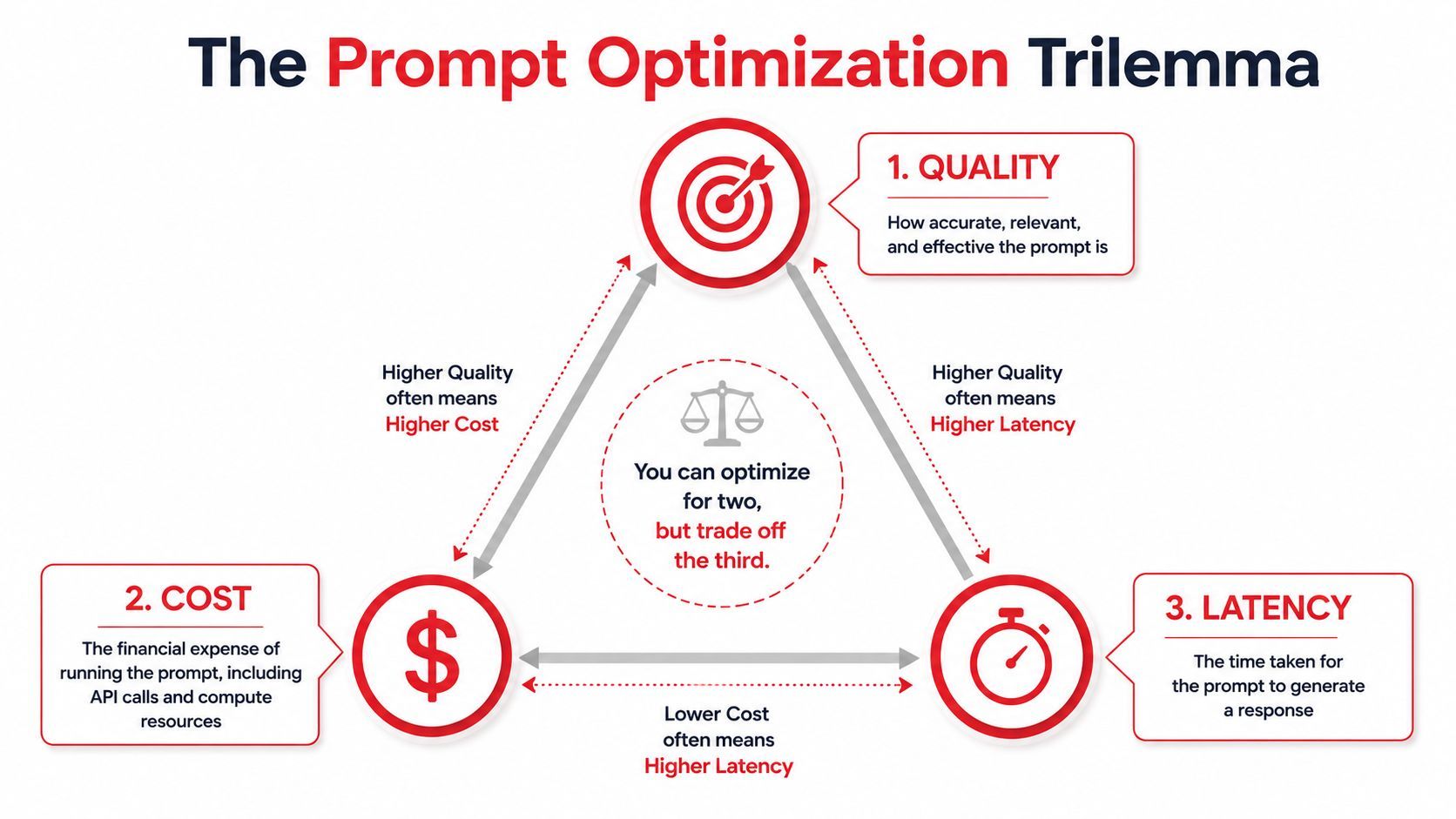
Prompt optimization becomes economic, not just linguistic. You aren't chasing the highest possible benchmark score. You're trying to hit the acceptable quality bar at the lowest operational cost and with response times your product can tolerate.
The right question isn't “Which prompt performs best?” It's “Which prompt-model combination delivers acceptable quality for this task at a cost and speed the product can support?”
That trade-off gets sharper as usage grows. A prompt that adds lots of examples and reasoning steps may improve quality, but if it slows the experience or inflates token usage on every call, it may be the wrong production choice. Teams that monitor only output quality often miss that until finance or support raises the issue.
Managing Prompts as Production Assets
Hardcoded prompts create hidden debt
Hardcoding prompts into application code feels convenient at the start. One file, one deploy, one quick tweak. Then the feature matures. Product wants copy changes, support wants safer answers, engineering wants provider flexibility, and every prompt edit turns into a code release.
That is the heart of prompt churn. Teams keep rewriting prompts in scattered files, pull requests, notes, and chat messages. Nobody has a clean audit trail. Quality drops and no one can quickly answer which prompt version caused it. Industry guidance and practitioner experience both point to the same pattern: quality often plateaus after repeated iterations, yet teams keep tweaking wording because they can't clearly see what changed or why failures appeared.
The anti-pattern isn't just technical. It's organizational. Prompt edits end up bypassing review standards that you'd never skip for normal code. That creates three problems at once:
- Change blindness: Teams lose the ability to compare prompt versions in a disciplined way.
- Fragile releases: A wording update can break an agent workflow and force a full redeploy.
- Missing ROI: Nobody can tie a prompt change to downstream gains or losses because prompts aren't tracked as first-class assets.
What production prompt management needs
Production prompt management should look more like config and source control than ad hoc copywriting. At minimum, prompts need version history, environment separation, change notes, and a way to roll forward or back without editing application code.
A useful operational model includes:
Treat prompts like code, but don't trap them inside code.
That distinction matters. Prompts deserve review, history, and rollback, but they also change more often than core application logic. If every prompt improvement requires a redeploy, teams will either stop improving or start bypassing process. Neither outcome is good.
A central prompt system also makes experiments safer. You can compare versions against the same task, annotate why a change was made, and avoid the common “mystery regression” where a prompt edit, model swap, and parameter change all happen at once. Once teams adopt that discipline, prompt optimization stops feeling like chaos and starts looking like normal software operations.
Closing the Loop with Prompt Observability
The prompt isn't finished when you deploy it. Production is where the dataset arrives. New user phrasing shows up, traffic patterns change, providers update models, and tasks drift away from the examples you tested.
Without observability, those failures stay anecdotal. Someone reports “the AI feels worse lately,” and now you're hunting through logs, code diffs, and provider dashboards with no shared timeline. Prompt optimization becomes reactive because the system never told you what changed.
What to log on every call
For every AI request, log enough data to reconstruct what happened and enough metadata to spot trends. At minimum, that means:
- Prompt version: The exact template and variables used for the call.
- Model configuration: Provider, model name, and runtime settings.
- Input and output: Store them safely, with redaction where needed.
- Token usage: Essential for understanding spend and prompt bloat.
- Latency: Total time and, if possible, breakdown by step in an agent flow.
- Cost: Per-call cost is what turns abstract optimization into real operational analysis.
- User feedback signals: Thumbs up, retries, edits, abandonment, or downstream acceptance.
- Error state: Validation failures, tool errors, empty outputs, or fallback usage.
This video gives a useful visual frame for that lifecycle in production:
Observability changes how teams optimize
Once those logs are centralized, prompt optimization turns into a closed loop. You can see whether a new prompt reduced retries but increased latency. You can detect that one customer segment triggers more fallbacks. You can compare token growth across versions and catch accidental prompt inflation before it spreads.
This is also where automatic prompt optimization methods become usable in practice. The expert workflow for gradient-based embedding tuning is powerful, but it can overfit if you optimize too tightly against a narrow set of examples. Observability gives you the missing production check. If a newly optimized prompt looks great on benchmark data but starts failing on live variation, the logs tell you quickly.
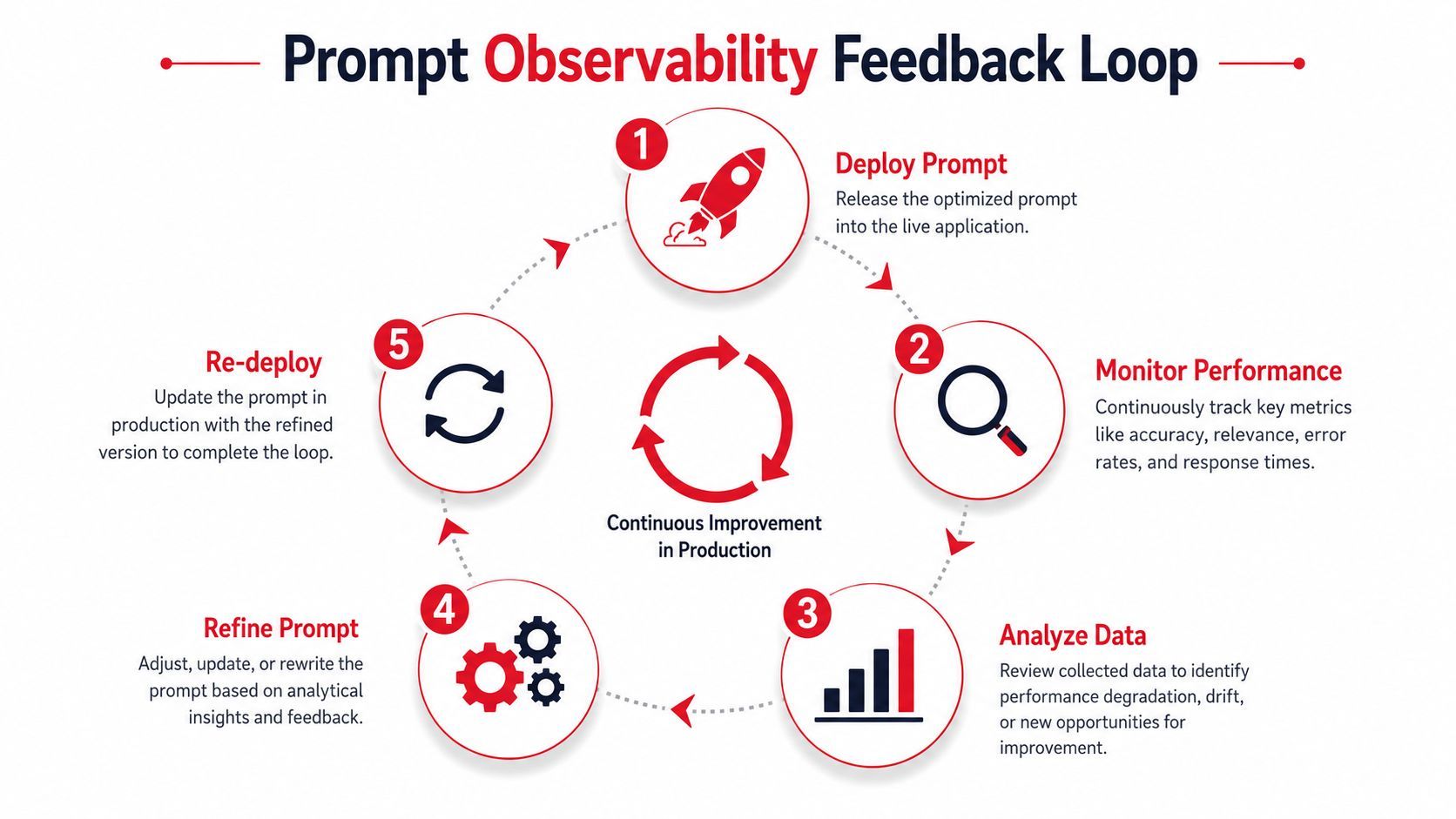
A mature loop looks like this in practice:
- Deploy a versioned prompt with a known benchmark profile.
- Monitor live behavior across quality, cost, latency, and error signals.
- Analyze failures by slice, such as task type, customer cohort, or model route.
- Refine the prompt or routing logic based on observed failure patterns.
- Re-test and redeploy with confidence because the before-and-after data is preserved.
Logging isn't just for debugging. It's the evidence layer that tells you whether a prompt change actually helped.
Teams that skip observability usually over-index on prompt edits because prompt text is the easiest thing to change. Teams with observability often discover the actual issue is elsewhere: wrong routing, poor context retrieval, inflated few-shot examples, or a metric that doesn't match product goals. That shift is what makes AI systems feel manageable.
AI Prompt Optimization FAQ
How much of prompt optimization should I automate
Automate the repetitive parts first. Use scripts or tooling to run prompts against fixed datasets, compare versions, and log outputs. Let automation generate candidate prompts if that speeds iteration, but keep humans involved for rubric design and final approval when business logic or safety matters.
For advanced workflows, Meta-Prompting with Reflection is worth knowing. It uses a secondary LLM to review prompt performance, critique its own findings, and propose an improved prompt. Benchmarks show it can significantly improve performance on tasks that require logical deduction. The catch is meta-model drift. The reviewing model can inject its own bias or hallucinations, so every update needs validation against human review or automated metrics that reflect the task.
How do I avoid overfitting prompts to my test set
Don't keep polishing against the same handful of examples. That's how prompts start memorizing your benchmark language instead of learning the task pattern.
Use separate datasets for optimization and evaluation when possible. If your setup supports it, generate multiple outputs for the same input and compare consistency. Also review fresh production examples regularly. A prompt that only looks smart on old internal samples isn't production-ready.
Does prompt optimization matter if I can just buy a better model
Yes, because model quality doesn't remove operational discipline. A stronger model can hide prompt weaknesses for a while, but it won't solve versioning, observability, rollout safety, or cost control.
It also won't eliminate the need for task structure. Better models still respond more reliably when the prompt clearly defines the role, output shape, and constraints. In many systems, the primary win comes from the combination: a well-structured prompt, tested against representative data, routed to the right model, and monitored after release.
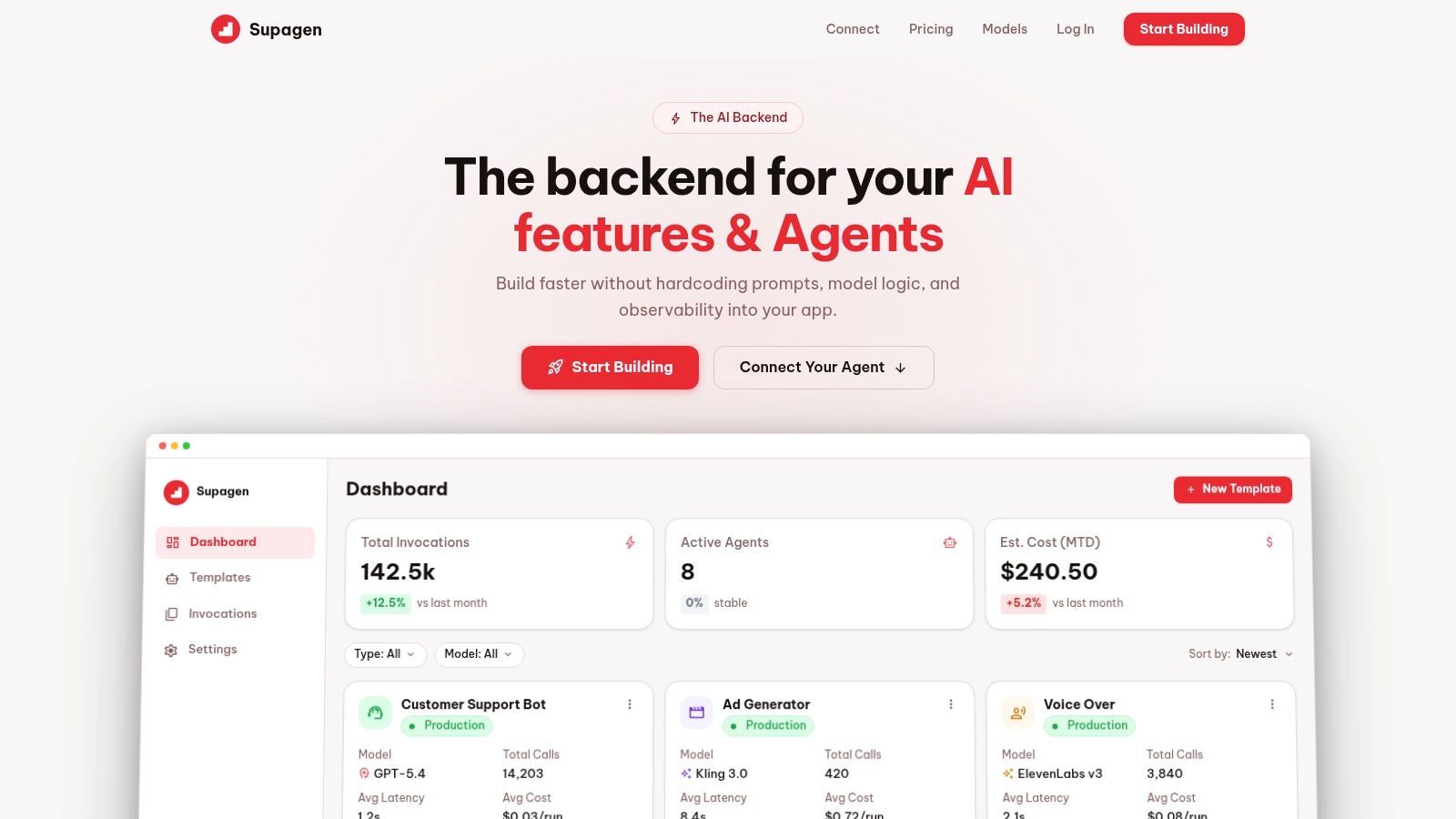
If you're tired of hardcoded prompts, mystery regressions, and painful redeploys, Supagen gives you the production layer many teams discover they need: versioned prompts, model routing, per-call logs, latency and cost visibility, and a centralized dashboard for shipping AI features without burying prompt logic inside app code.