
AI Product Development: The Playbook
Your team probably already has the exciting part working.
A designer typed a clever prompt into ChatGPT. An engineer wired up an API call. A founder showed the feature to customers, and the response was strong. The demo looked magical. Then the actual work started.
Now the prompt is buried in application code. Nobody knows which model version produced the best result last week. Support reports inconsistent outputs, engineering sees latency spikes, and finance asks why the AI bill moved before usage did. Every fix requires a redeploy. Every model switch feels risky. The feature works, but the team doesn't trust it.
That gap defines modern ai product development. Building the first version isn't the hard part anymore. Running it well is.
This isn't a niche problem. In McKinsey's 2025 State of AI survey, nearly two-thirds of respondents said their organizations had not yet begun scaling AI across the enterprise, and only 39% reported EBIT impact. The signal is clear. Teams can experiment faster than they can operationalize. The companies getting real value aren't just adding models. They're redesigning workflows so AI can be managed, measured, and improved safely in production.
Table of Contents
- Beyond the Demo The Real Challenge of AI Products
- The Modern AI Product Development Lifecycle
- Building Your AI Core Prompts Models and Agents
- The Production Layer Integrating and Observing Your AI
- Managing AI Costs and Performance at Scale
- Key Roles and Evolved Team Workflows
- Common Pitfalls and Your Production Readiness Checklist
Beyond the Demo The Real Challenge of AI Products
The first failure mode in ai product development is treating the demo as if it were a product. A demo only needs one good path. A product needs to survive messy inputs, changing providers, budget pressure, compliance questions, and users who return every day expecting the feature to behave consistently.
Teams usually discover this the same way. They launch an AI writer, assistant, classifier, search layer, or workflow helper. It gets traction. Then a small prompt edit changes output quality in ways nobody can explain. Someone swaps models to improve speed and suddenly structured outputs break. API costs drift upward because the app is sending too much context on every request. The feature isn't broken enough to roll back, but it's unstable enough to drain the team.
Most AI product failures don't start with model quality. They start with missing operational discipline.
That's why "Day 2" matters more than launch day. Day 2 is when you need prompt versioning, evaluation habits, provider flexibility, request tracing, fallback logic, and cost visibility. If those pieces aren't there, the team ends up shipping blind.
The practical shift is simple to describe and hard to enforce. Stop thinking of AI as a single API call. Start treating it as a changing system with inputs, orchestration, controls, and measurable outputs.
Three habits separate teams that stabilize quickly from teams that stay stuck:
- They separate experimentation from production. A good test prompt in a notebook isn't production configuration.
- They make AI behavior observable. If you can't inspect the input, output, latency, and spend for a call, you can't debug it.
- They optimize for controlled iteration. The team needs to change prompts, models, and fallback rules without turning each update into an application release.
That's the playbook. Not more hype, not more prototype velocity. Better operations.
The Modern AI Product Development Lifecycle
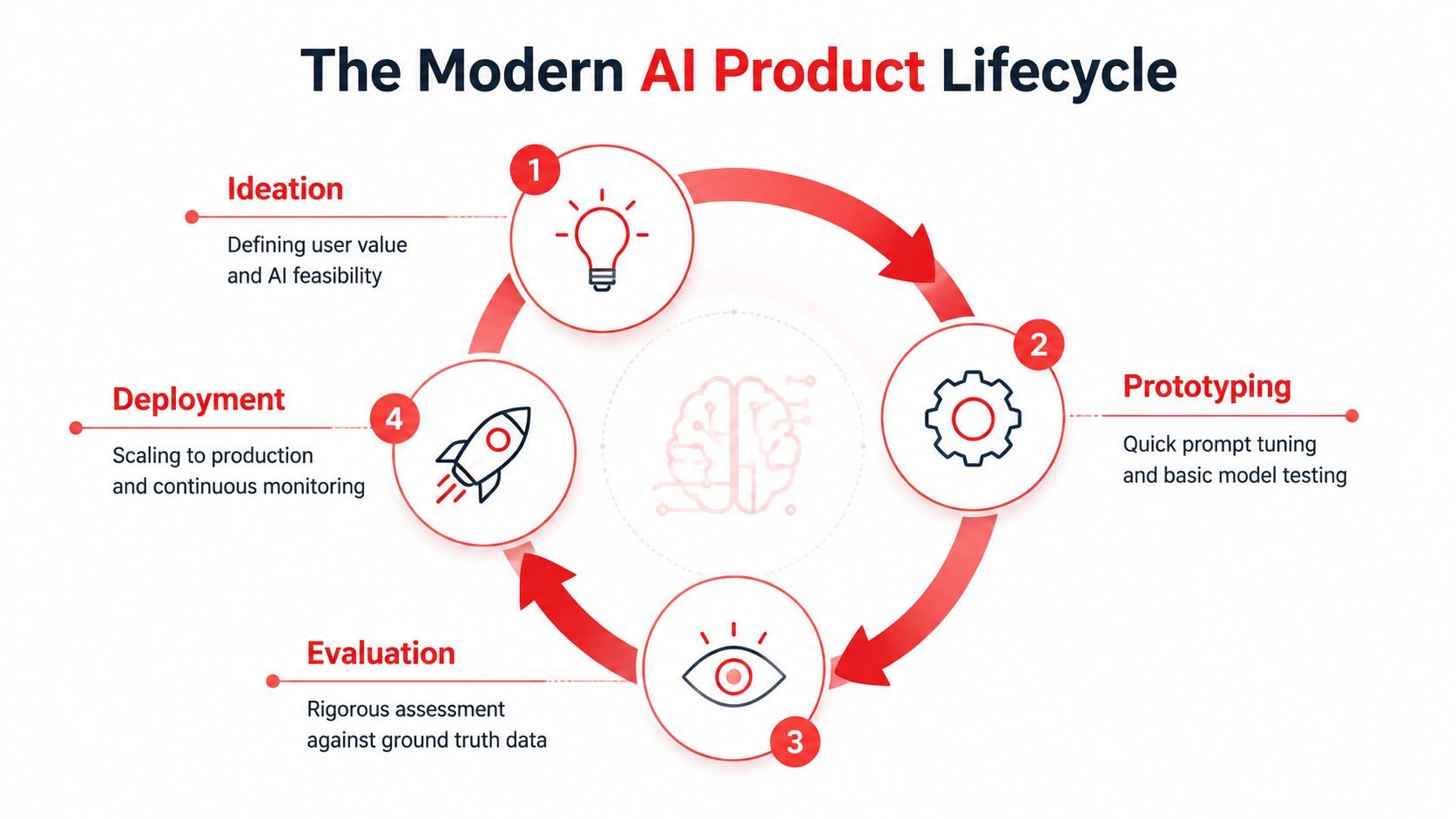
A team ships an AI feature after a strong prototype sprint. In week one, users engage. In week two, support tickets start to pile up. A new prompt version improves one workflow and hurts another. Latency spikes after traffic increases. Finance asks why usage costs are climbing faster than adoption. That is the actual lifecycle of AI product development. It is less a straight delivery plan and more an operating loop that has to hold up under change.
Discovery starts with a bounded decision
Strong AI products begin with a narrow user decision or workflow. Teams get into trouble when they define the feature too broadly and leave accuracy, review steps, and failure handling for later.
The framing needs to be specific. Summarize a customer call for an account manager. Extract fields from an uploaded contract. Draft a first response using approved support content. Those are product jobs with clear inputs, outputs, and business value.
Discovery should answer a few operational questions early:
- Where is probabilistic output acceptable?
- What errors are tolerable, and which ones create business risk?
- What source data, tools, or approved knowledge does the system need?
- Where does a human review, edit, or approve the result?
If the team cannot define the decision the model is helping with, prompt work becomes guesswork and evaluation becomes subjective.
Prototyping should expose failure modes
A prototype is useful when it teaches the team how the system breaks. It should surface the bad inputs, the edge cases, the formatting failures, and the places where the model sounds confident while being wrong.
That changes how good teams prototype. They do not stop at "the model can answer." They collect representative examples, test structured outputs, and identify where retrieval or tool use is required. They also pressure-test the economics early, because a workflow that looks fine in a notebook can become expensive once real users send long context windows and multi-step requests.
The grounding decision usually shows up here. As noted in this guide on data fundamentals for AI products, retrieval-augmented generation, or RAG, is used to ground generative outputs in an external knowledge base instead of relying only on model parameters, which helps reduce hallucination and supports more accurate product-specific responses.
Before moving past prototype, get clear answers to four questions:
Productionizing adds controls around the model
The shift from prototype to production is where many first launches stall. The work is not mainly about UI polish. It is about control.
The AI layer needs configuration that can change without turning every prompt edit into an app release. Prompts need version history. Model routing needs policy. Outputs need schema checks and fallback handling. The team also needs a way to inspect what happened on a bad request, including the prompt version, model, latency, token usage, retrieval inputs, and final response.
A simple rule helps here. If a product manager wants to test a prompt improvement and engineering has to schedule a deploy, the system is still set up like a demo.
This is also the point where ownership gets clearer. Product defines acceptable behavior and review thresholds. Engineering defines reliability, integrations, and rollback paths. Design shapes how confidence, uncertainty, and human override appear in the interface. Operations starts to matter as much as experimentation.
Scaling is an iteration discipline
Scale changes the nature of the work. More traffic matters, but the bigger challenge is variation. More users means more edge cases, more pressure on latency, more prompt drift across use cases, and more scrutiny on whether the feature is worth its operating cost.
Teams that handle this well run a repeating control loop:
- Inspect live traces to find bad outputs, slow requests, and expensive request patterns.
- Adjust prompts, routing rules, or retrieval settings in the AI layer.
- Re-test against saved examples before pushing changes broadly.
- Watch product outcomes such as task completion, resolution quality, conversion, or retention.
That loop is the difference between a launch that stabilizes and one that stays noisy for months. AI products improve through controlled iteration. The teams that treat prompt behavior, model choice, observability, and spend as operating concerns ship faster because they can change the system without losing trust.
Building Your AI Core Prompts Models and Agents
A team ships its first AI feature, sees strong early usage, then gets hit with the actual work. Support asks why the assistant answered correctly for one customer and refused a similar request for another. Engineering cannot tell which prompt version ran. Product wants to switch one workflow to a cheaper model, but nobody knows what else that change will affect. That is the moment your AI core stops being a prototype concern and becomes a product system.
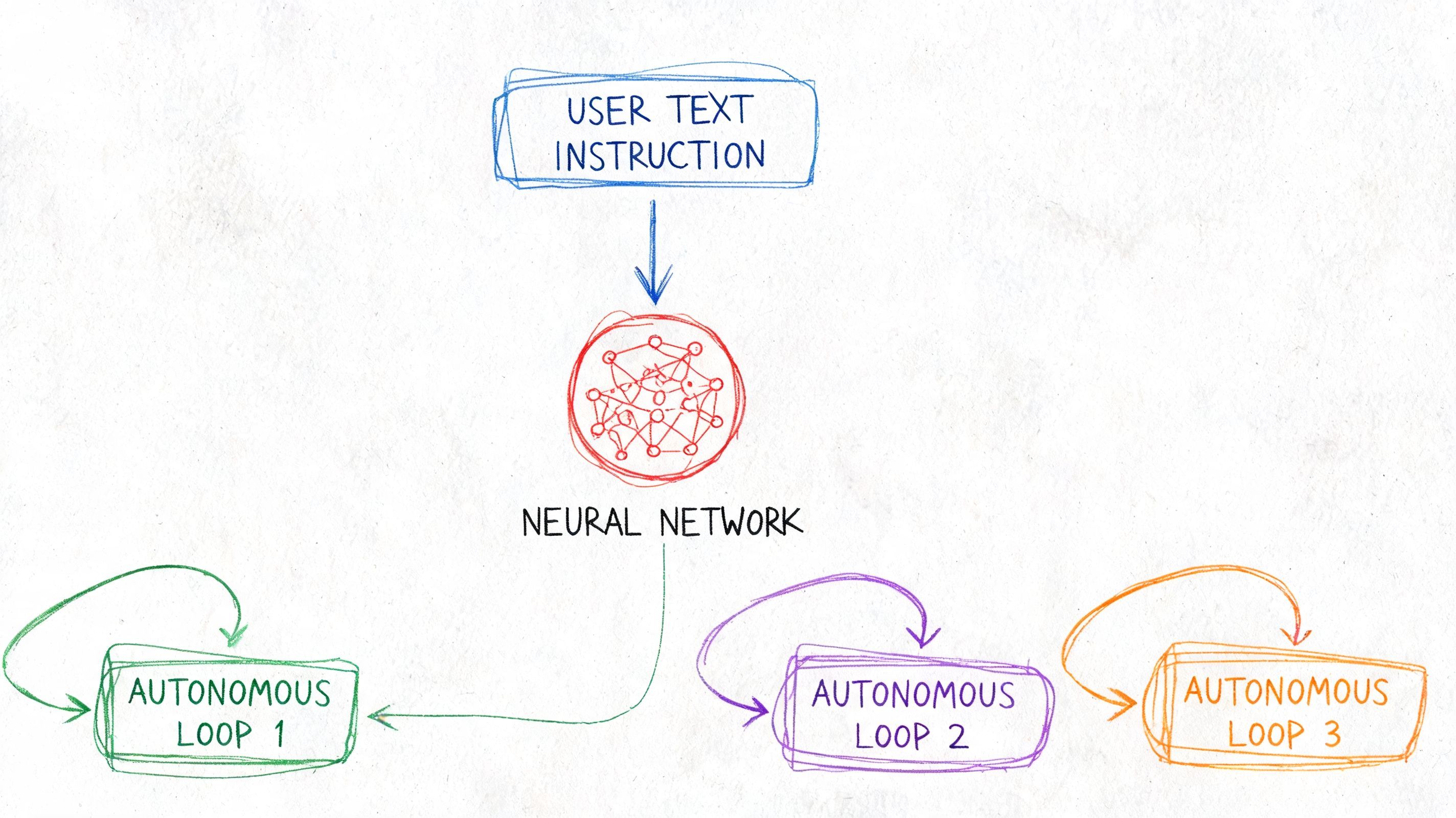
The core usually has three parts: prompts, models, and agents. Treating them as one blob creates slow debugging, risky releases, and cost creep. Treating them as separate layers gives the team room to improve behavior without rewriting the product every week.
Prompts are product behavior
Prompts define how the feature behaves under real conditions. They set priorities, boundaries, tone, formatting, and failure handling. That is product logic.
The common mistake is stuffing one long instruction into application code and calling it finished. That works for a demo. It breaks once you need controlled edits, reviews, or rollback. A small wording change can affect output format, safety behavior, and downstream parsing at the same time.
Use a prompt structure that the team can read and change safely:
- System behavior for role, constraints, and decision rules
- Task instructions for the specific user action
- Context blocks from retrieval, account state, or app data
- Output schema for required fields and formatting
- Exception handling for refusals, uncertainty, and edge cases
This separation matters on Day 2. Product can review task framing. Engineering can validate variables and schema requirements. Support can attach failure examples to a specific prompt version instead of filing vague bug reports.
Prompt work also needs an evaluation habit. Without a saved test set, prompt changes turn into guesswork. I tell teams to keep a living bank of good, bad, and ambiguous examples. If a prompt improves one case and breaks three edge cases, that is not progress.
Model choice is an operating decision
Picking a model is not a one-time architecture choice. It is an ongoing decision about quality, latency, reliability, and cost for a specific job.
Different tasks need different trade-offs:
Teams get into trouble when they standardize on one model for everything. That is easy to implement and expensive to run. It also makes incident response harder. If one provider slows down or changes behavior, too many product paths move at once.
Model routing gives you control. Send routine tasks to lower-cost models. Reserve premium models for requests where output quality changes user outcomes. Keep fallback rules explicit. If a provider fails, decide whether the request should retry, downgrade, or stop. Do not leave that behavior to scattered application code.
Some teams manage this through an internal abstraction. Others use a unified backend such as Supagen to keep prompt versions, routing rules, fallbacks, and request logs in one place. The value is operational clarity, not vendor branding.
Agents need boundaries before they need autonomy
Agents can handle multi-step work that a single request cannot. They can search, retrieve, call tools, inspect results, and decide what to do next. That makes them useful for workflows with real sequencing.
Good fits include:
- Research workflows that gather sources, compare findings, and produce a summary
- Support operations that check account state, apply policy rules, and draft a response
- Internal copilots that query multiple systems before answering
Poor fits are simpler than teams admit. If the task is just generate, classify, extract, or summarize from known context, an agent often adds latency and failure paths without adding much value.
Start with the narrowest design that can succeed.
An agent should earn its complexity. Give it a fixed set of tools, clear step limits, and defined stop conditions. Log each tool call and each intermediate decision. If an agent fails, the team should be able to answer simple questions fast: Did the plan fail? Did retrieval return bad context? Did a tool return stale data? Did the model ignore an instruction?
That discipline is what makes agentic systems usable in production. Otherwise you get a feature that looks impressive in demos and becomes expensive to maintain once real traffic hits.
A healthy AI core is controlled, testable, and easy to change. Prompts are modular. Models are chosen per task. Agents are constrained to the jobs that need them. That structure gives teams a way to improve output quality without losing control of behavior, spend, or release velocity.
The Production Layer Integrating and Observing Your AI
The most important part of the stack usually gets the least attention. Teams debate model quality for days, then wire production through a thin helper function and hope for the best. That's backwards.
The production layer is what turns AI from a fragile dependency into a manageable product system.
Why hardcoding fails fast
Hardcoding prompts, model names, provider parameters, and fallback behavior into the app feels efficient at first. Then the first post-launch issue hits.
A customer reports that a summarizer started omitting key details. To investigate, engineering has to find the exact prompt version in source control, identify which provider was active, reproduce the input, and inspect the output manually. If the team changed two things in the same deploy, attribution gets harder. If the provider updated behavior, confidence drops further.
That workflow burns time because the application owns AI behavior too tightly.
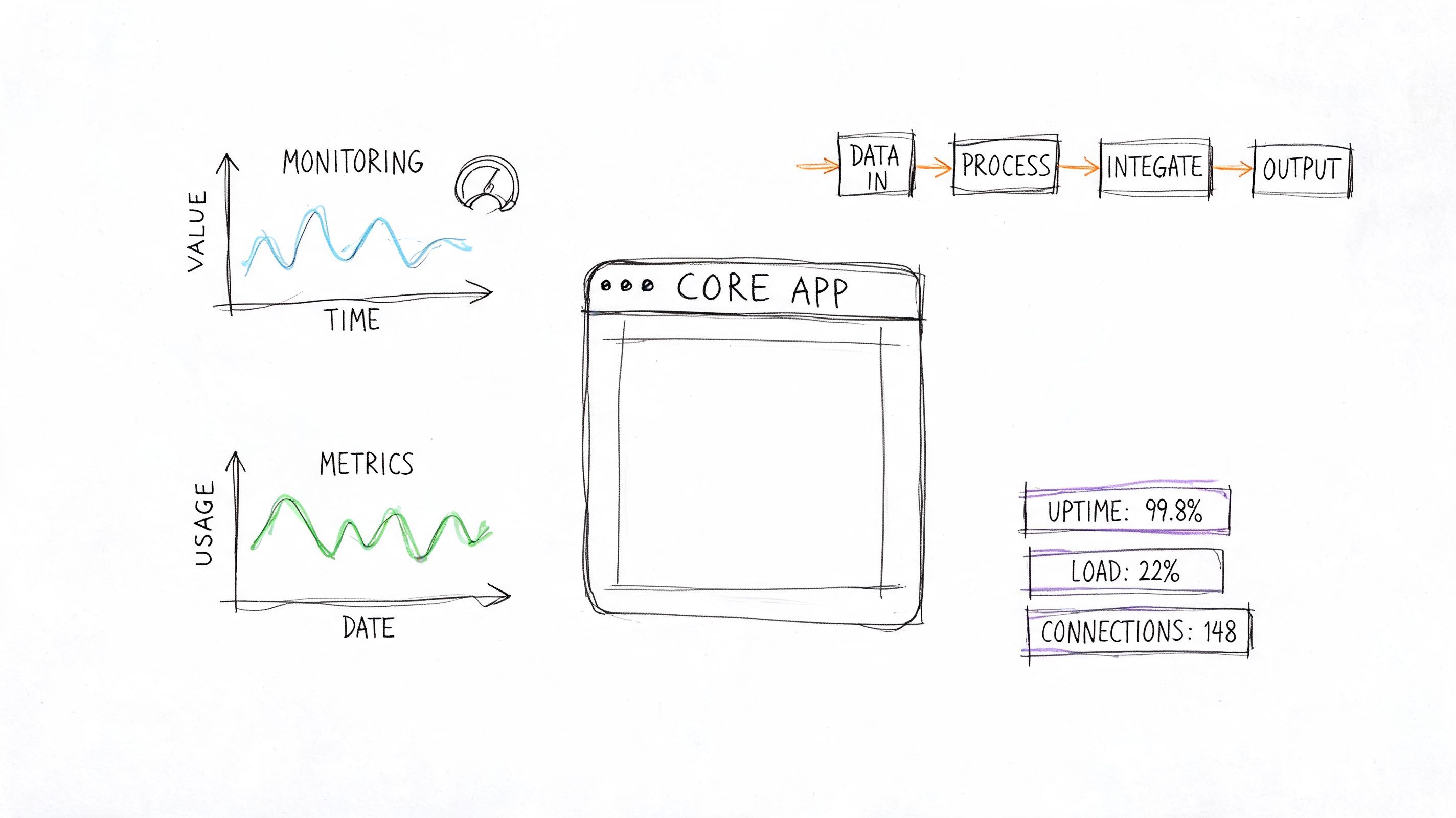
A better pattern is a single AI integration layer between your app and the underlying providers. The app says, "run document-summary-v3 with this payload." The backend handles the prompt template, selected model, routing rules, retries, and logging. That keeps the app stable while the AI logic evolves.
What to log on every AI request
The minimum useful unit of observability is the individual request. If you only monitor aggregate costs or overall error rate, you'll miss the reason performance shifted.
As described in Lumenalta's guide to AI product development, a mature pattern is to instrument the full request pipeline with versioned prompts, model routing, and per-call telemetry including latency, tokens, cost, and input-output traces. That's the operational backbone of ai product development.
For each call, log at least this:
- Prompt version so you can compare behavior over time
- Model and provider so routing changes are visible
- Latency because user experience degrades fast when AI feels slow
- Token usage to spot inflated context or verbose outputs
- Estimated cost so spend is attributable to feature and workflow
- Input and output traces with redaction where needed
- Error type so timeouts, malformed outputs, and provider failures aren't lumped together
That data changes debugging from a forensic exercise into an operational review.
The production layer changes team speed
The immediate benefit isn't just cleaner architecture. It's faster decision-making across the team.
Product can test a prompt revision without opening an engineering ticket. Engineering can compare provider behavior on real workloads instead of arguing from benchmarks. Support can attach a bad output trace to a bug report. Finance can see which feature path is driving spend. Leadership can finally ask whether the system is improving and get an evidence-based answer.
A useful production layer should support three actions without drama:
- Ship a prompt update safely
- Switch or route models without app rewrites
- Inspect request-level history when quality shifts
If your team can't answer "what changed?" within a few minutes of an AI regression, the production layer is too thin.
In this phase, teams either settle into a repeatable operating model or stay stuck in redeploy cycles. The model matters. The production layer decides whether the product is maintainable.
Managing AI Costs and Performance at Scale
Once the feature is live, cost and performance stop being technical side notes. They become product constraints. Users feel latency immediately, and finance notices spend long before engineering has perfect observability.
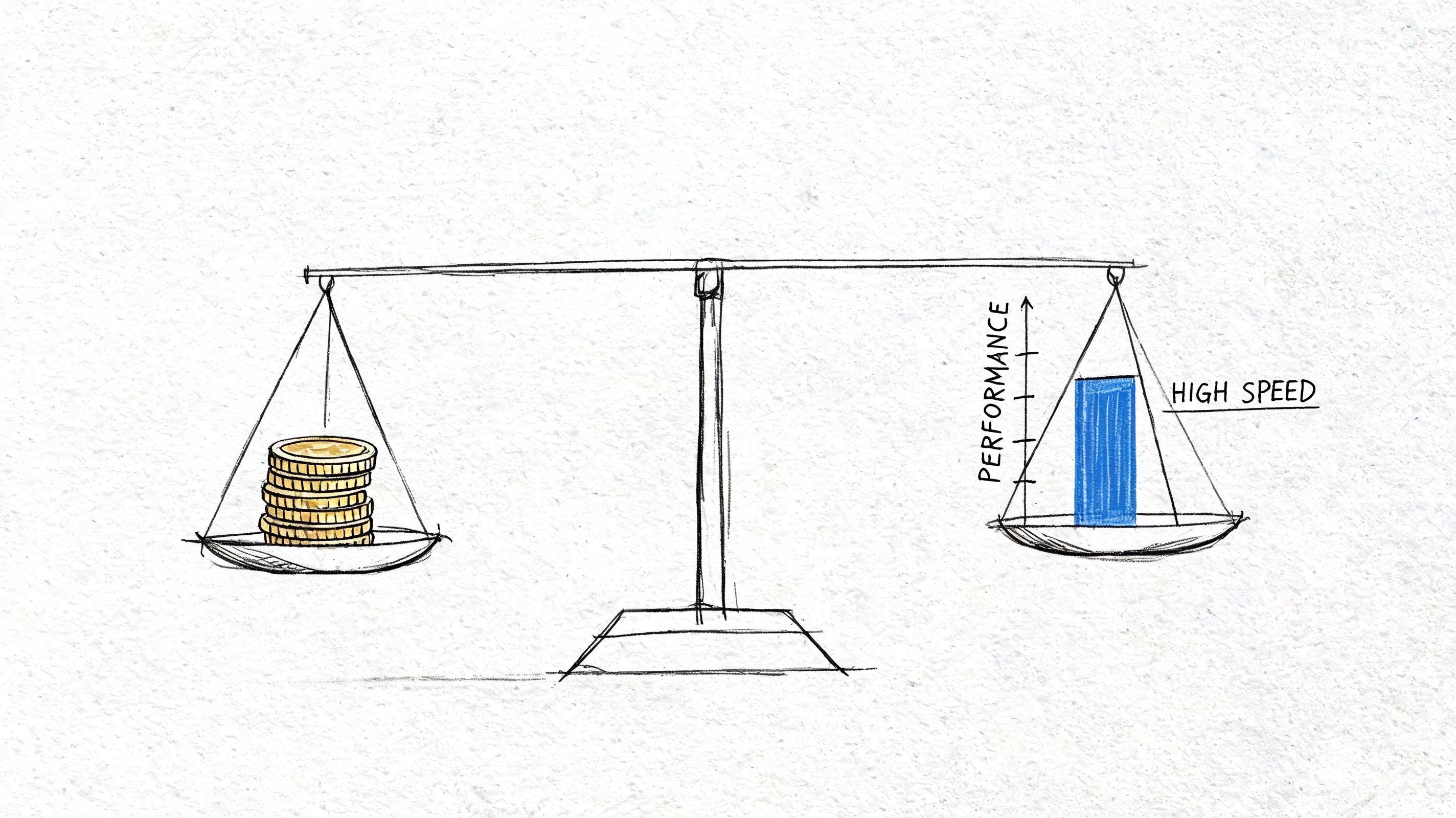
The hidden problem is that many teams treat rising cost as a billing issue instead of a workflow issue. In practice, expensive AI systems usually reflect design choices: prompts that are too long, context stuffing, using one premium model for every task, or retry logic that multiplies calls.
As noted in Parallel's analysis of how AI is changing product development, the primary post-launch bottleneck is often iteration speed under cost and quality constraints, especially when teams need to update prompts, switch models, and debug behavior without redeploying the app. That's why cost control and iteration speed belong in the same conversation.
Cost control starts with request design
Every request should justify its own complexity. Ask hard questions:
- Does this feature need the full conversation history?
- Can retrieval return a narrower context set?
- Does the model need to generate prose, or would structured JSON work better?
- Are users triggering repeated calls because the UX is unclear?
Small request design choices compound. Long prompts, broad retrieval chunks, and verbose outputs add up fast. So do hidden retries.
A practical review cadence helps. Once a week, inspect the most expensive request paths and the slowest ones. They usually overlap less than teams expect. Sometimes the slowest path comes from one provider. Sometimes the expensive path comes from sending too much context for a simple task.
Routing and fallbacks are product decisions
Teams often frame routing as pure infrastructure. It isn't. Routing shapes user experience.
Use a fast, lower-cost model when the task is narrow and well-bounded. Escalate to a more capable model when the request is ambiguous, high-stakes, or requires longer reasoning. If the primary provider fails, decide what the user should see: a fallback answer, a degraded mode, or a request to try again. That choice should reflect user trust, not just system uptime.
A simple operating pattern looks like this:
Useful teams don't route only for savings. They route to match capability to risk.
Here's a practical walkthrough on thinking about trade-offs in shipping AI systems:
Performance needs a dashboard not guesswork
Latency feels personal to users. A few slow interactions can make the whole feature seem unreliable. That's why performance monitoring needs to sit next to quality and spend, not in a separate technical silo.
Track these patterns continuously:
- Latency by model and route
- Cost by feature path
- Failure rate by provider
- Prompt version changes followed by quality complaints
- Fallback frequency, which often signals upstream instability
The goal isn't zero variance. AI systems won't give you that. The goal is fast diagnosis and controlled response. When the team can see what got slower, what got pricier, and what changed, the conversation shifts from panic to prioritization.
Key Roles and Evolved Team Workflows
Your team ships the first AI feature on Friday. By Tuesday, support has three screenshots of bad outputs, engineering is asking which prompt version caused them, product wants a tone change for enterprise accounts, and nobody can tell whether the issue came from the prompt, the retrieval context, the model route, or a silent provider change.
That moment defines the team design.
AI product work in production changes how decisions get made, who owns behavior, and how fast the team can respond without creating release risk. If prompt edits, model switches, and policy changes all have to wait for a full engineering cycle, the feature slows down at the exact point where learning should speed up.
For a first major launch, three ownership areas need to be explicit, even if one person covers two of them:
- AI product lead who defines the task, acceptable failure modes, and business metrics
- Engineer or platform owner who owns integration, access controls, logging, rollout safety, and evaluation infrastructure
- Prompt or interaction owner who owns instructions, output shape, fallback behavior, and edge-case review
Titles matter less than decision rights. Someone needs authority to say a response is good enough to ship. Someone needs to keep the production system stable. Someone needs to review outputs as a product artifact, not as an interesting model sample.
Teams usually get this wrong in one of two ways. They either treat prompting as a side task nobody owns, or they expect engineering to approve every wording change. Both create drag. The first creates inconsistency. The second turns engineers into editors instead of system builders.
After launch, the workflow also stops being purely code-centric. Standard product delivery assumes behavior is mostly fixed at deploy time. AI behavior keeps shifting through prompts, retrieval changes, model updates, and configuration choices. The operating model has to account for that.
A workable pattern looks like this:
- Product defines the job to be done and supplies evaluation examples
- Prompt owner drafts behavior in a versioned configuration
- Engineer connects the feature to stable services, permissions, tracing, and guardrails
- Team reviews outputs against saved test cases and production traces
- Approved changes roll out through controlled configuration or routing updates
- Owners monitor post-release quality signals and decide whether to keep, revert, or refine the change
This is the shift many guides miss. Day 1 is shipping the feature. Day 2 is running a system where behavior changes often, and each change needs review, traceability, and rollback options.
That changes QA as well.
QA for AI cannot sit at the end as a quick pass or fail step. The review set needs representative prompts, retrieval inputs, expected schemas, blocked outputs, and known edge cases. It also needs named owners. If nobody is accountable for reviewing failure samples each week, drift accumulates undetected until users find it first.
The strongest teams separate two kinds of work clearly. Engineering owns the durable layer: APIs, auth, evaluation pipelines, observability, release controls, and provider abstractions. Product and prompt owners shape behavior inside those boundaries using versioned configs and test cases. That split keeps iteration fast without turning production into guesswork.
One more workflow change matters in practice. AI teams need a standing operating rhythm, not just sprint tickets. A weekly review of failed traces, prompt changes, route changes, and cost spikes catches problems while they are still small. Without that rhythm, every issue feels new, even when the same failure pattern has appeared three times already.
Good AI product development teams do not aim for autonomous workflows. They build clear ownership, short feedback loops, and enough production discipline to improve the feature without destabilizing it.
Common Pitfalls and Your Production Readiness Checklist
Most AI teams don't fail because they picked the wrong model. They fail because they shipped a changing system with static processes. The same problems repeat across startups, internal tools, and new product lines.
The mistakes that keep repeating
The first pattern is hardcoded AI behavior. Prompts live in source files, model settings are scattered across services, and every change requires a deploy. That slows learning and increases release risk.
The second is weak observability. Teams log generic errors and total spend, but not the request traces needed to explain regressions. When outputs drift, nobody can say whether the root cause was prompt edits, provider changes, retrieval quality, or malformed inputs.
A third mistake is treating AI quality as a one-time QA task. AI needs ongoing evaluation. The right question isn't "did it work in staging?" It's "how will we detect and respond when behavior shifts in production?"
The fourth is ignoring economic design. Teams obsess over output quality and leave cost review until the bill arrives. By then, expensive patterns are often buried in product behavior.
Common failure modes and fixes are easier to see side by side:
A production readiness checklist for your first major launch
Before release, the team should be able to answer yes to most of this list.
- Prompt control exists: Prompts are versioned, reviewable, and separable from app code.
- Model behavior is configurable: You can change providers, parameters, or routing logic without rebuilding the app.
- Grounding is intentional: If the feature relies on company knowledge, retrieval or another grounding mechanism is in place.
- Output format is bounded: Structured outputs use schemas or strong formatting constraints where needed.
- Observability is live: Every AI request captures the details needed to debug quality, latency, and cost.
- Fallbacks are defined: The team knows what happens when a provider fails, times out, or returns unusable output.
- Test cases are realistic: You have a working set of good, bad, and edge-case inputs from expected user behavior.
- Ownership is clear: Product, engineering, and prompt decisions each have a named owner.
- Post-launch review is scheduled: The team will inspect live traces, bad outputs, and spend patterns soon after launch.
- Business success is measurable: The feature is tied to a product metric such as resolution quality, conversion, retention, or workflow speed.
If that list feels heavy, that's a good sign. It means you're treating AI as production software instead of a novelty feature.
The simplest way to think about ai product development is this: the model creates potential, but the operating system around it creates product value. Teams that learn this early move faster with less drama. Teams that ignore it keep relaunching the same unstable feature in new wrappers.
If you're building your first serious AI feature and don't want prompts, routing logic, fallbacks, and observability hardcoded into the app, Supagen is worth a look. It gives teams a unified AI backend for versioned prompts, model routing across providers, per-call logs for latency, tokens, I/O, and cost, plus configuration changes that don't require shipping a full app redeploy.