
AI Development Platforms: Your Guide to 2026 Success
You ship the first AI feature with a direct model API call, and it feels efficient right up until the second round of requests lands. Product wants prompt experiments without redeploys. Support wants logs for bad outputs. Finance wants cost visibility by feature. Engineering wants to try Anthropic for one workflow, OpenAI for another, and a voice model somewhere else.
That's the point where the prototype stops being the product.
Teams often don't fail because the model is weak. They hit a wall because the layer between the model and the app is brittle. Prompts live in code, provider logic spreads across services, fallbacks are half-implemented, and debugging means digging through application logs that were never designed for AI traffic. The result is familiar: every change becomes slower, riskier, and harder to reason about.
Table of Contents
- Introduction When Your AI Feature Hits a Wall
- What Are AI Development Platforms Really
- The Core Architecture of an AI Platform
- How to Evaluate AI Development Platforms
- Common Use Cases and Integration Patterns
- A Practical Checklist for Adopting a Platform
- Conclusion From Experiment to Production Infrastructure
Introduction When Your AI Feature Hits a Wall
A team ships a clean first version of an AI feature. The implementation is simple: one API call, one hardcoded prompt, one provider, one environment variable. It works in staging, then in production, and for a short time that simplicity feels like speed.
Then requests arrive.
Marketing asks for two prompt variants. A customer success lead wants to inspect the exact prompt behind a bad answer. Finance asks which users or features are driving spend. A new model becomes attractive for cost or quality reasons, but switching means touching multiple services because provider-specific logic leaked into the app. The engineering team now owns a pile of hidden coupling it didn't mean to create.
Brittle AI systems rarely break at the model layer first. They break at the operational layer around prompts, routing, logging, and cost control.
This is why AI development platforms have become a serious category instead of a nice-to-have tool. The market is already valued at $24.39 billion in 2025 and is projected to reach $155.5 billion by 2032, growing at a 30.3% CAGR, according to Stratistics market research on AI development platforms.
That growth makes sense from a product engineering perspective. Once AI moves beyond a demo, the hard part isn't calling a model. It's managing change safely. You need a way to update prompts without redeploys, compare providers without rewriting business logic, and inspect failures without guessing.
Teams that solve that messy middle ship faster. Teams that ignore it usually end up rebuilding it under pressure.
What Are AI Development Platforms Really
AI development platforms are the control tower for production AI systems. The models do the generation, classification, transcription, or reasoning. The platform decides how those model calls are configured, routed, observed, and governed inside a real application.
That distinction matters because many teams still treat the provider API as the platform. It isn't. OpenAI, Anthropic, Google, AWS, ElevenLabs, or a custom model can all be part of your stack, but none of them by default gives you a unified operating layer across the whole product.
The control tower, not the engines
A model is the engine. It produces an output from an input.
The platform handles questions like these:
- Which model should this request hit? The cheapest one that meets quality needs, or the highest-capability one for harder tasks.
- Where does the prompt live? In code, or in a versioned system that product and engineering can review.
- What happens when a provider fails? Retry, fallback, or surface a controlled error.
- How do you debug bad outputs? By tracing the exact prompt, parameters, response, latency, and spend for a call.
- How do you change behavior safely? Through versions, audit trails, and controlled rollout paths.
That's why integrated software now dominates this category. Software components hold a 70.98% revenue share in the AI platform market, reflecting demand for environments that bundle orchestration and related capabilities rather than forcing teams to assemble disconnected tools, according to Mordor Intelligence's AI platform market analysis.
What they replace
Without a platform, teams typically build a scattered in-house layer:
- Prompt storage in source code
- Provider adapters inside application services
- Ad hoc logging
- A spreadsheet for spend reviews
- Manual switching between models
- Hand-rolled fallback logic
That approach can work for one feature. It usually becomes painful by the time you have several prompts, several user paths, and more than one provider.
Practical rule: If changing a prompt requires a redeploy, your AI stack is still in prototype mode.
What they enable
A good AI development platform gives you a single operational surface for the parts that create day-to-day friction:
- versioned prompts
- model routing rules
- provider abstraction
- request logs
- latency and cost visibility
- fallback configuration
- support for multimodal calls and agent workflows
The value isn't theoretical. It's operational. You reduce the amount of AI-specific behavior hardcoded into the app, which means the product can evolve without turning every change into an engineering project.
The Core Architecture of an AI Platform
At the center of most AI development platforms is a simple idea: your application should call one stable layer, and that layer should absorb the complexity of dealing with multiple AI providers and changing runtime behavior.
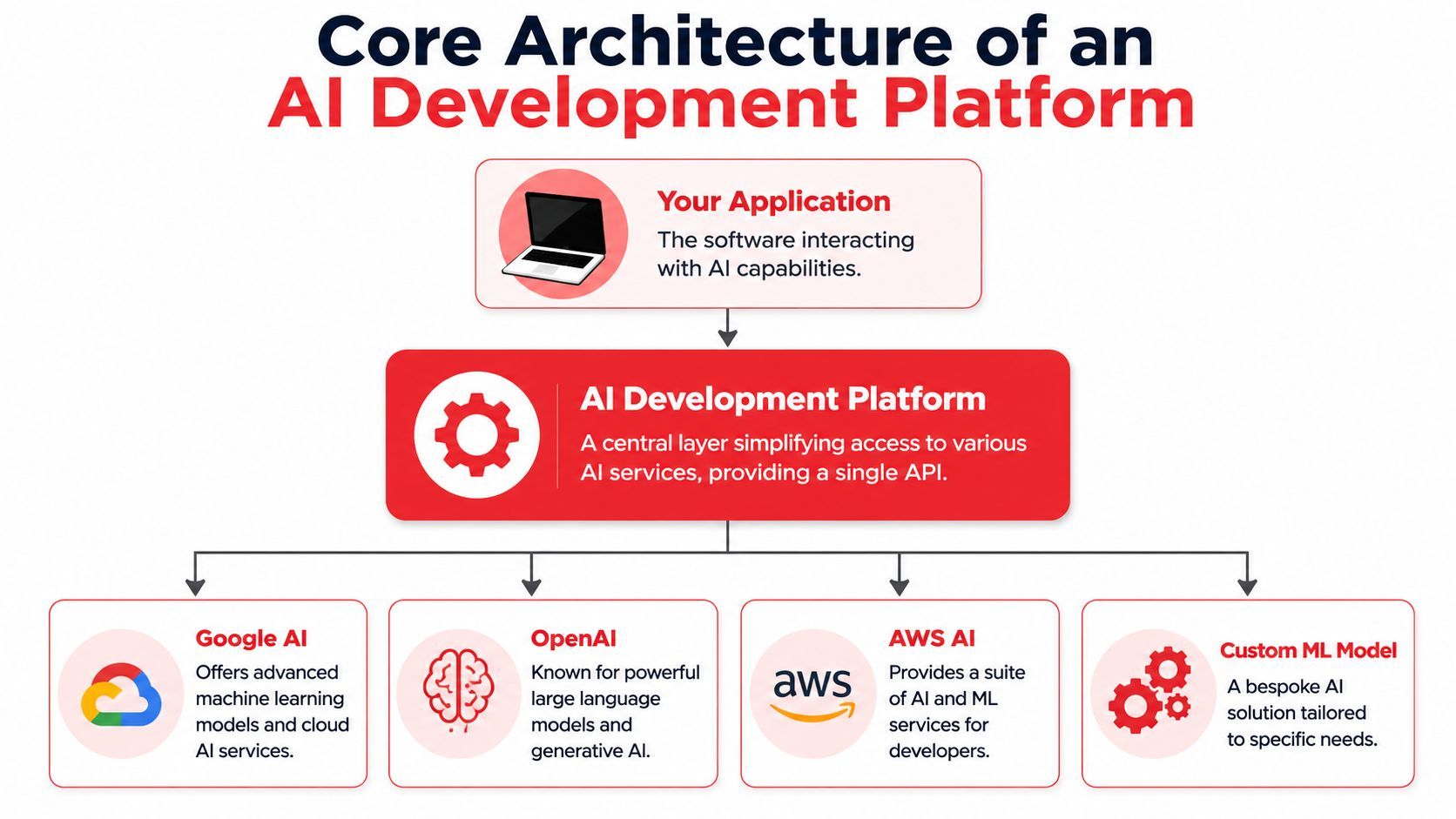
In practice, that architecture matters more than the feature checklist. A platform can have a polished dashboard and still be painful if it leaks provider assumptions into your codebase. The good ones centralize decisions that change often and keep your app interface stable.
Prompt management
Prompt management is the first thing teams underestimate.
Hardcoded prompts seem harmless until you need versioning, reviews, rollback, or environment-specific behavior. Once a prompt becomes part of a user-facing workflow, it behaves more like configuration with business impact than like a simple string literal.
A useful prompt management layer should support:
- Versioning: You need to know which prompt revision generated which output.
- Safe edits: Product and engineering should be able to test changes without touching application logic.
- Rollback: Bad prompt changes should be reversible immediately.
- Parameterization: Reusable prompt templates reduce duplication across flows.
What doesn't work is storing multiple giant prompt variants across services and hoping code review catches behavior changes. It won't.
Model routing
Model routing is where a platform starts paying for itself.
Not every request deserves your most expensive or slowest model. Many apps need a mix. Triage, extraction, formatting, and basic classification can often use lighter models. Complex reasoning or nuanced generation can escalate when needed. Routing lets you encode those decisions centrally instead of scattering them across feature code.
Routing also protects you from provider churn. When a new model becomes more attractive, you should be able to test or swap it with minimal app changes.
Observability and debugging
This is the capability teams miss most when they build directly against provider APIs.
When an AI feature fails, the failure usually isn't binary. The request didn't crash. It returned something wrong, too slow, too expensive, malformed, or inconsistent. That means debugging requires more than app logs. You need the exact input, prompt version, model, parameters, output, latency, and spend in one place.
For technical performance, platforms also need to support real measurement instead of vague impressions. Production evaluation should include latency and throughput profiling with tools such as NVIDIA Nsight or PyTorch Profiler, plus synthetic stress tests and real-world benchmark evaluation. According to ChatBench's discussion of benchmarking and testing AI frameworks, this dual approach can reduce deployment risk by 30 to 40 percent in enterprise AI pipelines.
That doesn't mean every product team needs to run research-grade benchmarking on day one. It means the platform should make serious testing possible before a feature becomes business-critical.
If you can't inspect a bad output as a full event, you're debugging AI with half the evidence.
Spend controls and operational guardrails
Teams often start caring about spend later than they should.
The problem isn't just total cost. It's uncontrolled variance. A feature might be affordable on average and still become risky when prompts drift, retries spike, or one workflow inadvertently starts hitting a premium model. Platforms need controls that keep the system within known bounds.
Look for guardrails such as:
- Per-feature visibility: So one expensive workflow doesn't disappear into aggregate spend.
- Fallback rules: Useful when a preferred provider is unavailable or unsuitable.
- Parameter control: Small changes to temperature, output length, or routing can affect both quality and cost.
- Auditability: Teams need to know who changed what and when.
This is the production layer. Not glamorous, but absolutely where reliable AI products are won or lost.
How to Evaluate AI Development Platforms
Most platform evaluations go wrong because teams test for setup convenience instead of production readiness. A quick demo is easy to love. What matters is whether the platform still helps when prompts multiply, providers change, and the support queue starts collecting examples of weird outputs.
A useful evaluation process should feel closer to infrastructure review than to plugin shopping.
What matters in production
Start with the ugly questions, not the glossy ones.
Can the platform route across providers without forcing model-specific code back into your application? Can you roll back a prompt without a deploy? Can support or product inspect a failed interaction without asking an engineer to pull logs? Can you trace costs by feature or user path instead of only by account total?
Those questions get to the true cost of ownership.
Here's the scorecard I use.
AI Platform Evaluation Checklist
The missing metric layer
A platform that only shows token counts is incomplete.
Strong teams now look at usage and impact together, not separately. Top teams track "AI Usage Analytics" such as DAUs and the share of PRs that are AI-assisted alongside "AI Impact Analysis" such as time savings and code quality, while many platforms still expose only raw token costs, according to DX's analysis of AI-assisted engineering metrics.
That gap matters because AI features don't justify themselves through activity alone. They justify themselves through outcomes. A platform should help you answer questions like:
- Did this feature reduce manual work?
- Did it shorten turnaround time for a support or content workflow?
- Did it improve developer throughput or only add another system to maintain?
- Did the cheaper model save money once error handling and retries were considered?
The platform should help you evaluate whether AI is useful, not just whether it was used.
That's where many evaluations fall apart. Teams compare model access and dashboard polish but ignore whether the platform helps them reason about product value. In practice, that's the line between a tactical tool and a durable part of the stack.
Common Use Cases and Integration Patterns
A prototype usually breaks at the integration layer first.
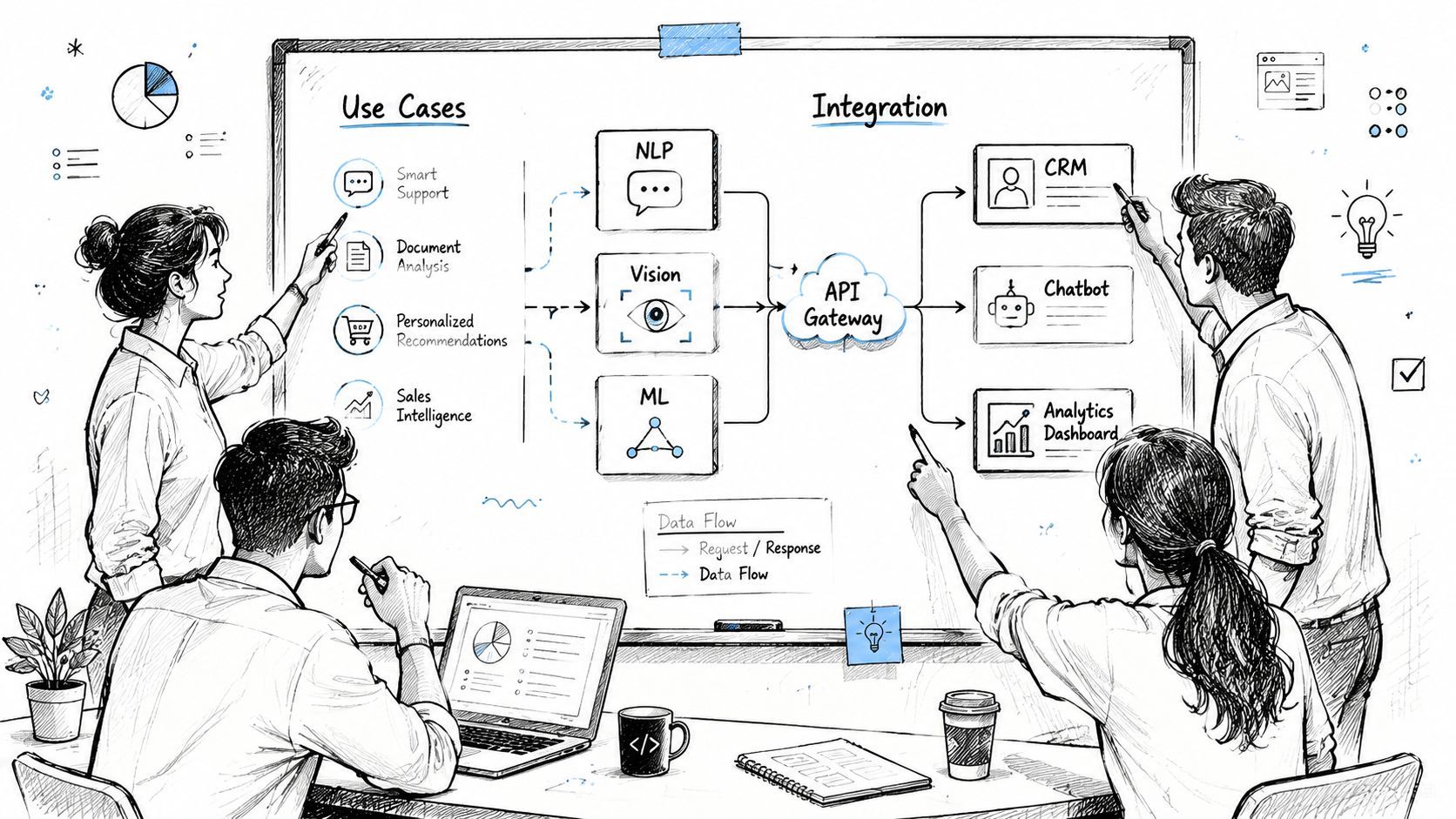
Teams get the first version working with direct model calls, a few prompts in code, and basic provider logs. That is enough for a demo. It starts to fail once the feature needs cost controls, faster iteration, human fallback paths, and a reliable way to inspect bad outputs after release. That production layer is where AI development platforms earn their place.
Support workflows that need routing
Support is one of the clearest examples because the trade-offs show up quickly. Sending every ticket to the same high-end model keeps the architecture simple, but it usually wastes money and hides useful distinctions between low-risk and high-risk requests.
A better setup splits the job into stages. A lightweight model or classifier handles intent detection first. Straightforward billing or account questions can follow a cheaper retrieval-backed path. Edge cases, policy-sensitive requests, or conversations with low confidence scores can escalate to a stronger model or a human queue, with the full trace attached.
That pattern matters less at the model layer than in the control plane around it. Someone has to manage prompt versions, routing rules, fallback behavior, and logs useful for support agents. If all of that logic lives inside application code, every change turns into an engineering task and every incident takes longer to diagnose.
Prompt iteration without redeploys
Content generation tools hit a different bottleneck. Product and ops teams want to adjust tone, structure, or formatting after seeing real outputs, but hardcoded prompts force those changes through the release cycle.
Treating prompts as managed configuration is usually the better pattern. Teams can test variants, compare output quality, roll back bad changes, and keep a record of what changed and when. Engineering still needs guardrails for sensitive flows, but it no longer has to own every copy edit disguised as a code change.
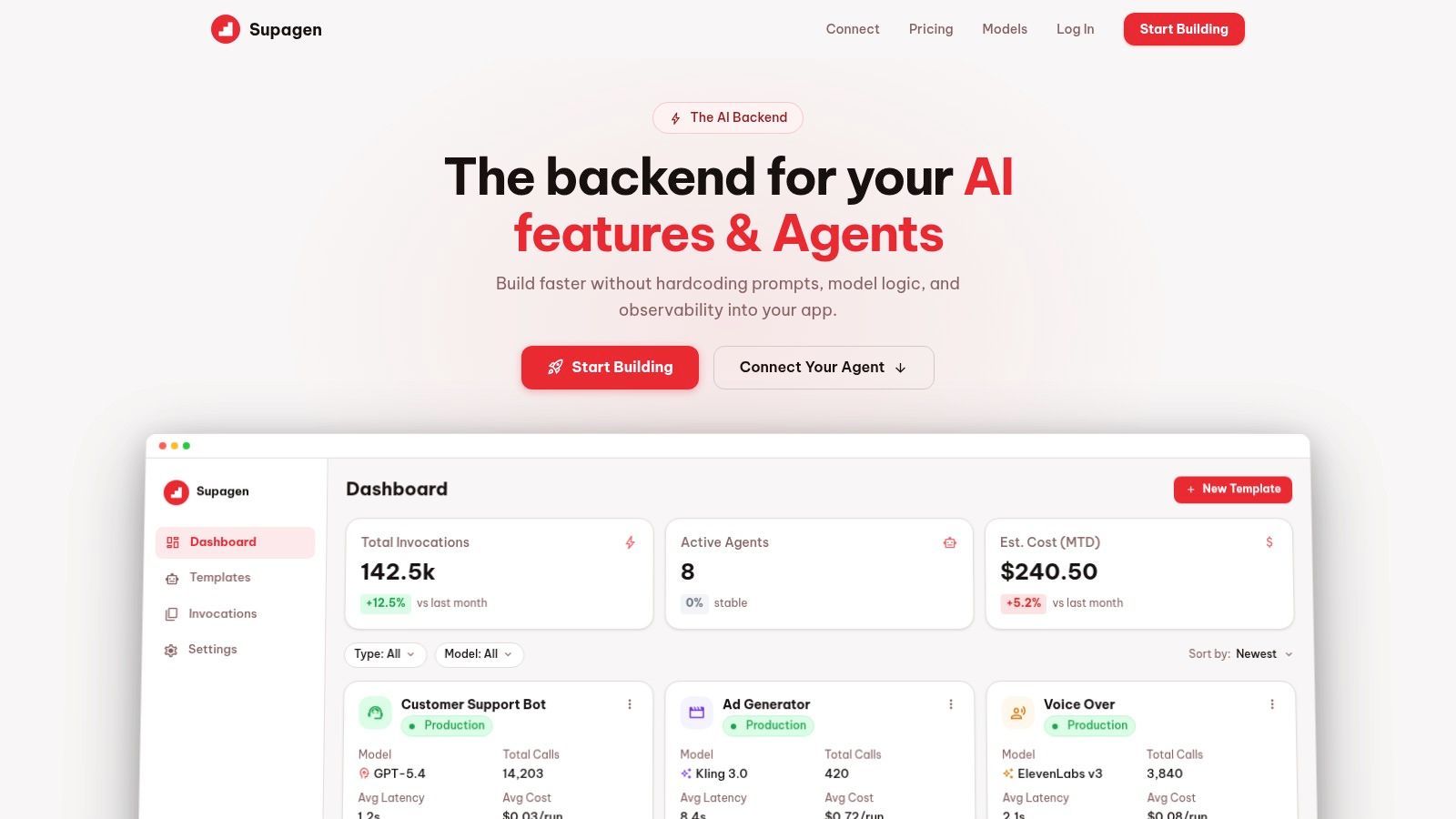
Supagen fits this layer of the stack. The useful part is not just model access. It centralizes prompt management, model routing, observability, and agent connectivity behind one integration, which reduces how much provider-specific logic leaks into the app.
A quick walkthrough is useful here:
Agent workflows with real operational needs
Agent workflows raise the operational bar fast.
Once a system starts chaining steps, calling tools, and making intermediate decisions, basic provider logs stop being useful. Teams need to see the whole run history. Which prompt started the sequence. Which model handled each step. Where latency piled up. Which tool call failed. Whether the retry fixed the issue or made the output worse.
That is why production agent work is mostly about control, not novelty. A team shipping agents needs replayability, audit trails, and enough visibility to debug failures without reading scattered logs from three different systems. Without that layer, the workflow may look impressive in a demo and still be too brittle to trust in a product.
A Practical Checklist for Adopting a Platform
The safest way to adopt an AI platform is not to migrate everything. It's to pick one feature that already hurts and use that as the proving ground.
Start with one painful feature
Choose a workflow with visible friction. Good candidates include:
- An expensive flow: The team suspects model choice or prompt shape is causing unnecessary spend.
- A noisy support feature: Users report inconsistent outputs, but nobody can easily inspect full request history.
- A frequently edited prompt: Product wants faster iteration than the release cycle allows.
- A provider-sensitive integration: Switching models currently means changing code in several places.
This keeps the test concrete. You're not buying into a grand platform vision. You're trying to remove one real bottleneck.
Adoption sequence that keeps risk low
A low-risk migration usually follows a straightforward path.
- Wrap your current AI calls in one internal serviceIf your app still calls providers from multiple places, stop there first. Even a thin internal abstraction gives you a stable seam for swapping the backend later.
- Point that service at the platform's unified endpoint
Keep the application contract the same wherever possible. The less feature code you touch, the easier it is to evaluate the platform accurately.
- Move one or two high-value prompts into platform managementPick prompts that change often or cause the most support confusion. Version them. Name them clearly. Treat them as production assets.
- Set one routing or fallback ruleDon't over-engineer it. A simple rule is enough to test the concept. You're looking for whether the platform reduces operational friction, not whether it can express every future scenario.
- Review observability data dailyLook at failures, latency outliers, surprising outputs, and cost patterns. The first week usually reveals whether the platform is giving you better visibility or just another dashboard.
Field note: A good proof of concept is reversible. If the trial requires invasive rewrites, the evaluation setup is already too expensive.
What to watch in the first week
Don't focus only on output quality. Watch the workflow around the workflow.
Look for signs that the team can now move faster with less risk:
- Prompt changes are traceable
- Model experiments don't require code edits
- Failures are easier to diagnose
- Support can share concrete examples instead of vague complaints
- Finance or product can see meaningful spend slices
If those things improve, the platform is doing its job. If not, it may just be repackaging the same complexity behind a new UI.
Conclusion From Experiment to Production Infrastructure
Direct model access is enough to prove that an AI feature can work. It isn't enough to run that feature as a dependable product capability.
The main challenge sits in the production layer. Prompts need version control. Model choices need routing logic. Failures need observability. Costs need context. Once those concerns are spread across app code, every change gets slower and more fragile.
That's why AI development platforms matter. They turn a pile of provider calls into an operating system for AI features. They give teams a stable place to manage behavior, inspect failures, and adapt when models, requirements, or economics change.
The payoff isn't abstract. It shows up in fewer redeploys for prompt edits, cleaner experiments across providers, faster debugging, and a better handle on how AI behavior connects to product outcomes. That's the difference between a clever launch and a maintainable system.
Teams that treat this layer as infrastructure usually move faster after the first release, not slower. They keep shipping because they've stopped hardcoding the part of the stack that changes most often.
If you're building AI features and want a cleaner production layer for prompt management, model routing, observability, and agent connectivity, take a look at Supagen. It's a practical option for teams that want one integration instead of hardcoded AI logic spread across the app.